
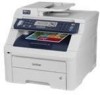
Brother International MFC-9320CW Network Users Manual - English
Brother International MFC-9320CW - Color LED - All-in-One Manual
 |
UPC - 012502622406
View all Brother International MFC-9320CW manuals
Add to My Manuals
Save this manual to your list of manuals |
Brother International MFC-9320CW manual content summary:
- Brother International MFC-9320CW | Network Users Manual - English - Page 1
the manual in PDF format from the Brother Solutions Center. (http://solutions.brother.com/) The Brother Solutions Center (http://solutions.brother.com/) is your one stop resource for all your printing needs. Download the latest drivers and utilities for your machine, read FAQs and troubleshooting - Brother International MFC-9320CW | Network Users Manual - English - Page 2
's Guide: IMPORTANT Note IMPORTANT describes procedures you must follow or avoid to prevent possible printer problems or printer damage United States and other countries. Apple, Macintosh, Safari and TrueType are trademarks of Apple Inc., registered in the United States and other countries. Linux - Brother International MFC-9320CW | Network Users Manual - English - Page 3
this manual and the specifications of this product are subject to change without notice. Brother reserves Brother Industries, Ltd. IMPORTANT NOTE „ This product is approved for use in the country of purchase only. Do not use this product outside the country of purchase as it may violate the wireless - Brother International MFC-9320CW | Network Users Manual - English - Page 4
Ltd. Marketing Dept. 1 Hôtel de Ville Dollard des Ormeaux, QC H9B 3H6 Canada Brother International Corporation do Brasil Ltda. Av. Paulista, 854 - 15 and. - Ed. Top Center CEP: 01310-100 - São Paulo - SP - Brasil European Product & Service Support 1 Tame Street Audenshaw Manchester, M34 5JE, UK iii - Brother International MFC-9320CW | Network Users Manual - English - Page 5
Global Web Site: http://www.brother.com/ For Frequently Asked Questions (FAQs), Product Support, Driver Updates and Utilities: http://solutions.brother.com/ Ordering accessories and supplies In USA: In Canada: 1-877-552-MALL (1-877-552-6255) 1-800-947-1445 (fax) http://www.brothermall.com/ 1-877 - Brother International MFC-9320CW | Network Users Manual - English - Page 6
MFC-9120CN and MFC-9320CW: available as a download 2 Management utilities...2 Internet fax/scan to E-mail server (For MFC-9120CN and MFC-9320CW: available as a download 4 Store Print Log to Network ...4 Types of network connections ...5 Wired network connection example...5 Wireless printer 15 - Brother International MFC-9320CW | Network Users Manual - English - Page 7
49 Configuration in Ad-hoc mode using the Brother Installer application 54 Before configuring the wireless settings 54 Configure the wireless settings...54 5 Wireless configuration for Macintosh using the Brother installer application (MFC-9320CW only) 65 Configuration in Infrastructure mode - Brother International MFC-9320CW | Network Users Manual - English - Page 8
(MFC-9320CW wireless network only 102 E-mail / IFAX (For MFC-9120CN and MFC-9320CW: available as a download 102 How to set a new default for Scan to E-mail (E-mail server) (For MFC-9120CN and MFC-9320CW: available as a download 112 How to set a new default for Scan to FTP (For MFC-9120CN and MFC - Brother International MFC-9320CW | Network Users Manual - English - Page 9
browser 142 Password information ...143 Secure Function Lock 2.0 (For MFC-9320CW 144 How to configure the Secure Function Lock 2.0 settings using Web Based Management (web browser) (For MFC-9320CW 145 Changing the Scan to FTP configuration using a web browser (For MFC-9120CN and MFC-9320CW 148 - Brother International MFC-9320CW | Network Users Manual - English - Page 10
187 Network print software installation problems 189 Printing problems...192 Scanning and PC Fax problems ...193 Wireless network troubleshooting (For MFC-9320CW 195 Wireless setup problems ...195 Wireless connection problem ...196 Protocol-specific troubleshooting...197 Windows® 2000/XP, Windows - Brother International MFC-9320CW | Network Users Manual - English - Page 11
wired network...206 Ethernet wireless network ...207 Function table and default factory settings 209 MFC-9010CN and DCP-9010CN ...209 MFC-9120CN ...210 MFC-9120CN (Internet Fax and Scan to E-mail Server available as a download 213 MFC-9320CW...217 MFC-9320CW (Internet Fax and Scan to E-mail Server - Brother International MFC-9320CW | Network Users Manual - English - Page 12
® 2003 x64 Edition Mac OS X 10.3.9 or greater r r r r r r r r r r r r r r r r r r r 1 Only the MFC-9320CW has IEEE 802.11b/802.11g wireless Ethernet (TCP/IP) available. 2 BRAdmin Professional and Web BRAdmin are available as a download from http://solutions.brother.com/. 3 Available - Brother International MFC-9320CW | Network Users Manual - English - Page 13
the TCP/IP protocols and Macintosh (Mac OS X 10.3.9 or greater) supporting TCP/IP. Network scanning 1 You can scan documents over the network to your computer (See Network Scanning in the Software User's Guide). Network PC Fax (For MFC-9120CN and MFC-9320CW) 1 You can directly send a file - Brother International MFC-9320CW | Network Users Manual - English - Page 14
download the software, visit us at http://solutions.brother.com/. 1 Internet Information Server 4.0 or Internet Information Services check items such as page counts, toner and drum status and the firmware version. In addition to reporting to Brother network management applications this utility can - Brother International MFC-9320CW | Network Users Manual - English - Page 15
to configure network settings from a Windows® or Macintosh (Mac OS X 10.3.9 or greater) computer. (See Remote Setup in the Software User's Guide.) 1 1 Internet fax/scan to E-mail server (For MFC-9120CN and MFC-9320CW: available as a download) 1 The Brother machine can be assigned an E-mail address - Brother International MFC-9320CW | Network Users Manual - English - Page 16
no central server controlling file access or printer sharing. Windows R Windows R Windows R TCP/IP 1 Router 2 Network printer (your machine) TCP/IP „ In page 6. „ Each computer must use the TCP/IP Protocol. „ The Brother machine needs to have an appropriate IP address configuration. „ If you - Brother International MFC-9320CW | Network Users Manual - English - Page 17
"Server" or "Print server" 3 TCP/IP or USB (where available) 4 Printer (your machine) „ In a larger network, we recommend a Network Shared printing environment server" must use the TCP/IP print protocol. „ The Brother machine needs to have an appropriate IP address configuration unless the machine - Brother International MFC-9320CW | Network Users Manual - English - Page 18
bridge or a gateway to a wired network. When the Brother wireless machine (your machine) is part of this network, it receives all print jobs via an access point. 1 Access point 2 Wireless network printer (your machine) 3 Wireless capable computer communicating with the access point 4 Wired computer - Brother International MFC-9320CW | Network Users Manual - English - Page 19
Server®, Macintosh and Linux®. The following TCP/IP protocols are available on this Brother product. Note • If you do not assign an IP address manually (using the control panel of the machine or address to MAC address in a TCP/IP network. DNS client 1 The Brother print server supports the Domain - Brother International MFC-9320CW | Network Users Manual - English - Page 20
via the Internet or Intranet. Custom Raw Port (Default is Port9100) 1 Another commonly used printing protocol Brother print server to automatically configure itself to work in a Mac OS X Simple Network Configured system. (Mac OS X 10.3.9 or greater.) TELNET 1 The Brother print server supports - Brother International MFC-9320CW | Network Users Manual - English - Page 21
Brother printer driver by right clicking 1 the machine icon from the Start / Network selection. See Installation when using web services (For Windows Vista® users) on page 204. The Web Services Protocol (FTP) allows the Brother machine to scan black and white or color documents directly to an FTP - Brother International MFC-9320CW | Network Users Manual - English - Page 22
easily on the Windows Vista® network map. Your Brother machine will be shown with a distinctive icon and the node name. The default setting for this protocol is Off. You can activate LLTD using the BRAdmin Professional 3 utility software. Visit the download page for your model at http://solutions - Brother International MFC-9320CW | Network Users Manual - English - Page 23
using TCP/IP protocol. We recommend that you use the Brother installer on the Brother CD-ROM to install the Brother software as this will guide you through the software and network installation. Please follow the instructions in the supplied Quick Setup Guide. Note If you do not wish to, or are - Brother International MFC-9320CW | Network Users Manual - English - Page 24
If you have a DHCP/BOOTP/RARP server in your network (typically a UNIX®/Linux or Windows® 2000/XP, Windows Vista® or Windows Server® 2003/2008 network) its name with any RFC 1001 and 1002-compliant dynamic name 2 services. Note On smaller networks, the DHCP server may also be the router. For - Brother International MFC-9320CW | Network Users Manual - English - Page 25
Configuring your machine for a network Gateway (and router) 2 A gateway is a network point that acts as an entrance to another network and sends data transmitted via the network to an exact destination. The router knows where to direct data that arrives at the gateway. If a destination is located - Brother International MFC-9320CW | Network Users Manual - English - Page 26
Brother product. You can also download the latest Brother BRAdmin Light utility from http://solutions.brother.com/. • If you require more advanced printer " for a wireless network. ("xxxxxxxxxxxx" is your machine's MAC Address / Ethernet Address.) • The default password for Brother print servers is - Brother International MFC-9320CW | Network Users Manual - English - Page 27
2 Note • If the print server is set to its factory default settings (if you do not use a DHCP/BOOTP/RARP server), Light utility screen. • You can find the node name and MAC Address (Ethernet Address) by printing the Network Configuration List. See the Brother print server in the device list. 16 - Brother International MFC-9320CW | Network Users Manual - English - Page 28
Configuring your machine for a network Using the control panel to configure your machine for a network You can configure your machine for a network using the control panel Network menu. See Control panel setup on page 90. Using other methods to configure your machine for a network You can configure - Brother International MFC-9320CW | Network Users Manual - English - Page 29
users Double-click Mac OS X or Macintosh HD (Startup Disk) / Library / Printers / Brother / Utilities / BRAdmin Light.jar file. b Choose the print server which you want to change the settings. c Choose Network Configuration from the Control menu. d Enter a password. The default password is "access - Brother International MFC-9320CW | Network Users Manual - English - Page 30
Brother BRAdmin Professional 3 / BRAdmin Professional3. 1 Programs for Windows® 2000 users 2 b Choose the print server which you want to configure. c Choose Configure Device from the Control menu. d Enter a password if you have set one. The default password to change the print/scan server settings 2 - Brother International MFC-9320CW | Network Users Manual - English - Page 31
can upload them directly to the machine. a Double click the Mac OS X or Macintosh HD (Startup Disk) icon on your desktop, Library, Printers, Brother, then Utilities. b Double click the Remote Setup icon. c Enter a password. The default password is "access". d Click TCP/IP. e You can now change - Brother International MFC-9320CW | Network Users Manual - English - Page 32
Macintosh using the BR-Script 3 driver on page 135, you will learn how to install the network software and drivers into the operating system running on throughput speed. • Although the Brother MFC-9320CW can be used in a both wired and wireless network, only one connection method can be used at a - Brother International MFC-9320CW | Network Users Manual - English - Page 33
to the information below to see which authentication and encryption methods your Brother wireless device supports. Authentication methods 3 The Brother printer supports the following methods: „ Open system Wireless devices are allowed to access the network without any authentication. „ Shared - Brother International MFC-9320CW | Network Users Manual - English - Page 34
wireless network (For MFC-9320CW) „ LEAP Cisco LEAP (Light Extensible Authentication Protocol) has been developed by Cisco Systems, Inc. which uses a user ID and password the data that is sent over the wireless network. The Brother wireless machine supports the following encryption methods: „ None - Brother International MFC-9320CW | Network Users Manual - English - Page 35
your machine for a wireless network (For MFC-9320CW) Network key digits of hexadecimal data. e.g. "71f2234ab56cd709e5412aa2ba" „ WPA-PSK/WPA2-PSK and TKIP or AES Uses a Pre-Shared Key (PSK) that is 8 or more characters in length, up to a maximum of 63 characters. „ LEAP Uses User ID and Password - Brother International MFC-9320CW | Network Users Manual - English - Page 36
/WPS/AOSS control panel menu (Automatic Wireless mode) c Configure your machine for a wireless network. See page 31. See page 31 See page 35 See page 37 For Windows® See page 39 For Macintosh See page 65 Installing drivers and software (See the Quick Setup Guide) For Windows® See page 49 For - Brother International MFC-9320CW | Network Users Manual - English - Page 37
) Using the Brother installer application c Configure your machine for a wireless network. See page 31. See page 31 For Windows® See page 54 For Macintosh See page 80 Installing drivers and software (See the Quick Setup Guide) Wireless configuration and installing drivers and software have - Brother International MFC-9320CW | Network Users Manual - English - Page 38
communicates directly with each other. When the Brother wireless machine (your machine) is part of this network, it receives all print jobs directly from the computer sending the print data. 2 1 2 1 Wireless network printer (your machine) 2 Wireless capable computer Note We do not guarantee the - Brother International MFC-9320CW | Network Users Manual - English - Page 39
for a wireless network (For MFC-9320CW) Confirm your wireless network setup method 3 There are four methods to configure your wireless network machine. Use the machine's control panel (recommended), SES/WPS/AOSS from the control panel menu, the PIN Method of Wi-Fi Protected Setup or the Brother - Brother International MFC-9320CW | Network Users Manual - English - Page 40
Configuring your machine for a wireless network (For MFC-9320CW) Configuration using the PIN Method of Wi-Fi Protected Setup (Infrastructure mode only) 3 If your wireless access point (A) supports Wi-Fi Protected Setup, you can also configure using the PIN Method of Wi-Fi Protected Setup. (See Using - Brother International MFC-9320CW | Network Users Manual - English - Page 41
network (For MFC-9320CW) Configuration using the Brother installer application on the CD-ROM to configure your wireless network machine 3 You can also use the Brother installer application on the CD-ROM we have provided with the printer. You will be guided by the on-screen instructions until you - Brother International MFC-9320CW | Network Users Manual - English - Page 42
before you can configure the wireless settings again. Press Menu, 7, 0 for Network Reset, press 1 for Reset and then choose 1 for Yes to accept the change. The machine will restart automatically. Using the Setup Wizard from the control panel 3 You can configure your Brother machine by using the - Brother International MFC-9320CW | Network Users Manual - English - Page 43
this is case sensitive) 128-bit Hexadecimal: Uses 26 digits of hexadecimal data 3 e.g."71f2234ab56cd709e5412aa3ba" 3 This is supported for WPA-PSK only 4 Encryption key, WEP key, Passphrase. For LEAP and EAP-FAST, record the User Name and Password For example: Network name:(SSID, ESSID) HELLO - Brother International MFC-9320CW | Network Users Manual - English - Page 44
for a wireless network (For MFC-9320CW) i Choose using a or b. Press OK. Go to j. Select SSID&Set j Enter a new SSID. (For information how to type text, see Entering Text on page 229.) Press OK. 3 SSID: k Press a or b to choose Infrastructure or Ad-hoc. Press OK. Do one of the - Brother International MFC-9320CW | Network Users Manual - English - Page 45
: s Enter the password you wrote down in step a on page 31. Press OK. Go to step t. (To manually enter the text, one minute. See Wireless network troubleshooting (For MFC-9320CW) on page 195. (Windows®) You have completed the wireless network setup. If you would like to continue installing drivers - Brother International MFC-9320CW | Network Users Manual - English - Page 46
wireless network and security settings. See the user's guide for your wireless access point/router for instructions on how to access one-push mode. 1 Push Button Configuration Note Routers or access points that support is supported by your access point. Please refer to the instruction manual that - Brother International MFC-9320CW | Network Users Manual - English - Page 47
1 Try starting from step c again. 2 If the same message continues, reset the machine back to the factory settings and try again. (Windows®) You have completed the wireless network setup. If you would like to continue installing drivers and software necessary for operating your device, please choose - Brother International MFC-9320CW | Network Users Manual - English - Page 48
wireless LAN), you can setup the wireless network and security settings. See the user's guide for your wireless access point/router for instructions on how to access the 3 Wi-Fi Protected Setup mode. Note Routers or access points that support WPS w/PIN Code. d The LCD will show an 8 digit PIN and - Brother International MFC-9320CW | Network Users Manual - English - Page 49
as a Registrar, you need to register it to your network in advance. See the instruction manual that came with your access point/router. 3 1 Click the button and then Network. 2 Click Add a wireless device. 3 Choose your printer and click Next. 4 Input the PIN which the LCD shows in d on page 37 - Brother International MFC-9320CW | Network Users Manual - English - Page 50
we have provided with the machine. • You can also setup your Brother machine using the machine's control panel which we recommended. You can find instructions in the supplied Quick Setup Guide or see Configuring your machine for a wireless network (For MFC-9320CW) on page 21. • You must know your - Brother International MFC-9320CW | Network Users Manual - English - Page 51
(this is case sensitive) 4 128-bit Hexadecimal: Uses 26 digits of hexadecimal data e.g."71f2234ab56cd709e5412aa3ba" 3 This is supported for WPA-PSK only 4 Encryption key, WEP key, Passphrase. For LEAP and EAP-FAST, record the User Name and Password For example: Network name:(SSID, ESSID) HELLO - Brother International MFC-9320CW | Network Users Manual - English - Page 52
configuration for Windows® using the Brother installer application (For MFC-9320CW) Configure the wireless settings 4 a Plug the machine's power cord into the AC power outlet. Turn on the machine's power switch. b Turn on your computer. Close any applications running - Brother International MFC-9320CW | Network Users Manual - English - Page 53
Wireless configuration for Windows® using the Brother installer application (For MFC-9320CW) f Choose Step by Step install (Recommended) and then click Next. 4 g Choose With cable (Recommended) and then click Next. 42 - Brother International MFC-9320CW | Network Users Manual - English - Page 54
MFC-9320CW) h Connect the Brother wireless device to your access point using a network cable and click Next. 4 i Choose the machine you wish to configure, and click Next. If the list is blank, check if the access point and the machine are powered on, and then click Refresh. Note • The default Node - Brother International MFC-9320CW | Network Users Manual - English - Page 55
configuration for Windows® using the Brother installer application (For MFC-9320CW) j The wizard will search for wireless networks available from your machine. Choose the access point you wish to associate the machine with, and then click Next. 4 Note • "SETUP" is the default SSID of the machine. Do - Brother International MFC-9320CW | Network Users Manual - English - Page 56
configuration for Windows® using the Brother installer application (For MFC-9320CW) l If your network is configured for Authentication and Encryption, the following screen will appear. When configuring your Brother wireless machine, you must configure your machine to match the Authentication - Brother International MFC-9320CW | Network Users Manual - English - Page 57
Wireless configuration for Windows® using the Brother installer application (For MFC-9320CW) m Click Next. The settings will be sent to your machine. The settings will remain unchanged if you click Cancel. The Network Configuration page will be printed. 4 Note • If you want to manually enter the IP - Brother International MFC-9320CW | Network Users Manual - English - Page 58
p. If your status is "Failed To Associate", go to step o. 4 o Click Finish. Wireless setup was unable to associate with a wireless network. This is probably due to incorrect security settings. Reset the print server back to its factory default settings. (See Restoring the network settings to factory - Brother International MFC-9320CW | Network Users Manual - English - Page 59
click Next. 4 q Check the box after you confirm that you have completed the wireless settings, and then click Finish. You have completed the wireless network setup. If you would like to continue installing drivers and software necessary for operating your device, please choose Install MFL-Pro Suite - Brother International MFC-9320CW | Network Users Manual - English - Page 60
configuration for Windows® using the Brother installer application (For MFC-9320CW) Configuration using SES/WPS or AOSS with the Brother Installer and the control panel menu (Automatic Wireless mode) 4 Before configuring the wireless settings 4 IMPORTANT 4 • If you are going to connect your - Brother International MFC-9320CW | Network Users Manual - English - Page 61
Windows® using the Brother installer application (For MFC-9320CW) e The CD-ROM main menu will appear. Click Initial Installation. 4 Note If this window does not appear, use Windows® Explorer to run the start.exe program from the root folder of the Brother CD-ROM. f Click Wireless LAN Setup Wizard - Brother International MFC-9320CW | Network Users Manual - English - Page 62
Wireless configuration for Windows® using the Brother installer application (For MFC-9320CW) h Confirm the on-screen message and click Setup mode or AOSS™ mode, depending on what is supported by your access point. Please refer to the instruction manual that came with your access point. You will see - Brother International MFC-9320CW | Network Users Manual - English - Page 63
(For MFC-9320CW) l If the LCD shows Connected, the machine has successfully connected to your access point/router. You can now use your machine in a wireless network. If the LCD shows Connection Error, a session overlap has been detected. The machine has detected more than one access point - Brother International MFC-9320CW | Network Users Manual - English - Page 64
® using the Brother installer application (For MFC-9320CW) m Click Next. 4 n Check the box after you confirm that you have completed the wireless settings, and then click Finish. You have completed the wireless network setup. If you would like to continue installing drivers and software necessary - Brother International MFC-9320CW | Network Users Manual - English - Page 65
configuration for Windows® using the Brother installer application (For MFC-9320CW) Configuration in Ad-hoc mode using the Brother Installer application 4 Before configuring the wireless settings 4 IMPORTANT • The following instructions will install your Brother machine in a network environment - Brother International MFC-9320CW | Network Users Manual - English - Page 66
Windows® using the Brother installer application (For MFC-9320CW) e The CD-ROM main menu will appear. Click Initial Installation. 4 Note If this window does not appear, use Windows® Explorer to run the start.exe program from the root folder of the Brother CD-ROM. f Click Wireless LAN Setup Wizard - Brother International MFC-9320CW | Network Users Manual - English - Page 67
Wireless configuration for Windows® using the Brother installer application (For MFC-9320CW) h Choose Without cable (Advanced) and then click Next. 4 i Read the Important Notice. Check the box after you confirm the wireless setting is enabled, and then click Next. 56 - Brother International MFC-9320CW | Network Users Manual - English - Page 68
Brother installer application (For MFC-9320CW) j You need to temporarily change your computer's wireless settings. Follow the on-screen instructions text characters e.g. "Hello" (this is case sensitive) Uses 10 digits of hexadecimal data e.g. "71f2234aba" Uses 13 text characters e.g. "Wirelesscomms" ( - Brother International MFC-9320CW | Network Users Manual - English - Page 69
configuration for Windows® using the Brother installer application (For MFC-9320CW) k To communicate with the un-configured wireless machine, temporarily change the wireless settings on your computer to match the machine's default settings shown on this screen. Check the box after you confirm - Brother International MFC-9320CW | Network Users Manual - English - Page 70
Brother installer application (For MFC-9320CW) Note • If a message to restart your computer appears after the wireless settings have been changed, restart your computer and then go back to step d and continue You can see the SSID of the wireless printer in the list. Choose SETUP and click Connect. 5 - Brother International MFC-9320CW | Network Users Manual - English - Page 71
Wireless configuration for Windows® using the Brother installer application (For MFC-9320CW) l Choose the machine you wish to configure, and click Next. If the list is blank, check if the machine is powered on, and then click Refresh. 4 Note • The default Node name is "BRWxxxxxxxxxxxx". (" - Brother International MFC-9320CW | Network Users Manual - English - Page 72
configuration for Windows® using the Brother installer application (For MFC-9320CW) Note • If the list is blank, check if the machine is within range for wireless communication. Then, click Refresh. • If your target Ad-hoc network does not appear on the list, you can manually add it by clicking the - Brother International MFC-9320CW | Network Users Manual - English - Page 73
Wireless configuration for Windows® using the Brother installer application (For MFC-9320CW) Note • If you want to setup 4 Cancel. The Network Configuration page will be printed. Note If you want to manually enter the IP address settings of your machine, click Change IP Address and enter the necessary - Brother International MFC-9320CW | Network Users Manual - English - Page 74
s. If your status is "Failed To Associate", go to step r. 4 r Click Finish. Wireless setup was unable to associate with a wireless network. This is probably due to incorrect security settings. Reset the print server back to its factory default settings. (See Restoring the network settings to factory - Brother International MFC-9320CW | Network Users Manual - English - Page 75
Windows® using the Brother installer application (For MFC-9320CW) s To communicate with the configured wireless device, you must configure your computer to use the same wireless settings. Manually change the wireless settings on your computer to match the machine's wireless settings shown on this - Brother International MFC-9320CW | Network Users Manual - English - Page 76
5 • You can also setup your Brother machine using the machine's control panel which we recommended. You can find instructions in the supplied Quick Setup Guide or see Configuring your machine for a wireless network (For MFC-9320CW). • You must know your wireless network settings before you proceed - Brother International MFC-9320CW | Network Users Manual - English - Page 77
(this is case sensitive) 128-bit Hexadecimal: Uses 26 digits of hexadecimal data e.g."71f2234ab56cd709e5412aa3ba" 5 3 This is supported for WPA-PSK only 4 Encryption key, WEP key, Passphrase. For LEAP and EAP-FAST, record the User Name and Password For example: Network name:(SSID, ESSID) HELLO - Brother International MFC-9320CW | Network Users Manual - English - Page 78
configuration for Macintosh using the Brother installer application (MFC-9320CW only) Configure the wireless settings 5 a Plug the machine's power cord into the AC power outlet. Turn on the on your desktop. d Double-click the Utilities icon. 5 e Double-click the Wireless Device Setup Wizard. 67 - Brother International MFC-9320CW | Network Users Manual - English - Page 79
Wireless configuration for Macintosh using the Brother installer application (MFC-9320CW only) f Choose Step by Step install (Recommended) and then click Next. 5 g Choose With cable (Recommended) and then click Next. 68 - Brother International MFC-9320CW | Network Users Manual - English - Page 80
(MFC-9320CW only) h Connect the Brother wireless device to your access point using a network cable and click Next. 5 i Choose the machine you wish to configure, and click Next. If the list is blank, check if the access point and the printer are powered on, and then click Refresh. Note • The default - Brother International MFC-9320CW | Network Users Manual - English - Page 81
configuration for Macintosh using the Brother installer application (MFC-9320CW only) j The wizard will search for wireless networks available from your machine. Choose the access point you wish to associate the machine with, and then click Next. 5 Note • "SETUP" is the default SSID of the machine - Brother International MFC-9320CW | Network Users Manual - English - Page 82
configuration for Macintosh using the Brother installer application (MFC-9320CW only) l If your network is configured for Authentication and Encryption, the following screen will appear. When configuring your Brother wireless machine, you must configure your machine to match the Authentication - Brother International MFC-9320CW | Network Users Manual - English - Page 83
Wireless configuration for Macintosh using the Brother installer application (MFC-9320CW only) m Click Next. The settings will be sent to your machine. The settings will remain unchanged if you click Cancel. The Network Configuration page will be printed. 5 Note • If you want to manually enter the - Brother International MFC-9320CW | Network Users Manual - English - Page 84
p. If your status is "Failed To Associate", go to step o. 5 o Click Finish. Wireless setup was unable to associate with a wireless network. This is probably due to incorrect security settings. Reset the print server back to its factory default settings. (See Restoring the network settings to factory - Brother International MFC-9320CW | Network Users Manual - English - Page 85
click Next. 5 q Check the box after you confirm that you have completed the wireless settings, and then click Finish. You have completed the wireless network setup. If you would like to continue installing drivers and software necessary for operating your device, please choose Start Here OSX from - Brother International MFC-9320CW | Network Users Manual - English - Page 86
IMPORTANT • If you are going to connect your Brother machine to your network, we recommend that you contact your system administrator prior to installation. • If you have previously configured the wireless settings of the machine, you must reset the network LAN settings before you can configure the - Brother International MFC-9320CW | Network Users Manual - English - Page 87
Wireless configuration for Macintosh using the Brother installer application (MFC-9320CW only) f Double-click the Wireless Device Setup Wizard. 5 g Choose Automatic install (Advanced) and click Next. h Confirm the on-screen message and click Next. 76 - Brother International MFC-9320CW | Network Users Manual - English - Page 88
using the Brother installer application (MFC-9320CW only) i Press Menu, 7, 2, 3 for SES/WPS/AOSS. This feature will automatically detect which mode (SecureEasySetup™, Wi-Fi Protected Setup or AOSS™) your access point uses to configure your machine. Note If your wireless access point supports Wi-Fi - Brother International MFC-9320CW | Network Users Manual - English - Page 89
Wireless configuration for Macintosh using the Brother installer application (MFC-9320CW only) LCD messages when using the SES/WPS/AOSS control panel menu LCD shows Connection status Action Searching or accessing the access Setting WLAN point, and downloading settings from the - access - Brother International MFC-9320CW | Network Users Manual - English - Page 90
for Macintosh using the Brother installer application (MFC-9320CW only) n Check the box after you confirm that you have completed the wireless settings, and then click Finish. 5 You have completed the wireless network setup. If you would like to continue installing drivers and software necessary for - Brother International MFC-9320CW | Network Users Manual - English - Page 91
for Macintosh using the Brother installer application (MFC-9320CW only) Configuration in Ad-hoc mode 5 Before configuring the wireless settings 5 IMPORTANT • The following instructions will install your Brother machine in a network environment using the Brother installer application for Macintosh - Brother International MFC-9320CW | Network Users Manual - English - Page 92
Wireless configuration for Macintosh using the Brother installer application (MFC-9320CW only) f Double-click the Wireless Device Setup Wizard. 5 g Choose Step by Step install (Recommended) and then click Next. 81 - Brother International MFC-9320CW | Network Users Manual - English - Page 93
Wireless configuration for Macintosh using the Brother installer application (MFC-9320CW only) h Choose Without cable (Advanced) and then click Next. 5 i Read the Important Notice. Check the box after you confirm the wireless setting is enabled, and then click Next. 82 - Brother International MFC-9320CW | Network Users Manual - English - Page 94
Brother installer application (MFC-9320CW only) j You need to temporarily change your computer's wireless settings. Follow the on-screen instructions text characters e.g. "Hello" (this is case sensitive) Uses 10 digits of hexadecimal data e.g. "71f2234aba" Uses 13 text characters e.g. "Wirelesscomms" ( - Brother International MFC-9320CW | Network Users Manual - English - Page 95
configuration for Macintosh using the Brother installer application (MFC-9320CW only) k To communicate with the un-configured wireless machine, temporarily change the wireless settings on your computer to match the machine's default settings shown on this screen. Check the box after you confirm - Brother International MFC-9320CW | Network Users Manual - English - Page 96
configuration for Macintosh using the Brother installer application (MFC-9320CW only) m The wizard will search for wireless networks available from your machine. Choose the Ad-hoc network you wish to associate the printer with, and then click Next. 5 Note • If the list is blank, check if the - Brother International MFC-9320CW | Network Users Manual - English - Page 97
configuration for Macintosh using the Brother installer application (MFC-9320CW only) o If your network is configured for Authentication and Encryption, the following screen will appear. When configuring your Brother wireless machine, you must configure your machine to match the Authentication - Brother International MFC-9320CW | Network Users Manual - English - Page 98
Wireless configuration for Macintosh using the Brother installer application (MFC-9320CW only) p Click Next. The settings will be sent to your machine. The settings will remain unchanged if you click Cancel. The Network Configuration page will be printed. 5 Note If you want to manually enter the IP - Brother International MFC-9320CW | Network Users Manual - English - Page 99
s. If your status is "Failed To Associate", go to step r. 5 r Click Finish. Wireless setup was unable to associate with a wireless network. This is probably due to incorrect security settings. Reset the print server back to its factory default settings. (See Restoring the network settings to factory - Brother International MFC-9320CW | Network Users Manual - English - Page 100
for Macintosh using the Brother installer application (MFC-9320CW only) s To communicate with the configured wireless device, you must configure your computer to use the same wireless settings. Manually change the wireless settings on your computer to match the machine's wireless settings shown on - Brother International MFC-9320CW | Network Users Manual - English - Page 101
you to set up the Brother machine for your network configuration. machine obtains an IP address. The default setting is Auto. Note If you MFC-9120CN, MFC-9010CN and DCP-9010CN) Go to step d. (MFC-9320CW) Go to step c. c (MFC-9320CW only) (For Wired) Press a or b to choose Wired LAN. (For Wireless - Brother International MFC-9320CW | Network Users Manual - English - Page 102
, it may take a few minutes for the machine to scan the network for a server. 2 Static mode In this mode the machine's IP address must be manually assigned. Once entered the IP address is locked to the assigned address. 3 RARP mode The Brother print server's IP address can be configured using the - Brother International MFC-9320CW | Network Users Manual - English - Page 103
mask to use. a Press Menu. b Press a or b to choose Network. Press OK. (MFC-9120CN, MFC-9010CN and DCP-9010CN) Go to step d. (MFC-9320CW) Go to step c. c (MFC-9320CW only) (For Wired) Press a or b to choose Wired LAN. (For Wireless) Press a or b to choose WLAN. Press OK. d Press a or b to choose - Brother International MFC-9320CW | Network Users Manual - English - Page 104
server on your network. Brother recommends the name "BRNxxxxxxxxxxxx" for a wired network or "BRWxxxxxxxxxxxx" for a wireless network. ("xxxxxxxxxxxx" is your machine's MAC Address / Ethernet Address.) a Press Menu. b Press a or b to choose Network. Press OK. (MFC-9120CN, MFC-9010CN and DCP-9010CN - Brother International MFC-9320CW | Network Users Manual - English - Page 105
the WINS server. a Press Menu. b Press a or b to choose Network. Press OK. (MFC-9120CN, MFC-9010CN and DCP-9010CN) Go to step d. (MFC-9320CW) Go to step c. c (MFC-9320CW only) (For Wired) Press a or b to choose Wired LAN. (For Wireless) Press a or b to choose WLAN. Press OK. d Press a or b to choose - Brother International MFC-9320CW | Network Users Manual - English - Page 106
this server to register its name with the Windows® Internet Name Service. If you have a primary WINS server, but no secondary WINS (MFC-9120CN, MFC-9010CN and DCP-9010CN) Go to step d. (MFC-9320CW) Go to step c. c (MFC-9320CW only) (For Wired) Press a or b to choose Wired LAN. (For Wireless) - Brother International MFC-9320CW | Network Users Manual - English - Page 107
field blank. a Press Menu. b Press a or b to choose Network. Press OK. (MFC-9120CN, MFC-9010CN and DCP-9010CN) Go to step d. 6 (MFC-9320CW) Go to step c. c (MFC-9320CW only) (For Wired) Press a or b to choose Wired LAN. (For Wireless) Press a or b to choose WLAN. Press OK. d Press a or b to - Brother International MFC-9320CW | Network Users Manual - English - Page 108
IPv6 protocol, visit http://solutions.brother.com/. a Press Menu. b Press a or b to choose Network. Press OK. (MFC-9120CN, MFC-9010CN and DCP-9010CN) Go to step d. (MFC-9320CW) Go to step c. c (MFC-9320CW only) (For Wired) Press a or b to choose Wired LAN. (For Wireless) Press a or b to choose WLAN - Brother International MFC-9320CW | Network Users Manual - English - Page 109
panel on page 31.) SES/WPS/AOSS (MFC-9320CW wireless network only) 6 If your wireless access point supports either SecureEasySetup™, Wi-Fi Protected Setup (PBC 1) or AOSS™ (one-push method), you can configure the machine easily without a computer. Your Brother machine has the SES/WPS/AOSS menu on - Brother International MFC-9320CW | Network Users Manual - English - Page 110
security settings. See the user's guide for your wireless access point/router for instructions on how to access the Wi-Fi Protected Setup mode. (For more information, see Using the PIN Method of Wi-Fi Protected Setup on page 37.) WLAN Status (MFC-9320CW wireless network only) 6 Status This field - Brother International MFC-9320CW | Network Users Manual - English - Page 111
network signal strength will be displayed; Signal:Strong, Signal:Medium, Signal:Weak or Signal:None. g Press Stop/Exit. SSID 6 This field displays the current wireless network SSID. The display shows up to 32 characters of the SSID name. a Press Menu. b Press a or b to choose Network. Press OK - Brother International MFC-9320CW | Network Users Manual - English - Page 112
Control panel setup Set to Default (MFC-9320CW only) 6 The Set to Default allows you to reset each wired or wireless settings to the factory default. If you want to reset both wired and wireless settings, see Restoring the network settings to factory default on page 117. a Press Menu. b Press a - Brother International MFC-9320CW | Network Users Manual - English - Page 113
MFC-9320CW wireless network only) If you want to use the wireless IFAX (For MFC-9120CN and MFC-9320CW: available as a download) 6 This Scan to E-mail (E-mail server) (For MFC-9120CN and MFC download the necessary software from the download page in the Brother Solution Center. (http://solutions.brother - Brother International MFC-9320CW | Network Users Manual - English - Page 114
Control panel setup Setup Server 6 SMTP Server 6 This field displays the node name or IP address of an SMTP mail server (outgoing E-mail server) on your network. (Ex, "mailhost.brothermail.net" or "192.000.000.001") a Press Menu. b Press a or b to choose Network. Press OK. c Press a or b to - Brother International MFC-9320CW | Network Users Manual - English - Page 115
for SMTP authentication. Press OK. j Enter the account password again. Press OK. k Press Stop/Exit. POP3 Server 6 This field displays the node name or IP address of the POP3 server (incoming E-mail server) used by the Brother machine. This address is necessary for the Internet fax features - Brother International MFC-9320CW | Network Users Manual - English - Page 116
(up to 64 characters). Press OK. h Press Stop/Exit. POP3 Port This field displays the POP3 port number (for incoming E-mails) used by the Brother machine. a Press Menu. b Press a or b to choose Network. Press OK. c Press a or b to choose E-mail/IFAX. Press OK. d Press a or b to choose Setup Server - Brother International MFC-9320CW | Network Users Manual - English - Page 117
b to choose E-mail/IFAX. Press OK. d Press a or b to choose Setup Server. Press OK. e Press a or b to choose Mailbox Pwd. Press OK. 6 f Enter the user password assigned to the machine that will login to the POP3 server (up to 32 characters). Please note that this - Brother International MFC-9320CW | Network Users Manual - English - Page 118
a or b to choose On or Off. Press OK. g Press Stop/Exit. Poll Frequency Sets the interval for checking for new messages on the POP3 server (default is 10Min). a Press Menu. b Press a or b to choose Network. Press OK. c Press a or b to choose E-mail/IFAX. Press OK. d Press a or b to choose Setup Mail - Brother International MFC-9320CW | Network Users Manual - English - Page 119
. Press OK. 6 f Press a or b to choose All, Subject+From+To or None. Press OK. g Press Stop/Exit. Del Error Mail 6 When set to On, the machine automatically deletes error mails that the machine cannot receive from the POP server. a Press Menu. b Press a or b to choose Network. Press OK - Brother International MFC-9320CW | Network Users Manual - English - Page 120
Fax has been received. This feature only works on Internet Fax machines that support the "MDN" specification. a Press Menu. b Press a or b to displays the subject that is attached to the Internet fax data being sent from the Brother machine to a computer. a Press Menu. b Press a or b to choose - Brother International MFC-9320CW | Network Users Manual - English - Page 121
Mbyte in size. The document will not be sent and an error report will be printed. The document you are sending should be separated the Internet Fax has been received. This feature only works on Internet Fax machines that support the "MDN" specification. a Press Menu. b Press a or b to choose - Brother International MFC-9320CW | Network Users Manual - English - Page 122
Control panel setup Setup Relay Rly Broadcast This function allows the machine to receive a document over the Internet, and then relay it to other fax machines through conventional analog landlines. a Press Menu. b Press a or b to choose Network. Press OK. c Press a or b to choose E-mail/IFAX. - Brother International MFC-9320CW | Network Users Manual - English - Page 123
, see Relay broadcast from a computer on page 157. How to set a new default for Scan to E-mail (E-mail server) (For MFC-9120CN and MFC-9320CW: available as a download) 6 You can choose the default color file type for the Scan to E-mail (E-mail server) function. (For the details on how to operate - Brother International MFC-9320CW | Network Users Manual - English - Page 124
Stop/Exit. How to set a new default for Scan to FTP (For MFC-9120CN and MFC-9320CW) 6 6 You can choose the default color file type for the Scan to FTP function. a Press Menu. how to operate Scan to FTP, see Network Scanning in the Software User's Guide on the CD-ROM we have provided with the machine - Brother International MFC-9320CW | Network Users Manual - English - Page 125
default for Scan to Network (For MFC-9120CN and MFC-9320CW) 6 You can choose the default color and file type for the Scan to Network function to scan a document directly to a server supporting Scan to Network, see Network Scanning in the Software User's Guide on the CD-ROM we have provided - Brother International MFC-9320CW | Network Users Manual - English - Page 126
to Server (For MFC-9120CN and MFC-9320CW: available as a download) 6 The Fax to Server feature allows the machine to scan a document and download the necessary software from the download page in the Brother Solution Center. (http://solutions.brother.com/) • Your fax server application must support - Brother International MFC-9320CW | Network Users Manual - English - Page 127
scanner glass. b Enter the fax number. c The machine will send the message over a TCP/IP network to the fax server. 6 6 Time Zone (For MFC-9120CN and MFC-9320CW) 6 This field displays your country time zone. The time shown is the time difference between your country and Greenwich Mean Time. For - Brother International MFC-9320CW | Network Users Manual - English - Page 128
the print server back to its default factory settings (resetting all information such as the password and IP address information), please follow these steps: Note This function restores all wired and wireless network settings to the factory default. a Press Menu. b Press a or b to choose Network - Brother International MFC-9320CW | Network Users Manual - English - Page 129
Reports. Press OK. (For MFC-9120CN) Press Reports. (For MFC-9010CN and DCP-9010CN) Press Menu. Press a or b to choose Machine Info. Press OK. b Press a or b to choose Network Config. 6 Press OK. c (For US) Press Black Start or Color Start. (For UK) Press Mono Start or Colour Start. Note If the - Brother International MFC-9320CW | Network Users Manual - English - Page 130
executable files which when run on a remote PC, completely automates the installation of a printer driver. The remote PC does not have to be connected to a network. Connection methods 7 The Driver Deployment Wizard supports the two connection methods. Peer-to-peer 7 The device is connected to the - Brother International MFC-9320CW | Network Users Manual - English - Page 131
Driver Deployment Wizard (Windows® only) Network Shared 7 The device is connected to a network and a central print queue is used to manage all print jobs. 7 1 Client computer 2 Also known as "Server" or "Print Server" 3 TCP/IP or USB 4 Printer (your machine) 120 - Brother International MFC-9320CW | Network Users Manual - English - Page 132
Note For Windows Vista®, when the User Account Control screen appears, click Continue. d Click Next in response to the Welcome message. e Read the License Agreement carefully. Then follow the on-screen instructions. f Click Finish. Now the Driver Deployment Wizard software has been installed. 7 121 - Brother International MFC-9320CW | Network Users Manual - English - Page 133
see a welcome screen. Click Next. b Choose MFC, and then click Next. c Choose your connection type to the machine that you want to print to. d Choose the option you require, and follow the on-screen instructions. If you choose Brother Peer-to-Peer Network Printer, the following screen is displayed - Brother International MFC-9320CW | Network Users Manual - English - Page 134
on your computer: 1 Click Have Disk. 2 Choose the OS you wish to use, and then click OK. 3 Click Browse... and choose the appropriate printer driver that is contained in the CD-ROM or in the network share. Click Open. 4 For example, choose the "X:\\\\install\\your language\\PCL\\win2kxpvista - Brother International MFC-9320CW | Network Users Manual - English - Page 135
that you define into the executable file, the driver when installed on the remote computer will default to LPT1 printing. • If you check the box of Currently installed drivers in step e, you can change the default settings of the printer driver, such as paper size by clicking Custom... h Click - Brother International MFC-9320CW | Network Users Manual - English - Page 136
printer driver which you need to complete the configuration of your printer for a network. You will be guided by the on-screen instructions until you are able to use your Brother Share (printer driver only) on page 205 for installation details. • The default password for Brother print server is - Brother International MFC-9320CW | Network Users Manual - English - Page 137
menu will appear. Click Initial Installation. c Click Printer Driver Only (for Network). d Click Next in response to the Welcome message. Follow the on-screen instructions. e Choose Standard Installation and click Next. f Choose Brother Peer-to-Peer Network Printer, and then click Next. g Follow the - Brother International MFC-9320CW | Network Users Manual - English - Page 138
Network printing from Windows®: basic TCP/IP Peer-to-Peer printing Other sources of information 8 See Configuring your machine for a network on page 12 to learn how to configure the IP address of the printer. 8 127 - Brother International MFC-9320CW | Network Users Manual - English - Page 139
machine are either on the same subnet, or that the router is properly configured to pass data between the two devices. • The default password for Brother print servers is "access". • This print server also supports the IPPS printing. (See Printing documents securely using IPPS on page 168.) 9 128 - Brother International MFC-9320CW | Network Users Manual - English - Page 140
Network Configuration List on page 118.) The NetBIOS name assigned is the first 15 characters of the node name, and by default it will appear as "BRNxxxxxxxxxxxx" for a wired network or "BRWxxxxxxxxxxxx" for a wireless network. ("xxxxxxxxxxxx" is your machine's MAC Address / Ethernet Address.) 129 - Brother International MFC-9320CW | Network Users Manual - English - Page 141
have a Digital Certificate you will see a warning message. Click Install this driver software anyway to continue with the installation. The 'Add printer' wizard will then complete. k You will see the Type a printer name screen in the 'Add printer' wizard. Check the Set as the default printer check - Brother International MFC-9320CW | Network Users Manual - English - Page 142
Network Configuration List on page 118.) The NetBIOS name assigned is the first 15 characters of the node name and by default it will appear as "BRNxxxxxxxxxxxx" for a wired network or "BRWxxxxxxxxxxxx" for a wireless network. ("xxxxxxxxxxxx" is your machine's MAC Address / Ethernet Address.) 131 - Brother International MFC-9320CW | Network Users Manual - English - Page 143
case, you will simply be asked if you wish to make the driver the default printer, after which the Add Printer wizard will complete. You are now ready to print. Go to step l. „ If the printer driver has NOT been installed: One of the benefits of the IPP printing protocol is that it establishes the - Brother International MFC-9320CW | Network Users Manual - English - Page 144
entries that you can enter for the URL field. http://printer's IP address:631/ipp This is the default URL and we recommend that you use this URL. http://printer's IP address:631/ipp/port1 This is for HP Jetdirect compatibility. http://printer's IP address:631/ Note If you forget the URL details - Brother International MFC-9320CW | Network Users Manual - English - Page 145
Internet printing for Windows® Other sources of information 9 For how to configure the IP address of the printer, see Configuring your machine for a network on page 12. 9 134 - Brother International MFC-9320CW | Network Users Manual - English - Page 146
OS X 10.3.9 or greater. IMPORTANT For the latest drivers and information on the Mac OS X you are using, visit the Brother Solutions Center at: http://solutions.brother.com/. How to choose the BR-Script 3 printer driver (TCP/IP) For Mac OS X 10.3.9 to 10.4.x users a Turn the power of the machine ON - Brother International MFC-9320CW | Network Users Manual - English - Page 147
printing from Macintosh using the BR-Script 3 driver f (Mac OS X 10.3.9) Choose IP Printing. (Mac OS X 10.4.x) Choose IP Printer. (Mac OS X 10.3.9) (Mac OS X 10.4.x) g (Mac OS X 10.3.9) Enter the IP address of the printer into the Printer Address box. (Mac OS X 10.4.x) Enter the IP address of - Brother International MFC-9320CW | Network Users Manual - English - Page 148
printing from Macintosh using the BR-Script 3 driver h From the Printer Model pull-down list choose your model. For example, choose Brother MFC-XXXX BR-Script3. (Mac OS X 10.3.9) (Mac OS X 10.4.x) i Click Add and the printer will be available from the Printer List. The machine is now ready to - Brother International MFC-9320CW | Network Users Manual - English - Page 149
printing from Macintosh using the BR-Script 3 driver For Mac OS X 10.5.x 10 a Turn the power of the machine ON. b From the Apple menu, choose System Preferences. c Click Print & Fax. d Click + button to add your machine. e Choose IP. f Choose Line Printer Daemon-LPD from the Protocol list. g Enter - Brother International MFC-9320CW | Network Users Manual - English - Page 150
pop-up menu choose Select a driver to use, and then from the printer model scrolling list choose your model. For example, choose Brother MFC-XXXX BR-Script3, and then click Add. i From the Default Printer pop-up menu choose your model to set as the default printer. The printer is now ready. 10 139 - Brother International MFC-9320CW | Network Users Manual - English - Page 151
Network printing from Macintosh using the BR-Script 3 driver Other sources of information 10 See Chapter 2 of this User's Guide to learn how to configure the IP address of the printer. 10 140 - Brother International MFC-9320CW | Network Users Manual - English - Page 152
. „ Configure Secure Function Lock 2.0 „ Configure Scan to FTP „ Configure Scan to Network „ Software version information of the machine applications to manage the printer and its network configuration. • This print server also supports HTTPS for secure management using SSL. ( - Brother International MFC-9320CW | Network Users Manual - English - Page 153
's Guide on the CD-ROM. c Click Network Configuration. d Enter a user name and a password. The default User Name is "admin" and the default password is "access". e Click OK. f You can now change the print server settings. Note If you have changed the protocol settings, restart the printer after - Brother International MFC-9320CW | Network Users Manual - English - Page 154
to access to the General Setup, Fax Settings, I-Fax Settings (MFC-9120CN and MFC-9320CW only), Copy Settings, Printer Settings and USB Direct I/F. The default user name for User is "user" (case sensitive) and the default password is "access". Administrators are able to access all settings. The login - Brother International MFC-9320CW | Network Users Manual - English - Page 155
Lock settings using a web browser. „ PC print 1 „ USB Direct Print „ Copy „ Color Print „ Page Limit „ Fax TX „ Fax RX „ Scan 1 If you register the PC user login names, you can restrict PC print without the user entering a password. For more detail, see Restricting PC print by PC user login name on - Brother International MFC-9320CW | Network Users Manual - English - Page 156
11 a Click Administrator Settings on the MFC-XXXX web page, and then click Secure Function Lock. 11 b Choose On from Function Lock. Note To configure Secure Function Lock through the embedded web server, you have to enter the Administrator Password (four digit number). If the settings have been - Brother International MFC-9320CW | Network Users Manual - English - Page 157
is not entered at the machines control panel the user will get an error message on their computer when they attempt to pull scan. Restricting PC print by PC user login name 11 By configuring this setting, the printer can authenticate by PC user login name to allow a print job from a registered - Brother International MFC-9320CW | Network Users Manual - English - Page 158
sure that the Use PC Login Name box in the printer driver is checked. For more information about the printer driver, see Chapter 1 in the Software User's Guide on the CD-ROM. • The Secure Function Lock feature does not support the BRScript driver for printing. Setting up public mode 11 You can - Brother International MFC-9320CW | Network Users Manual - English - Page 159
to FTP configuration using a web browser (For MFC-9120CN and MFC-9320CW) 11 Scan to FTP allows you to scan a document directly to an FTP server on your local network or on the Internet. (See Chapter 4 in the Software User's Guide for more details on Scan to FTP.) a Click Administrator Settings on - Brother International MFC-9320CW | Network Users Manual - English - Page 160
FTP server and network firewall configuration. By default this setting is OFF. You can also change the port number used to access the FTP server. The default for this setting is port 21. In most cases these two settings can remain as default. Note Scan to FTP is available when FTP server profiles - Brother International MFC-9320CW | Network Users Manual - English - Page 161
using a web browser (For MFC-9120CN and MFC-9320CW) 11 Scan to Network allows you to scan documents directly to a shared folder Chapter 12 in the Software User's Guide for more details on Scan to Network.) Note Scan to Network supports Kerberos Authentication and NTLMv2 Authentication. 1 - Brother International MFC-9320CW | Network Users Manual - English - Page 162
Web Based Management „ PIN Code „ Auth. Method „ Username „ Password „ Kerberos Server Address 11 151 - Brother International MFC-9320CW | Network Users Manual - English - Page 163
Scan to E-mail (E-mail server) (For MFC-9120CN and MFC download the necessary software from the download page in the Brother Solution Center. (http://solutions.brother.com/) • Internet Fax is available in Black (s) IP address, mailbox name and password for your Brother machine. If you are unsure of - Brother International MFC-9320CW | Network Users Manual - English - Page 164
Internet fax and Scan to E-mail (E-mail server) (For MFC-9120CN and MFC-9320CW) Control panel key functions 12 Shift + resolution and choose a Speed Dial or One Touch number and press Black Start/Mono Start or Color Start/Colour Start. If you wish to manually enter the Internet fax address, load - Brother International MFC-9320CW | Network Users Manual - English - Page 165
the Shift + Black Start/Mono Start or Color Start/Colour Start keys to manually poll the E-mail SUPPORTED. FILE NAME:XXXXXX.doc". If the received mail is too large, the following error message will be printed: "E-MAIL FILE TOO LARGE". If Delete POP Receive Error Mail is ON (default) then the error - Brother International MFC-9320CW | Network Users Manual - English - Page 166
Internet fax and Scan to E-mail (E-mail server) (For MFC-9120CN and MFC-9320CW) Receiving an Internet fax to your Guide supplied with your machine. Please see the User's Guide included with the machine to check that this feature is supported. Relay broadcasting 12 This function allows the Brother - Brother International MFC-9320CW | Network Users Manual - English - Page 167
Internet fax and Scan to E-mail (E-mail server) (For MFC-9120CN and MFC-9320CW) Relay broadcast from a machine 12 [email protected] [email protected] 123456789 Internet [email protected](fax#123456789) In this example, your machine has an E-mail address of [email protected], you wish to send - Brother International MFC-9320CW | Network Users Manual - English - Page 168
Internet fax and Scan to E-mail (E-mail server) (For MFC-9120CN and MFC-9320CW) Relay broadcast from a computer 12 Your PC [email protected] 123456789 Internet [email protected](fax#123456789) You can also send E-mail from your computer and have it relayed to a conventional fax machine. - Brother International MFC-9320CW | Network Users Manual - English - Page 169
Scan to E-mail (E-mail server) (For MFC-9120CN and MFC support the Error mail 12 If there is a mail delivery error while sending an Internet fax, the mail server will send an error message back to the machine and the error message will be printed. If there is an error while receiving mail, an error - Brother International MFC-9320CW | Network Users Manual - English - Page 170
Internet fax and Scan to E-mail (E-mail server) (For MFC-9120CN and MFC-9320CW) Important information on Internet fax 12 as the internet) is, may cause the system to take a long time to send back an error mail (normally 20 sec. to 30 sec.). „ In the case of transmission through the Internet, - Brother International MFC-9320CW | Network Users Manual - English - Page 171
the destination E-mail address from the dial pad or use the One Touch key or Speed Dial number. Press Black Start/Mono Start or Color Start/Colour Start. The machine starts the scanning process. Note You can only choose a One Touch key or Speed Dial number that has an E-mail address registered - Brother International MFC-9320CW | Network Users Manual - English - Page 172
ADF, or face down on the scanner glass. b Press (Scan). c Choose One Touch. d (For US) Press Black Start or Color Start. (For UK) Press Mono Start or Colour Start. The machine starts the scanning progress. Note You can store the scan resolution (scan profile) for each E-mail address if you store the - Brother International MFC-9320CW | Network Users Manual - English - Page 173
threats to your network and the data that travels over it. Your Brother machine employs some of the latest network security and encryption protocols available protocols supported and how to configure them. Security terms 13 „ CA (Certificate Authority) A CA is an entity that issues digital - Brother International MFC-9320CW | Network Users Manual - English - Page 174
The Brother print server supports the following security protocols. Note How to configure the protocol settings, see Using Web Based Management (web browser) to change the print/scan server protocol) to include an authentication method that encrypts the password when the client receives E-mail. 163 - Brother International MFC-9320CW | Network Users Manual - English - Page 175
it will appear as "BRNxxxxxxxxxxxx" for a wired network or "BRWxxxxxxxxxxxx" for a wireless network. c Click Network Configuration. d Enter a user name and a password. The default User Name is "admin" and the default Password is "access". e Click OK. 13 f Click Configure Protocol. Now you can - Brother International MFC-9320CW | Network Users Manual - English - Page 176
name of the print server. • For Windows® users, as the print server supports TCP/IP and NetBIOS names, you can also enter the NetBIOS name of the by default it will appear as "BRNxxxxxxxxxxxx" for a wired network or "BRWxxxxxxxxxxxx" for a wireless network. c You can now access the printer using - Brother International MFC-9320CW | Network Users Manual - English - Page 177
Security features d Click Network Configuration. e Enter a user name and a password. The default User Name is "admin" and the default Password is "access". f Click OK. g Click Configure Protocol. h Make sure that the SNMP setting is enabled, and then click Advanced Setting of SNMP. i You can - Brother International MFC-9320CW | Network Users Manual - English - Page 178
download from http://solutions.brother.com/. If you use an older version of BRAdmin 1 to manage your brother machines the user authentication will not be secure. „ If you want to avoid access to your printer scan server settings on page 19.) If you disable the FTP, Scan a different password in each - Brother International MFC-9320CW | Network Users Manual - English - Page 179
ipp/ This is the default URL and we recommend that you use this URL. Please note the Get More Info option will not display any printer data. https://Common Name can simply enter the above text (https://Common Name/) and the 13 printer will still receive and process data. Where "Common Name" is the - Brother International MFC-9320CW | Network Users Manual - English - Page 180
POP3/SMTP authentication with one of the E-mail servers. Contact your network administrator or your internet service provider about the for a wireless network. c Click Network Configuration. d Enter a user name and a password. The default User Name is admin and the default Password is access - Brother International MFC-9320CW | Network Users Manual - English - Page 181
Management. This is useful if your ISP (Internet Service Provider) implements the "Outbound Port 25 Blocking (OP25B)" service. By changing the SMTP port number to a specific Receive Configuration dialog appears. j Follow the instructions on-screen if you want to test with the current settings. 170 - Brother International MFC-9320CW | Network Users Manual - English - Page 182
Brother print server allows you to use SSL/TLS communication by configuring a certificate and corresponding private key. This print server supports This printer overwrites the certificate and the private key if you install a new one. • When you reset the print server back to its default factory - Brother International MFC-9320CW | Network Users Manual - English - Page 183
Configuration. d Enter a user name and a password. The default User Name is "admin" and the default Password is "access". e Click OK. f name or domain name to use when accessing this printer through SSL/TLS communication. The node name is displayed by default. • A warning will pop-up if you use - Brother International MFC-9320CW | Network Users Manual - English - Page 184
Security features d Follow the on-screen instructions to configure the other security settings. e Restart the printer to activate the configuration. f Now the self-signed certificate is saved in your printer memory. To use SSL/TLS communication, the self-signed certificate also needs to be - Brother International MFC-9320CW | Network Users Manual - English - Page 185
/" into your browser to access your printer (where "printer's IP address" is the printer's IP address or the node name). Then, click Continue to this website (not recommended). e Click Certificate Error, and then click View certificates. For the rest of the instructions, follow the steps from d on - Brother International MFC-9320CW | Network Users Manual - English - Page 186
All Programs. b Right click Internet Explorer, and then click Run as administrator. c Choose the Administrator that you want to install with and enter the administrator password, and then click OK. 13 175 - Brother International MFC-9320CW | Network Users Manual - English - Page 187
's IP address/" into your browser to access your printer (where "printer's IP address" is the printer's IP address or the node name). Then, click Continue to this website (not recommended). e Click Certificate Error, and then click View certificates. 13 f Choose the Details tab, and then click - Brother International MFC-9320CW | Network Users Manual - English - Page 188
Security features g Click Next. h Make sure that DER encoded binary X.509 (.CER) is chosen, and then click Next. i Click Browse... 13 177 - Brother International MFC-9320CW | Network Users Manual - English - Page 189
Security features j Click Browse Folders. k Choose a folder you want to save the certificate file in and enter a file name, and then click Save. Note If you choose Desktop, the certificate file is saved to the Desktop of the Administrator that you chose. l Click Next. 13 178 - Brother International MFC-9320CW | Network Users Manual - English - Page 190
Security features m Click Finish. n Click OK. o Click OK. 13 179 - Brother International MFC-9320CW | Network Users Manual - English - Page 191
file. For the rest of the instructions, follow the steps from d on page 181. For Windows® 2000/XP and Windows Server® 2003/2008 users 13 a Start your web browser. b Type "https://printer's IP address/" into your browser to access your printer (where "printer's IP address" is the IP address - Brother International MFC-9320CW | Network Users Manual - English - Page 192
Security features d Click Install Certificate... from the General tab. e When the Certificate Import Wizard appears, click Next. 13 181 - Brother International MFC-9320CW | Network Users Manual - English - Page 193
Security features f Choose Place all certificates in the following store and then, click Browse... g Choose Trusted Root Certification Authorities and then, click OK. h Click Next. 13 182 - Brother International MFC-9320CW | Network Users Manual - English - Page 194
Security features i Click Finish. j Click Yes, if the fingerprint (thumbprint) is correct. Note The fingerprint (thumbprint) is printed on the Network Configuration List. (To learn how to print the Network Configuration List, see Printing the Network Configuration List on page 118.) k Click OK. - Brother International MFC-9320CW | Network Users Manual - English - Page 195
when accessing this printer through SSL/TLS communication. The node name is displayed by default. The Common Name Unit, the City/Locality and the State/Province is less than 64 bytes. • The Country/Region should be an ISO 3166 country code brother.com/. How to install the certificate to your printer - Brother International MFC-9320CW | Network Users Manual - English - Page 196
you want to import. c Enter the password if the file is encrypted, and then click Submit. d Now the certificate and private key are imported successfully. e Follow the on-screen instructions to configure the other security settings. f Restart the printer to activate the configuration. g Now the - Brother International MFC-9320CW | Network Users Manual - English - Page 197
http://solutions.brother.com/ This chapter is divided into the following sections: „ General problems „ Network print software installation problems „ Printing problems „ Scanning and PC Fax problems „ Protocol-specific troubleshooting „ Wireless network specific troubleshooting (For MFC-9320CW) 14 - Brother International MFC-9320CW | Network Users Manual - English - Page 198
Troubleshooting General problems 14 CD-ROM is inserted, but does not start automatically 14 If your computer does not support Autorun, the menu will not start automatically after inserting the CD-ROM. In this case, execute Start.exe in the root directory of the CD-ROM. How to reset the Brother - Brother International MFC-9320CW | Network Users Manual - English - Page 199
who have administrator rights: Click Continue. „ For users who do not have administrator rights: Enter the administrator password and click OK. c Click the the DeviceSelector application located in Mac OS X or Macintosh HD (Startup Disk) / Library / Printers / Brother / Utilities / DeviceSelector or - Brother International MFC-9320CW | Network Users Manual - English - Page 200
Troubleshooting Network print software installation problems 14 The Brother print server is not found during the setup of the network print software or from the installation of the printer driver of the Brother machine in Windows®. The Brother print server is not found using the Simple Network - Brother International MFC-9320CW | Network Users Manual - English - Page 201
Troubleshooting For wireless network users (MFC-9320CW only): 14 Note Make sure that your machine setting for a wireless network is ON. Check to see if the wireless to load its IP address after setting the IP address). „ For Mac OS X 10.3.9 or greater 1 From the Go menu, choose Applications - Brother International MFC-9320CW | Network Users Manual - English - Page 202
Troubleshooting e If you have tried step a to step d above and it does not work, then reset the print server back to the default factory settings and try from the initial setup again. (For information on how to reset to the default factory settings, see Restoring the network settings to factory - Brother International MFC-9320CW | Network Users Manual - English - Page 203
The problem troubleshooting on page 197. Otherwise, proceed to step d. „ For Mac default on page 117.) Error during printing 14 If you try to print while other users are printing large amounts of data (e.g. many pages or color pages with a large amount of graphics at high resolution), the printer - Brother International MFC-9320CW | Network Users Manual - English - Page 204
Troubleshooting Scanning and PC Fax problems 14 The network scanning feature does not work in Windows® The network PC Fax feature does not work in Windows® 14 Firewall settings on your PC may be rejecting the necessary network connection. Follow the instructions below to disable the Firewall. - Brother International MFC-9320CW | Network Users Manual - English - Page 205
rights: Click Continue. „ For users who do not have administrator rights: Enter the administrator password and click OK trouble with your network connection such as network scanning or printing, check File and Printer Sharing box in the Exceptions tab and then click Apply. Note After the Brother - Brother International MFC-9320CW | Network Users Manual - English - Page 206
Troubleshooting Wireless network troubleshooting (For MFC-9320CW) 14 Wireless setup problems 14 The Brother print server is not found during setup by the Wireless Device Setup Wizard. 14 a Make sure that the machine is powered on, is on-line and ready to print. b Move your Brother machine - Brother International MFC-9320CW | Network Users Manual - English - Page 207
Troubleshooting Wireless connection problem 14 The wireless network connection is sometimes disabled. 14 The wireless network connection status is affected by the environment where the Brother printer and other wireless devices are located. The following conditions may cause connection problems: - Brother International MFC-9320CW | Network Users Manual - English - Page 208
and Windows Server® 2003/2008 system. http://ipaddress/ipp/ The "Go to printer's Web site" option in Windows® XP and Windows Vista® is not working to use Port 80 to communicate with the Brother print server. Web Based Management (web browser) troubleshooting (TCP/IP) 14 a If you cannot connect - Brother International MFC-9320CW | Network Users Manual - English - Page 209
to the Brother print server. The Brother print server provides the following predefined services (do a SHOW SERVICE command in the Brother print server remote console to see a list of available services): Enter HELP at the command prompt for a list of supported commands. Service (Example) BINARY_P1 - Brother International MFC-9320CW | Network Users Manual - English - Page 210
Protocol (DHCP) is one of several automated mechanisms 1002-compliant dynamic name services. Note If you do type (1 for Ethernet), MAC Address (Ethernet Address) is "BRW" for a wireless network.) A BRN310107 1 00 have not included a download filename in the configuration printer is powered on. 199 - Brother International MFC-9320CW | Network Users Manual - English - Page 211
wireless network) Where the first entry is the MAC Address (Ethernet Address) of the print server and the second entry is the name of the print server (the name must be the same as the one printer is powered on. Using APIPA to configure the IP address A The Brother print server supports default, - Brother International MFC-9320CW | Network Users Manual - English - Page 212
168.1.2 „ UNIX/Linux systems Typically, UNIX and Linux systems require the colon ":" character between each digit of the MAC Address (Ethernet Address DHCP or RARP your Brother print server can receive an IP address from any one of these IP address reset the print server (which will then allow you to use - Brother International MFC-9320CW | Network Users Manual - English - Page 213
or Enter key to get the "#" prompt. Enter the password "access" (the password will not appear on the screen). You will be prompted one of the following default subnet masks: 255.0.0.0 for class A networks 255.255.0.0 for class B networks 255.255.255.0 for class C networks The leftmost group of digits - Brother International MFC-9320CW | Network Users Manual - English - Page 214
a web browser that supports Java. Please note this software is not included on the CD-ROM that was supplied with your Brother product. Please visit http://solutions.brother.com/ to learn more about this software and to download it. 1 Internet Information Server 4.0 or Internet Information Services - Brother International MFC-9320CW | Network Users Manual - English - Page 215
Brother MFC-XXXX (model name) [XXXXXX] (MAC Address / Ethernet Address)). c Click Install. d When the User Account Control screen appears, do the following. „ Users who have administrator rights: Click Continue. „ For users who do not have administrator rights: Enter the administrator password - Brother International MFC-9320CW | Network Users Manual - English - Page 216
according to the Quick Setup Guide. b Choose the model name and your language (if necessary), and then click Initial Installation. c Click Printer Driver Only (for Network). d Click Next in response to the Welcome message. Follow the on-screen instructions. e Choose Standard Installation and click - Brother International MFC-9320CW | Network Users Manual - English - Page 217
® 2003/2008 3 For the latest driver updates, visit http://solutions.brother.com/ 4 BRAdmin Professional and Web BRAdmin are available as a download from http://solutions.brother.com/. They are for Windows® only. 5 Client computers with a web browser supporting Java. 6 Available when using BRAdmin - Brother International MFC-9320CW | Network Users Manual - English - Page 218
wireless network B B Network board model name LAN Support for NC-7500w type2 You can connect your machine to a network for Network Printing, Network Scanning , SMTP client, ICMP, Web services Print, SNTP, CIFS Client, SSL/TLS, LLTD responder IPv6: (Turned off as default) NDP, RA, DNS resolver, - Brother International MFC-9320CW | Network Users Manual - English - Page 219
® 2003/2008 3 For the latest driver updates, visit http://solutions.brother.com/ 4 BRAdmin Professional and Web BRAdmin are available as a download from http://solutions.brother.com/. They are for Windows® only. 5 Client computers with a web browser supporting Java. 6 Available when using BRAdmin - Brother International MFC-9320CW | Network Users Manual - English - Page 220
Appendix B Function table and default factory settings B B MFC-9010CN and DCP-9010CN B The factory settings are shown in Bold with an asterisk. Main menu 4.Network Submenu 1.TCP/IP Menu selections 1.Boot Method 2.IP - Brother International MFC-9320CW | Network Users Manual - English - Page 221
IPv6 On B (continued) (continued) Off* 2.Ethernet - Auto* 100B-FD 100B-HD 10B-FD 10B-HD 0.Network 1.Reset Reset 1.Yes 2.No 2.Exit 1 On connection to the network, the machine will automatically set the IP address and Subnet Mask to values appropriate for your network. MFC-9120CN B The - Brother International MFC-9320CW | Network Users Manual - English - Page 222
Appendix B Main menu 5.Network (continued) Submenu 1.TCP/IP (continued) Menu selections 7.WINS Server Options Primary 100B-FD 100B-HD 10B-FD 3.Scan To - FTP 10B-HD Color 100 dpi* Color 200 dpi (If you choose Color option) PDF* Color 300 dpi Secure PDF Color 600 dpi JPEG Gray 100 dpi - Brother International MFC-9320CW | Network Users Manual - English - Page 223
Appendix B Main menu Submenu Menu selections Options 5.Network 4.ScanTo - Color 100 dpi* (If you choose Color option) B (continued) Network Color 200 dpi PDF* Color 300 dpi Secure PDF Color 600 dpi JPEG Gray 100 dpi XPS Gray 200 dpi (If you choose Gray option) Gray 300 dpi PDF* - Brother International MFC-9320CW | Network Users Manual - English - Page 224
Appendix B MFC-9120CN (Internet Fax and Scan to E-mail Server available as a download) B B Note In order to use this function, please download the necessary firmware from the download page on the Brother Solutions Center website. (http://solutions.brother.com/) The factory settings are shown in - Brother International MFC-9320CW | Network Users Manual - English - Page 225
Appendix B Main menu Submenu Menu selections Options 5.Network 1.TCP/IP 9.APIPA On* B (continued) (continued) Off 0.IPv6 On 2.Ethernet - Off* Auto* 100B-FD 100B-HD 10B-FD 3.E-mail/ IFAX 10B-HD 1.Mail Address Name (up to 60 characters) 2.Setup Server 1. - Brother International MFC-9320CW | Network Users Manual - English - Page 226
) Off (continued) 5.Notification On MDN Off* 4.Setup Mail TX 1.Sender Subject (Up to 40 characters) 2.Size Limit On Off* 3.Notification On Off* 5.Setup Relay 1.Rly Broadcast On Off* 2.Relay Domain RelayXX: Relay (01 - 10) 3.Relay Report On 4.Scan To - E-mail Color 100 dpi* Color 200 - Brother International MFC-9320CW | Network Users Manual - English - Page 227
Menu selections Options 5.Network 5.Scan To - Color 100 dpi* (If you choose Color option) B (continued) FTP Color 200 dpi PDF* Color 300 dpi Secure PDF Color 600 dpi JPEG Gray 100 dpi Zone - - TIFF On Off* UTC+XX:XX UTC-XX:XX 0.Network Reset 1.Reset 2.Exit 1.Yes 2.No - 216 - Brother International MFC-9320CW | Network Users Manual - English - Page 228
Appendix B MFC-9320CW The factory settings are shown in Bold with an asterisk. Main Menu Submenu Menu Selections 7.Network 1.Wired LAN 1.TCP/IP 1.Boot Method 2.IP Address 3. - Brother International MFC-9320CW | Network Users Manual - English - Page 229
Appendix B Main Menu Submenu Menu Selections 7.Network 1.Wired LAN 1.TCP/IP (continued) (continued) (continued) 8.DNS Server 2.Ethernet 9.APIPA 0.IPv6 - 2.WLAN 3.Set to Default 4.Wired Enable 1.Reset 2.Exit - 1.TCP/IP 1.Boot Method 2.IP Address 3.Subnet Mask 4.Gateway Options ( - Brother International MFC-9320CW | Network Users Manual - English - Page 230
Submenu Menu Selections Options 7.Network 2.WLAN 1.TCP/IP 5.Node Name BRWxxxxxxxxxxxx B (continued) (continued) (continued) (up to 32 characters) 6.WINS Config Auto* 7.WINS Server Static (Primary On* Off 0.IPv6 On 2.Setup Wizard - 3.SES/WPS/AOSS - 4.WPS w/PIN Code - Off* - - - 219 - Brother International MFC-9320CW | Network Users Manual - English - Page 231
) B (continued) (continued) Active(11g) Wired LAN Active WLAN OFF Connection Fail AOSS Active 2.Signal Signal:Strong Signal:Medium Signal:Weak 3.SSID Signal:None - 4.Comm. Mode Ad-hoc 6.Set to Default 7.WLAN Enable 1.Reset 2.Exit - Infrastructure - - On 3.Scan To - FTP Color 100 - Brother International MFC-9320CW | Network Users Manual - English - Page 232
Appendix B Main Menu Submenu Menu Selections Options 7.Network 4.ScanTo - Color 100 dpi* (If you choose Color option) B (continued) Network Color 200 dpi PDF* Color 300 dpi Secure PDF Color 600 dpi JPEG Gray 100 dpi XPS Gray 200 dpi (If you choose Gray option) Gray 300 dpi PDF* - Brother International MFC-9320CW | Network Users Manual - English - Page 233
Appendix B MFC-9320CW (Internet Fax and Scan to E-mail Server available as a download) B B Note In order to use this function, please download the necessary firmware from the download page on the Brother Solutions Center website. (http://solutions.brother.com/) The factory settings are shown in - Brother International MFC-9320CW | Network Users Manual - English - Page 234
Appendix B Main Menu Submenu Menu Selections 7.Network 1.Wired LAN 1.TCP/IP (continued) (continued) (continued) 8.DNS Server 2.Ethernet 9.APIPA 0.IPv6 - 2.WLAN 3.Set to Default 4.Wired Enable 1.Reset 2.Exit - 1.TCP/IP 1.Boot Method 2.IP Address 3.Subnet Mask 4.Gateway Options ( - Brother International MFC-9320CW | Network Users Manual - English - Page 235
Submenu Menu Selections Options 7.Network 2.WLAN 1.TCP/IP 5.Node Name BRWxxxxxxxxxxxx B (continued) (continued) (continued) (up to 32 characters) 6.WINS Config Auto* 7.WINS Server Static (Primary On* Off 0.IPv6 On 2.Setup Wizard - 3.SES/WPS/AOSS - 4.WPS w/PIN Code - Off* - - - 224 - Brother International MFC-9320CW | Network Users Manual - English - Page 236
Status 1.Status Active(11b) B (continued) (continued) Active(11g) Wired LAN Active WLAN OFF Connection Fail AOSS Active 2.Signal Signal:Strong Signal:Medium Signal:Weak 3.SSID Signal:None - 4.Comm. Mode Ad-hoc 6.Set to Default 7.WLAN Enable 1.Reset 2.Exit - Infrastructure - - On - Brother International MFC-9320CW | Network Users Manual - English - Page 237
Menu Selections Options 7.Network 3.E-mail/ 3.Setup Mail RX 1.Auto Polling On* B (continued) IFAX Off (continued) 2.Poll Frequency 10Min* (01Min to 60Min) 3.Header All Subject+From+To None* 4.Del Error Mail On* Off 5.Notification On MDN 4.Setup Mail TX Off* 1.Sender Subject (Up - Brother International MFC-9320CW | Network Users Manual - English - Page 238
Appendix B Main Menu Submenu Menu Selections Options 7.Network 4.Scan To - Color 100 dpi* (If you choose Color option) B (continued) E-mail Color 200 dpi PDF* Color 300 dpi Secure PDF Color 600 dpi JPEG Gray 100 dpi XPS Gray 200 dpi (If you choose Gray option) Gray 300 dpi PDF* - Brother International MFC-9320CW | Network Users Manual - English - Page 239
Appendix B Main Menu Submenu Menu Selections Options 7.Network 6.ScanTo - Color 100 dpi* (If you choose Color option) B (continued) Network Color 200 dpi PDF* Color 300 dpi Secure PDF Color 600 dpi JPEG Gray 100 dpi XPS Gray 200 dpi (If you choose Gray option) Gray 300 dpi PDF* - Brother International MFC-9320CW | Network Users Manual - English - Page 240
to access the characters below: „ For setting an E-mail address, Scan To FTP menu options and E-mail/IFAX menu options Press Key one time two times three times 1 @ . / 2 a b c 3 d e f 4 g h i 5 j k l 6 m n o 7 p q r 8 t u v 9 w x y „ For setting other menu - Brother International MFC-9320CW | Network Users Manual - English - Page 241
Appendix B Repeating letters B To enter a character on the same key as the previous character, press c to move the cursor right before B pressing the key again. Special characters and symbols B Press l, # or 0, and then press d or c to move the cursor to the symbol or character you want. - Brother International MFC-9320CW | Network Users Manual - English - Page 242
DAMAGES (INCLUDING, BUT NOT LIMITED TO, PROCUREMENT OF SUBSTITUTE GOODS OR SERVICES; LOSS OF USE, DATA, OR PROFITS; OR BUSINESS INTERRUPTION) HOWEVER and that both the copyright notice and this permission notice appear in supporting documentation. This software is provided "as is" without express or - Brother International MFC-9320CW | Network Users Manual - English - Page 243
, provided that the above copyright notice appear in all copies and that both that copyright notice and this permission notice appear in supporting documentation, and that the name of M.I.T. not be used in advertising or publicity pertaining to distribution of the software without specific, written - Brother International MFC-9320CW | Network Users Manual - English - Page 244
copyright notice and this permission notice appear in supporting documentation, and that the name of ZeroKnowledge are met: * Redistributions of source code must retain the above copyright notice, NOT LIMITED TO, PROCUREMENT OF SUBSTITUTE GOODS OR SERVICES; LOSS OF USE, DATA, OR PROFITS; OR - Brother International MFC-9320CW | Network Users Manual - English - Page 245
KIND FOR ANY DAMAGES WHATSOEVER RESULTING FROM THE USE OF THIS SOFTWARE. Copyright (C) 1986 Gary S. Brown. You may use this program, or code or tables extracted from it, as desired without restriction. Copyright (C) 1994 CyberSAFE Corporation Copyright (C) 1993 Open Computing Security Group 234 - Brother International MFC-9320CW | Network Users Manual - English - Page 246
that the following conditions are met: 1. Redistributions of source code must retain the above copyright notice, this list of conditions and DAMAGES (INCLUDING, BUT NOT LIMITED TO, PROCUREMENT OF SUBSTITUTE GOODS OR SERVICES; LOSS OF USE, DATA, OR PROFITS; OR BUSINESS INTERRUPTION) HOWEVER CAUSED - Brother International MFC-9320CW | Network Users Manual - English - Page 247
.com). Copyright remains Eric Young's, and as such any Copyright notices in the code are not to be removed. If this package is used in a product, DAMAGES (INCLUDING, BUT NOT LIMITED TO, PROCUREMENT OF SUBSTITUTE GOODS OR SERVICES; LOSS OF USE, DATA, OR PROFITS; OR BUSINESS INTERRUPTION) HOWEVER - Brother International MFC-9320CW | Network Users Manual - English - Page 248
Brother Solutions Center 15, 18 C CA 162, 171 Certificate 162, 171 Channels 22 CIFS 10 CKIP 23 Control panel 19 CSR 162 D DHCP 8, 91, 199 Digital signature 162 DNS client 8 DNS server 96 Domain 129, 131 Driver Deployment Wizard 1, 119 E EAP-FAST 23 Encryption 23 F Factory default - Brother International MFC-9320CW | Network Users Manual - English - Page 249
22 Operating systems 1 P Password 128 PBC 28, 35, Security terms 162 Service 198 Shared key 22 Shared key cryptosystem 162 Simple Network Configuration for Mac OS X BRAdmin 3 Web server (HTTP 10 Web server (HTTPS 163 Web services 10, 204 WEP 23 Wi-Fi Protected Setup 28, 29, 35,
-
 1
1 -
 2
2 -
 3
3 -
 4
4 -
 5
5 -
 6
6 -
 7
7 -
8
-
9
-
10
-
11
-
12
-
13
-
14
-
15
-
16
-
17
-
18
-
19
-
20
-
21
-
22
-
23
-
24
-
25
-
26
-
27
-
28
-
29
-
30
-
31
-
32
-
33
-
34
-
35
-
36
-
37
-
38
-
39
-
40
-
41
-
42
-
43
-
44
-
45
-
46
-
47
-
48
-
49
-
50
-
51
-
52
-
53
-
54
-
55
-
56
-
57
-
58
-
59
-
60
-
61
-
62
-
63
-
64
-
65
-
66
-
67
-
68
-
69
-
70
-
71
-
72
-
73
-
74
-
75
-
76
-
77
-
78
-
79
-
80
-
81
-
82
-
83
-
84
-
85
-
86
-
87
-
88
-
89
-
90
-
91
-
92
-
93
-
94
-
95
-
96
-
97
-
98
-
99
-
100
-
101
-
102
-
103
-
104
-
105
-
106
-
107
-
108
-
109
-
110
-
111
-
112
-
113
-
114
-
115
-
116
-
117
-
118
-
119
-
120
-
121
-
122
-
123
-
124
-
125
-
126
-
127
-
128
-
129
-
130
-
131
-
132
-
133
-
134
-
135
-
136
-
137
-
138
-
139
-
140
-
141
-
142
-
143
-
144
-
145
-
146
-
147
-
148
-
149
-
150
-
151
-
152
-
153
-
154
-
155
-
156
-
157
-
158
-
159
-
160
-
161
-
162
-
163
-
164
-
165
-
166
-
167
-
168
-
169
-
170
-
171
-
172
-
173
-
174
-
175
-
176
-
177
-
178
-
179
-
180
-
181
-
182
-
183
-
184
-
185
-
186
-
187
-
188
-
189
-
190
-
191
-
192
-
193
-
194
-
195
-
196
-
197
-
198
-
199
-
200
-
201
-
202
-
203
-
204
-
205
-
206
-
207
-
208
-
209
-
210
-
211
-
212
-
213
-
214
-
215
-
216
-
217
-
218
-
219
-
220
-
221
-
222
-
223
-
224
-
225
-
226
-
227
-
228
-
229
-
230
-
231
-
232
-
233
-
234
-
235
-
236
-
237
-
238
-
239
-
240
-
241
-
242
-
243
-
244
-
245
-
246
-
247
-
248
-
249
 |
 |
NETWORK
USER’S GUIDE
Multi-Protocol On-board Ethernet Multi-function Print Server and
Wireless (IEEE 802.11b/g) Ethernet Multi-function Print Server
DCP-9010CN
MFC-9010CN
MFC-9120CN
MFC-9320CW
Not all models are available in all countries.
Please read this manual thoroughly before using this machine on
your network. You can view this manual in HTML format from the
CD-ROM at any time, please keep the CD-ROM in a convenient
place for quick and easy reference at all times. You can also
download the manual in PDF format from the Brother Solutions
Center. (http://solutions.brother.com/)
The Brother Solutions Center (http://solutions.brother.com/)
is
your one stop resource for all your printing needs. Download the
latest drivers and utilities for your machine, read FAQs and
troubleshooting tips or learn about special printing solutions.
Version 0
ENG