
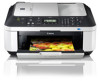
Canon PIXMA MX340 MX340 series Network Setup Troubleshooting
Canon PIXMA MX340 Manual
 |
View all Canon PIXMA MX340 manuals
Add to My Manuals
Save this manual to your list of manuals |
Canon PIXMA MX340 manual content summary:
- Canon PIXMA MX340 | MX340 series Network Setup Troubleshooting - Page 1
Network Setup Troubleshooting - Canon PIXMA MX340 | MX340 series Network Setup Troubleshooting - Page 2
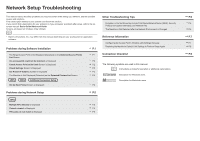
) on the Detected Printers List Screen P.3 Instructions as notes for operation or additional explanations. Description for Windows users. WPS WCN Additional Computers Setup Description for Macintosh users. Set Up New Printer Screen is Displayed P.4 Problems during Network Setup P.5 WPS - Canon PIXMA MX340 | MX340 series Network Setup Troubleshooting - Page 3
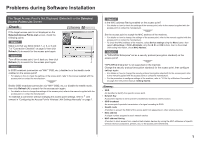
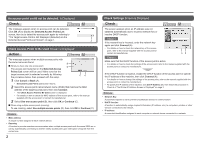
Problems during Software Installation The Target Access Point is Not Displayed (Detected establish a connection without changing the access point settings, refer to and onward in "Configuring the Access Point's Wireless LAN Settings Manually" on page 7. Check 4 Is the MAC address filtering enabled - Canon PIXMA MX340 | MX340 series Network Setup Troubleshooting - Page 4
MAC address of the access point, refer to the manual supplied with the access point or contact its manufacturer. 3 Select Use one details on how to change the settings of the access point, refer to the manual supplied with the access point etc.) to computers, printers or other devices connected - Canon PIXMA MX340 | MX340 series Network Setup Troubleshooting - Page 5
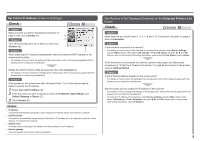
change the settings of the access point, refer to the manual supplied with the access point or contact its manufacturer. Check 4 If the problem the Detected Printers List Screen setup again by following the procedures in "10 Set Up a Wireless Connection" on page 26 and onward in the printed manual - Canon PIXMA MX340 | MX340 series Network Setup Troubleshooting - Page 6
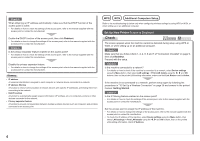
wireless devices (such as computers and printers) connected to an access point. WPS WCN Additional Computers Setup Refer to the troubleshooting tip below only when configuring wireless For details on how to change the settings of the access point, refer to the manual supplied with the access point - Canon PIXMA MX340 | MX340 series Network Setup Troubleshooting - Page 7
its manufacturer. • For the procedure to configure WPS settings of the machine, refer to "Wireless Setup Using WPS (Wi-Fi Protected Setup)" on page 41 in the printed manual: Getting Started. • When using an access point that does not support WPS, configure the settings by referring to "10 Set Up - Canon PIXMA MX340 | MX340 series Network Setup Troubleshooting - Page 8
message appears when setup is not completed refer to the manual supplied with your access point or contact its manufacturer. Other Troubleshooting Tips Forgotten or manual supplied with the access point or contact its manufacturer. The Machine is Not Detected after the Network Environment is Changed - Canon PIXMA MX340 | MX340 series Network Setup Troubleshooting - Page 9
Wireless LAN Settings Manually Action Enter the access point name/network name (SSID) and security setting (WEP, WPA, etc.) directly. Follow the procedure below. 1 Perform to in "Install the Software (2)" on page 27 in the printed manual 3 Click Manual Setup (B). • The Manual Setup screen is - Canon PIXMA MX340 | MX340 series Network Setup Troubleshooting - Page 10
Go to . 7 The Manual Setup screen returns. Click Connect. • After that, follow the on-screen instructions to proceed with settings. Restoring setup by following the procedures in "10 Set Up a Wireless Connection" on page 26 and onward in the printed manual: Getting Started. Wireless - Canon PIXMA MX340 | MX340 series Network Setup Troubleshooting - Page 11
the Wireless LAN setup cable properly. • For the connection procedure, refer to "Install the Software (2)" on page 27 in the printed manual: Getting Started. Check 4 Is the firewall function of your security software active? A message may appear on the computer monitor warning that Canon software - Canon PIXMA MX340 | MX340 series Network Setup Troubleshooting - Page 12
access point and machine installed in an open space where wireless communications are possible? Also, is there a microwave oven, .11g (2.4 GHz). • For details on how to change the operating mode of the access point, refer to the manual supplied with the access point or contact its manufacturer. - Canon PIXMA MX340 | MX340 series Network Setup Troubleshooting - Page 13
QT5-2809-V01 XXXXXXXX ©CANON INC.2010 PRINTED IN VIETNAM
-
 1
1 -
 2
2 -
 3
3 -
 4
4 -
 5
5 -
 6
6 -
 7
7 -
8
-
9
-
10
-
11
-
12
-
13
 |
 |

Network Setup Troubleshooting