
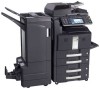
Kyocera TASKalfa 500ci Kyocera Command Center Operation Guide Rev 6.3
Kyocera TASKalfa 500ci Manual
 |
View all Kyocera TASKalfa 500ci manuals
Add to My Manuals
Save this manual to your list of manuals |
Kyocera TASKalfa 500ci manual content summary:
- Kyocera TASKalfa 500ci | Kyocera Command Center Operation Guide Rev 6.3 - Page 1
KYOCERA COMMAND CENTER Operation Guide - Kyocera TASKalfa 500ci | Kyocera Command Center Operation Guide Rev 6.3 - Page 2
their respective companies. Examples of the operations given in this guide support the Windows 7 printing environment. Essentially the same operations are used for Microsoft Windows Vista, Windows XP, Windows Server 2003, and Windows Server 2008 environments. User Interface screen captures shown in - Kyocera TASKalfa 500ci | Kyocera Command Center Operation Guide Rev 6.3 - Page 3
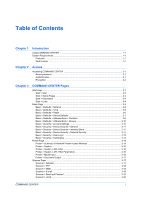
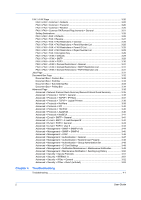
CENTER 2-1 Admin password ...2-1 Authentication ...2-1 Encryption ...2-2 Chapter 3 COMMAND CENTER Pages Start Page ...3-1 Start > Start ...3-2 Start > Status Pages ...3-3 Start > Information ...3-4 Start > Links ...3-4 Basic Page ...3-5 Basic > Defaults > Network ...3-5 Basic > Defaults > Time - Kyocera TASKalfa 500ci | Kyocera Command Center Operation Guide Rev 6.3 - Page 4
Document Box Page ...3-32 Document Box > Custom Box 3-32 Document Box > FAX Box ...3-33 Document Box > Sub Address Box 3-33 Document Box > Polling Box 3-34 Advanced Page ...3-35 Advanced > Network > IPSec > Rule1 (to Rule3 3-53 Chapter 4 Troubleshooting Troubleshooting ...4-1 ii User Guide - Kyocera TASKalfa 500ci | Kyocera Command Center Operation Guide Rev 6.3 - Page 5
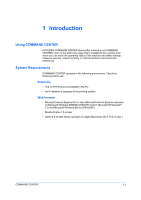
KYOCERA COMMAND CENTER (hereinafter referred to as COMMAND CENTER) refers to the web home page that is installed in the machine from which you can verify the operating status of the machine and make settings related to security, network printing, E-mail transmission and advanced networking. - Kyocera TASKalfa 500ci | Kyocera Command Center Operation Guide Rev 6.3 - Page 6
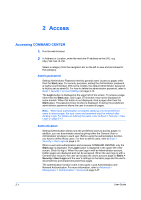
access the user's account page on Basic > Security > User Login and the user's settings on the basic page and the user's document box and shared document box pages. The authentication function come in two types: Local Authentication and Network Authentication. For more information, refer to Advanced - Kyocera TASKalfa 500ci | Kyocera Command Center Operation Guide Rev 6.3 - Page 7
Access Encryption You can encrypt communication between a PC and this machine using SSL encryption. When this encryption is enabled, the access URL must be specified as "https://..." For details on the - Kyocera TASKalfa 500ci | Kyocera Command Center Operation Guide Rev 6.3 - Page 8
This page allows you to add and delete a document box, and delete documents within a document box. Advanced Page on page 3-35 This page includes advanced settings that apply to the entire machine and is comprised primarily of advanced network settings. The following operations are possible from the - Kyocera TASKalfa 500ci | Kyocera Command Center Operation Guide Rev 6.3 - Page 9
(Stateful) • Host Name System Identification System information on the printing system is displayed. This allows you to verify the following information: • MAC Address • System Firmware • Engine Firmware • Panel Firmware • FAX Firmware • Serial Number • Asset Number Media Input COMMAND CENTER 3-2 - Kyocera TASKalfa 500ci | Kyocera Command Center Operation Guide Rev 6.3 - Page 10
E-mail) that were made on the operation panel or using COMMAND CENTER. It is divided by the following items. • Network • Security • Device/Printer • Scanner • FAX/i-FAX • Jobs • Counters Network > General This allows you to verify the current settings for LDAP, TCP/ IP, IPP, IPP over SSL, AppleTalk - Kyocera TASKalfa 500ci | Kyocera Command Center Operation Guide Rev 6.3 - Page 11
, refer to Basic > Security > User Login on page 3-12. About The model number of this printing system and Version of Firmware can be confirmed. Start > Links Links to the Kyocera Mita Corporation web sites. Visit the following web site for more information and downloads. COMMAND CENTER 3-4 - Kyocera TASKalfa 500ci | Kyocera Command Center Operation Guide Rev 6.3 - Page 12
Download Drivers For downloading printer drivers, etc.: http://www.kyoceramita.com/download/ Kyocera Online For more information about products: http://www.kyoceramita.com/ Basic Page This section includes settings that apply to the machine, such as Device Defaults, Security, and basic Networking - Kyocera TASKalfa 500ci | Kyocera Command Center Operation Guide Rev 6.3 - Page 13
Prefix Length Specifies the IPv6 prefix length of the hosts or network with which the print system is connecting. • RA (Stateless) Select On to use RA to configure IPv6 addresses. • Default Gateway Specifies the IPv6 address of the default gateway. • DHCPv6 Specifies whether or not to obtain IPv6 IP - Kyocera TASKalfa 500ci | Kyocera Command Center Operation Guide Rev 6.3 - Page 14
must be restarted whenever a change has been made to the network settings. Reset entire device to factory default When clicking the Reset button, the machine returns to the factory default settings. However, the document box, address book, user information, logs, and certificates are not deleted - Kyocera TASKalfa 500ci | Kyocera Command Center Operation Guide Rev 6.3 - Page 15
errors mode has been engaged. The range is 10 to 495 seconds (in 5-second increments). , refer to the print system operation guide. After you have changed the setting, With the MP tray set as the default paper source, this enables (On) or Time. Except, the received FAXes are stored in the machine and - Kyocera TASKalfa 500ci | Kyocera Command Center Operation Guide Rev 6.3 - Page 16
password for confirmation when adding a new destination. Default Screen (Send/FAX default on the print system's display while using send or FAX mode. USB Keyboard Type This tells the system the type of the keyboard being connected FAX number and i-FAX address even if the FAX When the check box on the - Kyocera TASKalfa 500ci | Kyocera Command Center Operation Guide Rev 6.3 - Page 17
Defaults page. 2 Check the desired group. When the check box on the left side of Number is selected, all Admin) account is the master access account. It controls access to the printer and networking configuration from all setup and management utilities including the HTML web pages. The Admin password - Kyocera TASKalfa 500ci | Kyocera Command Center Operation Guide Rev 6.3 - Page 18
, see Advanced > Management > Authentication > General on page 3-47. Setting the Admin password is highly recommended to prevent unauthorized changes to the machine and networking configuration. With some models, the default Administrator password is factory-set as admin00. It is recommended to - Kyocera TASKalfa 500ci | Kyocera Command Center Operation Guide Rev 6.3 - Page 19
are User and Administrator. One administrator account is registered by default. Local Authorization turns On or Off Job Authorization settings for Deleting a User Login 1 Click User Login, open the User Login page. 2 Check the desired user. When the check box on the left side of Login User Name is - Kyocera TASKalfa 500ci | Kyocera Command Center Operation Guide Rev 6.3 - Page 20
. Export Certificate Click Export to display the download dialog for the file. Click Save to download the exported certificate. If the printing system supports self-issued certificates only, it cannot carry out encrypted communication via IPP over SSL with Windows Vista/7 because the IPP over SSL - Kyocera TASKalfa 500ci | Kyocera Command Center Operation Guide Rev 6.3 - Page 21
resolution or copy count. Default printer settings will be overridden by the printer driver settings. Settings that affect the machine entirely, such as locking the operation panel, are found under Basic Page on page 3-5. Printer > Summary of Network Printer Access Methods The following information - Kyocera TASKalfa 500ci | Kyocera Command Center Operation Guide Rev 6.3 - Page 22
setting is Normal. Available for some color machines. Gloss Mode Sets Gloss Mode to High or Low. The default setting is Low. Available for some color machines which support Gloss Mode. Color Mode Sets Color Mode to Black & White (Monochrome) or Full Color. Available for some color machines. KIR - Kyocera TASKalfa 500ci | Kyocera Command Center Operation Guide Rev 6.3 - Page 23
control toner consumption for saving the printing costs. The default setting is Off. Available for some machines. Toner Save Level Selects Toner Save Printer > Media Input This page lets you configure paper trays by type and size. You can also configure cassette groups. Default Determines the default - Kyocera TASKalfa 500ci | Kyocera Command Center Operation Guide Rev 6.3 - Page 24
document to scan. You can manually select Full Color, Grayscale, or Black & White to forcedly switch color mode, or if your printing system supports saved. PDF/A Turns PDF/A-compliant format PDF/A-1a or PDF/A-1b on or Off, when File Format above is PDF. PDF/A is an electronic document file format - Kyocera TASKalfa 500ci | Kyocera Command Center Operation Guide Rev 6.3 - Page 25
Port Number Sets the SMB default Port Number or use the SMB default port 139 (For Windows Vista/7, use 445). Scanner > E-mail The table below provides a summary of the items displayed on the E-mail page. Subject You can include the model name of the printer, serial number, MAC address, host name and - Kyocera TASKalfa 500ci | Kyocera Command Center Operation Guide Rev 6.3 - Page 26
MAC Address • %host = Host Name • %ip = IP Address Body You can enter the information that you want to appear in the body of the E-mail. Scanner > Send and Forward When sending a FAX Windows network. Enter the Host Name, Port Number, path to a shared folder, Login User Name, and the Login Password. - Kyocera TASKalfa 500ci | Kyocera Command Center Operation Guide Rev 6.3 - Page 27
of the device. For models that do not support i-FAX, FAX is displayed on the menu. FAX / i-FAX > Common > Defaults The table below provides a summary of the items displayed on the FAX / i-FAX > Common page. Local FAX Name Specifies your FAX system name. Furigana (Japan only) This adds phonetic - Kyocera TASKalfa 500ci | Kyocera Command Center Operation Guide Rev 6.3 - Page 28
FAX box if they are received outside business hours, and forward faxes from outside of your business area to the business office nearest to the sender's fax number. For models that do not support RX/Forward Requirements, the documents a Requirement List Open the FAX/i-FAX > Common > RX/Forward - Kyocera TASKalfa 500ci | Kyocera Command Center Operation Guide Rev 6.3 - Page 29
the sending criterions. Requirement Type Select the condition type from the following items. - FAX Sub Address - FAX Number - FAX Dial-in Number - FAX Reception Port - i-FAX Address When an item is selected, the text box below it accepts entry of the necessary information on the selected item. Enter - Kyocera TASKalfa 500ci | Kyocera Command Center Operation Guide Rev 6.3 - Page 30
you want to execute multiple forwarding processes at the same time, for example printing and saving in a FAX box, click both items and set the processes. Print Prints received documents on paper. • Name Displays the condition name. • Status Displays whether the condition is currently used. • Print - Kyocera TASKalfa 500ci | Kyocera Command Center Operation Guide Rev 6.3 - Page 31
registered FAX boxes appears. The FAX box to be specified here must be registered in advance. For how to add a FAX box, refer to Document Box > FAX Box on the requirements. 10 The Requirement List - Advanced page appears. Set whether to execute forwarding processes for faxes satisfying no conditions - Kyocera TASKalfa 500ci | Kyocera Command Center Operation Guide Rev 6.3 - Page 32
Windows Network. Specify Host Name, Port Number, Path to the shared folder, Login User Name, and Login Password. FTP Saves faxes on an accessible FTP server. Specify Host Name, Port Number, Path to the folder, Login User Name, and Login Password. FAX Forwards faxes to other FAX machines. Specify FAX - Kyocera TASKalfa 500ci | Kyocera Command Center Operation Guide Rev 6.3 - Page 33
description below provides a summary of the items displayed on the FAX / i-FAX > FAX > Defaults page. Local FAX Number (Port 1/ 2) Specifies your FAX system number. FAX Line Sets the type of phone line to correspond to the type of telephone service that you are using. Be sure that the type of phone - Kyocera TASKalfa 500ci | Kyocera Command Center Operation Guide Rev 6.3 - Page 34
FAX Receive Selects the FAX reception mode. The choices are Auto (Normal, FAX/TEL, TAD or DRD) or Manual FAX reception from a telephone connected to the FAX system. Encryption Key No. Sets the encryption key number to be used for encrypted communication rings for Auto FAX reception (Normal). You can - Kyocera TASKalfa 500ci | Kyocera Command Center Operation Guide Rev 6.3 - Page 35
List - Add page. Enter in Permit FAX ID the FAX ID to add, then click Submit. Delete To delete a FAX ID from Permit Number List, click the check box next to the FAX ID, then click Delete. If you accept the confirming prompt, click Delete. FAX / i-FAX > FAX > FAX Restrictions > Reject Number List The - Kyocera TASKalfa 500ci | Kyocera Command Center Operation Guide Rev 6.3 - Page 36
. The SMTP authentication supports Microsoft Exchange 2000. Authenticate as Selects the user to be authenticated in SMTP authentication. If you want to select a user other than i-FAX users, select Other and enter the Login User Name and Login Password for authentication. Login User Name When Other - Kyocera TASKalfa 500ci | Kyocera Command Center Operation Guide Rev 6.3 - Page 37
in E-mail Address on FAX / i-FAX > i-FAX > POP3 on page 3-30 default port number 110. POP3 Server Timeout Enter the timeout in seconds during which this machine tries to connect to the POP3 server. Login User Name Enter the login name of the user. Login Password Enter the password for connecting - Kyocera TASKalfa 500ci | Kyocera Command Center Operation Guide Rev 6.3 - Page 38
exist, nothing is printed. FAX / i-FAX > i-FAX > Domain Restrictions > General Reject, and Permit. FAX / i-FAX > i-FAX > Domain Restrictions > the E-mail addresses. FAX / i-FAX > i-FAX > Domain Restrictions > POP3 Schedule Shows the scheduled job such as FAX delayed transmission. To show the latest - Kyocera TASKalfa 500ci | Kyocera Command Center Operation Guide Rev 6.3 - Page 39
This section includes addition and deletion of a document box, and deletion of documents in a document box. There are three types of document boxes: Custom Box, FAX Box (or Sub Address Box), and Polling Box. Document Box > Custom Box The description below provides a summary of the items displayed - Kyocera TASKalfa 500ci | Kyocera Command Center Operation Guide Rev 6.3 - Page 40
a FAX Box 1 Open the FAX Box page. 2 Check the FAX box to delete. 3 Click Delete. Enter the password, if required, and click OK. The FAX Box Delete page appears. You can confirm the FAX boxes to be deleted. 4 Click Delete when the desired FAX box is selected. Document Box > Sub Address Box The - Kyocera TASKalfa 500ci | Kyocera Command Center Operation Guide Rev 6.3 - Page 41
when the desired Sub Address boxes are selected. Document Box > Polling Box The table below provides a summary of the items displayed on the Polling Box page. Number of Documents Displays the number of registered documents. Delete Deletes the checked documents. Detail/Edit Determine, after the - Kyocera TASKalfa 500ci | Kyocera Command Center Operation Guide Rev 6.3 - Page 42
Box - Delete page appears. You can confirm the documents to delete. 4 Click Delete when the desired documents are selected. Advanced Page This section includes advanced settings that apply to the machine and is comprised primarily of advanced network Defaults > Reset on page 3-6. Advanced > Network - Kyocera TASKalfa 500ci | Kyocera Command Center Operation Guide Rev 6.3 - Page 43
an IPv4 address to the printing system network component. The format of the IPv4 address mask. • Default Gateway Specifies the IP address of the default gateway. and secondary WINS (Windows Internet Name Service) servers. When DHCP printing from the Mac OS X system, the printer needs to support KPDL. • - Kyocera TASKalfa 500ci | Kyocera Command Center Operation Guide Rev 6.3 - Page 44
address to the printing system network component. The format of the configure IPv6 addresses. • Default Gateway Specifies the IPv6 address of the default to configure IP filters. IP addresses or network addresses of the IP address or network address to be permitted all hosts on network 192, enter - Kyocera TASKalfa 500ci | Kyocera Command Center Operation Guide Rev 6.3 - Page 45
• FTP • IPP • ThinPrint • HTTP • Raw • SNMP • IPP over SSL • HTTPS Advanced > Protocols > TCP/IP > Logical Printers This page allows you to configure the Logical Printers. This machine can be used as a virtual printer for converting ASCII print data to PostScript data or for adding and/or replacing - Kyocera TASKalfa 500ci | Kyocera Command Center Operation Guide Rev 6.3 - Page 46
This printing system supports both NDS and bindery printing in either print server mode or remote printer mode. NetWare setup requires installation of the following client software and login with Administrator Privileges. If you are unsure, please contact your network administrator. With Novell - Kyocera TASKalfa 500ci | Kyocera Command Center Operation Guide Rev 6.3 - Page 47
computers using the AppleTalk protocol. The printing system network component supports Mac OS of various versions (Web browser on page 1-1) and is compatible with LaserWriter driver version 8.x. To set up the Ethernet interface to communicate via AppleTalk, enables AppleTalk protocol operation on - Kyocera TASKalfa 500ci | Kyocera Command Center Operation Guide Rev 6.3 - Page 48
in SMTP authentication. When POP3 User 1 to 3 (Refer to Advanced > E-mail > POP3 > User # on page 3-43) and i-FAX User are set, you can select one of them. If you want to select a different user, select Other and enter the login account name and login password for authentication. 3-41 User Guide - Kyocera TASKalfa 500ci | Kyocera Command Center Operation Guide Rev 6.3 - Page 49
authentication. Login Password When Other is selected for Authenticate as, the password set Test button is pressed, this machine tries to connect to the SMTP server. E-mail Size Limit Enter displayed at Subject. • %printer = Model • %serial = Serial Number • %etheraddr = MAC Address • %host = Host - Kyocera TASKalfa 500ci | Kyocera Command Center Operation Guide Rev 6.3 - Page 50
error conditions has occurred during the interval. The interval can be set from 1 minute to 10000 minutes. Scheduled Report Items Check one or more items from Printer Status, Network E-mail function, you need to connect the printing system to an E-mail to 60 minutes. The default is 15 minutes. Run - Kyocera TASKalfa 500ci | Kyocera Command Center Operation Guide Rev 6.3 - Page 51
name of the user. Login Password Enter the password for connecting to the user name above. Use APOP Enables or disables APOP. To use APOP, make sure that the POP3 server supports APOP. Test This will test one transmission for each press, attempting to establish communication with the POP3 server - Kyocera TASKalfa 500ci | Kyocera Command Center Operation Guide Rev 6.3 - Page 52
Enter the community name for SNMP requests to write (change) a value. The default name is 'public'. After you have changed the setting, you must restart the printing system. sysContact The MIB-II sysContact object. Usually this is the E-mail address of the network administrator. sysName The - Kyocera TASKalfa 500ci | Kyocera Command Center Operation Guide Rev 6.3 - Page 53
. Privacy Sets whether to encrypt the communicated data in SNMP communication. This becomes available when Authentication is default port 389. Search Timeout Specifies a period of time for searching the LDAP server. Login User Name Specifies the user name. Login Password Specifies the password - Kyocera TASKalfa 500ci | Kyocera Command Center Operation Guide Rev 6.3 - Page 54
not used. • LDAPv3/TLS Uses explicit mode for data communication. Select this if the server supports the startTLS command. This uses the same port (389) as LDAP. • LDAP over SSL Uses implicit mode for data communication. The server provides services using the LDAP over SSL port (636). Encryption is - Kyocera TASKalfa 500ci | Kyocera Command Center Operation Guide Rev 6.3 - Page 55
Login and the user's settings on the basic page, and the user's document box and shared document box pages. Advanced > Management > Authentication > Network for Job Authorization Settings. Up to 20 group accounts are registerable. By default, a group account (Other) has been preset. This is used to - Kyocera TASKalfa 500ci | Kyocera Command Center Operation Guide Rev 6.3 - Page 56
2 Check the desired group. When the check box on the left side of Group ID is selected login the printing system. IC Card Read Type Selects either IDM or FeliCa® type for the IC card to use. System Code, Service You can include model name, serial number, MAC address and equipment ID in the subject - Kyocera TASKalfa 500ci | Kyocera Command Center Operation Guide Rev 6.3 - Page 57
conversion strings starting with %. The string will be converted into a pre-defined string to display the above information. • %printer = Model • %serial = Serial Number • %etheraddr = MAC Address SSFC Job Log Subject Defines the Job Log Notification information reports only when you log in by using - Kyocera TASKalfa 500ci | Kyocera Command Center Operation Guide Rev 6.3 - Page 58
set to On and HTTP Security is set to Secure (HTTPS), the document boxes cannot be accessed by the TWAIN driver. Advanced > Security > IEEE802.1x The IEEE802.1x security protocol allows the user to login to the secured networks based on the client certificates. IEEE802.1x Specifies whether or not to - Kyocera TASKalfa 500ci | Kyocera Command Center Operation Guide Rev 6.3 - Page 59
1x client certificate of this user must be valid. Login Password You can set a PEAP-based password. (This setting is valid when PEAP [EAP-MS . Restriction Specifies the default policy for non-IPSec packets. Select Allow to allow communication with all hosts and networks including those not permitted - Kyocera TASKalfa 500ci | Kyocera Command Center Operation Guide Rev 6.3 - Page 60
select or edit rules to use for IPSec protocol-based communication. Rule Specifies whether or not to enable the selected a secure connection with the other end is established by generating ISAKMP SAs. Configure the following allows two hosts on an unsecured network to share a private key securely Guide - Kyocera TASKalfa 500ci | Kyocera Command Center Operation Guide Rev 6.3 - Page 61
the IP version of the other end. Select IPv4 or IPv6. • IP Address (IPv4) Specifies the IPv4 addresses of the hosts or network with which the print system is connecting via IPSec. When you are restricting the scope of IPSec, be sure to specify the IP addresses. If this field is blank - Kyocera TASKalfa 500ci | Kyocera Command Center Operation Guide Rev 6.3 - Page 62
solutions for problems you may encounter with COMMAND CENTER. Troubleshooting Symptom I can't access COMMAND CENTER. Characters do not display properly in COMMAND CENTER. Check Items Is the power turned on to this machine? Is the network cable properly connected? Are the network settings that - Kyocera TASKalfa 500ci | Kyocera Command Center Operation Guide Rev 6.3 - Page 63
forgotten the Admin password. Contact your dealer or service center. Error or Warning is Is there an error message displayed under the shown in the display? STATUS indicator. Perform the troubleshooting procedure the messages suggests referring to the Operation Guide. Operation Guide COMMAND - Kyocera TASKalfa 500ci | Kyocera Command Center Operation Guide Rev 6.3 - Page 64
- Kyocera TASKalfa 500ci | Kyocera Command Center Operation Guide Rev 6.3 - Page 65
- Kyocera TASKalfa 500ci | Kyocera Command Center Operation Guide Rev 6.3 - Page 66
Rev. 6.3 2010.10
-
 1
1 -
 2
2 -
 3
3 -
 4
4 -
 5
5 -
 6
6 -
 7
7 -
8
-
9
-
10
-
11
-
12
-
13
-
14
-
15
-
16
-
17
-
18
-
19
-
20
-
21
-
22
-
23
-
24
-
25
-
26
-
27
-
28
-
29
-
30
-
31
-
32
-
33
-
34
-
35
-
36
-
37
-
38
-
39
-
40
-
41
-
42
-
43
-
44
-
45
-
46
-
47
-
48
-
49
-
50
-
51
-
52
-
53
-
54
-
55
-
56
-
57
-
58
-
59
-
60
-
61
-
62
-
63
-
64
-
65
-
66
 |
 |

KYOCERA
COMMAND CENTER
Operation Guide