Oki B2200 B2200/B2400 User's Guide (English)
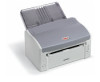
Oki B2200 Manual
 |
View all Oki B2200 manuals
Add to My Manuals
Save this manual to your list of manuals |
Oki B2200 manual content summary:
- Oki B2200 | B2200/B2400 User's Guide (English) - Page 1
- Oki B2200 | B2200/B2400 User's Guide (English) - Page 2
Copyright © 2007 by Oki Data. All Rights Reserved DOCUMENT INFORMATION B2200/2400 User's Guide P/N 59298901 Revision 1.1 October, 2007 DISCLAIMER Every effort has been made to ensure that the information in this document is complete, accurate, and up-to-date. Oki assumes no responsibility for - Oki B2200 | B2200/B2400 User's Guide (English) - Page 3
paper jams 15 Setting printing preferences 18 Setup tab 19 Job Options tab 20 Image tab 21 Printer menus 22 Resetting the drum counter 30 LED indicators 31 Status monitor indication 31 Error indications 31 Specifications 34 Consumables 35 Index 36 B2200/2400 User's Guide Contents > 3 - Oki B2200 | B2200/B2400 User's Guide (English) - Page 4
NEED HELP? VISIT OUR WEBSITE For personalized, web-based support on the products you own, including the latest, up-to-the-minute information, visit your personal solutions center http://my.okidata.com B2200/2400 User's Guide Need Help? Visit our Website > 4 - Oki B2200 | B2200/B2400 User's Guide (English) - Page 5
. Any other toner cartridge may not operate at all, even if it is described as "compatible", and if it does work, your product's performance and print quality may be degraded. Specifications subject to change without notice. All trademarks acknowledged. B2200/2400 User's Guide Notes, cautions - Oki B2200 | B2200/B2400 User's Guide (English) - Page 6
at the point of need. This User's Guide gives day-to-day operating guidance and simple maintenance procedures, and is applicable to all models: • B2200-A compact GDI (Graphics Device Interface) printer for Windows and Macintosh, allowing the host computer to perform most of the page image processing - Oki B2200 | B2200/B2400 User's Guide (English) - Page 7
PARTS IDENTIFICATION 1 2 3 4 5 6 5 8 7 1 Paper support. 2 Paper tray (below cover) and output tray (above cover). 3 Top cover. 4 Power on/off button. 5 Manual feed guides. 6 Top cover release button. 7 On-Line button-switches printer on line or off line. To clear a current print job from printer - Oki B2200 | B2200/B2400 User's Guide (English) - Page 8
. 1-sec.) when printer is printing. • Load Paper-Flashes when printer requires paper in manual feeder. • Error-lights when error, such as paper jam or cover open, occurs. For additional information on the Status lights, see "LED indicators" on page 31. B2200/2400 User's Guide Introduction > 8 - Oki B2200 | B2200/B2400 User's Guide (English) - Page 9
20 lb. (80-90g/ m²) bond paper designed for use in plain paper copiers and laser type printers. Pre-printed stationery, such as letterhead paper can also be used as long as the pre-printed parts can withstand a combination of heat and pressure. Experience will determine the suitability or otherwise - Oki B2200 | B2200/B2400 User's Guide (English) - Page 10
stack to ensure all sheets are properly separated, then tap the stack flush again before loading. 3. Raise the paper tray cover. 4. Adjust guides to width of paper the printer, and ensure the guides just touch each side of the stack. 6. Close the tray cover. B2200/2400 User's Guide Print media > 10 - Oki B2200 | B2200/B2400 User's Guide (English) - Page 11
it tightly. 5. Load the sheet to be printed, top edge first, print side up, into the feeder and push it gently until you feel slight resistance. The printer will advance the paper a short distance and retain it and the Load Paper light will stop flashing. B2200/2400 User's Guide Print media > 11 - Oki B2200 | B2200/B2400 User's Guide (English) - Page 12
cover the entire sheet, leaving no part of the backing sheet exposed, otherwise they will tend to peel off inside the printer. LOADING TRANSPARENCIES AND LABELS It is recommended to use the manual feeder for this type of media, as described earlier for paper. B2200/2400 User's Guide Print media > 12 - Oki B2200 | B2200/B2400 User's Guide (English) - Page 13
, choose the correct size for your envelope, Source to [Manual] (you can click on the manual feeder in the printer graphic if you prefer), and set the Weight to [Heavy]. 4. On the Job Options tab, set fed light will flash, prompting you to load the envelope. B2200/2400 User's Guide Print media > 13 - Oki B2200 | B2200/B2400 User's Guide (English) - Page 14
located in the on-line printer status monitor for Windows. See "Printer menus" on page 22. Alternatively, you can set new default values for printing preferences for your PC only using the Printer's Properties dialogue from the Printers and Faxes window. B2200/2400 User's Guide Print media > 14 - Oki B2200 | B2200/B2400 User's Guide (English) - Page 15
If the printer has been printing for a while the fuser unit will be hot. This unit is clearly marked with a yellow warning label. Do not touch it! 1. Open the top cover and carefully remove the print cartridge (image drum and toner cartridge together) as illustrated. B2200/2400 User's Guide Clearing - Oki B2200 | B2200/B2400 User's Guide (English) - Page 16
the tray, pull the sheet as illustrated below: NOTE: To avoid damaging the printer, always remove jams in the direction of the feed path. • Leading edge of paper has passed through the fuser. • Leading edge of paper has NOT passed through the fuser. B2200/2400 User's Guide Clearing paper jams > 16 - Oki B2200 | B2200/B2400 User's Guide (English) - Page 17
the manual feeder, pull the sheet as follows. 4. Carefully reinstall the print cartridge, pressing down firmly at both ends to ensure it is properly seated, and close the top cover. If the top cover will not close, the print cartridge is not properly installed. Remove it and refit correctly. B2200 - Oki B2200 | B2200/B2400 User's Guide (English) - Page 18
in the printer driver are the same as those in the Status Monitor menus, and you print documents from Windows, the settings in the Windows printer driver will override the printer's default which are explained in the following sections. B2200/2400 User's Guide Setting printing preferences > 18 - Oki B2200 | B2200/B2400 User's Guide (English) - Page 19
source of the paper to feed, which may be the standard paper tray or manual feeder. You can also click on the appropriate part of the screen graphic to select your preferred tray. 3. Leave the weight as Printer Setting if using your normal paper, or choose a specific setting for special media types - Oki B2200 | B2200/B2400 User's Guide (English) - Page 20
printed page to meet your needs. If selected, toner saving uses less toner at the expense of print quality. 2. Page orientation print mode is selected the internal printer fonts may be used. Raster print mode downloads the page as a bitmap B2200/2400 User's Guide Setting printing preferences > 20 - Oki B2200 | B2200/B2400 User's Guide (English) - Page 21
texture by setting the size of dots used in the halftone screen. 3. Set this control to print greyscale effects in black without dithering. 4. You can manually adjust lightness (the higher the setting the lighter the print) and contrast (the higher the setting the greater the contrast - Oki B2200 | B2200/B2400 User's Guide (English) - Page 22
Whether or not toner saving feature is used. Page orientation (portrait or landscape) in PCL, PPR and FX emulation modes. (B2400 models only). PCL Emulation setting for B2400 models only. In PCL emulation, the print area when the host PC does not specify. B2200/2400 User's Guide Printer menus > 22 - Oki B2200 | B2200/B2400 User's Guide (English) - Page 23
wait for manual paper feed before job is cancelled. WAIT TIMEOUT Time to wait for data input to resume before a forced page eject occurs. LOW TONER Determines whether printing stops when toner is low, or continues until printing is complete. JAM RECOVERY When enabled the printer will remember - Oki B2200 | B2200/B2400 User's Guide (English) - Page 24
Similar to CR FUNCTION but on receipt of line feed character. PRINT MARGIN Specifies non-printable area of paper. PEN ADJUST When enabled and minimum weight of line is specified in PCL mode, the line will be emphasized to ensure that it prints clearly. B2200/2400 User's Guide Printer menus > 24 - Oki B2200 | B2200/B2400 User's Guide (English) - Page 25
relative to left edge of paper. FIT TO LETTER Selects a print mode that can fit 66 lines of print data into the letter size printable area. TEXT HEIGHT Either all characters are the same height or their height depends on the selected character pitch. B2200/2400 User's Guide Printer menus > 25 - Oki B2200 | B2200/B2400 User's Guide (English) - Page 26
. These hardware interfacing engineering functions set the electrical performance of the parallel interface. USB SOFT RESET SERIAL NUMBER Enables or disables this communication port. Enables or disables this function. Sets USB serial number if required. B2200/2400 User's Guide Printer menus > 26 - Oki B2200 | B2200/B2400 User's Guide (English) - Page 27
to specify Tray 0 (Manual Feeder) in PCL emulation. Sets the number to specify Tray 1 (main paper tray) in PCL emulation. Sets the mechanical position to left-based or centre-based. Used when printing on paper narrower than the EDIT SIZE (see page 22). B2200/2400 User's Guide Printer menus > 27 - Oki B2200 | B2200/B2400 User's Guide (English) - Page 28
faded print (increase setting). Sets print darkness. Prints a cleaning page. Shows total number of pages that have passed through the fuser unit. Shows percentage of drum life that has passed. Shows toner cartridge capacity (ISO) and percentage remaining. B2200/2400 User's Guide Printer menus > 28 - Oki B2200 | B2200/B2400 User's Guide (English) - Page 29
or disables items in this menu. Enables or disables these menus. Sets the Pn to specify manual feed for the Cut Sheet Feeder control command (ESC EM Pn) in FX and PPR emulations. Similar to above but for manual feed 2. Similar to above but for main tray. B2200/2400 User's Guide Printer menus > 29 - Oki B2200 | B2200/B2400 User's Guide (English) - Page 30
on the image drum. 1. Start the Status Monitor for the printer. 2. Select the Printer Setup tab, click on the Configuration button and then open the Maintenance Menu. 3. Select "Reset Drum Count" and click on the Execute button to reset the drum counter. B2200/2400 User's Guide Printer menus > 30 - Oki B2200 | B2200/B2400 User's Guide (English) - Page 31
Windows status monitor, installed along with the printer driver of the problem. PAPER JAM If the paper jams during printing the printer will stop sheet will be partially visible out of either the front or the top of the printer. (See "Clearing paper jams" on page 15.) B2200/2400 User's Guide - Oki B2200 | B2200/B2400 User's Guide (English) - Page 32
slide it under the guides. Then press the cartridge down firmly until it snaps into place. Push the blue lock lever all the way forward. TONER OR IMAGE DRUM CARTRIDGE INAPPROPRIATE If you install either a toner cartridge or image drum unit that is incompatible with your printer, the error LED will - Oki B2200 | B2200/B2400 User's Guide (English) - Page 33
. HARDWARE FAULT INDICATION If your printer develops a hardware fault all three status LEDs will flash fast (flicker approximately four times a second). In this case you should contact your service representative or your Oki dealer for advice and support. B2200/2400 User's Guide LED indicators > 33 - Oki B2200 | B2200/B2400 User's Guide (English) - Page 34
-20 - 158° (-29~+70°C), 10~90% RH (without drum and toner) -20 - 122° (-29~+50°C), 10~90% RH (with drum and toner) Temperature and humidity non-condensing. Width: Depth: Height: Weight: 12.6" (321mm) 8" (204mm) 7" (181mm) 10.6 lb. (4.8kg) Tray: Manual feeder: Legal (13 / 14in), A4, US Letter - Oki B2200 | B2200/B2400 User's Guide (English) - Page 35
ITEM B2200 B2200n B2400 B2400n Internal RAM Toner capacity Image drum life (approx., without power save) Acoustic noise Data interface Emulations 8MB 16MB 8MB 16MB IBM PPR CONSUMABLES PART NUMBERS Toner Cartridge Drum Cartridge 43640301 43650301 B2200/2400 User's Guide Specifications > 35 - Oki B2200 | B2200/B2400 User's Guide (English) - Page 36
I Image drum capacity35 Resetting counter30 Image drum part number35 L weights and measures34 Paper feed guides main tray10 manual11 manual feeder7 Print resolution34 speed34 S Status lights8 T Toner capacity35 Toner cartridge part number35 Transparencies recommended type12 B2200/2400 User's Guide
-
 1
1 -
 2
2 -
 3
3 -
 4
4 -
 5
5 -
 6
6 -
 7
7 -
8
-
9
-
10
-
11
-
12
-
13
-
14
-
15
-
16
-
17
-
18
-
19
-
20
-
21
-
22
-
23
-
24
-
25
-
26
-
27
-
28
-
29
-
30
-
31
-
32
-
33
-
34
-
35
-
36
 |
 |