
Panasonic KXTG4733 KXTG4733 User Guide
Panasonic KXTG4733 Manual
 |
View all Panasonic KXTG4733 manuals
Add to My Manuals
Save this manual to your list of manuals |
Panasonic KXTG4733 manual content summary:
- Panasonic KXTG4733 | KXTG4733 User Guide - Page 1
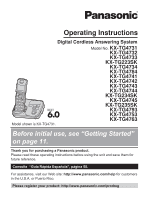
Operating Instructions Digital Cordless Answering System Model No. KX-TG4731 KX-TG4732 KX-TG4733 KX-TG223SK KX-TG4734 KX-TG4784 KX-TG4741 KX-TG4742 KX-TG4743 KX-TG4744 KX-TG234SK KX-TG4745 KX-TG235SK KX-TG4793 KX-TG4753 KX-TG4763 Model shown is KX-TG4731. Before initial use, see "Getting Started" on - Panasonic KXTG4733 | KXTG4733 User Guide - Page 2
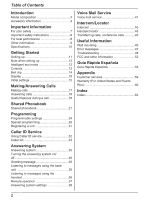
messages using the handset 36 Remote operation 37 Answering system settings 39 Voice Mail Service Voice mail service 41 Intercom/Locator Intercom 43 Handset locator 43 Transferring calls, conference calls 43 Useful Information Wall mounting 45 Error messages 47 Troubleshooting 48 FCC and - Panasonic KXTG4733 | KXTG4733 User Guide - Page 3
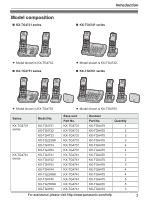
-TG4732 KX-TG4733 KX-TG223SK KX-TG4734 KX-TG4784 KX-TG4741 KX-TG4742 KX-TG4743 KX-TG4744 KX-TG234SK KX-TG4745 KX-TG235SK KX-TG4793 Base unit Part No. KX-TG4731 KX-TG4731 KX-TG4731 KX-TG4731 KX-TG4731 KX-TG4731 KX-TG4741 KX-TG4741 KX-TG4741 KX-TG4741 KX-TG4741 KX-TG4741 KX-TG4741 KX-TG4741 Handset - Panasonic KXTG4733 | KXTG4733 User Guide - Page 4
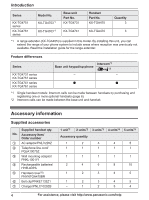
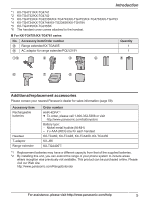
guide for the range extender. Feature differences Series KX-TG4731 series KX-TG4751 series KX-TG4741 series KX-TG4761 series Intercom*1 Base unit keypad/sp-phone « *2 - - *1 Single handset models batteries/ HHR-4DPA E Handset 3 4 4 For assistance, please visit http://www.panasonic.com/help - Panasonic KXTG4733 | KXTG4733 User Guide - Page 5
Introduction *1 KX-TG4731/KX-TG4741 *2 KX-TG4732/KX-TG4742 *3 KX-TG4733/KX-TG223SK/KX-TG4743/KX-TG4753/KX-TG4763/KX-TG4793 *4 KX-TG4734/KX-TG4744/KX-TG234SK/KX-TG4784 *5 KX-TG4745/KX-TG235SK *6 The handset cover comes attached to the handset. n For KX-TG4751/KX-TG4761 series No. Accessory item/ - Panasonic KXTG4733 | KXTG4733 User Guide - Page 6
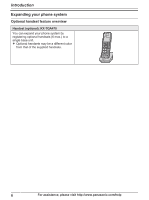
Optional handset feature overview Handset (optional): KX-TGA470 You can expand your phone system by registering optional handsets (6 max.) to a single base unit. R Optional handsets may be a different color from that of the supplied handsets. 6 For assistance, please visit http://www.panasonic.com - Panasonic KXTG4733 | KXTG4733 User Guide - Page 7
fire or electric shock. Confirm that smoke has stopped emitting and contact the Panasonic Call Center at 1-800-211-PANA (1-800-211-7262). R Unplug from the product in health care facilities if any regulations posted in the area instruct you not to do so. Hospitals or health care facilities may be - Panasonic KXTG4733 | KXTG4733 User Guide - Page 8
indicated in this manual. Do not dispose of batteries in a fire. They may explode. Check with local codes for possible special disposal instructions. SAVE THESE INSTRUCTIONS For best performance Base unit location/avoiding noise The base unit and other compatible Panasonic units use radio waves - Panasonic KXTG4733 | KXTG4733 User Guide - Page 9
, or any abrasive powder. Other information CAUTION: Risk of explosion if battery is replaced by an incorrect type. Dispose of used batteries according to the instructions. ENERGY STAR As an ENERGY STAR® Partner, Panasonic has determined that this product meets the ENERGY STAR guidelines for energy - Panasonic KXTG4733 | KXTG4733 User Guide - Page 10
Important Information Specifications R Standard: DECT 6.0 (Digital Enhanced Cordless Telecommunications 6.0) R Frequency range: specifications are subject to change without notice. R The illustrations in these instructions may vary slightly from the actual product. 10 For assistance, please visit - Panasonic KXTG4733 | KXTG4733 User Guide - Page 11
*DSL/ADSL filter (not supplied) is required if you have DSL/ADSL service. n Charger R When the date and time setting is displayed, see page 15. Battery charging Charge for about 7 hours. R When the batteries are fully charged, "Fully charged" is displayed. Confirm "Charging" is displayed. Hooks - Panasonic KXTG4733 | KXTG4733 User Guide - Page 12
. For replacement, we recommend using the Panasonic rechargeable batteries noted on page 5, 8. R Wipe the battery ends ( , ) with a dry cloth. R Avoid touching the battery ends ( , ) or the unit contacts. Note for battery charging R It is normal for the handset to feel warm during charging. R Clean - Panasonic KXTG4733 | KXTG4733 User Guide - Page 13
handset unit n KX-TG4731/KX-TG4751 series PHONE: Speakerphone) M N (TALK) Headset jack Dial keypad (*: TONE) Receiver Display E F GHI Charge contacts Speaker Message counter MERASEN MnN (STOP) MjN/MkN (VOL.: Volume up/down) M N/M N (Repeat/Skip) For assistance, please visit http://www.panasonic - Panasonic KXTG4733 | KXTG4733 User Guide - Page 14
Getting Started M N (PLAY) Message indicator MLOCATORN MANSWER ON/OFFN ANSWER ON/OFF indicator n KX-TG4741/KX-TG4761 series (page 3) G C D E F AB H I J K L M MjN WAITN MSP-PHONEN (Speakerphone) SP-PHONE indicator MERASEN MMUTEN MANSWER ON/OFFN ANSWER ON/OFF indicator MLOCATORN MINTERCOMN MnN - Panasonic KXTG4733 | KXTG4733 User Guide - Page 15
29) Handset number Battery level Blocked call (page 30) Clarity booster is on. (page 20) Answering system is being used by another handset*1 or the base unit. Someone is using the line. *1 KX-TG4741/KX-TG4761 " or "PM". 6 MSAVEN a MOFFN For assistance, please visit http://www.panasonic.com/help 15 - Panasonic KXTG4733 | KXTG4733 User Guide - Page 16
select either "English" or "Español" as the voice guidance language of the answering system. The default setting is "English". 1 MMENUN#112 2 MbN: Select to your telephone line service. The default setting is "Tone". "Tone": For tone dial service. "Pulse": For rotary/pulse dial service. 1 MMENUN#120 - Panasonic KXTG4733 | KXTG4733 User Guide - Page 17
number. a MERASEN 3 MbN: "Yes" a MSELECTN 4 MOFFN Using the base unit Available for: KX-TG4741/KX-TG4761 series (page 3) 1 MSP-PHONEN 2 Dial the phone number. 3 When the other party answers, speak into the microphone. R Speak alternately with the other party. 4 When you finish talking, press MSP - Panasonic KXTG4733 | KXTG4733 User Guide - Page 18
Making/Answering Calls Example: If you need to dial the line access number "9" when making outside calls with a PBX: Handset 1 9 a MPAUSEN 2 Dial the phone number. a M N Base unit*1 *1 KX-TG4741/KX-TG4761 series: page 3 1 MSP-PHONEN 2 9 a MPAUSEN 3 Dial the phone number. Note for handset and base - Panasonic KXTG4733 | KXTG4733 User Guide - Page 19
Caller ID and Call Waiting with Caller ID services, the 2nd caller's information is displayed on the handset that is in use after you hear the call waiting tone. Handset / Base unit*1 *1 KX-TG4741/KX-TG4761 series: page 3 1 Press MCALL WAITN to answer the 2nd call. 2 To switch between calls, press - Panasonic KXTG4733 | KXTG4733 User Guide - Page 20
outside call. Handset To join the conversation, press M N when the other unit is on an outside call. Base unit*1 *1 KX-TG4741/KX-TG4761 series: page 3 To join the conversation, press MSP-PHONEN when the handset is on an outside call. 20 For assistance, please visit http://www.panasonic.com/help - Panasonic KXTG4733 | KXTG4733 User Guide - Page 21
allows you to make calls without having to dial manually. Any handset registered to the base unit can use the shared phonebook. You can add names and phone numbers to the shared phonebook, and assign each Caller ID subscribers (page 32). For assistance, please visit http://www.panasonic.com/help 21 - Panasonic KXTG4733 | KXTG4733 User Guide - Page 22
max.; page 21). a MOKN 3 Edit the phone number if necessary (24 digits max.). a MOKN a MSELECTN 5 MOFFN Chain dial This feature allows you to dial phone numbers in the phonebook while you are on a call. This in the phonebook, without having to dial manually. 1 During an outside call: MMENUN - Panasonic KXTG4733 | KXTG4733 User Guide - Page 23
pauses after the number and PIN as necessary (page 17). R If you have rotary/pulse service, you need to press * (TONE) before pressing MMENUN in step 1 to change the * (TONE) to the beginning of phone numbers you wish to chain dial (page 21). Shared Phonebook For assistance, please visit - Panasonic KXTG4733 | KXTG4733 User Guide - Page 24
programming the following features using the handset. To access the features, there and sub-menu may vary depending on your model. Display the menu tree and direct command code Viewing the caller list. Code #213 33 Main menu: "Answering device" Sub-menu 1 Play new msg. (msg.: panasonic.com/help - Panasonic KXTG4733 | KXTG4733 User Guide - Page 25
Programming Sub-menu 1 Settings Answer on*1 Answer off*1 Sub-menu 2 Ring count*1 Recording time*1 Remote code*1 Screen call - - Settings Code #101 15 1: Once 2: Daily 0: #720 29 1: 0: Manual For assistance, please visit http://www.panasonic.com/help 25 - Panasonic KXTG4733 | KXTG4733 User Guide - Page 26
226 - auto> 0: Manual Talking Caller ID Handset 1: 0: Off #162 32 Base unit*1 1: On 0: #G162 Handset name - - #104 29 Call block*1 - - #217 30 Block w/o num*1, *2 1: On 0: #240 30 (Block calls without phone .panasonic.com/help - Panasonic KXTG4733 | KXTG4733 User Guide - Page 27
mode*1, *10 - Register handset Deregistration*2 Display Voice prompt*1 support" Operation Displaying customer support Web address. Code #680 - *1 If you program these settings using one of the handsets "Manual". (Caller to a distinctive ring service (such as IDENTA-RING answer the call - Panasonic KXTG4733 | KXTG4733 User Guide - Page 28
tones and error tones. *8 If you subscribe to a Caller ID service and want to view the caller's information after lifting up the handset to answer a call, turn off this feature. *9 The flash time depends on line condition is not good. 28 For assistance, please visit http://www.panasonic.com/help - Panasonic KXTG4733 | KXTG4733 User Guide - Page 29
calls between handsets. You can also select whether or not the handset name is displayed in standby mode. The default setting is "No". If you select "Yes" without entering any handset name, "Handset 1" to "Handset 6" is displayed. 1 MMENUN#104 For assistance, please visit http://www.panasonic.com - Panasonic KXTG4733 | KXTG4733 User Guide - Page 30
phone number if necessary (24 digits max.). 7 MSAVEN a MOFFN n By entering phone phone number ("Blocking incoming calls without phone phone number You can reject a call when no phone recognized phone number, phone numbers until the phone number is MEDITN a Edit the phone number. a MSAVEN phone number - Panasonic KXTG4733 | KXTG4733 User Guide - Page 31
manual for registration. Deregistering a handset A handset can cancel its own registration to the base unit, or other handsets registered to the same base unit. This allows the handset to end its wireless connection with the system. For assistance, please visit http://www.panasonic.com - Panasonic KXTG4733 | KXTG4733 User Guide - Page 32
properly received. Contact your PBX supplier. Missed calls If a call is not answered, the unit treats it as a missed call. The display shows "Missed received, the handsets and base unit announce the caller's name or phone number received from your service provider/telephone company panasonic.com/help - Panasonic KXTG4733 | KXTG4733 User Guide - Page 33
Caller ID Service Editing a caller's phone number before calling back You can edit a phone number in the handset (page 26). The default setting is "On". Note: R Phone numbers from the 4 most recently edited area codes are automatically edited. For assistance, please visit http://www.panasonic - Panasonic KXTG4733 | KXTG4733 User Guide - Page 34
Caller ID Service Erasing selected caller information 1 MFN CID 2 MbN: Select the desired entry. 3 MERASEN a MbN: 2 MbN: Select the desired entry. R To edit the number, press MEDITN repeatedly until the phone number is shown in the desired format. 3 MSAVEN 4 MbN: "Phonebook" a MSELECTN 5 Continue - Panasonic KXTG4733 | KXTG4733 User Guide - Page 35
volume, press MjN or MkN repeatedly. You can answer the call by pressing M N. Call screening can be set for each handset. The default setting is "On". 1 MMENUN#310 2 MbN: Select the desired setting. a MSAVEN a MOFFN Base unit *1 *1 KX-TG4741/KX-TG4761 series: page 3 To adjust the speaker volume - Panasonic KXTG4733 | KXTG4733 User Guide - Page 36
unit answers a Yes" a MSELECTN 3 After a beep sounds, hold the handset about 20 cm (8 inches) away and speak clearly into the unit plays back all messages. Operating the answering system during playback Key MjN or MkN MN to messages using the handset When new messages have been recorded: - "New - Panasonic KXTG4733 | KXTG4733 User Guide - Page 37
Erasing all messages 1 MMENUN#325 2 MbN: "Yes" a MSELECTN a MOFFN Remote operation Using a touch-tone phone, you can call your phone number from outside and access the unit to listen to messages or change answering system settings. The unit's voice guidance prompts you to press certain dial keys to - Panasonic KXTG4733 | KXTG4733 User Guide - Page 38
page 37. R The entered remote access code is deleted. Using the answering system remotely 1 Dial your phone number from a touch-tone phone. 2 After the greeting message starts, enter your remote access code. 3 operation (page 37). 38 For assistance, please visit http://www.panasonic.com/help - Panasonic KXTG4733 | KXTG4733 User Guide - Page 39
phone rings "Ring count" before the unit answers calls. You can select 2 to 7 rings, or "Toll saver". The default setting is "4 rings". "Toll saver": The unit's answering system answers answering system answers calls before the voice mail service of your service the handset panasonic.com/help 39 - Panasonic KXTG4733 | KXTG4733 User Guide - Page 40
Answering System Note: R While message alert is on, battery operating time is shortened (page 12). 40 For assistance, please visit http://www.panasonic.com/help - Panasonic KXTG4733 | KXTG4733 User Guide - Page 41
#331 2 Press and hold MCLEARN until all digits are erased. a MSAVEN a MOFFN Voice mail (VM) tone detection Handset / Base unit*1 *1 KX-TG4741/KX-TG4761 series: page 3 Your service provider/telephone company sends special signals (sometimes called "voice mail tones" or "stutter tones") to the unit to - Panasonic KXTG4733 | KXTG4733 User Guide - Page 42
pre-recorded instructions. 3 When finished, press MOFFN. Note: R If the handset still handset beeps. Base unit*1 *1 KX-TG4741/KX-TG4761 series: page 3 To listen to voice mail messages, you have to dial your voice mail access number manually. 42 For assistance, please visit http://www.panasonic - Panasonic KXTG4733 | KXTG4733 User Guide - Page 43
talking on the intercom, you hear 2 tones. - To answer the call with the handset, press MOFFN, then press M N. - To answer the call with the base unit, press MSP-PHONEN 2 times.*1 *1 KX-TG4741/KX-TG4761 series: page 3 Making an intercom call Handset 1 MMENUN a MINTN 2 MbN: Select the desired unit - Panasonic KXTG4733 | KXTG4733 User Guide - Page 44
outside call on hold, press MHOLDN. To resume the conference, press MCONFN. Press MSP-PHONEN to answer the page. Answering a transferred call Handset Press M N to answer the page. Base unit*1 *1 KX-TG4741/KX-TG4761 series: page 3 44 For assistance, please visit http://www.panasonic.com/help - Panasonic KXTG4733 | KXTG4733 User Guide - Page 45
mounting Note: R Make sure that the wall and the fixing method are strong enough to support the weight of the unit. Useful Information 3 Insert the hooks on the wall mounting adaptor into line cord (B). B A Hook AC adaptor cord For assistance, please visit http://www.panasonic.com/help 45 - Panasonic KXTG4733 | KXTG4733 User Guide - Page 46
the wall mounting adaptor While pushing down the release levers (A), remove the adaptor (B). 1 83 mm (3 1/4 inches) or 102 mm (4 inches) 2 Wall phone plate 83 mm 102 mm (3 1/4 inches) (4 inches) 1 2 A A B Charger Drive the screws (not supplied) into the wall. 25.4 mm (1 inch) Screws - Panasonic KXTG4733 | KXTG4733 User Guide - Page 47
Base no power or No link. Re-connect base AC adaptor. Busy Call phone company for your access # Check tel line Error!! Invalid Requires subscription to Caller ID. Use rechargeable battery. Cause/solution R The handset has lost communication with the base unit. Move closer to the base unit and - Panasonic KXTG4733 | KXTG4733 User Guide - Page 48
Troubleshooting If you still have difficulties after following the instructions in this section, disconnect the base unit's AC adaptor, then reconnect the base unit's AC adaptor. Remove the batteries from the handset, and then insert the batteries into the handset again. General use Problem service - Panasonic KXTG4733 | KXTG4733 User Guide - Page 49
R It is time to replace the batteries (page 11). Making/answering calls, intercom Problem is displayed. Noise is heard, sound cuts in and out. The handset does not ring. The base unit does Make sure that you have long distance service. For assistance, please visit http://www.panasonic.com/help 49 - Panasonic KXTG4733 | KXTG4733 User Guide - Page 50
dial the phone number edited in the caller list. Time on the unit has shifted. Cause/solution R You must subscribe to Caller ID service. Contact your service provider/telephone company for details. R If your unit is connected to any additional telephone equipment such as a Caller ID box or cordless - Panasonic KXTG4733 | KXTG4733 User Guide - Page 51
page 37). R The answering system is turned off. Turn it on (page 38). Liquid damage Problem Liquid or other form of moisture has entered the handset/base unit. Cause/solution R Disconnect the AC adaptor and telephone line cord from the base unit. Remove the batteries from the handset and leave to - Panasonic KXTG4733 | KXTG4733 User Guide - Page 52
trouble is experienced with this equipment, for repair or warranty information, please contact a Factory Service Center or other Authorized Servicer problem is resolved. Connection to party line service is subject to state tariffs. Contact the state public utility commission, public service phone to - Panasonic KXTG4733 | KXTG4733 User Guide - Page 53
this phone. CAUTION with the instructions, may technician for help. Some cordless telephones operate at frequencies experienced, move the cordless telephone further away from or transmitter. L The handset may be carried and operated battery compartment or on the bottom of the units. For assistance, - Panasonic KXTG4733 | KXTG4733 User Guide - Page 54
Compliance with TIA-1083 standard: Telephone handsets identified with this logo have reduced noise and interference when used with T-Coil equipped hearing aids and cochlear implants. Compatible with Hearing Aid T-Coil T TIA-1083 54 For assistance, please visit http://www.panasonic.com/help - Panasonic KXTG4733 | KXTG4733 User Guide - Page 55
Guía Rápida Española Guía Rápida Española Instalación Unidad base L Use solo el adaptador de corriente Panasonic PNLV226 incluido. "Clic" Oprima firmemente el contacto. Correcto Incorrecto Gancho A la toma de corriente A la toma de teléfono de línea única (RJ11C) Filtro DSL/ - Panasonic KXTG4733 | KXTG4733 User Guide - Page 56
hacer y contestar llamadas (Auricular) Para hacer llamadas Marque el número telefónico. s {C}/{s} Para contestar llamadas {C}/{s} Para colgar {OFF} 56 Para obtener ayuda, visite http://www.panasonic.com/help (solo en inglés) - Panasonic KXTG4733 | KXTG4733 User Guide - Page 57
KX-TG4741/KX-TG4761) Para hacer llamadas Para contestar llamadas Para colgar {SP-PHONE} s Marque el número telefónico. {SP-PHONE} {SP-PHONE (Unidad base) Contestador encendido/apagado Oprima {ANSWER ON/OFF} para encender y apagar el contestador ://www.panasonic.com/help (solo en inglés) 57 - Panasonic KXTG4733 | KXTG4733 User Guide - Page 58
6 auriculares (incluyendo los que se venden con su unidad base) a una sola unidad base. L Para adquirir auriculares accesorios adicionales (KX-TGA470), visite http://www.panasonic.com o llame al 1-800-332-5368. Los usuarios TTY (usuarios con impedimentos auditivos o del habla) pueden llamar al 1-866 - Panasonic KXTG4733 | KXTG4733 User Guide - Page 59
Rico) Purchase Parts, Accessories and Instruction Books online for all Panasonic Products by visiting our Web Site at: http://www.pstc.panasonic.com or, send your request by E-mail to: [email protected] You may also contact us directly at: 1-800-332-5368 (Phone) 1-800-237-9080 (Fax Only - Panasonic KXTG4733 | KXTG4733 User Guide - Page 60
of valid registered receipt is required under the 1 year parts and labor Limited Warranty. For Limited Warranty service for headsets if a headset is included with this product please follow instructions above. IF REPAIR IS NEEDED DURING THE LIMITED WARRANTY PERIOD THE PURCHASER WILL BE REQUIRED TO - Panasonic KXTG4733 | KXTG4733 User Guide - Page 61
a problem with this product develops during or after the Limited Warranty period, you may contact your dealer or Service Center. If the problem is the unit to PSTC (Panasonic) Exchange Center, prepaid and adequately insured. L Do not send your unit to Panasonic Corporation of North America listed - Panasonic KXTG4733 | KXTG4733 User Guide - Page 62
: 12 R Redialing: 17 Ringer ID: 32 Ringer tone: 26, 32 Rotary/pulse service: 19 S Silent mode: 29 SP-PHONE (Speakerphone): 17 T Talking Caller ID: 32 Temporary tone dialing: 19 Time adjustment: 25 Transferring calls: 43 Troubleshooting: 48 TTY: 59 V VM (Voice mail): 41 Voice guidance language: 16 - Panasonic KXTG4733 | KXTG4733 User Guide - Page 63
Notes 63 - Panasonic KXTG4733 | KXTG4733 User Guide - Page 64
line cord is connected. 3 Use rechargeable Ni-MH batteries. (Alkaline/Manganese/Ni-Cd batteries CANNOT be used.) 4 Read troubleshooting page in the Operating Instructions. Visit our Web site: http://www.panasonic.com/help L FAQ and troubleshooting hints are available. For your future reference We
-
 1
1 -
 2
2 -
 3
3 -
 4
4 -
 5
5 -
 6
6 -
 7
7 -
8
-
9
-
10
-
11
-
12
-
13
-
14
-
15
-
16
-
17
-
18
-
19
-
20
-
21
-
22
-
23
-
24
-
25
-
26
-
27
-
28
-
29
-
30
-
31
-
32
-
33
-
34
-
35
-
36
-
37
-
38
-
39
-
40
-
41
-
42
-
43
-
44
-
45
-
46
-
47
-
48
-
49
-
50
-
51
-
52
-
53
-
54
-
55
-
56
-
57
-
58
-
59
-
60
-
61
-
62
-
63
-
64
 |
 |
Operating Instructions
Model No.
KX-TG4731
KX-TG4732
KX-TG4733
KX-TG223SK
KX-TG4734
KX-TG4784
KX-TG4741
KX-TG4742
KX-TG4743
KX-TG4744
KX-TG234SK
KX-TG4745
KX-TG235SK
KX-TG4793
KX-TG4753
KX-TG4763
Digital Cordless Answering System
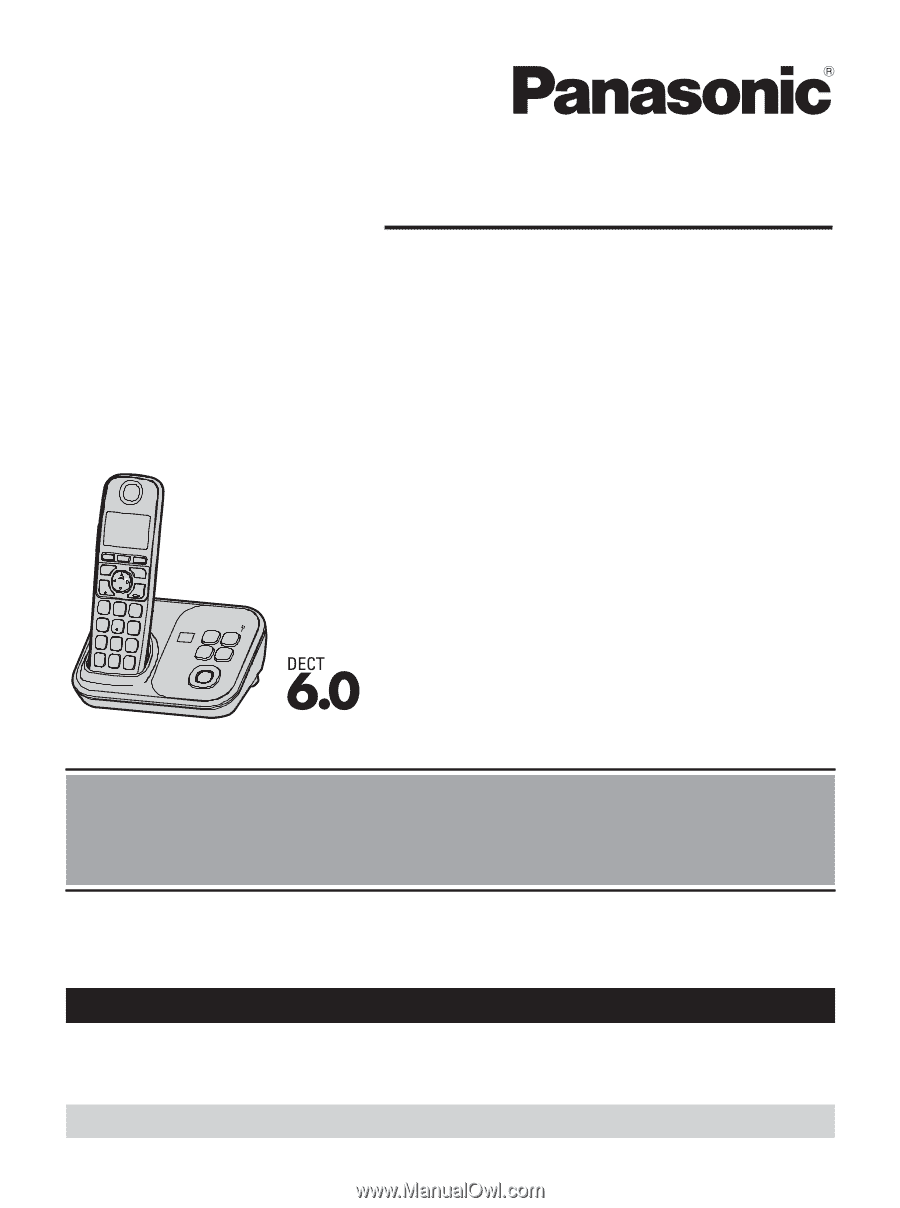
Model shown is KX-TG4731.
Before initial use, see “Getting Started”
on page 11.
Thank you for purchasing a Panasonic product.
Please read these operating instructions before using the unit and save them for
future reference.
Consulte
“Guía Rápida Española”, página 55.
For assistance, visit our Web site:
for customers
in the U.S.A. or Puerto Rico.
Please register your product: http://www.panasonic.com/prodreg