
Panasonic KXTGA401 KXTGA401 User Guide
Panasonic KXTGA401 - DIGITAL CORDLESS HANDSET Manual
 |
View all Panasonic KXTGA401 manuals
Add to My Manuals
Save this manual to your list of manuals |
Panasonic KXTGA401 manual content summary:
- Panasonic KXTGA401 | KXTGA401 User Guide - Page 1
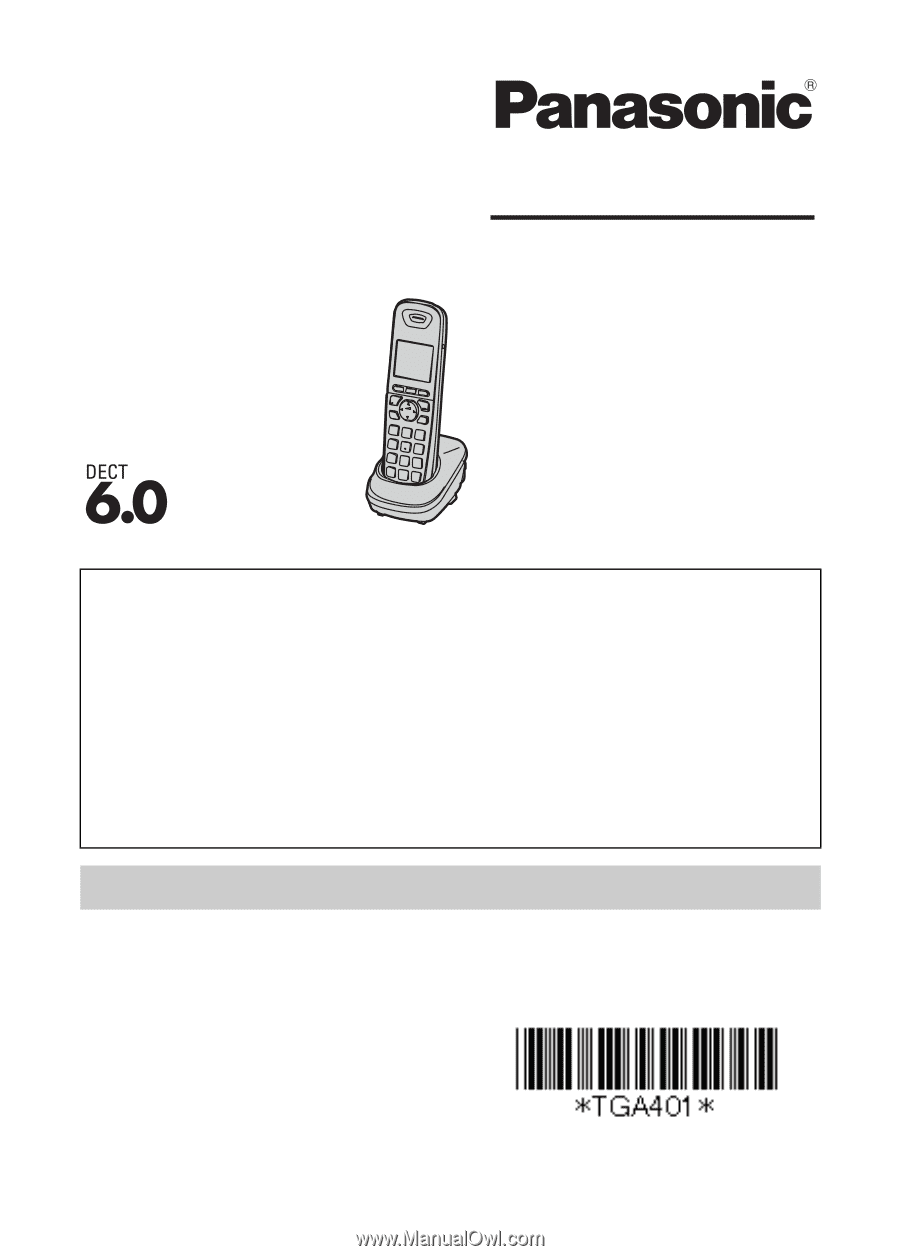
Manual Additional Digital Cordless Handset Model No. KX-TGA401 Thank you for purchasing a Panasonic product. This unit is an additional handset compatible with the following series of Panasonic Digital Cordless Phone: KX-TG4011/KX-TG4021/KX-TG4031/KX-TG4051/ KX-TG4071/KX-TG6511/KX-TG6521/KX - Panasonic KXTGA401 | KXTGA401 User Guide - Page 2
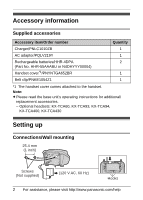
*1/PNYNTGA652BR 1 Belt clip/PNKE1054Z1 1 *1 The handset cover comes attached to the handset. Note: L Please read the base unit's operating instructions for additional/ replacement accessories. - Optional headsets: KX-TCA60, KX-TCA93, KX-TCA94, KX-TCA400, KX-TCA430 Setting up Connections/Wall - Panasonic KXTGA401 | KXTGA401 User Guide - Page 3
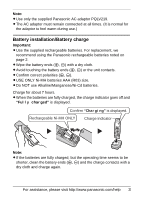
For replacement, we recommend using the Panasonic rechargeable batteries noted on page 2. L Wipe the battery ends (S, T) with a dry cloth. L Avoid touching the battery ends (S, T) or the unit batteries are fully charged, but the operating time seems to be shorter, - Panasonic KXTGA401 | KXTGA401 User Guide - Page 4
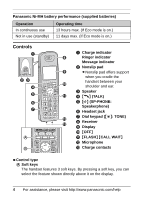
indicator Message indicator B Nonslip pad I L Nonslip pad offers support when you cradle the J handset between your shoulder and ear. C Speaker K D {C} (TALK) E {s} (SP-PHONE: Speakerphone) F Headset jack L M G Dial keypad ({*}: TONE) H Receiver I Display J {OFF} K {FLASH} {CALL - Panasonic KXTGA401 | KXTGA401 User Guide - Page 5
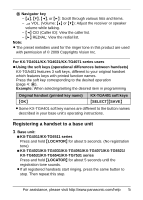
in programming Original handset (printed key name) {OK} KX-TGA401 soft keys {SELECT}{SAVE} L Some KX-TGA401 soft key names are different to the button names described in your base unit's operating instructions. Registering a handset to a base unit 1 Base unit: N KX-TG4011/KX-TG6511 series Press - Panasonic KXTGA401 | KXTGA401 User Guide - Page 6
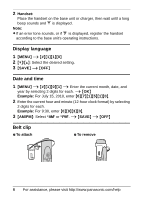
L If an error tone sounds, or if _ is displayed, register the handset according to the base unit's operating instructions. Display language 1 {MENU} i {#}{1}{1}{0} 2 {V}/{^}: Select the desired setting Belt clip N To attach N To remove 6 For assistance, please visit http://www.panasonic.com/help - Panasonic KXTGA401 | KXTGA401 User Guide - Page 7
. Main feature differences Feature KX-TGA401 Display size 1.8 inches Button size Extra large Display mode - Message list - KX-TG6511/ KX-TG6521/ KX-TG6531/ KX-TG6541 series handset KX-TG7531 series handset 1.8 inches 2.1 inches Large Large - r - r Operational differences in other - Panasonic KXTGA401 | KXTGA401 User Guide - Page 8
- All erase Message alert Alarm Silent mode Voice mail settings - Voice mail access no. - VM tone detection Time adjustment setting KX-TGA401 1.8 inches r r r r r r KX-TG4011/ KX-TG4021/ KX-TG4071 series handset 1.4 inches - - - - - - Page - 9, 10 11, 15 13 13 14 15 Operational differences in - Panasonic KXTGA401 | KXTGA401 User Guide - Page 9
a caller's phone number before calling back (page 12) Erasing all caller information (page 12) Storing caller information to the phonebook (page 12) - Transferring calls, conference calls (page 12) - Deregistering a handset (page 12) Differences in the shared phonebook operations Adding entries - Panasonic KXTGA401 | KXTGA401 User Guide - Page 10
an outside call, press {MENU}. 2 {V}/{^}: "Phonebook" i {SELECT} 3 {V}/{^}: Select the desired entry. i {CALL} Differences in the answering system operations (KX-TG4021/KX-TG4071 series only) Voice guidance language 1 {MENU} i {#}{1}{1}{2} 10 For assistance, please visit http://www.panasonic.com - Panasonic KXTGA401 | KXTGA401 User Guide - Page 11
the number before calling back Press {PAUSE} during playback. i {V}/{^}: "Edit & Call" i {SELECT} i Press {EDIT} repeatedly until the phone number is shown in the desired format. i {C} Message alert (default: on) You can select whether or not the message indicator on the handset flashes slowly when - Panasonic KXTGA401 | KXTGA401 User Guide - Page 12
from step 2, "Editing entries", page 10. Transferring calls, conference calls 1 During an outside call, press {INT} to put the call on hold. 2 {V}/{^}: Select the desired unit. i {SELECT} i Wait for the paged party to answer. L If the paged party does not answer, press {C} to return to the outside - Panasonic KXTGA401 | KXTGA401 User Guide - Page 13
you to select a period of time during which the handset will not ring for outside calls. Important: L Set the date and time beforehand (page 6). L We recommend turning the base unit ringer off in addition to turning the silent mode on. (KX-TG4021/KX-TG4071 series) L If you have set the alarm, the - Panasonic KXTGA401 | KXTGA401 User Guide - Page 14
after you hang up a call or after the phone stops ringing, your unit checks the phone line to see if new voice mail messages have been recorded. The default setting is "On". Turn this feature off when: - You do not subscribe to voice mail service. - Your service provider/telephone company does not - Panasonic KXTGA401 | KXTGA401 User Guide - Page 15
turns on. L If there are no new messages in the voice mail, {VM} is not displayed. 2 Follow the pre-recorded instructions. i When finished, press {OFF}. Note: L If the handset still indicates there are new messages even after you have listened to all new messages, turn it off by pressing and holding - Panasonic KXTGA401 | KXTGA401 User Guide - Page 16
to ensure proper and safe operation of your product. WARNING Power has stopped emitting and contact the Panasonic Call Center at 1-800-211- PANA or additional/replacement batteries noted on page 2 for replacement battery information allow conductive materials such as rings, bracelets, or keys to - Panasonic KXTGA401 | KXTGA401 User Guide - Page 17
instructions and limitations specified in this manual. L Only use a compatible base unit (or charger) to charge the batteries. Do not tamper with the base unit (or charger). Failure to follow these instructions headset accessory or the speakerphone option (if applicable) when using this phone. - Panasonic KXTGA401 | KXTGA401 User Guide - Page 18
. Privacy of communications may not be ensured when using this phone. CAUTION: Any changes or modifications not expressly approved by the party responsible for compliance could void the user's authority to operate this device. NOTE: This equipment has been tested and found to comply with the - Panasonic KXTGA401 | KXTGA401 User Guide - Page 19
handsets identified with this logo have reduced Hearing Aid T-Coil noise and interference when used with T-Coil equipped hearing aids and cochlear implants. T TIA-1083 Notice LThis product is designed for use in the United ón local. L L For assistance, please visit http://www.panasonic.com/help 19 - Panasonic KXTGA401 | KXTGA401 User Guide - Page 20
. (Alkaline/Manganese/Ni-Cd batteries CANNOT be used.) 4 Read troubleshooting page in the base unit's Operating Instructions. Visit our Web site: http://www.panasonic.com/help L FAQ and troubleshooting hints are available. One Panasonic Way, Secaucus, New Jersey 07094 Copyright: This material is
-
 1
1 -
 2
2 -
 3
3 -
 4
4 -
 5
5 -
 6
6 -
 7
7 -
8
-
9
-
10
-
11
-
12
-
13
-
14
-
15
-
16
-
17
-
18
-
19
-
20
 |
 |
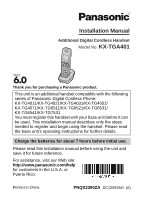
Thank you for purchasing a Panasonic product.
Please read this installation manual before using the unit and
save it for future reference.
For assistance, visit our Web site:
for customers in the U.S.A. or
Puerto Rico.
This unit is an additional handset compatible with the following
series of Panasonic Digital Cordless Phone:
KX-TG4011/KX-TG4021/KX-TG4031/KX-TG4051/
KX-TG4071/KX-TG6511/KX-TG6521/KX-TG6531/
KX-TG6541/KX-TG7531
You must register this handset with your base unit before it can
be used. This installation manual describes only the steps
needed to register and begin using the handset. Please read
the base unit’s operating instructions for further details.
Charge the batteries for about 7 hours before initial use.
Additional Digital Cordless Handset
Model No.
KX-TGA401
Installation Manual
PNQX2390ZA
DC1209SN0
(A)
Printed in China