
HP 6730s MultiBoot - Windows XP, Windows Vista and Windows 7
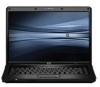
HP 6730s - Compaq Business Notebook Manual
 |
UPC - 884420345459
View all HP 6730s manuals
Add to My Manuals
Save this manual to your list of manuals |
HP 6730s manual content summary:
- HP 6730s | MultiBoot - Windows XP, Windows Vista and Windows 7 - Page 1
MultiBoot User Guide - HP 6730s | MultiBoot - Windows XP, Windows Vista and Windows 7 - Page 2
in the express warranty statements accompanying such products and services. Nothing herein should be construed as constituting an additional warranty. HP shall not be liable for technical or editorial errors or omissions contained herein. First Edition: June 2008 Document Part Number: 468461-001 - HP 6730s | MultiBoot - Windows XP, Windows Vista and Windows 7 - Page 3
Product notice This user guide describes features that are common to most models. Some features may not be available on your computer. ENWW iii - HP 6730s | MultiBoot - Windows XP, Windows Vista and Windows 7 - Page 4
iv Product notice ENWW - HP 6730s | MultiBoot - Windows XP, Windows Vista and Windows 7 - Page 5
Table of contents 1 About the boot device order 2 Enabling boot devices in Computer Setup 3 Considering boot order changes 4 Choosing MultiBoot preferences Setting a new boot order in Computer Setup 6 Dynamically choosing a boot device using the F9 prompt 7 Setting a MultiBoot Express prompt ...8 - HP 6730s | MultiBoot - Windows XP, Windows Vista and Windows 7 - Page 6
vi ENWW - HP 6730s | MultiBoot - Windows XP, Windows Vista and Windows 7 - Page 7
NOTE: Some of the boot devices and drive bay locations listed may not be supported on your computer. ● Notebook MultiBay ● Internal hard drive ● USB diskette drive ● USB CD-ROM ● USB hard drive ● Notebook Ethernet ● Secure Digital (SD) Memory Card ● Docking station MultiBay ● External SATA drive You - HP 6730s | MultiBoot - Windows XP, Windows Vista and Windows 7 - Page 8
in the internal MultiBay (select models only) that contains a disc formatted as drive C 3. Hard drive in the computer hard drive bay 4. Hard drive in an optional docking device or in an optional external MultiBay NOTE: Because no drive letter is associated with the NIC, changing the boot order of - HP 6730s | MultiBoot - Windows XP, Windows Vista and Windows 7 - Page 9
" message is displayed at the bottom of the screen. 2. Press f10 to enter BIOS Setup. 3. To enable bootable media in USB drives or in drives inserted into an optional docking device (select models only), use a pointing device or the arrow keys to select System Configuration > Device Configurations - HP 6730s | MultiBoot - Windows XP, Windows Vista and Windows 7 - Page 10
an optional docking device (select models only) that contains a hard drive, this hard drive will be shown in the boot order as a USB hard drive. If the system attempts to boot from this USB hard drive and fails, it will not attempt to boot to the hard drive in the hard drive bay. Instead - HP 6730s | MultiBoot - Windows XP, Windows Vista and Windows 7 - Page 11
the boot order in Computer Setup. ● To dynamically choose the boot device, by pressing esc while the "Press the ESC key for Startup Menu" message is displayed at the bottom of the screen, and then pressing f9 to enter the Boot Device Options menu. ● To use MultiBoot Express to set variable boot - HP 6730s | MultiBoot - Windows XP, Windows Vista and Windows 7 - Page 12
press esc while the "Press the ESC key for Startup Menu" message is displayed at the bottom of the screen. 2. Press f10 to enter BIOS Setup. 3. Use a pointing device or the arrow keys to select System Configuration > Boot Options. Confirm that Enabled is selected next to MultiBoot. NOTE: MultiBoot - HP 6730s | MultiBoot - Windows XP, Windows Vista and Windows 7 - Page 13
, and then pressing esc while the "Press the ESC key for Startup Menu" message is displayed at the bottom of the screen. 2. Press f9. 3. Use a pointing device or the arrow keys to select a boot device, and then press enter. Your changes go into effect immediately. ENWW Dynamically choosing a boot - HP 6730s | MultiBoot - Windows XP, Windows Vista and Windows 7 - Page 14
displayed at the bottom of the screen. 2. Press f10 to enter BIOS Setup. 3. Use a pointing device or the arrow keys to select System displayed). 5. To save your changes and exit Computer Setup, click Save in the lower-left corner of the screen, and then follow the on-screen instructions - HP 6730s | MultiBoot - Windows XP, Windows Vista and Windows 7 - Page 15
Entering MultiBoot Express preferences When the Express Boot menu displays during startup, you have the following choices: ● To specify a boot device from the Express Boot menu, select your preference within the allotted time, and then press enter. ● To prevent the computer from defaulting to the - HP 6730s | MultiBoot - Windows XP, Windows Vista and Windows 7 - Page 16
Setup enabling bootable devices 3 setting boot order 6 setting MultiBoot Express prompt 8 D drive A boot devices 1 drive C boot devices 1 drives, boot order 1 L logical drive designations 4 M MultiBoot Express 1, 8 MultiBoot preferences 5 N Network Service Boot 3 NIC boot device 1, 3 P PXE server - HP 6730s | MultiBoot - Windows XP, Windows Vista and Windows 7 - Page 17
-
 1
1 -
 2
2 -
 3
3 -
 4
4 -
 5
5 -
 6
6 -
 7
7 -
8
-
9
-
10
-
11
-
12
-
13
-
14
-
15
-
16
-
17
 |
 |

MultiBoot
User Guide