
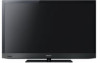
Sony KDL-55EX620 Setup Guide (Operating Instructions)
Sony KDL-55EX620 Manual
 |
UPC - 027242817036
View all Sony KDL-55EX620 manuals
Add to My Manuals
Save this manual to your list of manuals |
Sony KDL-55EX620 manual content summary:
- Sony KDL-55EX620 | Setup Guide (Operating Instructions) - Page 1
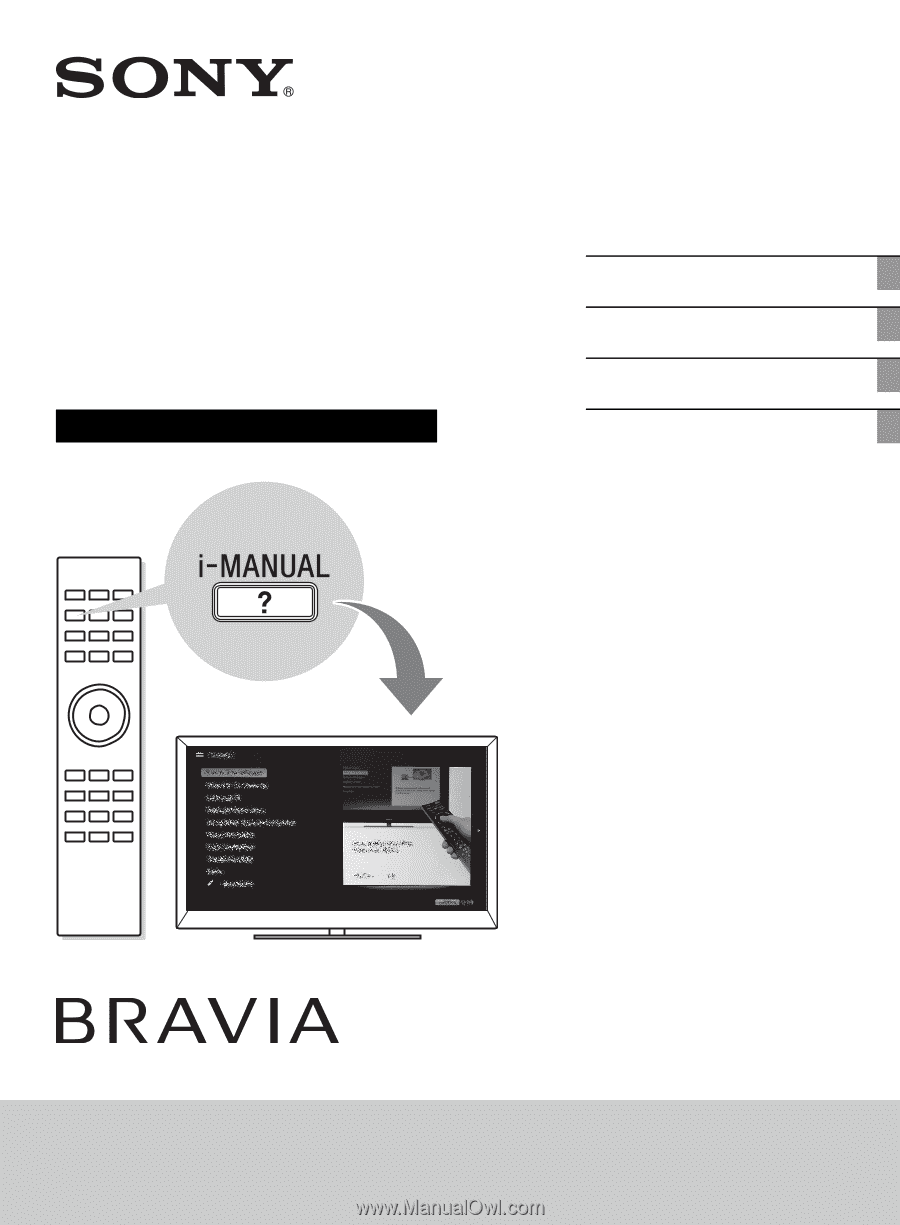
Setup Guide (Operating Instructions) Getting Started Using Your BRAVIA TV Network Setup Additional Information Sony Customer Support U.S.A.: www.sony.com/tvsupport Canada: www.sony.ca/support United States 1.800.222.SONY Canada 1.877.899.SONY Please Do Not Return the Product to the Store KDL - Sony KDL-55EX620 | Setup Guide (Operating Instructions) - Page 2
works best. If you experience any discomfort, you should stop watching the 3D video images or playing stereoscopic 3D games until the discomfort ends; consult a doctor if you believe necessary. You should also review (i) the instruction manual of any other device or media used with this television - Sony KDL-55EX620 | Setup Guide (Operating Instructions) - Page 3
and practices. Changes to certain features, settings, and functionalities of this TV (i.e. Rovi On Screen Guide, Picture/Sound, Light Sensor, Power Savings) can increase or change the power consumption. Depending upon such changed settings, the power consumption may exceed the limits required for - Sony KDL-55EX620 | Setup Guide (Operating Instructions) - Page 4
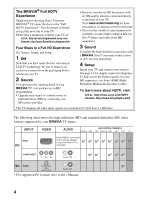
! Your new BRAVIA® TV opens the door to the "Full HDTV Experience." This document will help you get the most out of your TV. Please take a moment to register your TV at: U.S.A.: http://productregistration.sony.com Canada: http://www.SonyStyle.ca/registration Four Steps to a Full HD Experience Set - Sony KDL-55EX620 | Setup Guide (Operating Instructions) - Page 5
5 - Sony KDL-55EX620 | Setup Guide (Operating Instructions) - Page 6
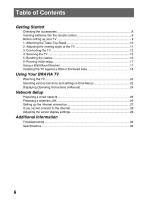
setup 17 Using a Wall-Mount Bracket 17 Installing the TV Against a Wall or Enclosed Area 18 Using Your BRAVIA TV Watching the TV...20 Selecting various functions and settings (Home Menu 22 Displaying Operating Instructions (i-Manual 24 Network Setup Preparing a wired network 26 Preparing - Sony KDL-55EX620 | Setup Guide (Operating Instructions) - Page 7
/Video Search Watching TV 3D Feature Rovi On Screen Guide™ Favorites Wide Mode Picture Mode Photos/Music/Videos Twin Picture (PIP) Twin Picture (P&P) Settings/Home Menu About the Home Menu Settings Picture & Display Sound Preferences i-Manual Channels & Inputs Network Product Support Using Other - Sony KDL-55EX620 | Setup Guide (Operating Instructions) - Page 8
Instructions (this manual) and other documents *1 Please refer to the model name printed on the remote control. *2 Assembling the Table-Top Stand is required. Refer to the supplied Table-Top Stand leaflet to assemble the Table-Top Stand. Inserting batteries into the remote control B KDL-60/55/46 - Sony KDL-55EX620 | Setup Guide (Operating Instructions) - Page 9
the task. Look for the supplied Table-Top Stand instruction leaflet. Be sure to consider the following while setting up your TV: • Ensure your TV has adequate ventilation, see page 18. • For best picture quality, do not expose the screen to direct illumination or sunlight. • Avoid installing the - Sony KDL-55EX620 | Setup Guide (Operating Instructions) - Page 10
or the frame around the screen. • Be careful to not pinch your hands or the AC power cord when you install the TV unit to the Table-Top Stand. For KDL-55/46HX72x, KDL-55/46/40/32EX72x and KDL-55/46/40EX62x 1 Place the TV unit on the Table-Top Stand. Guide pins For KDL-60EX72x 1 Align with the two - Sony KDL-55EX620 | Setup Guide (Operating Instructions) - Page 11
fasten the screws (previously removed) to the original holes on the rear of the TV. 2: Adjusting the viewing angle of the TV This TV can be adjusted within the angles as illustrated. Angle adjustment (Swivel) (except KDL-60EX72x) ~ • When adjusting the angle, hold the stand with one hand to avoid - Sony KDL-55EX620 | Setup Guide (Operating Instructions) - Page 12
Connecting the TV Shown with a Set Top Box with HDMI connection Shown with a Set Top Box with COMPONENT connection Set Top Box Recommendation of the F type plug The one based on the following drawing is recommended about the F type plug. Projection of the inner wire from the connection part must - Sony KDL-55EX620 | Setup Guide (Operating Instructions) - Page 13
or HD Satellite Receiver * Signifies a BRAVIA Sync capable device. ** The optical connection is only needed for A/V receivers that do not support ARC (Audio Return Channel). Shown with HD Basic Connection with Home Theater System *Optical Connection or Rear of TV Home Theater System Blu-ray Disc - Sony KDL-55EX620 | Setup Guide (Operating Instructions) - Page 14
Shown with PC Connection with SD VCR/DVD Notebook PC Rear of TV PC or Side Panel Splitter VCR DVD VCR/DVD Combo Cable/Antenna 14 - Sony KDL-55EX620 | Setup Guide (Operating Instructions) - Page 15
there is no excess slack in the rope or chain. An alternative way to secure the TV is with an optional Sony Support Belt Kit. The Sony Support Belt Kit is available as an optional accessory, depending on your TV model. M4 × 10 machine screw (not supplied) Rope or chain (not supplied) Screw hole on - Sony KDL-55EX620 | Setup Guide (Operating Instructions) - Page 16
Sony Customer Support to obtain the optional Support Belt Kit by providing your TV model name. • For United States call: 1-800-488-7669 or visit: www.sony.com/accessories • For Canada call: 1-877-899-7669 3 Anchor the TV to the Wall. Anchor the TV not bundle the AC power cord together with other cables. Wallmount - Sony KDL-55EX620 | Setup Guide (Operating Instructions) - Page 17
be no picture and sound, and the timer indicator on the front of the TV blinks orange for about 40 seconds. Do not turn off the TV during this process. This process has been completed at the factory on some TVs. Follow the instructions on the screen. ~ • Home mode sets the TV to settings optimized - Sony KDL-55EX620 | Setup Guide (Operating Instructions) - Page 18
TV and the installation should be performed by a Sony dealer or licensed contractor. • Refer to "Compatible Wall-Mount Bracket Information" (page 34). • Follow the instruction guide Leave at least this much space around the set. Never install the TV set as follows: Air circulation is blocked. Air - Sony KDL-55EX620 | Setup Guide (Operating Instructions) - Page 19
19 - Sony KDL-55EX620 | Setup Guide (Operating Instructions) - Page 20
Using Your BRAVIA TV Watching the TV 1 1 2 GUIDE 1 Turn on the TV. Press 1 (power) on the TV or I/1 on the remote control to turn on the TV. (For KDL-60/55/46/40/32EX72x and KDL-55/46HX72x, you may use the I/1 button located on the front or back of the remote control.) 2 Select a TV channel or - Sony KDL-55EX620 | Setup Guide (Operating Instructions) - Page 21
based on the current input and/or content. For KDL-60/55/46/40/32EX72x and KDL-55/46HX72x 6 Color buttons When the color buttons are available, an operation guide appears on the screen. 7 CH +/-/Number buttons Select channels in the TV mode. 8 VOL/2 +/- Adjusts the volume. Rear of Remote Control - Sony KDL-55EX620 | Setup Guide (Operating Instructions) - Page 22
. To select items in the Home menu (e.g., selecting "Settings") 1 Press G/g to select Settings. The contents of Settings are displayed on the right. 2 Press F/f to select Picture & Display. 3 Press to launch the menu. According to the screen instruction, press F/f/G/g to select items and press to - Sony KDL-55EX620 | Setup Guide (Operating Instructions) - Page 23
TV Media Inputs You can select a list of TV channels, or a program guide. You can enjoy photo/music/video content via USB devices or the home network. You can select equipment connected to the TV. Favorites/History Settings online service. You can enjoy Internet content services. Recommendations - Sony KDL-55EX620 | Setup Guide (Operating Instructions) - Page 24
Instructions (i-Manual) Operating instructions are built into your BRAVIA TV and can be displayed on the screen. To learn more about your TV features, access your i-Manual with the touch of a button. 1 Press i-MANUAL. 1 2 Press F/f/G/g/ to navigate and select items. 2 To select items in the i-Manual - Sony KDL-55EX620 | Setup Guide (Operating Instructions) - Page 25
information you saw last time appears. For viewing from the top page of the i-Manual, return to the top page according to the instructions on screen, or press HOME and select i-Manual of Settings in the Home menu. ~ • Last page memory is automatically reset when you switch the TV to standby mode. 25 - Sony KDL-55EX620 | Setup Guide (Operating Instructions) - Page 26
When you connect this TV to the Internet, you can enjoy multiple functions: displaying a photograph that shows its location on the map, enjoying Internet video, etc. For details on the functions, refer to the i-Manual. ~ • You will need to contract with an Internet service provider to connect to - Sony KDL-55EX620 | Setup Guide (Operating Instructions) - Page 27
on the setup screen. Type 2: Secured network without Wi-Fi Protected Setup (WPS) To set up a wireless LAN, SSID (wireless network name) and security key (WEP or WPA key) will be required. If you do not know them, consult the instruction manual of your router. 1 Press HOME, then select > Network - Sony KDL-55EX620 | Setup Guide (Operating Instructions) - Page 28
your Internet service provider, or those supplied with the router. 1 Press HOME, then select > Network > Network Setup. 2 Select Wired Setup. 3 Select Auto to set the IP Address and proxy server automatically, or Custom to set them manually. 4 Follow the instructions on the setup screen. Viewing the - Sony KDL-55EX620 | Setup Guide (Operating Instructions) - Page 29
to display on the Home Menu, and adjust the settings. If you cannot connect to your home network The TV detects if the server is being correctly recognized when you connections and settings. 1 Press HOME, then select > Network > Home Network Setup. 2 Select Media Server Troubleshooting. The server - Sony KDL-55EX620 | Setup Guide (Operating Instructions) - Page 30
to "Troubleshooting" in the i-Manual. If the problem persists, contact Sony Customer Support (information provided on the front cover). Condition Explanation/Solution There is no picture (screen is dark) and no sound. • Check the antenna/cable connection. • Connect the TV to the AC power, and - Sony KDL-55EX620 | Setup Guide (Operating Instructions) - Page 31
before you begin cleaning your TV. • Wipe the LCD screen gently with a soft cloth. • Stubborn stains may be removed with a cloth slightly moistened with a solution of mild soap and warm water. • If using a chemically pretreated cloth, please follow the instruction provided on the package. • Never - Sony KDL-55EX620 | Setup Guide (Operating Instructions) - Page 32
quality are not guaranteed for this TV.) Refer to the i-Manual for supported format. RS232C, D-sub 9 pin. This jack is for receiving the external control signal. Model name KDL- Power and others Power requirement Power consumption in use in DAM* in standby Screen size (inches measured diagonally - Sony KDL-55EX620 | Setup Guide (Operating Instructions) - Page 33
Support Belt Kit Wall-Mount Bracket: SU-WL500 3D Glasses: TDG-BR250/TDG-BR200/TDG-BR100/TDG-BR50 (KDL-46/40/32EX72x, KDL-46HX72x) USB Wireless LAN Adapter 32 °F - 104 °F (0 °C - 40 °C) * Download Acquisition Mode (DAM) is used for software updates and/or collecting data for Rovi On Screen - Sony KDL-55EX620 | Setup Guide (Operating Instructions) - Page 34
Bracket Model No. Sony TV Model No. KDL-60EX723/KDL-60EX720/ KDL-55HX729/KDL-55EX723/ KDL-55EX720/KDL-55EX621/ KDL-55EX620/KDL-46HX729/ KDL-46EX729/KDL-46EX723/ KDL-46EX720/KDL-46EX621/ KDL-46EX620/KDL-40EX729/ KDL-40EX723/KDL-40EX720/ KDL-40EX621/KDL-40EX620/ KDL-32EX729/KDL-32EX720 SU-WL500 Use - Sony KDL-55EX620 | Setup Guide (Operating Instructions) - Page 35
- Sony KDL-55EX620 | Setup Guide (Operating Instructions) - Page 36
about software updates for your TV, visit: United States Canada http://www.sony.com/tvsupport http://www.sony.ca/support NOTE: If your TV is connected to the Internet, you can check for software updates by selecting Settings, Product Support and then Automatic Software Update. © 2011 Sony
-
 1
1 -
 2
2 -
 3
3 -
 4
4 -
 5
5 -
 6
6 -
 7
7 -
8
-
9
-
10
-
11
-
12
-
13
-
14
-
15
-
16
-
17
-
18
-
19
-
20
-
21
-
22
-
23
-
24
-
25
-
26
-
27
-
28
-
29
-
30
-
31
-
32
-
33
-
34
-
35
-
36
 |
 |
4-275-462-
12
(1)
LCD
Digital Color TV
Setup Guide
(Operating Instructions)
Getting Started
Using Your BRAVIA TV
Network Setup
Additional Information
KDL-60EX723 / 60EX720 / 55HX729 / 55EX723 / 55EX720 / 55EX621 / 55EX620 / 46HX729
KDL-46EX729 / 46EX723 / 46EX720 / 46EX621 / 46EX620 / 40EX729 / 40EX723 / 40EX720
KDL-40EX621 / 40EX620 / 32EX729 / 32EX720
Sony Customer Support
U.S.A.: www.sony.com/tvsupport
Canada: www.sony.ca/support
United States
Canada
1.800.222.SONY
1.877.899.SONY
Please Do Not Return
the Product to the Store