
Sharp ER-A410 ER-A410 ER-A420 Operation Manual
Sharp ER-A410 Manual
 |
View all Sharp ER-A410 manuals
Add to My Manuals
Save this manual to your list of manuals |
Sharp ER-A410 manual content summary:
- Sharp ER-A410 | ER-A410 | ER-A420 Operation Manual - Page 1
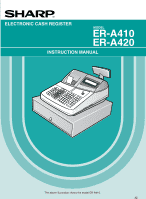
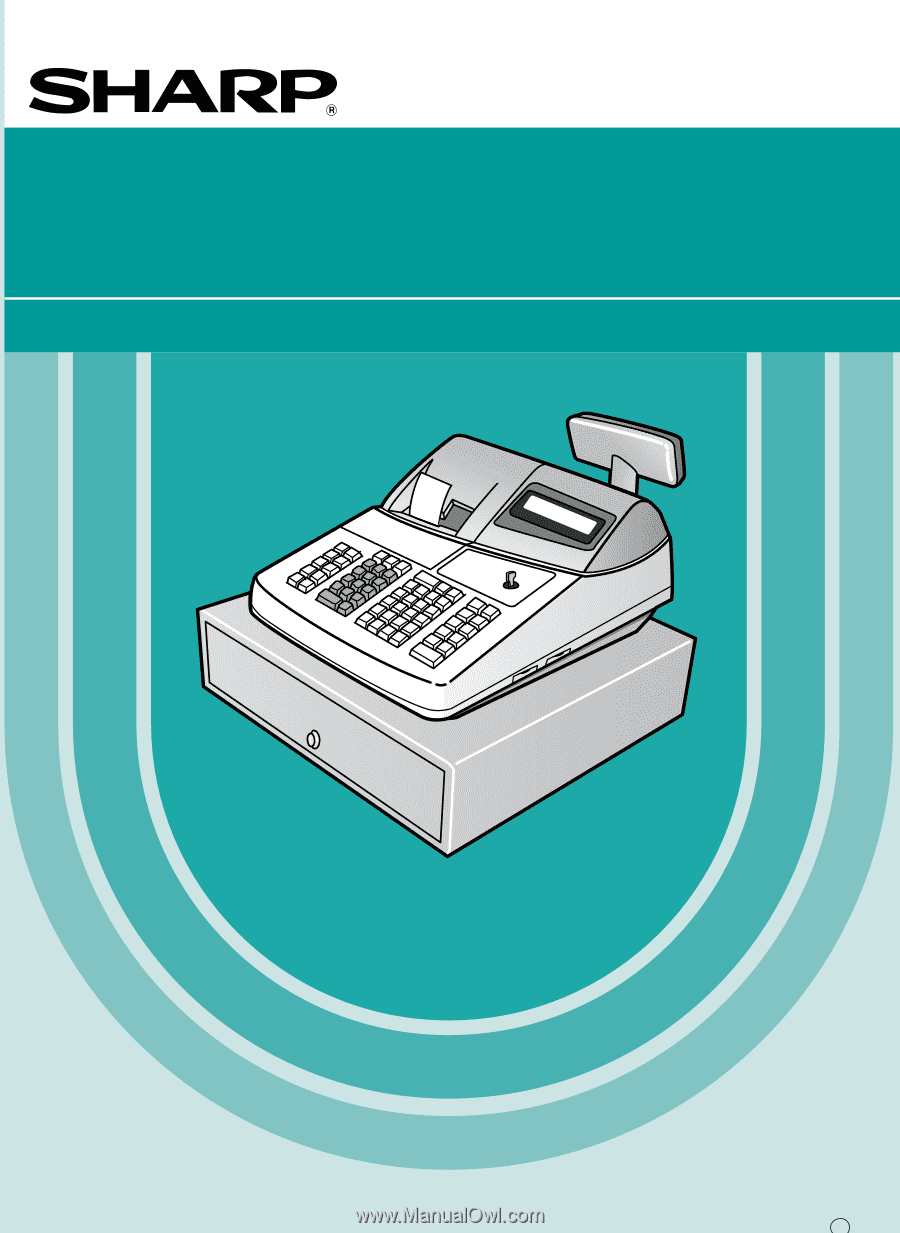
ELECTRONIC CASH REGISTER MODEL ER-A410 ER-A420 INSTRUCTION MANUAL The above illustration shows the model ER-A410. - Sharp ER-A410 | ER-A410 | ER-A420 Operation Manual - Page 2
changes or modifications to this equipment not expressly approved by the manufacturer could void the user's authority to operate this equipment. Note: This equipment has been tested and found to comply with the limits for a Class A digital device, pursuant to Part with the instruction manual, may - Sharp ER-A410 | ER-A410 | ER-A420 Operation Manual - Page 3
very much for your purchase of the SHARP Electronic Cash Register, Model ER-A410/A420. Please read this manual carefully before operating your machine to gain a thorough understanding of the functions and features offered by this model ECR. Please keep this manual for future reference, it may help - Sharp ER-A410 | ER-A410 | ER-A420 Operation Manual - Page 4
8 Rear view 8 PRINTER 9 KEYBOARD 10 1 ER-A410 standard keyboard layout 10 2 ER-A420 standard keyboard layout 12 3 Standard key number layout 13 4 Installing the keyboard sheet (ER-A420 14 KEYS AND SWITCHES 15 1 Mode switch and mode keys 15 2 Drawer lock key 15 3 Cashier code entry key 16 - Sharp ER-A410 | ER-A410 | ER-A420 Operation Manual - Page 5
need any tender entry 39 Charge (credit) sale 39 Mixed-tender sale (cash or check tendering + charge tendering 39 4 Food stamp calculations 40 Food stamp tendering 40 Food stamp status shift 41 5 Tax calculations 42 Automatic tax 42 Manual tax 42 Automatic-tax delete 43 Tax status shift - Sharp ER-A410 | ER-A410 | ER-A420 Operation Manual - Page 6
characters 64 Using character keys on the keyboard 64 Entering character codes 64 PROGRAMMING 66 Basic instructions 66 Preparations for programming 66 Direct Programming 66 1 Setting the date and time 66 Date 66 Time 67 2 Programming for departments 67 Unit price 67 Functional selection - Sharp ER-A410 | ER-A410 | ER-A420 Operation Manual - Page 7
, and through keys 114 Functional programming (#2320 114 Tax delete (#2326 116 High amount lockout (HALO) for check cashing, check change, and cash in drawer (#2321 117 High amount lockout (HALO) of entry for media keys (#2322 117 Print station assignment (#2328 118 8 Programming of function - Sharp ER-A410 | ER-A410 | ER-A420 Operation Manual - Page 8
the paper roll 178 Recording paper specifications 178 Installing the paper roll 178 Removing the paper roll 180 Removing a paper jam 181 5 Cleaning the print head 182 6 Removing the till and the drawer 183 7 Opening the drawer by hand 183 8 Before calling for service 184 Error message - Sharp ER-A410 | ER-A410 | ER-A420 Operation Manual - Page 9
EXTERNAL VIEW OF THE ER-A410 Front view Printer cover Customer display (Pop-up type) Receipt paper Journal window Keyboard Operator display Mode switch Drawer lock Drawer Rear view RS-232C connector cover (CH1) RS-232C connector cover (CH2) 7 - Sharp ER-A410 | ER-A410 | ER-A420 Operation Manual - Page 10
EXTERNAL VIEW OF THE ER-A420 Front view Printer cover Customer display (Pop-up type) Receipt paper Journal window Keyboard Operator display Mode switch Drawer lock Drawer Rear view RS-232C connector cover (CH1) RS-232C connector cover (CH2) 8 - Sharp ER-A410 | ER-A410 | ER-A420 Operation Manual - Page 11
, lift it from the rear as shown. When installing the printer cover, hook it on the pawls on the cabinet and shut it. Caution: The paper cutter is mounted on the printer (receipt side). Be careful not to cut yourself. Your register is shipped with the print head release lever held in the lifted - Sharp ER-A410 | ER-A410 | ER-A420 Operation Manual - Page 12
KEYBOARD 1 ER-A410 standard keyboard layout RECEIPT JOURNAL SLIP RA RCPT PO % VOID RFND TAX TAX SHIFT CONV @ FOR CL 789 456 123 0 00 PLU/UPC PRICE CHANGE INQ 5 10 15 20 4 9 14 19 3 8 13 18 2 7 12 17 1 6 11 16 NC CASH # PBLU FS SHIFT FINAL FS TEND CHK CH MDSE - Sharp ER-A410 | ER-A410 | ER-A420 Operation Manual - Page 13
Service key Percent 2 thru 4 keys Automatic sequencing 1 thru 5 keys Cash total 2 key Birthday date entry key Department code entry key Received-on-account 2 key Paid-out 2 key Non-add code key Scale key Open tare key CONV 2 CONV 4 CH2 L1 Conversion 2 thru 4 keys L3 Charge 2 thru 5 keys PRICE - Sharp ER-A410 | ER-A410 | ER-A420 Operation Manual - Page 14
to change the keyboard layout, please consult your dealer. RECEIPT JOURNAL 0 9 00 @ FOR CL RP SEND TAX SHIFT CA/AT Receipt paper feed key Journal paper feed key SBTL MDSE SBTL CASH # Numeric keys RCPT % Decimal point key L1 Multiplication key Clear key L3 Remote printer send key CH1 Tax - Sharp ER-A410 | ER-A410 | ER-A420 Operation Manual - Page 15
NS OPEN TARE Service key Percent 2 thru 4 keys Automatic sequencing 2 thru 5 keys Cash total 2 key Birthday date entry key Department code entry key Received-on-account 2 key Paid-out 2 key No sale key Open tare key CONV SLIP Slip print key CONV 4 CH3 Conversion 1 thru 4 keys TAX FS SHIFT FS - Sharp ER-A410 | ER-A410 | ER-A420 Operation Manual - Page 16
or hard sheets can make key operations difficult. • Place the keyboard sheet evenly under the keyboard cover. • If you require a new keyboard sheet, please contact your dealer. • The keyboard cover will eventually wear out. If your keyboard cover is dirty or broken, replace the cover with a new one - Sharp ER-A410 | ER-A410 | ER-A420 Operation Manual - Page 17
state "ON" and q "OFF" by pressing the key. (This setting may be used only when your register has been programmed for "OP X/Z mode available" in the PGM2 mode.) REG: For entering sales PGM1: To program those items that need to be changed often: e.g., unit prices of departments, PLUs or UPCs, and - Sharp ER-A410 | ER-A410 | ER-A420 Operation Manual - Page 18
depend on how the register has been programmed. For the selection of these settings, consult your local dealer. 4 Receipt ON/OFF function You can disable receipt printing in the REG mode to save paper using the receipt function. To disable receipt q printing, press the key in the OP X/Z position - Sharp ER-A410 | ER-A410 | ER-A420 Operation Manual - Page 19
will show "0". (2 © 3 ......9 © 0 © 1 © 2...) • Sentinel mark When amounts in the drawer reaches the amount you preprogrammed, the sentinel mark "X" is displayed to advice you to remove the money to a safe place. • Power save mark When the cash register goes into the power save mode, the power - Sharp ER-A410 | ER-A410 | ER-A420 Operation Manual - Page 20
When the cashier code is assigned by the following procedure, the register prints the four-digit cashier code (variant 2: " ") and the cashier name both on the receipt and journal for every transaction. Note The operation entries depend on how the register has been programmed. To determine which - Sharp ER-A410 | ER-A410 | ER-A420 Operation Manual - Page 21
mode is changed with the mode key. Please note when the register is recovered by any key entry and the initial key entry is ignored. After the recovery, you may start the key entries from the beginning. 3 Error warning In the following examples, your register will go into an error state accompanied - Sharp ER-A410 | ER-A410 | ER-A420 Operation Manual - Page 22
ENTRIES 1 Item entries Single item entries Procedure Department entries (direct department entries) Enter a unit price and press a department key. If you use a programmed unit price, press a department key only. When using a programmed unit price Unit price * (max. 7 digits) Department key * - Sharp ER-A410 | ER-A410 | ER-A420 Operation Manual - Page 23
) PLU/ UPC (Registration) To cancel the learing function entry To set "auto-delete" Unit price (max. 6 digits) NON DELETE c When the dept. key is depressed directly 1 ( ~ 99 ) å Dept. no. (1 - 99) DEPT # Example Key operation 1200 3 5 8 à 5 à 680 à 2 PPLU/ UPC P P 11 1200 PLU - Sharp ER-A410 | ER-A410 | ER-A420 Operation Manual - Page 24
will å à show "NO RECORD". Enter the unit price using the key and department no. with the key. • Q'ty: Up to four digits integer + three digits decimal • Unit price: Less than a programmed upper limit • Q'ty × unit price: Up to seven digits Example Key operation Department entry (direct - Sharp ER-A410 | ER-A410 | ER-A420 Operation Manual - Page 25
sold by area (square feet). Procedure Length @ Width When using a programmed unit price @ Unit price Department key Dept. entry (direct) Dept. code PLU code PLU code Unit price UPC code à Unit price à å or Dept. entry (indirect) When [preset only dept.] is entered. PLU/ UPC PLU - Sharp ER-A410 | ER-A410 | ER-A420 Operation Manual - Page 26
Split-pricing entries You may use this function when your customer wants to purchase items normally sold in bulk. Procedure Selling q'ty @ Base q'ty When using a programmed unit price @ Unit price per base q'ty Department key Dept. code à Unit price à or å Only when you use a base q'ty - Sharp ER-A410 | ER-A410 | ER-A420 Operation Manual - Page 27
is finalized and the drawer opens as soon as you press the department key, key, PLU/ UPC key, the direct PLU key or scanning a UPC code. Example Key operation For finishing the transaction 250 9 Print Note If an entry to a department, PLU/subdepartment or UPC set for SICS follows - Sharp ER-A410 | ER-A410 | ER-A420 Operation Manual - Page 28
Up to 5 digits (integer + decimal) • Base weight: Up to 2 digits (integer) Note • The register can be programmed with up to nine tare tables and allows different tares to be assigned to them. S • When the key is pressed, the weight is automatically read from the connected scale (option) and the - Sharp ER-A410 | ER-A410 | ER-A420 Operation Manual - Page 29
ii) Manual scale entries of refunded items Procedure When base wt. is 1 LB (or 1 KG) When using a programmed unit price Unit price per base wt. Department Dept. code à Unit price à or å Net weight Ï SCALE Base wt. ` Unit price per base wt. When [preset only dept.] is entered. - Sharp ER-A410 | ER-A410 | ER-A420 Operation Manual - Page 30
register without adding additional direct PLU keys. l ¬ Ò You can use direct PLUs in three levels by utilizing shift keys , , and . These keys have press the desired PLU level shift key before numeric entries. Procedure To shift the level of another PLU l ¬ Ò Numeric entry @ (Q'ty, ) Direct - Sharp ER-A410 | ER-A410 | ER-A420 Operation Manual - Page 31
PLU code 65 (PLU level 2) Direct PLU2: PLU code 2 (PLU level 1), PLU code 66 (PLU level 2) • When your machine has been programmed for the automatic return mode: Key operation Print 1 ¬1 2 1 a • When your machine has been programmed for the lock shift mode: Key operation l1 ¬1 2 1 a Print 29 - Sharp ER-A410 | ER-A410 | ER-A420 Operation Manual - Page 32
holds the current PLU/UPC price level until pressing the price level shift key. Automatic return mode (for price level) If your register has been programmed for the price level shift in the automatic return mode, press the price level shift key before a numeric entry. Procedure (each item) ˘SHIFT - Sharp ER-A410 | ER-A410 | ER-A420 Operation Manual - Page 33
• When your register has been programmed for the lock shift mode: Key operation 1 PPLU/ UPC ˘ 1 P SHIFT PLU/ UPC 2 PPLU/ UPC a Print Set PLU entries Operations are the same as normal PLU's. When a set PLU is entered, an entered or preset amount is printed as the unit price and then those - Sharp ER-A410 | ER-A410 | ER-A420 Operation Manual - Page 34
(departments, PLUs or UPCs) for certain aged persons based on a registered birthday. When a department/PLU/UPC for which a figure other than zero (01 to 99) has been programmed as the age limitation is entered, a birthday entry must be completed. Procedure XXXXXX BIRTH Birthday (five or six - Sharp ER-A410 | ER-A410 | ER-A420 Operation Manual - Page 35
key when you want to register the unit price of the PLU/UPC displayed. *3: You can change the unit price temporarily in the MGR mode. The unit price which is programmed in PGM mode is not changed (Price override entry). è Note For the repeat entry, use the key. Example Key operation Print Price - Sharp ER-A410 | ER-A410 | ER-A420 Operation Manual - Page 36
code. Unit price Ì* Department key c To cancel the operation å Dept. no. "ENTER DEPT#" is displayed à Ì * Press the key when you want to exempt the UPC code entered from the non-accessed UPC delete function (deletion occurs by executing #105 in Z1 mode). è Note For the repeat entry, use the - Sharp ER-A410 | ER-A410 | ER-A420 Operation Manual - Page 37
Ä UPC code PLU/ UPC Ê "PRICE & DEPT" is displayed. To enter 0 Unit price c To cancel Ê Department key å Dept no. à To change the unit price only To change the associated dept. directly by depressing the corresponding key To change the associated dept. using the dept. no. entry key 35 - Sharp ER-A410 | ER-A410 | ER-A420 Operation Manual - Page 38
/ UPC Ê 600 Ê c The journal printer prints the following format in this position. Print Associated dept. no. Note • When an undefined code is entered in the price change mode, the register results in an error. Ê • When you press the key during a transaction, the UPC entry is voided upon the - Sharp ER-A410 | ER-A410 | ER-A420 Operation Manual - Page 39
printing subtotals Your register provides these five types of subtotals: Merchandise subtotal  Press the key at any point during a transaction. The net sale subtotal - not including tax - will appear in the display. Taxable subtotal Taxable 1 subtotal ı Press the TAX SHIFT and keys in this - Sharp ER-A410 | ER-A410 | ER-A420 Operation Manual - Page 40
of the sale, your register will show the change due amount and the text "CHANGE". Otherwise your register will show the text "DUE" and a deficit. Make a correct tender entry. Example Your customer pays $10.00 for an including-tax subtotal of $7.35. Cash tendering Key operation Print ı 1000 - Sharp ER-A410 | ER-A410 | ER-A420 Operation Manual - Page 41
not need any tender entry a Å k Enter items and press the or key if it is a cash sale or press the or CHK2 key if it is a check sale. Your register will display the total sale amount. Example Selling a $3.00 item (dept. 6) and another $7.15 item (PLU 10) for cash Key operation Print 300 6 10 - Sharp ER-A410 | ER-A410 | ER-A420 Operation Manual - Page 42
stamp-eligible subtotal* by f pressing the key and make a food stamp tender entry before entering a cash or check tender. Note The food stamp-eligible subtotal* depends upon how your register is programmed based on the food stamp-eligibility of the automatic tax on a sale of items eligible for - Sharp ER-A410 | ER-A410 | ER-A420 Operation Manual - Page 43
the 100 cash tendering of the remainder Print Food stamp status shift - ≠ Your machine allows you to shift the programmed food-stamp status of each department, thru , percent ˛ key or the PLU key by pressing the key prior to those keys. After each entry is completed, the programmed food stamp - Sharp ER-A410 | ER-A410 | ER-A420 Operation Manual - Page 44
1, taxable 1) and one $7.15 item (PLU 85, taxable 2) for cash Key operation Print 5 @ 670 1 85 PPLU/ UPC a Manual tax Your machine allows you to enter tax manually after item entries. Example Selling an $8.00 item (dept. 7) for cash with 50 cents as tax Key operation Print 800 7 50 † a 42 - Sharp ER-A410 | ER-A410 | ER-A420 Operation Manual - Page 45
a If any of the media keys (i.e. cash, check or charge 1 thru charge 5) are programmed as tax delete in PGM2 mode, the tax can be deleted without using the procedures above. In this case, depressing a corresponding media key alone will always cause the programmed tax to be deleted. Example Å When - Sharp ER-A410 | ER-A410 | ER-A420 Operation Manual - Page 46
department, thru , percent key or | « » the PLU key by pressing the , TAX SHIFT , and/or keys before those keys. After each entry is completed, the programmed tax status of each key is resumed. Example Selling the following items for cash with their programmed tax status reversed • One $13 - Sharp ER-A410 | ER-A410 | ER-A420 Operation Manual - Page 47
a sequential fashion. If your register has not been programmed to do so, each PBLU code can be entered manually. S • When the key is pressed, the tax is not calculated. f • You can temporarily finalize a guest check by pressing the key. This print out of the guest check will show the current balance - Sharp ER-A410 | ER-A410 | ER-A420 Operation Manual - Page 48
code (1-9999) u [Item entries] Amount r or A S f [Payment operations] Example Key operation 111 u 1400 5 1600 6 f Ω ∏ Print Settlement Use the following procedure: Procedure PBLU code (1-9999) u [Item entries] Amount r or A [Payment operations] Example Key operation 111 u 9410 r 8000 - Sharp ER-A410 | ER-A410 | ER-A420 Operation Manual - Page 49
account. It can be received in cash, check or by charge. You can make the deposit entry only while in a guest check transaction. It cannot be done during handling of a tendered amount. A received deposit can be refunded by pressing the DEPO RFND key. You cannot attempt to refund an amount - Sharp ER-A410 | ER-A410 | ER-A420 Operation Manual - Page 50
merchandise subtotal and item entries. You need to specify in advance whether the register should perform the percent premium of 10% has been programmed for the key.) Key operation 4 @ 140 5 225 7 7 Â % a Print Percent calculation for item entries Example Selling for cash an $8.00 item of dept - Sharp ER-A410 | ER-A410 | ER-A420 Operation Manual - Page 51
cash after subtracting the coupon amount 75¢ - (This example presumes that the store coupon has been programmed for the key.) Key operation Print 675 7 75 *7 a Note - * The is entered as a modifier for the department which will be netted by the coupon amount. Such item netting coupon entries - Sharp ER-A410 | ER-A410 | ER-A420 Operation Manual - Page 52
6 7 @ 13 PPLU/ UPC a Printing of non-add code numbers Enter a non-add code number such as a customer's reference number within a maximum of 16 digits and press = the key at any point during the entry of a sale. Your register will print it at the time of entry. Example Selling a $15.00 item of dept - Sharp ER-A410 | ER-A410 | ER-A420 Operation Manual - Page 53
register allows payment entries of foreign currency. Pressing the thru key creates a subtotal in foreign currency. Cash payment is the only media that can be handled after currency conversion. Procedure After an entry Manual rate - CONV 4 (The key can be used only for the manual entry.) Key - Sharp ER-A410 | ER-A410 | ER-A420 Operation Manual - Page 54
(exchange) n Simply press the key without any entry. The drawer will open and the printer will print "NO SALE" on both n the journal and the receipt. If your machine is preset to print a non-add code number before pressing the key, a no sale entry is achieved with a non-add code number printed. 52 - Sharp ER-A410 | ER-A410 | ER-A420 Operation Manual - Page 55
9 Automatic sequencing key (` key) entries You can achieve many different key sequences automatically with a single key depression by using the Auto function key. Example ¡ Performing the transaction "Selling a $5.00 item (dept. 7) for cash" programmed for the (¡ = 500 7 a) Key operation Print - Sharp ER-A410 | ER-A410 | ER-A420 Operation Manual - Page 56
, UPC and item refund entries only. v à For the operation, press the key just before you press a department key, key, direct PLU key, PLU/ UPC key or v just before you scan a UPC code. For the refund indirect void, press the key after you press the Ï key. Example Key operation Print 1310 - Sharp ER-A410 | ER-A410 | ER-A420 Operation Manual - Page 57
the transaction is aborted and the register issues a receipt. Example Key operation 1310 1 1755 6 10 PPLU/ UPC 35 PPLU/ UPC ı Subtotal void v ı Print 4 Correction of incorrect entries not handled by the direct or indirect void function Any errors found after the entry of a transaction has been - Sharp ER-A410 | ER-A410 | ER-A420 Operation Manual - Page 58
be corrected by direct or indirect void, follow this procedure in the MGR mode. 1. Turn the mode switch to the MGR position. v 2. Press the key to put your register in the VOID mode. 3. Repeat the entries that are recorded on an incorrect receipt. (All data for the incorrect receipt are removed from - Sharp ER-A410 | ER-A410 | ER-A420 Operation Manual - Page 59
Selling a $15.00 item (dept. 2) for cash and subtracting the coupon amount $2.50 from the sale amount (This example presumes that the register has been programmed not to allow coupon entries over $2.00.) Key operation Print 1500 2 REG-mode 250 - ...Error entries c Turn the mode switch to the - Sharp ER-A410 | ER-A410 | ER-A420 Operation Manual - Page 60
not be performed. The error message "CASHIER ERR." and the corresponding cashier code(s) are displayed at this time. Key operation 1. Cashier 1 is assigned. 2. Cashier 2 is assigned. 3. Cashier 1 is assigned. (1‹) 100 1 360 3 3 2 ‹ 3 @ 150 2 a 1‹ 100 1 360 3 a Comments The entry by cashier 1 is - Sharp ER-A410 | ER-A410 | ER-A420 Operation Manual - Page 61
This will make a copy receipt. Your register can also print a copy receipt when the receipt ON-OFF function is in the "ON" status. q Note Pressing the key in the OP X/Z mode before registration toggles the status "ON" and "OFF". Example Printing a copy receipt after making the entries shown below - Sharp ER-A410 | ER-A410 | ER-A420 Operation Manual - Page 62
Your register can perform validation printing when it is connected with the slip printer. For the details about the slip printer, contact your authorized SHARP dealer. 1. Set a validation slip to the slip printer. ∏ 2. Press the key. The validation printing will start. Note When you make an entry - Sharp ER-A410 | ER-A410 | ER-A420 Operation Manual - Page 63
be sent to the kitchen for preparation while the remaining order is still being placed. Example Item entry RP SEND Data transfer to the remote printer Remaining items will be sent to the remote printer when the transaction is finalized. When this function is used, the subtotal void operation is - Sharp ER-A410 | ER-A410 | ER-A420 Operation Manual - Page 64
the REG or MGR mode. c The time display disappears as soon as you press the key in the REG or MGR mode or begin the subsequent entry. Sample display of 10:25 AM Date Time 2 Automatic updating of the date Once the internal clock unit is started at the correct time, it - Sharp ER-A410 | ER-A410 | ER-A420 Operation Manual - Page 65
FOR THE MANAGER PRIOR TO PROGRAMMING 1 Programming keyboard layout When you are in the PGM1 or PGM2 mode, the keyboard layout will be set to one of the programming layouts as shown below. For ER-A410 RECEIPT JOURNAL () () ( ) P( O (NUM) (SPACE) CASøH Ø# @ FOR CL 789 456 123 0 00 (DC) - Sharp ER-A410 | ER-A410 | ER-A420 Operation Manual - Page 66
entry mode. There are two ways for programming characters: using character keys on the keyboard and entering character codes with the numeric keys on the keyboard. Using character keys on the keyboard Enter a character according to the position in the programming keyboard layout. Entering - Sharp ER-A410 | ER-A410 | ER-A420 Operation Manual - Page 67
Ø 227 228 ↑ 229 ] 230 [ 231 232 ä 233 ö 234 ü 235 æ 236 å 237 É 238 ñ 253 *(DC) (DC) : Double-size character code : The shaded character cannot be displayed (will be displayed as space). Note The character " !! " (code: 128) is displayed as " ! ". 65 - Sharp ER-A410 | ER-A410 | ER-A420 Operation Manual - Page 68
This chapter illustrates how to program your cash register. Basic instructions All the programming items can be programmed by the Job-Code-Based Programming described later. However, your machine allows you to program some items using the Direct Programming, which does not require you to - Sharp ER-A410 | ER-A410 | ER-A420 Operation Manual - Page 69
digits) = Example Key operation 1430 = Print Time 2 Programming for departments Your machine is equipped with 20 (ER-A410)/10 (ER-A420) standard departments and a maximum of 99 departments. Your machine allows you to perform the following programming for each department. Unit price PGM 1 PGM - Sharp ER-A410 | ER-A410 | ER-A420 Operation Manual - Page 70
Enable Compulsory L Registration type Normal SICS (Single Item Cash Sale) SIF (Single Item Finalization) M Department type Normal department Hash department Bottle return department N Type of unit price entry Inhibit department key Open only Preset only Open and preset O Significant - Sharp ER-A410 | ER-A410 | ER-A420 Operation Manual - Page 71
the grand total except tax amounts. • Normal department. Type of unit price entry You may select one of the following four types of unit price entry for each department. • Open and preset • Preset only • Open only • Inhibit department key HALO (High Amount Lockout) You can set an upper limit amount - Sharp ER-A410 | ER-A410 | ER-A420 Operation Manual - Page 72
Number). • To review the UPC codes available to this register, please refer to the chapter 13 in "Job-CodeBased programming". Unit price PGM 1 PGM 2 Procedure To program any PLU/UPC lÒ Ä Direct PLU key To program zero Unit price 1 (max. 6 digits) ı To program zero Unit price 2 (max. 6 digits - Sharp ER-A410 | ER-A410 | ER-A420 Operation Manual - Page 73
of unit price entry for each PLU/UPC. • Open price and preset price (for only PLU) • Preset price only • Open price only (for only PLU) • Prohibit mode: Prohibits the entry of any assigned PLU/UPC code. • Delete mode: Deletes data programmed for each PLU/UPC. Example Key operation P @ 1 PLU - Sharp ER-A410 | ER-A410 | ER-A420 Operation Manual - Page 74
PLU/UPC assignment to department PGM 1 PGM 2 Procedure To program any PLU/UPC Ä lÒ Direct PLU key PLU code (max. 5 digits) PLU/ UPC UPC code (6 to 13 digits) To delete the entered PLU/UPC v Department code (1 - 99) à 1 ·99 To program for the following PLU/UPC Example Key operation P 1 - Sharp ER-A410 | ER-A410 | ER-A420 Operation Manual - Page 75
coupon (item _) H Significant digit for HALO I Number of zeros to follow the significant digit for HALO Entry: 0 1 0 1 0 1 0 1 0 1 0 1 0 1 1 thru 9 0 thru 7 Note Tax status (taxable 1 thru 4/non-taxable) Tax 4 is prohibited if you use the food stamp function. HALO (High amount lockout) "HI" is - Sharp ER-A410 | ER-A410 | ER-A420 Operation Manual - Page 76
.00 Note You must use a decimal point key when setting percentage rates that are fractional. Example Key operation 10 . 25 % Ç Print Percent rate Sign (+/-), %item/%subtotal selection, food stamp status and tax status PGM 2 Procedure To program zero *ABCDEFGHI @ %• Ç * Item: A Food stamp - Sharp ER-A410 | ER-A410 | ER-A420 Operation Manual - Page 77
operation 000001000 @ % Ç Print Subtotal % 6 Programming for conversion keys (ç) Currency conversion rate PGM 1 PGM 2 Procedure To program zero *Conversion rate ç# Ç * Conversion rate: 0.0000 - 9999.9999 Note You must use a decimal point key when setting conversion rates that are fractional - Sharp ER-A410 | ER-A410 | ER-A420 Operation Manual - Page 78
A × 10B. A: Significant digit (0 through 9) B: Number of zeros to follow significant digit: (for RA or PO: 0 thru 9), (for manual tax: 0 thru 7) Example Key operation 13 @ r Ç Print 8 Programming for the Ç, Å, ', and k keys High amount lockout (HALO) and functional selection PGM 2 Procedure To - Sharp ER-A410 | ER-A410 | ER-A420 Operation Manual - Page 79
on receipt No Yes K Non-add code entry Non-compulsory Compulsory L Change enable (over tender enable) Enable Disable M Validation printing Non-compulsory N Drawer opening Compulsory Yes No O Amount tendered operation Optional amount tendered for cash or check Inhibit amount tendered - Sharp ER-A410 | ER-A410 | ER-A420 Operation Manual - Page 80
avoid calculating incorrect tax amounts. Automatic tax calculations require you to program, in addition to the tax table, the tax status of each pertinent department, PLU, and function key. The tax table (applicable to the add-on tax) PGM 2 Sample tax table New Jersey tax table: 6% Taxes .00 .01 - Sharp ER-A410 | ER-A410 | ER-A420 Operation Manual - Page 81
entering the M in programming a tax table, cancel it with the c ı key; and if you make an error after entering the M, cancel it with the key. Then program again from the beginning correctly. • Limitations to the entry of minimum breakpoints Your register can support a tax table consisting of no - Sharp ER-A410 | ER-A410 | ER-A420 Operation Manual - Page 82
for every cent in the following way. When setting the tax, consider the minimum breakpoint corresponding to unprovided tax to be the same as the one corresponding to the tax provided on a large amount. Sample tax table Example 8% Minimum Tax breakpoint .00 .01 .01 .11 .02 .26 .03 .47 - Sharp ER-A410 | ER-A410 | ER-A420 Operation Manual - Page 83
be programmed by the direct programming are marked with the symbol " Direct " that follows job codes. 1 Setting the date and time Setting the seven or eight digits) Ç Example Key operation 2610 . @ 08262004 Ç Print Date Setting the time PGM 2 2611 Direct Set the time using the military time - Sharp ER-A410 | ER-A410 | ER-A420 Operation Manual - Page 84
them with a maximum of six digits. Procedure To set the register number "0" 2612 . @ Register number (one to six digits) Ç Example To set the register number as "123456" Key operation 2612 . @ 123456 Ç Print Register number Setting the consecutive number PGM 2 2613 The consecutive number - Sharp ER-A410 | ER-A410 | ER-A420 Operation Manual - Page 85
incorrect tax amounts. Automatic tax calculations require you to program, in addition to the tax table and rate, the tax status of each pertinent department, PLU, and function key. The tax table (applicable to the add-on tax) PGM 2 2710 Direct Sample tax table New Jersey tax table: 6% Taxes .00 - Sharp ER-A410 | ER-A410 | ER-A420 Operation Manual - Page 86
entering the M in programming a tax table, cancel it with the c ı key; and if you make an error after entering the M, cancel it with the key. Then program again from the beginning correctly. • Limitations to the entry of minimum breakpoints Your register can support a tax table consisting of no - Sharp ER-A410 | ER-A410 | ER-A420 Operation Manual - Page 87
amount a max. five digits: 1¢ to $999.99 (Note: A minimum value of 1 must be entered.) *A: When you program a tax rate as tax rate 1, enter "1"; when you program it as tax rate 2, enter "2"; when you program it as tax rate 3, enter "3"; and when you program it as tax rate 4, enter "4". 85 - Sharp ER-A410 | ER-A410 | ER-A420 Operation Manual - Page 88
4 @ 12 a Print Note @ • If you make an incorrect entry before pressing the third key in programming a tax rate, cancel c @ ı it with the key; and if you make an error after pressing the third key, cancel it with the key. Then program again from the beginning correctly. • You do not need to enter - Sharp ER-A410 | ER-A410 | ER-A420 Operation Manual - Page 89
added to the grand total except tax amounts. • Normal department Note If your register has been set for "Bottle return and Hash dept." by your dealer, you cannot program the department for those operations. So contact your dealer if you need them. Type of unit price entry You may select one of - Sharp ER-A410 | ER-A410 | ER-A420 Operation Manual - Page 90
t Ç To program the next sequential dept. *1 Item: A Item validation printing B Tare table number C Scale entry D Registration type E Department type F Type of unit price entry Selection: Non-compulsory Compulsory Inhibit Enable Compulsory Normal SICS (Single Item Cash Sale) SIF - Sharp ER-A410 | ER-A410 | ER-A420 Operation Manual - Page 91
4 status D Tax 3 status E Tax 2 status F Tax 1 status Dept. code (1 - 99) To program any dept. @ To program zero *ABCDEF t Ç To program the next sequential dept. Selection: Plus Minus Ineligible Eligible Non-taxable Taxable Non-taxable Taxable Non-taxable Taxable Non-taxable Taxable Entry - Sharp ER-A410 | ER-A410 | ER-A420 Operation Manual - Page 92
section "2 How to program alphanumeric characters" in chapter "PRIOR TO PROGRAMMING". Procedure 2114 . @ Dept. code (1 - 99) To program any dept. To keep the current setting @ Character keys (max. 16 digits) t To program the next sequential dept. Ç Example Programming STEAK (steak) for - Sharp ER-A410 | ER-A410 | ER-A420 Operation Manual - Page 93
changed to allow the entry of preset unit prices by this programming entry. Procedure 1110 . @ Dept. code (1 - 99) To program any dept. To program zero @ Unit price (max. 6 digits) t To program the next sequential dept. Ç Example Programming $10.00 for dept. 1 Key operation - Sharp ER-A410 | ER-A410 | ER-A420 Operation Manual - Page 94
sequential dept. Ç Note When a department for which a setting other than zero (1 to 99) has been programmed as the age limitation is entered, the birthday entry will be enforced. Example Programming the age limitation "18" for dept. 2 Key operation 2180 . @ 2 @ 18 t Ç Print Age limitation 92 - Sharp ER-A410 | ER-A410 | ER-A420 Operation Manual - Page 95
of department keys and their positions. To assign the department to a key position, select the key number of the position. For key number positions, refer to section "3 Standard key number layout" in chapter "KEYBOARD". Procedure 2119 . @ To program any key number Cancellation Key number (max - Sharp ER-A410 | ER-A410 | ER-A420 Operation Manual - Page 96
quantity for split-pricing entries - two digits Program a base quantity for each PLU/UPC dedicated to split-pricing entries. Type of unit price entry • If "Preset only" is selected, individual PLU/UPC entries can be made by entering the assigned code and P pressing the PLU/ UPC key (or by - Sharp ER-A410 | ER-A410 | ER-A420 Operation Manual - Page 97
PLU level assignment and direct PLU key positioning Stock quantity Note For some items, you can program in two ways: programming an individual @ To apply the current setting of start PLU code to PLUs within the range Associated dept. code (1 - 99) t Ç Example Programming for PLU 1 and UPC - Sharp ER-A410 | ER-A410 | ER-A420 Operation Manual - Page 98
2 (max. 6 digits) t When the unit price 2 is disabled. To program any PLU/UPC Ç Note The preset amount will work as the unit price for the "Preset" type and as the HALO amount for the "Open" type. In the case of the "Open" type, zero preset prevents amount entry and a 9999.99 preset is the - Sharp ER-A410 | ER-A410 | ER-A420 Operation Manual - Page 99
To apply the current setting of start PLU code to PLUs within the range Start PLU code (max. 5 digits) @ End PLU code (max. 5 digits) @ *ABCD t Ç Ç * Item: A Delete method (for only UPC) (for PLU: fixed 1) B Tare table number C Scale entry D Type of unit price entry Selection: Inhibit to - Sharp ER-A410 | ER-A410 | ER-A420 Operation Manual - Page 100
Non-taxable Taxable Non-taxable Taxable Entry: 0 1 0 1 0 1 0 1 0 1 0 1 Note Tax status (taxable 1 thru 4/non-taxable) Tax 4 is prohibited if you use the food stamp function. A PLU/UPC not programmed for Tax 1 thru Tax 4 statuses is registered depending on the tax status of the department which - Sharp ER-A410 | ER-A410 | ER-A420 Operation Manual - Page 101
Select the characters you want to program, referring to section "2 How to program alphanumeric characters" in chapter "PRIOR TO PROGRAMMING". Procedure 2214 . @ To program any PLU/UPC Ä To keep the current setting PLU code (max. 5 digits) @ Character keys (max. 16 digits) t UPC code (6 to - Sharp ER-A410 | ER-A410 | ER-A420 Operation Manual - Page 102
Direct You can assign PLUs/UPCs to commission groups. Procedure For each PLU/UPC . @ 2215 To program any PLU/UPC Ä To program zero (for setting of start PLU code to PLUs within the range @ Commission group (1 - 9) t Ç Example Programming the commission group 1 for PLU 1 For each PLU/UPC Key - Sharp ER-A410 | ER-A410 | ER-A420 Operation Manual - Page 103
) t Ç Note When a PLU/UPC for which a setting other than zero (1 to 99) has been programmed as the age limitation is entered, the birthday entry will be enforced. Example Programming the age limitation "18" for PLU 2 For each PLU/UPC Key operation 2280 . @ 2 @ 18 t Ç Print Age limitation - Sharp ER-A410 | ER-A410 | ER-A420 Operation Manual - Page 104
To program the stock quantity "10" for PLU 2 Key operation 1222 . @ 2 @ 10 t Ç Print Stock q'ty Note • If you assign another stock quantity to the PLU/UPC code which you have assigned a stock quantity to, it will be overridden. . • You must use a decimal point ( ) key when setting quantities - Sharp ER-A410 | ER-A410 | ER-A420 Operation Manual - Page 105
the next sequential PLU Note PLU codes must have already been defined. You can program a maximum of 15 set PLUs. A set PLU can be tied to a maximum of 10 PLUs. Example Programming the set PLU 20 (tied PLUs: PLU 201 and PLU 202) Key operation 2221 . @ 20 @ 201 t 202 t Ç Print Tied PLUs 103 - Sharp ER-A410 | ER-A410 | ER-A420 Operation Manual - Page 106
Matching count (1 - 99) CDEFGH: Adjustment amount (max. 6 digits) tÇ Example Programming mix-and-match table no.1 (matching count=3, adjustment amount $5.00) Key operation 2225 . @ 1 @ 03000500 t Ç Print Adjustment amount Assigning items to the mix-and-match tables Matching count Procedure - Sharp ER-A410 | ER-A410 | ER-A420 Operation Manual - Page 107
must have been already defined. Entry: 1 0 1 0 1 0 Example Key operation 2218 . @ 9 @ 101 t Ç Print Print station Delete period for non-accessed UPC codes PGM 2 2029 You can delete the UPC codes which have not been accessed during the period you set in this program when you execute the job - Sharp ER-A410 | ER-A410 | ER-A420 Operation Manual - Page 108
Selection: (Fixed position) Quantity Price Yes No Entry: 0 - 9 0 - 9 0 2 0 1 0 0 - 3 *3: When you preset a quantity, the sales amount is calculated as follows: quantity x unit price programmed in #1210. Example 20 Flag code P D PLU no. Price check digit C D Price (TAB2) Key operation 2025 - Sharp ER-A410 | ER-A410 | ER-A420 Operation Manual - Page 109
, if you want to assign PLU level 1 and key l no. 1 to a PLU code, press the key and enter 1 before entering the PLU code. For key no. position, refer to section "3 Standard key number layout" in chapter "KEYBOARD". Procedure . 2219 To program any key no. @ l ¬ Ò Key no. @ (max. 3 digits - Sharp ER-A410 | ER-A410 | ER-A420 Operation Manual - Page 110
keys Only function keys which you have programmed on the keyboard will allow this programming. Programming the rate (%, ç, commission) and the discount (-) PGM 1 PGM 2 1310 Direct You can program percent rates, currency conversion rates, commission rate, and discount amount. Procedure To program - Sharp ER-A410 | ER-A410 | ER-A420 Operation Manual - Page 111
the thru keys. Procedure To program any conv. function To keep the current setting 2334 . @ *Function no. @ Character keys (max. 4 digits) t *: Function no. 71: For the ç key 72: For the " key 73: For the # key 74: For the $ key Example " Programming "US$" for the key Key operation 2334 - Sharp ER-A410 | ER-A410 | ER-A420 Operation Manual - Page 112
, and keys). You can set up AB = 18 for no limitation (for the r, ®, p, and π keys). Example - Programming 13 for the key. Key operation 2312 . @ 1 @ 13 ı a Print HALO limit +/- sign, food stamp status, and tax status (%, -) PGM 2 2311 Direct +/- sign: Programming of the +/- sign assigns the - Sharp ER-A410 | ER-A410 | ER-A420 Operation Manual - Page 113
Tax 4 status D Tax 3 status E Tax 2 status F Tax 1 status Selection: Plus Minus Ineligible Eligible Non-taxable Taxable Non-taxable Taxable Non-taxable Taxable Non-taxable Taxable Entry: 0 1 0 1 0 1 0 1 0 1 0 1 Example % § Programming ABCDEF=100001 for the key and ABCDEF=000000 for the key Key - Sharp ER-A410 | ER-A410 | ER-A420 Operation Manual - Page 114
You can program the entry type of rates for percent entries. Procedure To program any percent function 2310 . @ *1 Function no. @ To program zero *2 Entry type s *1: Function no. 5: For the % key 6: For the § key 7: For the ¶ key 8: For the • key *2: Entry type 0: Inhibited entry 1: Open - Sharp ER-A410 | ER-A410 | ER-A420 Operation Manual - Page 115
*1: Function no. 5: For the % key 6: For the § key 7: For the ¶ key 8: For the • key *2: Rate 0.00 - 100.00 (Entering 0.00 inhibits the open percent rate entry) . Note The key is needed only for fractional entry. Example § Programming the limit to 15.5% for the key Key operation 2313 . @ 6 @ 15 - Sharp ER-A410 | ER-A410 | ER-A420 Operation Manual - Page 116
enable (over tender enable) Either change enable or disable can be selected for a corresponding media key. Validation printing compulsory If media entries must be validated, set the corresponding media for compulsory validation print. Drawer opening You can program each media key to or not to open - Sharp ER-A410 | ER-A410 | ER-A420 Operation Manual - Page 117
printing on receipt K Non-add code entry L Change enable (over tender enable) M Validation printing N Drawer opening O Amount tendered operation Selection: Non-compulsory Compulsory POST-AUTH DIAL CREDIT DEBIT CHECK Yes No Partial (printing only part of the card number) Full (printing the entire - Sharp ER-A410 | ER-A410 | ER-A420 Operation Manual - Page 118
B Tax 3 calculation status C Tax 2 calculation status D Tax 1 calculation status Selection: calculate tax 4 delete tax 4 calculate tax 3 delete tax 3 calculate tax 2 delete tax 2 calculate tax 1 delete tax 1 Entry: 0 1 0 1 0 1 0 1 Example * Programming the key to delete tax 1 Key operation - Sharp ER-A410 | ER-A410 | ER-A420 Operation Manual - Page 119
change 89: For cash in drawer (sentinel) *2: Limit amount 0 thru 999999.99 (check cashing and check change) 0 thru 9999999.99 (cash in drawer) Example Setting the limit to $99.99 for check cashing. Key operation 2321 . @ 68 @ 9999 ı a Print High amount lockout (HALO) of entry for media keys - Sharp ER-A410 | ER-A410 | ER-A420 Operation Manual - Page 120
output Yes No 87: For the CHK2 key 56: For the S key 63: For the f key 159: For the ≥ key Entry: 1 0 1 0 1 0 Example * Programming of the key for selecting "remote printer 1 output/remote printer 2 not output/printing on chit receipt" Key operation Print 2328 . @ 80 @ 101 ı a Print station - Sharp ER-A410 | ER-A410 | ER-A420 Operation Manual - Page 121
2314 . @ * Function no. (max. 3 digits) To program any function To keep the current setting @ Character keys (max. 8 digits) s * Function no.: See "List of function texts" on the following pages. a Example * Programming VISA for key Key operation 2314 . @ 80 @ VISA / / / ı a Print 119 - Sharp ER-A410 | ER-A410 | ER-A420 Operation Manual - Page 122
52 Bill (slip) counter 53 Drawer counter 54 Tray subtotal 55 PBAL 56 Service 57 Deposit 58 Deposit refund 59 Customer counter 60 Sales total 61 Cash 62 Cash2 63 Food stamp sales 64 RA 65 RA2 66 PO 67 PO2 68 Check cashing 69 Check change 70 Food stamp change 71 Currency conversion1 72 Currency - Sharp ER-A410 | ER-A410 | ER-A420 Operation Manual - Page 123
(text on display) RF SALE 170 Vender coupon UPC V. CP UPC 171 Non-accessed UPC report title NO ACCES 172 Price change title PR. CHNG Note • The items marked with " * " are for Canada only. • The function no. 90 "Exempt VAT" is only effective for the Canadian tax system (2 GST, VAT type). 121 - Sharp ER-A410 | ER-A410 | ER-A420 Operation Manual - Page 124
"PRIOR TO PROGRAMMING". Procedure 1514 . @ To program any cashier code To keep the current setting Cashier code (1 - 9999) @ Character keys (max. 8 digits) s a Note The cashier code must be programmed for the cashier by job #1500 prior to assigning text. Example To program "DICK" for - Sharp ER-A410 | ER-A410 | ER-A420 Operation Manual - Page 125
no. Selection: Use no drawer Set the drawer no. 1 or 2 Entry: 0 1 or 2 Example Assigning cashier code 1111 to drawer no. 1 Key operation 2510 . @ 1111 @ 1 ı a Print Drawer no. 10 Programming various functions Programming for optional feature selection PGM 2 2616 Your register enables you to - Sharp ER-A410 | ER-A410 | ER-A420 Operation Manual - Page 126
limitation Footer graphic logo printing Learning function of UPC entry Price change function in REG mode Printing of the price shift text on the receipt/journal Treating the EAN8 code (200XXXXC/D) Price entry after ISBN/ISSN code entry Procedure To program any function no. (**P: 1-13) To - Sharp ER-A410 | ER-A410 | ER-A420 Operation Manual - Page 127
of purchased items E Time printing on the receipt/journal F Journal print form G Availability of the item validation printing H Validation printing in a discount (â) entry Selection: Enable Disable Automatic return mode Lock shift mode REG and MGR modes MGR mode only No Yes Yes No Detailed Limited - Sharp ER-A410 | ER-A410 | ER-A420 Operation Manual - Page 128
0. F Available mode for PLU/UPC price shift G PLU/UPC price shift mode H Automatic return mode for PLU/UPC price level Selection: REG and MGR modes MGR of the RA entry E Validation printing in a check cashing F Validation printing in a RA entry G Validation printing in a PO entry H Always enter - Sharp ER-A410 | ER-A410 | ER-A420 Operation Manual - Page 129
**P: 10 * Item: A and B Always enter 0. C Learning function of UPC entry D to H Always enter 0. Selection: Yes No (Fixed position) **P: 11 (ABCDEFGH: Always enter 0.) **P: 12 * Item: A to G H Always enter 0. Price change function in REG mode Selection: Enable Disable **P: 13 * Item: A to - Sharp ER-A410 | ER-A410 | ER-A420 Operation Manual - Page 130
Programming the parameter of the slip printer PGM 2 2615 Procedure 2615 . When A Key operation 2615 . @ 009910 a Print Setting the time limit for THE TILL TIMERTM PGM 2 2617 The machine counts the number of times the drawer is left open for longer than a programmed time limit. The counter will - Sharp ER-A410 | ER-A410 | ER-A420 Operation Manual - Page 131
Scale tare table PGM 2 2618 The register can be programmed with up to nine tare tables and allows different tares to be assigned to them (for auto scale entries). Procedure . @ 2618 Table no. (1 to 9) To program 0 @ Tare weight (0.01 to 99.99) To program any tare table no. sa Example To - Sharp ER-A410 | ER-A410 | ER-A420 Operation Manual - Page 132
of logo messages PGM 2 2614 Your register can print programmed messages for customers on every receipt. On the standard model, the ER-A410 prints a graphic logo/the ER-A420 is set to print a header 3-line message on the receipt. (If you want a graphic logo customerized for your store, please - Sharp ER-A410 | ER-A410 | ER-A420 Operation Manual - Page 133
Your register is range parameter s a To program any Job no. Note • is initiated, X only reports will be skipped. Job code numbers to price category Transaction Cash in drawer setting and full setting are allowed. Example To print reports 10 and 13 as a stacked report. Key operation 2620 - Sharp ER-A410 | ER-A410 | ER-A420 Operation Manual - Page 134
time range to 60 minutes with the starting time being set at 7:00 Key operation Print 2619 . @ 107 a Note To change this setting, an hourly Z report (#160) must be taken prior to the changes. Programming of power saving mode PGM 2 2689 Procedure 2689 . @ *A B C D a * Item: A Entering - Sharp ER-A410 | ER-A410 | ER-A420 Operation Manual - Page 135
for the register. Procedure . @ 2810 Start code (1 - 9999) To program only one code @ End code (1 - 9999) a Example Programming 1 for start code and 1000 for end code Key operation 2810 . @ 1 @ 1000 a Print Functional programming for the printer PGM 2 2990 You can program the printing - Sharp ER-A410 | ER-A410 | ER-A420 Operation Manual - Page 136
subtotal key Compulsory tendering Compulsory PBLU entry (Reserved) Remote printer off line (Reserved) Overlapped cashier error (Reserved) Power off (Reserved) Compulsory non-add code The cashier is not assigned. (Reserved) Overflow limitation The open price entry is inhibited. The unit price entry - Sharp ER-A410 | ER-A410 | ER-A420 Operation Manual - Page 137
no. To keep the current setting @ Character keys (max. 24 digits) t Ç Example Programming "FOR DEPOSIT ONLY" for the check validation message Key operation 2642 . @ 3 @ FOR / DEPOSIT / ONLY t Ç Print ∏ Note The key must be placed on the keyboard. Slip printer's logo message PGM 2 2643 You - Sharp ER-A410 | ER-A410 | ER-A420 Operation Manual - Page 138
assignment PGM 2 2690 Your register is equipped with two RS-232C interfaces. If you use the communication functions, the channel number of each RS-232C interface must be programmed Standard channel 2 Entry: 0 1 2 0 1 2 0 1 2 0 Note For the barcode reader, when you use the model ER-A6HS1, always - Sharp ER-A410 | ER-A410 | ER-A420 Operation Manual - Page 139
Example Assigning channel 1 to the slip printer Key operation 2690 . @ 3 @ 0100 t Ç Print Barcode reader programming PGM 2 2691 Procedure 2691 . To program zero @ *ABCD Ç * Item: A Data bit B Parity bit C Stop bit D Transmission speed Selection: 7 bits 8 bits Non parity Odd parity Even - Sharp ER-A410 | ER-A410 | ER-A420 Operation Manual - Page 140
1 @ 100 t Ç Print Second remote printer programming PGM 2 3653 Procedure To program zero 3653 . @ Remote printer no. @ *A t (1 or 2) Ç * Item: A Second remote printer Selection: Nothing Remote printer 1 Remote printer 2 Entry: 0 1 2 Example Key operation 3653 . @ 1@2t Ç Print 138 - Sharp ER-A410 | ER-A410 | ER-A420 Operation Manual - Page 141
To program zero 3655 . @ Remote printer no. @ *ABCDE t (1 or 2) Ç * Item: A Taxable status print B Q'ty print when q'ty is "1". C Dept./PLU/UPC code print D Unit price print E Amount print Selection: Not print Print Not print Print Not print Print Not print Print Not print Print Entry - Sharp ER-A410 | ER-A410 | ER-A420 Operation Manual - Page 142
. To program zeros @ *ABCDE Ç * Item: A Taxable status print B Q'ty print when q'ty is "1". C Dept./PLU/UPC code print D Unit price print E Amount print Selection: Not print Print Not print Print Not print Print Not print Print Not print Print Example Key operation 3656 . @ 00000 Ç Entry - Sharp ER-A410 | ER-A410 | ER-A420 Operation Manual - Page 143
function. Selection: Data download and upload Print data send 4800 bps 9600 bps 19200 bps 38400 bps Entry: 0 1 4 5 6 7 Start code and end code Procedure . @ 6113 To program zero *ABCDEF Ç * ABC: Start code (000 - 127) DEF: End code (000 - 127) Time out setting Procedure . @ 6115 Time - Sharp ER-A410 | ER-A410 | ER-A420 Operation Manual - Page 144
zero @ *ABC Ç * Item: A PIN PAD on CAT for DEBIT CARD B Key type for PIN PAD C Dial mode for dial out Selection: Yes No STATIC DUKPT INDEX Tone Pulse Entry: 0 1 0 1 2 0 1 Time out setting for time 1 (reading the card) Procedure 7113 142 . @ To program zero Time out time (1 - 255 sec) Ç - Sharp ER-A410 | ER-A410 | ER-A420 Operation Manual - Page 145
Ç Note Once a secret code is entered, it does not need to be entered again unless the mode switch setting is changed or an operation is performed. Programming Procedure * 2630 2631 2632 . To program zero (no code) @ Secret code (max. 4 digits) Ç * 2630 for the PGM1 mode 2631 for the X1/Z1 - Sharp ER-A410 | ER-A410 | ER-A420 Operation Manual - Page 146
50 item (PLU2) and a $1.00 item (dept. 3) ¡; selling a $5.00 -programmed- item (dept. 2) for cash Key operation Print AUTO1 setting AUTO2 setting 2900 . @ ` P 3 2 UPC 100 ` ¡ 2 Ç ¡ Ç Note • When the AUTO key has been programmed to execute a report job function etc., the mode switch must be in - Sharp ER-A410 | ER-A410 | ER-A420 Operation Manual - Page 147
has been selected, the machine automatically enters the training mode. When a training cashier has not been selected, the register automatically enters the ordinary REG mode. (For programming of a training cashier, please consult your local dealer.) The training operations are valid only in REG, MGR - Sharp ER-A410 | ER-A410 | ER-A420 Operation Manual - Page 148
details and procedures for their reading Program for: Mode switch position Job code no. 1 Departments PGM2 or PGM1 1100 2 PLUs/UPCs PGM2 or PGM1 1200 Key nos. for 3 departments and PLUs PGM2 2119 4 Link PLUs/UPC link PGM2 2220 5 Set PLUs PGM2 2221 Procedure 1100 @ For reading - Sharp ER-A410 | ER-A410 | ER-A420 Operation Manual - Page 149
Program for: Mode switch position Job code no. Procedure Function 10 preset 1 PGM2 or PGM1 1300 @ Ç 1300 11 Function preset 2 PGM2 2600 @ Ç 2600 12 Messages 13 Tax tables and rates 14 Auto keys PGM2 PGM2 or PGM1 PGM2 2640 2700 2900 15 Thermal printer PGM2 2990 16 Remote printer - Sharp ER-A410 | ER-A410 | ER-A420 Operation Manual - Page 150
) Job code no. Range Dept. code Item label Print station Tax status Mode switch position* Unit price Group no. PLU code Tax status Item label HALO limit. Commission group Function programming 000003 Type of unit price entry Department type (BR/Hash/Normal) Registration type (SIF/SICS/Normal - Sharp ER-A410 | ER-A410 | ER-A420 Operation Manual - Page 151
3 Reading of programmed key nos. for departments and PLUs (Reading in the PGM2 mode) 4 Reading of programmed items for link PLUs (Reading in the PGM2 mode) Key no. Dept. code Leading PLU code Range Linked PLU code 5 Reading of programmed set PLUs (Reading in the PGM2 mode) PLU code Tied PLU - Sharp ER-A410 | ER-A410 | ER-A420 Operation Manual - Page 152
amount Matching count Mode switch position* Cashier code Drawer no. * When you take this report in the PGM1 mode, the PGM2 indication is replaced by "PGM1". 7 Reading of programmed UPC's function (Reading in the PGM2 mode) 9 Reading of programmed PBLU code (Reading in the PGM2 modes) Non - Sharp ER-A410 | ER-A410 | ER-A420 Operation Manual - Page 153
10 Reading of programmed items for functions - 1 (Reading in the PGM1 and PGM2 modes) * WhTeonbeycoounttinaukeed othnitsherenpexotrptaignethe PGM1 mode, the PGM2 indication is replaced by "PGM1". To be continued on the next page 151 - Sharp ER-A410 | ER-A410 | ER-A420 Operation Manual - Page 154
Reading of programmed items for functions - 2 (Reading in the PGM2 mode) Logo message Line feed for tray subtotal Optional feature selection Drawer open alarm time Scale tare tables Hourly report format/start hour Stacked report Secret code Power saving mode RS-232C channel data Barcode reader data - Sharp ER-A410 | ER-A410 | ER-A420 Operation Manual - Page 155
12 Reading of programmed messages (Reading in the PGM2 mode) Error messages To be continued Check validation message Slip printer's logo message 153 - Sharp ER-A410 | ER-A410 | ER-A420 Operation Manual - Page 156
items for the thermal printer (Reading in the PGM2 mode) Tax rate Tax table Tax rate Lowest taxable amount Printing density Entered Value Printing density example 16 Reading of remote printer preset (Reading in the PGM2 mode) 14 Reading of programmed items for auto keys (Reading in the PGM2 - Sharp ER-A410 | ER-A410 | ER-A420 Operation Manual - Page 157
) UPC or EAN code Your machine can support the following codes: • UPC-A (Number entry, a full 8 digit number must be entered. On the receipt/journal, non-PLU type code is printed like 208**** (****: price/quantity information) C D Maker code Nation code Item code 2 C D (Free format) Program - Sharp ER-A410 | ER-A410 | ER-A420 Operation Manual - Page 158
entry, you must enter a full of 13 digits number. • Internal code (used in the in-store marking, the flag character number: 20 through 29 and 02) Program the format by the job# 2025. Maker code Nation code C D Item code Flag 02, 20-29 C D (Free format) Program the format by the job #2025. Add - Sharp ER-A410 | ER-A410 | ER-A420 Operation Manual - Page 159
: (Only display) To clear the display, c press the key X1 - - or turn the mode switch to another position. Key operation 1 ÿ Dept. key ( to 99 ) Dept. code à : Department total amount @ key: Amount of cash in drawer t key: Paid total General report Individual cashier report Full - Sharp ER-A410 | ER-A410 | ER-A420 Operation Manual - Page 160
PLU/UPC zero sales report PLU/UPC price category report PLU/UPC stock report X1, X2 232 232 Key operation Reading . Resetting @ For full reading and resetting For the last Resetting @ All PBLUs Start PBLU code @ End PBLU code Reading . Resetting For assigned cashier @ Cashier code Ç - Sharp ER-A410 | ER-A410 | ER-A420 Operation Manual - Page 161
When Z of stacked report Ç is initiated, X only reports will be skipped. Reading . @ 270 Resetting Ç Non-accessed UPC deleting Item Mode switch position X1/Z1 X2/Z2 Job code Reading of non-accessed UPCs X1 105 105 Key operation @Ç Deleting of non-accessed UPCs Z1 For full deleting - Sharp ER-A410 | ER-A410 | ER-A420 Operation Manual - Page 162
2 Daily sales totals General report . You can take X and Z reports in the X1/Z1 mode. The use of the decimal ( ) key determines when the report will actually reset the totals. • Sample X report • Sample Z report Report no. Read symbol Dept. code Sales q'ty Sales amount Ratio of dept. 1 sales - Sharp ER-A410 | ER-A410 | ER-A420 Operation Manual - Page 163
3 total Refund tax 3 total Net tax 3 total Exempt total from tax 3 Gross manual tax total Refund manual tax total Net manual tax total Tax 1 forgiveness total Tax 2 forgiveness total Tax 3 forgiveness total Tax total Sale total excluding tax Sales total including tax Tax 4 Manual tax Exempt total - Sharp ER-A410 | ER-A410 | ER-A420 Operation Manual - Page 164
2 counter and total Check cashing counter and total Cash change total for check and charge 1 - 5 tendering Cash change total for food stamp tendering Currency conversion 1 total (by programmed rate) Currency conversion 4 total (by manual rate) Food stamp in drawer total Charge 1 sales and tendering - Sharp ER-A410 | ER-A410 | ER-A420 Operation Manual - Page 165
can take X and Z reports for individual cashiers or all cashiers. Individual cashier reading and resetting Note The OP X/Z-mode reading and resetting is allowed only when your machine has been programmed for "OP X/Z mode available" in the PGM2 mode. • Sample X report • Sample Z report Cashier - Sharp ER-A410 | ER-A410 | ER-A420 Operation Manual - Page 166
Full cashier reading and resetting The subsequent printout occurs in the same format as in the sample report shown in the previous page: and sales data for cashiers print in this sequence. 164 - Sharp ER-A410 | ER-A410 | ER-A420 Operation Manual - Page 167
Hourly report You can take X and Z reports for sales totals and transaction (customer) counters for 48 half hours, or 24 hours. If both quantity and amount are zero, their print is skipped. • Sample X report • Sample Z report The subsequent printout occurs in the same format as in the sample X - Sharp ER-A410 | ER-A410 | ER-A420 Operation Manual - Page 168
Full department report Individual group total report on department Sales q'ty and amount Ratio of dept. 1 sales amount to "+" real dept. total Group 1 total Full group total report on department Group 1 total 166 - Sharp ER-A410 | ER-A410 | ER-A420 Operation Manual - Page 169
may represent all or part of the PLUs/UPCs in your register. • Sample X price level 1) Sales q'ty and total (for price level 2) The subsequent printout occurs in the same format as in the sample X report. Note The PLU/UPC range is not printed in pick up report (#109). Range/pick up sum (for price - Sharp ER-A410 | ER-A410 | ER-A420 Operation Manual - Page 170
PLU code Associated dept.code Sales q'ty and total (for price level 1) The subsequent printout occurs in the same format as in the sample X report. PLU/UPC price category report PLU/UPC zero sales report Price amount range Sales q'ty and total (for price level 1) PLU code Item label 168 - Sharp ER-A410 | ER-A410 | ER-A420 Operation Manual - Page 171
PLU/UPC stock report (by designated range or pick up list) Commission sales report Range Current stock Commission 1 (sales total) Commission 1 (amount) Commission amount total Non-commission sales Net sales total Note The PLU/UPC range is not printed in pick up report (#104). PBLU report • - Sharp ER-A410 | ER-A410 | ER-A420 Operation Manual - Page 172
report You can take full cashier X reports for cash in drawer. Cashier no. Cashier name Customer counter Sales total Cash in drawer X1/Z1 stacked report You can print multiple X1/Z1 reports in sequence at a single time. In this case, you need to program in advance what X1/Z1 reports should be - Sharp ER-A410 | ER-A410 | ER-A420 Operation Manual - Page 173
Deleting of non-accessed UPCs • Sample X report (Reading) • Sample Z report (Deleting) UPC code Item label Periodic sales* The subsequent printout occurs in the same format as in the sample X report. *: When there is any sales data of the UPC for #209 report, the data in printed here. When you - Sharp ER-A410 | ER-A410 | ER-A420 Operation Manual - Page 174
3 Periodic consolidation Your register allows you to take consolidation X and Z reports of a chosen period (normally one week or a month). General Overview The periodic reading or resetting reports are the same in format as those in the X1/Z1 report for daily total except job code no. (#2xx) and - Sharp ER-A410 | ER-A410 | ER-A420 Operation Manual - Page 175
the sample X report. X2/Z2 stacked report You can print multiple X2/Z2 reports in sequence at a single time. In this case, you need to program in advance what X2/Z2 reports should be printed in the stacked report sequence. Note The following job code numbers (only) can be used for - Sharp ER-A410 | ER-A410 | ER-A420 Operation Manual - Page 176
your dealer and have your register programmed for compulsory cash/check declaration. If your register is programmed for compulsory cash/check declaration (CCD), a cashier must first count and declare the cash and check amounts (of domestic and foreign currency) in the drawer, before he or she can - Sharp ER-A410 | ER-A410 | ER-A420 Operation Manual - Page 177
entry amount Currency conversion 1 in drawer to be obtained Total of entered (declared) conversion 1 in drawer Difference Check 2 (in domestic currency) in drawer to be obtained Cash/check in drawer to be obtained Total of entered (declared) cash/check in drawer Difference Total of difference Cash - Sharp ER-A410 | ER-A410 | ER-A420 Operation Manual - Page 178
procedure after power recovery. (See the sample print.) 2 In case of printer error If the printer runs out of paper, the printer will hault, "PAPER EMPTY" error will appear on the display, and the register will start to continuously produce an intermittent beeping tone. Key entries will not be - Sharp ER-A410 | ER-A410 | ER-A420 Operation Manual - Page 179
paper (thermal paper) • Use only the paper specified by SHARP. • Do not unpack the thermal paper until you are ready to use it. • Avoid heat. The paper will means Contact with a rubber eraser or adhesive tape • Be very careful when handling the thermal paper. If you want to keep a permanent record - Sharp ER-A410 | ER-A410 | ER-A420 Operation Manual - Page 180
4. Set the paper correctly as illustrated above in the receipt side of the printer. 5. Insert the end of the paper into the paper chute as shown on the left. It will automatically be fed through the printer. 6. Cut off the excess paper that comes out of the printer with the manual cutter. 7. Replace - Sharp ER-A410 | ER-A410 | ER-A420 Operation Manual - Page 181
will automatically be fed through the printer. 6. Insert the end of the paper into the slit in the paper take-up Ô spool. (Press the key to feed more paper through if required.) 7. Wind the paper two or three turns around the spool shaft. 8. Set the spool on the bearing. 9. Replace the printer cover - Sharp ER-A410 | ER-A410 | ER-A420 Operation Manual - Page 182
1. Remove the printer cover. Ô 2. Press the key to advance the journal paper until its printed part is out of the way. 3. Cut the paper and remove the take-up spool. 4. Cut the paper behind the printer and near the paper roll. Ô 5. Press the key until the paper remaining in the printer comes out - Sharp ER-A410 | ER-A410 | ER-A420 Operation Manual - Page 183
any further). 3. Remove the paper jam. Check for and remove any shreds of paper that may remain in the printer. 4. Reset the paper roll correctly by following the steps in "Installing the paper roll". 5. Return the print head release lever to its original position. 6. Replace the printer cover. 181 - Sharp ER-A410 | ER-A410 | ER-A420 Operation Manual - Page 184
print head release lever to its original position immediately after cleaning. 6. Replace the printer cover. Caution: • Never touch the print head with a tool or anything hard as it may damage the head. • The paper cutter is mounted on the printer (receipt side). Be careful not to cut yourself. 182 - Sharp ER-A410 | ER-A410 | ER-A420 Operation Manual - Page 185
the drawer by hand The drawer automatically opens normally. However, when power failure is encountered or the machine becomes out of order, slide the lever located on the machine bottom toward the rear. (See the figure below.) The drawer will not open if it is locked with a drawer lock key. Lever - Sharp ER-A410 | ER-A410 | ER-A420 Operation Manual - Page 186
subtotal key Compulsory tendering Compulsory PBLU entry (Reserved) Remote printer off line (Reserved) Overlapped cashier error (Reserved) Power off (Reserved) Compulsory non-add code The cashier is not assigned. (Reserved) Overflow limitation The open price entry is inhibited. The unit price entry - Sharp ER-A410 | ER-A410 | ER-A420 Operation Manual - Page 187
drawer model ER-04DW •Till model ER-55CC2 •Key kit models By using the following key kits, the keyboard layout can be changed on your register including the expansion of the number of departments. ER-11KT7: 30 regular size key kits ER-12KT7: 30 1 x 2 size key kits ER-22KT7: 10 2 x 2 size key - Sharp ER-A410 | ER-A410 | ER-A420 Operation Manual - Page 188
key 2 Submanager key 2 Operator key 2 Drawer lock key 2 Paper roll 2 Take-up spool 1 Standard key sheet 1 (mounted on the keyboard) Programming key sheet 1 (mounted on the keyboard) Instruction manual 1 copy for ER-A420 only * Specifications and appearance subject to change - Sharp ER-A410 | ER-A410 | ER-A420 Operation Manual - Page 189
IN CONNECTION WITH THE HARDWARE, SOFTWARE, OR FIRMWARE EMBODIED IN OR USED IN CONJUNCTION WITH THIS PRODUCT. Sharp is not responsible for any damages and Financial System Division, ISG, Sharp Electronics Corporation, Sharp Plaza, P.O. Box 650, Mahwah, NJ 07430-2135 so that Sharp can try to help you - Sharp ER-A410 | ER-A410 | ER-A420 Operation Manual - Page 190
SHARP ELECTRONICS CORPORATION Sharp Plaza, Mahwah, New Jersey 07430-2135 1-800-BE-SHARP http://www.sharp-usa.com SHARP CORPORATION Printed in China KS(TINSE2520RCZZ)
-
 1
1 -
 2
2 -
 3
3 -
 4
4 -
 5
5 -
 6
6 -
 7
7 -
8
-
9
-
10
-
11
-
12
-
13
-
14
-
15
-
16
-
17
-
18
-
19
-
20
-
21
-
22
-
23
-
24
-
25
-
26
-
27
-
28
-
29
-
30
-
31
-
32
-
33
-
34
-
35
-
36
-
37
-
38
-
39
-
40
-
41
-
42
-
43
-
44
-
45
-
46
-
47
-
48
-
49
-
50
-
51
-
52
-
53
-
54
-
55
-
56
-
57
-
58
-
59
-
60
-
61
-
62
-
63
-
64
-
65
-
66
-
67
-
68
-
69
-
70
-
71
-
72
-
73
-
74
-
75
-
76
-
77
-
78
-
79
-
80
-
81
-
82
-
83
-
84
-
85
-
86
-
87
-
88
-
89
-
90
-
91
-
92
-
93
-
94
-
95
-
96
-
97
-
98
-
99
-
100
-
101
-
102
-
103
-
104
-
105
-
106
-
107
-
108
-
109
-
110
-
111
-
112
-
113
-
114
-
115
-
116
-
117
-
118
-
119
-
120
-
121
-
122
-
123
-
124
-
125
-
126
-
127
-
128
-
129
-
130
-
131
-
132
-
133
-
134
-
135
-
136
-
137
-
138
-
139
-
140
-
141
-
142
-
143
-
144
-
145
-
146
-
147
-
148
-
149
-
150
-
151
-
152
-
153
-
154
-
155
-
156
-
157
-
158
-
159
-
160
-
161
-
162
-
163
-
164
-
165
-
166
-
167
-
168
-
169
-
170
-
171
-
172
-
173
-
174
-
175
-
176
-
177
-
178
-
179
-
180
-
181
-
182
-
183
-
184
-
185
-
186
-
187
-
188
-
189
-
190
 |
 |
ELECTRONIC CASH REGISTER
INSTRUCTION MANUAL
ER-A410
ER-A420
MODEL
The above illustration shows the model ER-A410.
N