
HP Dc5750 HP Backup and Recovery Manager - User Guide (Version 1.0)
HP Dc5750 - Compaq Business Desktop Manual
 |
UPC - 883585056446
View all HP Dc5750 manuals
Add to My Manuals
Save this manual to your list of manuals |
HP Dc5750 manual content summary:
- HP Dc5750 | HP Backup and Recovery Manager - User Guide (Version 1.0) - Page 1
HP Backup and Recovery Manager User Guide Version 1.0 Table of Contents Introduction Installation How to Install Language Support HP Backup and Recovery Manager Reminders Scheduled Backups What Can Be Scheduled? - HP Dc5750 | HP Backup and Recovery Manager - User Guide (Version 1.0) - Page 2
to Create Schedules How to Delete Schedules Manual Backups How to Back Up Individual Files and Folders How to Create Entire Drive Backups How to Create Recovery Points How to Manage Recovery Points Saving Backups to Network or CD/DVD Recovery Recovery Media Creator How to Recover Backup Tips Expert - HP Dc5750 | HP Backup and Recovery Manager - User Guide (Version 1.0) - Page 3
to Uninstall Glossary Entire Drive Backup Initial Recovery Point Recovery Point Recovery Partition Recovery Disc Set Introduction The HP Backup and Recovery Manager is an easy-to-use, versatile application that allows you to back up and recover the primary hard drive on the PC. The application works - HP Dc5750 | HP Backup and Recovery Manager - User Guide (Version 1.0) - Page 4
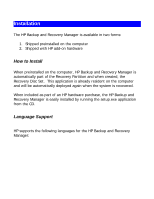
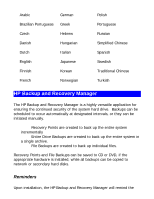
HP Backup and Recovery Manager is available in two forms: 1. Shipped preinstalled on the computer 2. Shipped with HP add-on hardware How to Install When preinstalled on the computer, HP Backup and Recovery Manager is automatically part of the Recovery Partition and when created, the Recovery Disc - HP Dc5750 | HP Backup and Recovery Manager - User Guide (Version 1.0) - Page 5
Turkish HP Backup and Recovery Manager The HP Backup and Recovery Manager is a highly versatile application for ensuring the continued security of the system hard drive. Backups can be scheduled to occur automatically at designated intervals, or they can be initiated manually. • Recovery Points - HP Dc5750 | HP Backup and Recovery Manager - User Guide (Version 1.0) - Page 6
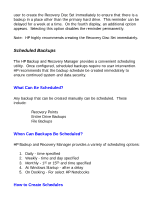
hard drive. This reminder can be delayed for a week at a time. On the fourth display, an additional option appears. Selecting this option disables the reminder permanently. Note: HP highly recommends creating the Recovery Disc Set immediately. Scheduled Backups The HP Backup and Recovery Manager - HP Dc5750 | HP Backup and Recovery Manager - User Guide (Version 1.0) - Page 7
The manual backup option is useful for creating single archives; however, HP encourages users to create a regular automated backup schedule. How to Back Up Individual Files and Folders HP Backup and Recovery Manager allows the user to backup individual files and folders to a network, hard drive, or - HP Dc5750 | HP Backup and Recovery Manager - User Guide (Version 1.0) - Page 8
create a full backup of the entire primary hard drive. The HP Backup and Recovery Manager provides a simple interface for managing this process. 1. On the Windows Start Menu, select HP Backup and Recovery. 2. Select the HP Backup and Recovery Manager. 3. After the Welcome Screen, select Backup to - HP Dc5750 | HP Backup and Recovery Manager - User Guide (Version 1.0) - Page 9
Point. Click Next to continue, otherwise follow the wizard to create a Recovery Point. 6. Follow the wizard to create a Recovery Point. How to Manage Recovery Points The HP Backup and Recovery Manager allows the Recovery Points created on the hard drive to be deleted or moved to a CD or DVD to free - HP Dc5750 | HP Backup and Recovery Manager - User Guide (Version 1.0) - Page 10
Network or CD/DVD Recovery Points, Entire Drive Backups and File Backups may be saved to a Network Drive, while Recovery Points and File Backups may be burned to CD/DVD, depending on hardware available. These discs can be used with the Recovery Disc Set created by Recovery Media Creator to recover - HP Dc5750 | HP Backup and Recovery Manager - User Guide (Version 1.0) - Page 11
problem and to retrieve a file from a backup are important elements of an overall data security program. The HP Backup and Recovery Manager provides a simple interface for recovering individual files or the entire PC hard drive. Recovery may be performed from a Recovery Disc Set or the Recovery - HP Dc5750 | HP Backup and Recovery Manager - User Guide (Version 1.0) - Page 12
preinstalled. How to Recover The HP Backup and Recovery Manager provides two basic recovery methods. The first, recovery of files and folders, operates in Windows. The second, PC Recovery, requires a reboot to the Recovery Partition or from the Recovery Disc Set. Recovery of Files and Folders Within - HP Dc5750 | HP Backup and Recovery Manager - User Guide (Version 1.0) - Page 13
the PC between Recovery Points. The HP Backup and Recovery Manager allows a user to return the entire PC hard drive to the state it was in at the time a Recovery Point was created. To perform PC Recovery using a Recovery Point: 1. From Windows or F11 Emergency Recovery, enter PC Recovery. 2. Select - HP Dc5750 | HP Backup and Recovery Manager - User Guide (Version 1.0) - Page 14
. 1. From Windows or F11 Emergency Recovery, enter PC Recovery. 2. Select Recover PC's factory installed operating system, drivers, utilities and applications. Click Next to continue. 3. Follow the wizard to recover the PC to the factory specifications. Backup Tips 1. Create a Recovery Disc Set as - HP Dc5750 | HP Backup and Recovery Manager - User Guide (Version 1.0) - Page 15
Manager operations are intensive for the hard disk and CD or DVD drive and all drives require a lot of power under such usage. The HP Backup and Recovery Manager, therefore, requires that notebook computers use AC power when this application is running and while all scheduled backup operations are - HP Dc5750 | HP Backup and Recovery Manager - User Guide (Version 1.0) - Page 16
On some computers with small hard drives, the Recovery Partition may consume much needed hard drive space. While HP does not recommend removing the Recovery Partition, it is possible to remove this partition. Always create a Recovery Disc Set before removing the Recovery Partition. How to Remove the - HP Dc5750 | HP Backup and Recovery Manager - User Guide (Version 1.0) - Page 17
utility. 1. Open the Windows Start Menu. 2. Select the Control Panel. 3. Click on Add or Remove Programs. 4. Select the HP Backup and Recovery Manager. 5. Click Remove. 6. Follow the wizard to complete the removal of the HP Backup and Recovery Manager. Glossary Entire Drive Backup This is a backup - HP Dc5750 | HP Backup and Recovery Manager - User Guide (Version 1.0) - Page 18
is bootable and is used to reinstall all software originally shipped on the hard drive. Recovery Disc Set This is a set of CDs or DVDs created from the system. It includes a backup of the Microsoft Windows operating system and all applications, drivers, and data that existed on the primary hard
-
 1
1 -
 2
2 -
 3
3 -
 4
4 -
 5
5 -
 6
6 -
 7
7 -
8
-
9
-
10
-
11
-
12
-
13
-
14
-
15
-
16
-
17
-
18
 |
 |

HP Backup and Recovery Manager
User Guide
Version 1.0
Table of Contents
Introduction
Installation
How to Install
Language Support
HP Backup and Recovery Manager
Reminders
Scheduled Backups
What Can Be Scheduled?