
Sharp R-1610 R-1610 , R-1611 , R-1612 Microwave Operation Manual
Sharp R-1610 Manual
 |
View all Sharp R-1610 manuals
Add to My Manuals
Save this manual to your list of manuals |
Sharp R-1610 manual content summary:
- Sharp R-1610 | R-1610 , R-1611 , R-1612 Microwave Operation Manual - Page 1
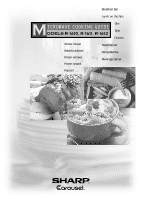
Sensor reheat Baked potatoes Frozen entrees Frozen snacks Popcorn .... Breakfast Bar Lunch on the Run One Dish Dinners SuperDefrost CompuDefrost Beverage Center - Sharp R-1610 | R-1610 , R-1611 , R-1612 Microwave Operation Manual - Page 2
the information listed and retain for future reference. MODEL NUMBER SERIAL NUMBER DATE OF PURCHASE DEALER TELEPHONE SERVICER TELEPHONE TO PHONE: DIAL 1-800-BE-SHARP (237-4277) for : SERVICE (for your nearest Sharp Authorized Servicer) PARTS (for your authorized parts distributor) ADDITIONAL - Sharp R-1610 | R-1610 , R-1611 , R-1612 Microwave Operation Manual - Page 3
and Coverings 6 About Children and the Microwave 6 About Microwave Cooking 7 About Safety 7 Part Names 8 Touch-Control Panel 9 Before Operating 10 To Set the Clock 10 Stop/Clear 10 Manual Operation 10-11 Time Cooking 10 To Set Power Level 10-11 Turntable On/Off 11 Using the Rack 11 - Sharp R-1610 | R-1610 , R-1611 , R-1612 Microwave Operation Manual - Page 4
TO STATE. Your Product Model Number & Description: R-1610, R-1611 and R-1612 Home Use Carousel Microwave Oven. (Be sure to have this information available when you need service for your Product.) Warranty Period for this Product: One (1) year parts and labor in-home service. The warranty period - Sharp R-1610 | R-1610 , R-1611 , R-1612 Microwave Operation Manual - Page 5
"PRECAUTIONS TO AVOID POSSIBLE EXPOSURE TO EXCESSIVE MICROWAVE ENERGY" on inside front cover. 3. This appliance must be grounded. Connect only to properly grounded outlet. See "GROUNDING INSTRUCTIONS" on page 4 and INSTALLATION INSTRUCTIONS. 4. Install or locate this appliance only in accordance - Sharp R-1610 | R-1610 , R-1611 , R-1612 Microwave Operation Manual - Page 6
misaligned or bent door, damaged door seals and sealing surfaces, broken or loose door hinges and latches and dents inside the cavity or on the door. If there is any damage, do not operate the oven and contact your dealer or SHARP AUTHORIZED SERVICER. See Installation Instructions for more details - Sharp R-1610 | R-1610 , R-1611 , R-1612 Microwave Operation Manual - Page 7
SHARP CAROUSEL MICROWAVE COOKBOOK. NEVER use the oven without the turntable and support nor turn the turntable over so that a large dish could be placed in the oven. The turntable will turn both clockwise and counterclockwise. See page 11 for complete instructions a normal part of microwave cooking. - Sharp R-1610 | R-1610 , R-1611 , R-1612 Microwave Operation Manual - Page 8
Sharp is not responsible for any damage to the oven when accessories are used. ABOUT CHILDREN AND THE MICROWAVE Children below the age of 7 should use the microwave or swing on the oven door. Children should be taught all safety precautions: use potholders, remove coverings carefully, pay special - Sharp R-1610 | R-1610 , R-1611 , R-1612 Microwave Operation Manual - Page 9
of dish once or twice during cooking, if possible. • Turn foods over once during microwaving to speed cooking of such foods as chicken and hamburgers. Large or fires. • Use care when removing items from the oven so that the utensil, your clothes or accessories do not touch the safety door latches. 7 - Sharp R-1610 | R-1610 , R-1611 , R-1612 Microwave Operation Manual - Page 10
16 17 BOTTOM VIEW (Front of Microwave) (Rear of Microwave) 1 Oven door with see-through window 2 Door hinges 3 Waveguide cover: DO NOT REMOVE. 4 Turntable motor shaft 5 Oven light It will light when oven is operating or door is open. 6 Rack holders 7 Safety door latches The oven will not operate - Sharp R-1610 | R-1610 , R-1611 , R-1612 Microwave Operation Manual - Page 11
R-1610 / R-1611 / R-1612 12-16 25 17-18 21-22 22-23 18-19 19-21 23 24 10 11 26 25 10 10 26 26, 28 26, 28 26 26 Number next to the control panel illustration indicates page on which there are a feature description and usage information. VISUAL DISPLAY SENSOR - Sharp R-1610 | R-1610 , R-1611 , R-1612 Microwave Operation Manual - Page 12
your new microwave oven make sure you read and understand this operation manual completely. • Before the oven can be used, follow these procedures: 1. Plug in the oven. Close the door. The oven display will show SHARP SIMPLY THE BEST PRESS . CLEAR AND PRESS CLOCK . 2. Touch the Stop/Clear pad - Sharp R-1610 | R-1610 , R-1611 , R-1612 Microwave Operation Manual - Page 13
DISPLAY 1 Turntable On/Off TURN- OFF TABLE Touch Turntable On/Off pad and note TURNTABLE OFF in the display. 2 4500 Enter cooking time. 45.00 TURNTABLE OFF turntable. • Cooking directly on the Rack-use microwave-safe cookware. MANUAL DEFROST If the food that you wish to defrost is not listed - Sharp R-1610 | R-1610 , R-1611 , R-1612 Microwave Operation Manual - Page 14
less food than the quantity listed in the chart should be cooked following the guidelines in any microwave cookbook. 6. During the first part of Sensor Cooking, food name will appear on the display. Do not open the oven door or touch Stop/Clear during this part of the cooking cycle. The measurement - Sharp R-1610 | R-1610 , R-1611 , R-1612 Microwave Operation Manual - Page 15
display. STIR LET STAND COVERED SENSOR COOKING CHART FOOD AMOUNT PROCEDURE Popcorn 1 package 3.0 - 3.5 oz (Regular) 1.5 - 1.75 oz (Snack) Use only popcorn packaged for microwave med. Pierce. Place on paper-towel-lined turntable. After cooking, remove from oven, wrap in aluminum foil and - Sharp R-1610 | R-1610 , R-1611 , R-1612 Microwave Operation Manual - Page 16
as patties or in a casserole to be added to other ingredients. Place patties on a microwave-safe rack and cover with wax paper. Place ground meat in a casserole and cover with wax paper or plastic wrap. When oven stops, turn patties over or stir meat in casserole to break up large pieces. Re-cover - Sharp R-1610 | R-1610 , R-1611 , R-1612 Microwave Operation Manual - Page 17
Add enough hot water to reserved liquid to make 2 cups. Stir the gelatin into hot liquid until it dissolves. Cover with wax paper. Microwave using Sensor reheat Less. 3 Add berries and cool. Refrigerate until thickened. Fold whipped cream into cooled cranberry mixture. Spoon into serving dishes and - Sharp R-1610 | R-1610 , R-1611 , R-1612 Microwave Operation Manual - Page 18
2 In small bowl, combine remaining ingredients. Sprinkle over potatoes. 3 Cover potatoes with wax paper. Microwave using Baked potatoes setting. Rearrange potatoes when time appears on display. Let stand, covered, 5 minutes. Hearty Turkey Chili 1 pound ground turkey 1 large onion, chopped 2 garlic - Sharp R-1610 | R-1610 , R-1611 , R-1612 Microwave Operation Manual - Page 19
display. More or less than the quantity listed in the chart should be cooked following the guidelines in any microwave Note that eggs will be slightly undercooked when removed from the oven. 2. Bacon 2 - 6 container because microwave cooking of cereal causes high boiling. When oven stops, stir and - Sharp R-1610 | R-1610 , R-1611 , R-1612 Microwave Operation Manual - Page 20
more or less than the allowed amount, an error message will appear in the display. More or less than the quantity listed in the chart should be cooked following the guidelines in any microwave cookbook. 4. The final cooking result will vary according to the food condition (e.g. initial temperature - Sharp R-1610 | R-1610 , R-1611 , R-1612 Microwave Operation Manual - Page 21
6 oz) Use for frozen microwaveable sandwiches. Remove from package and follow directions listed in the chart by simply following the directions in the lnteractive Display and on the Recipe Card. There are 2 recipes in each section. Choose one and follow Recipe Card for ingredients and instructions - Sharp R-1610 | R-1610 , R-1611 , R-1612 Microwave Operation Manual - Page 22
SPECIAL FEATURES 2. CHICKEN DINNER Yellow Rice with Chicken Place in a 3 quart casserole: 1 package (5 - 8 ounces) yellow rice mix with flavor packet 2 cups chicken broth Stir well and cover. Touch One Dish Dinners 3 times and touch START/Touch On. At pause, stir well and add: 1 cup frozen peas 1 - Sharp R-1610 | R-1610 , R-1611 , R-1612 Microwave Operation Manual - Page 23
oven will stop so the food can be checked. The display will show: Close the door. TURN OVER or Manual Defrost. See CompuDefrost on pages 22 and 23 or Manual Defrost on display for a helpful hint. SUPER DEFROST CHART FOOD AMOUNT PROCEDURE 1. Ground meat 1.0 lb At pause, turn over, removed - Sharp R-1610 | R-1610 , R-1611 , R-1612 Microwave Operation Manual - Page 24
door. Turn steak 5 over and shield any warm portions. Close the door. START Touch START/Touch On pad. Touch On 6 After the 2nd stage, open the door. Shield any warm portions. Close the door stop so the food can be checked. The display will show: TURN pieces of aluminum foil. Remove any meat or fish - Sharp R-1610 | R-1610 , R-1611 , R-1612 Microwave Operation Manual - Page 25
4.0 lb PROCEDURE Start defrosting with fat side down. After each stage, turn roast over and shield the warm portions with aluminum foil. Let stand, appear in the display. More or less than the quantity listed in the chart should be made following the guidelines in any microwave book. BEVERAGE - Sharp R-1610 | R-1610 , R-1611 , R-1612 Microwave Operation Manual - Page 26
or More from your Microwave settings slightly more done, touch the Power Level pad once after touching your choice of pads. The display will show MORE into Memory Cook your favorite cooking instructions for Nachos: 1 minute and 45 seconds at 70% power. PROCEDURE DISPLAY 1 Memory Cook TO SET - Sharp R-1610 | R-1610 , R-1611 , R-1612 Microwave Operation Manual - Page 27
easy because specific instructions are provided in the Interactive Display. 1. CHILD LOCK signals, touch Custom Help, the number 2 and Stop/Clear. To cancel and restore the audible signal, Start can be used for manual cooking if clock is set. 2. If the oven door is opened after programming Auto - Sharp R-1610 | R-1610 , R-1611 , R-1612 Microwave Operation Manual - Page 28
will automatically start when heat rises from range surface units or burners. This protects the microwave oven from excessive temperature rise. The fan will stay on until the temperature decreases. It cannot be turned off manually during this time. For other uses, press Fan Hi/Lo pad to select fan - Sharp R-1610 | R-1610 , R-1611 , R-1612 Microwave Operation Manual - Page 29
Door Wipe the window on both sides with a damp cloth to remove any spills or spatters. Metal parts any sort of chemical cleaners. Close door and touch Stop/Clear. Interior Cleaning is easy because soft cloth. Turntable/Turntable Support The turntable and turntable support can be removed for easy - Sharp R-1610 | R-1610 , R-1611 , R-1612 Microwave Operation Manual - Page 30
Sharp Part number RK-230 which was enclosed with your oven, is used for nonvented, recirculated installation Remove old light bulb and replace only with equivalent watt bulb available from a Sharp Authorized Servicer or parts Hood louver OVEN LIGHT Remove the louver per instructions 1-3 above and - Sharp R-1610 | R-1610 , R-1611 , R-1612 Microwave Operation Manual - Page 31
Services (DHHS) rule, CFR, Title 21, Chapter I, Subchapter J. - This symbol on the nameplate means the product is listed by Underwriters Laboratories, Inc. THE ULTIMATE ACCESSORY ✪ Great recipes ✪ Reliable microwave reference guide ✪ Many color photos ✪ Step-by-step instructions ✪ Nutritional - Sharp R-1610 | R-1610 , R-1611 , R-1612 Microwave Operation Manual - Page 32
fuse and/or circuit breaker. If they are functioning properly, CONTACT YOUR NEAREST SHARP AUTHORIZED SERVICER. A microwave oven should never be serviced by a "do-it-yourself" repair person. NOTE: If time appearing in the display is counting down very rapidly, check Demonstration Mode on page 26 and - Sharp R-1610 | R-1610 , R-1611 , R-1612 Microwave Operation Manual - Page 33
más completa y precauciones de seguridad para el manejo del horno, consulte el manual de operaciones. PARA FIJAR LA HORA TOUCH ON Si el indicador dice SHARP SIMPLY THE BEST PRESS CLEAR AND PRESS CLOCK, toque primero el botón Stop/Clear. 1 Toque el botón Kitchen Timer/ Clock. Kitchen Timer Clock - Sharp R-1610 | R-1610 , R-1611 , R-1612 Microwave Operation Manual - Page 34
x2 2 x4 START Touch On TABLA BEVERAGE CENTER ALIMENTO CANTIDAD 1. Hacer café o té 2. Recalentar 1 - 4 tazas .5 - 2.0 tazas Carousel® y Auto-Touch® son marcas registradas de Sharp Corporation. ONE DISH DINNERS 1 Toque el botón One Dish Dinners. 2 Seleccione la comida deseada. (Ej: toque el - Sharp R-1610 | R-1610 , R-1611 , R-1612 Microwave Operation Manual - Page 35
cup (6 - 8 oz) 2. Hot dogs in buns 1 - 4 3. Soup 1 - 6 cups 4. Microwave pizza 1 (6 - 8 oz) 5. Frozen sandwich 1 (3 - 6 oz) SUPER DEFROST 1 Touch SuperDefrost Touch Start/Touch On pad. During defrosting, the oven will stop; follow the directions. Touch Start/Touch On pad to continue - Sharp R-1610 | R-1610 , R-1611 , R-1612 Microwave Operation Manual - Page 36
Manual. SET CLOCK If SHARP SIMPLY THE BEST PRESS CLEAR AND PRESS CLOCK is in the display, first touch Stop Touch On pad for 100% power cooking. Remove finger and oven will stop instantly. START Touch On MINUTE PLUS Touch Carousel® and Auto-touch® are registered trademarks of Sharp Corporation
-
 1
1 -
 2
2 -
 3
3 -
 4
4 -
 5
5 -
 6
6 -
 7
7 -
8
-
9
-
10
-
11
-
12
-
13
-
14
-
15
-
16
-
17
-
18
-
19
-
20
-
21
-
22
-
23
-
24
-
25
-
26
-
27
-
28
-
29
-
30
-
31
-
32
-
33
-
34
-
35
-
36
 |
 |
Sensor reheat
Baked potatoes
Frozen entrees
Frozen snacks
Popcorn
....
Breakfast Bar
Lunch on the Run
One
Dish
Dinners
SuperDefrost
CompuDefrost
Beverage Center