
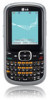
LG UN200 Owner's Manual
LG UN200 Manual
 |
View all LG UN200 manuals
Add to My Manuals
Save this manual to your list of manuals |
LG UN200 manual content summary:
- LG UN200 | Owner's Manual - Page 1
P/NO : MFL67107401(1.0) H - LG UN200 | Owner's Manual - Page 2
Copyright ©2011 LG Electronics, Inc. All rights reserved. LG and the LG logo are registered trademarks of LG Group and its related entities. All other trademarks are the property of their respective owners. - LG UN200 | Owner's Manual - Page 3
detailed information is given in this user guide. WARNING! Violation of the instructions may cause serious injury or death. 1. Never use an unapproved battery since this could damage the phone and/or battery and could cause the battery to explode. 2. Never place your phone in a microwave oven as it - LG UN200 | Owner's Manual - Page 4
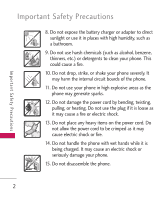
Important Safety Precautions 8. Do not expose the battery charger or adapter to direct sunlight or use it in places with high humidity, such as a bathroom. 9. Do not use harsh chemicals (such as alcohol, benzene, thinners, etc.) or detergents to clean your phone. This could cause a fire. 10. Do not - LG UN200 | Owner's Manual - Page 5
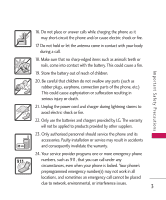
or fire. 22. Only use the batteries and chargers provided by LG. The warranty will not be applied to products provided by other suppliers. 23. Only authorized personnel should service the phone and its accessories. Faulty installation or service may result in accidents and consequently invalidate - LG UN200 | Owner's Manual - Page 6
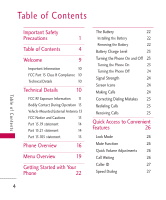
15.105 statement 15 Phone Overview 16 Menu Overview 19 Getting Started with Your Phone 22 4 The Battery 22 Installing the Battery 22 Removing the Battery 22 Battery Charge Level 23 Turning the Phone On and Off 23 Turning the Phone On 23 Turning the Phone Off 24 Signal Strength - LG UN200 | Owner's Manual - Page 7
's Memory 31 Scrolling Through Your Contacts 31 Contacts Options 31 Making a Call From Your Phone's Memory 32 Contacts 34 1. New Contact 34 2. Contact List 34 Phone Menus 34 3. Favorites 35 4. Groups 36 5. Speed Dials 36 6. My vCard 37 Messaging 37 1. New Text Message - LG UN200 | Owner's Manual - Page 8
Converter 64 55 Settings 64 3. Notepad 56 1. Sound 64 Browser 57 1.1 Ringtones 64 Tools 1.2 Volume & Vibrate 65 59 1.3 Message Alerts 65 1. Voice Command 59 1.4 Alert Type 65 1.1 Start Command 59 1.5 Service Alerts 66 1.1.1 Call or 60 1.6 Power On/Off Tone - LG UN200 | Owner's Manual - Page 9
Settings 2.8 Word Prediction 3. Security 3.1 Lock Phone 3.2 Restrictions 3.3 Emergency Numbers 3.4 Change Lock Code 3.5 Master Reset 4. Call Settings 4.1 Answer Options 4.2 Auto Retry 4.3 One Touch Dial 4.4 Voice Privacy 4.5 Airplane Mode 4.6 TTY Mode 5. Bluetooth 5.1 Paired Devices 5.2 Power 5.3 My - LG UN200 | Owner's Manual - Page 10
an Air Bag 84 Charger and Adapter Safety 84 Battery Information and Care 85 Accessories 111 Limited Warranty Statement 112 Index 116 Some content in this user guide may differ from your phone depending on the phone software. Features and specifications are subject to change without - LG UN200 | Owner's Manual - Page 11
you for choosing the UN200 cellular phone, designed to operate with the latest digital mobile communication technology, Code Division Multiple Access (CDMA). Along with the many advanced features of the CDMA system, such as greatly enhanced voice clarity, this compact phone offers: G Slim and sleek - LG UN200 | Owner's Manual - Page 12
its accessories must accept any interference received, including interference that causes undesired operation. Technical Details The UN200 is a trimode phone that operates on among (Code Division Multiple Access CDMA) frequencies: cellular services at 800 MHz, (Personal Communication Services PCS - LG UN200 | Owner's Manual - Page 13
interruptions. The Cellular and PCS CDMA networks consist battery life is twice as long as IS-95. Highspeed data transmission is also possible. The table on the following page lists some major CDMA standards. FCC RF Exposure Information WARNING! Read this information before operating the phone - LG UN200 | Owner's Manual - Page 14
TIA/EIA/IS-98 ANSI J-STD-018 ANSI J-STD-019 TIA/EIA/IS-125 Speech CODEC Short message service Packet Data Position Determination Service (gpsOne) High Speed Packet Data Cellular base station Cellular mobile station PCS personal station PCS base station Speech CODEC Te c h n i c a l D eta i l s 12 - LG UN200 | Owner's Manual - Page 15
minimum separation distance of 0.79 inches (2.0 cm) must be maintained between the user's body and the back of the phone, including the antenna, whether extended or retracted. Thirdparty belt-clips, holsters, and similar accessories containing metallic components should not be used. Avoid the use of - LG UN200 | Owner's Manual - Page 16
warranty and/or violate FCC regulations. Don't use the phone with a damaged antenna. A damaged antenna could cause a minor skin burn. Contact your local dealer for a replacement antenna. Part 15.19 statement This device and its accessories comply with part15 of FCC rules. Operation is subject to - LG UN200 | Owner's Manual - Page 17
energy and, if not installed and used in accordance with the instructions, may cause harmful interference to radio communications. However, there is reception, which can be determined by turning the equipment off and on, the user is encouraged to try to correct the interference by one or more of - LG UN200 | Owner's Manual - Page 18
Menu. 8. Menu/OK Key Lets you access the phone's main menu and also selects the highlighted choice when navigating through a menu or function. 9. Right Soft Key Use to access the Contacts menu Mode Key Use to lock and unlock the phone (from the Home screen, press and hold for about 3 seconds). - LG UN200 | Owner's Manual - Page 19
a hands-free headset. 2. Volume Keys Use to adjust the Master Volume from the Home screen and the Earpiece volume during a call. 3. Charger/Accessory Port Connects the phone to the battery charger or other available accessories. Charging with your PC via USB cable You can use your computer to charge - LG UN200 | Owner's Manual - Page 20
capitalization when entering text. 3. Space Key lets you enter a space. 4. Lock Mode Key allows you to lock the phone. Press the Right Soft Key, then the OK Key to unlock the phone. 5. Symbols/Speaker Key lets you enter symbols when entering text. Pressing this key from Home screen allows you to - LG UN200 | Owner's Manual - Page 21
Menu Overview Menu Overview Contacts 1. New Contact 2. Contact List 3. Favorites 4. Groups 5. Speed Dials 6. My vCard Messaging 1. New Text Message 2. New Picture Message 3. Inbox 4. Outbox 5. Drafts 6. Voicemail 7. Templates 8. Settings 1. All Messages 2. Text Message 3. Picture Message 4. - LG UN200 | Owner's Manual - Page 22
Menu 4. Ez Tip Calculator 5. World Clock 6. Stopwatch 7. Unit Converter 1. Currency 2. Area 3. Length 4. Mass 5. Temperature 6. Volume 7. Velocity Settings 1. Sound 1. Ringtones Reminder 4. Alert Type 5. Service Alerts 1. Minute Beep 2. Call Connect 3. Back to Top 4. Low Battery 6. Power On/Off Tone - LG UN200 | Owner's Manual - Page 23
Font Size 8. Word Prediction 3. Security 1. Lock Phone 2. Restrictions 3. Emergency Numbers 4. Change Lock Code 5. Master Reset 4. Call Settings 1. Answer Options 2. Auto Retry 3. One Touch Dial 4. Voice Privacy 5. Airplane Mode 6. TTY Mode 5. Bluetooth 1. Paired Devices 2. Power 3. My Visibility - LG UN200 | Owner's Manual - Page 24
. Note It is important to fully charge the battery before initial use of the phone. Installing the Battery 1. Remove the battery cover by pressing down on at the topcenter of the battery cover, then sliding the cover downward. 2. Alight the battery contacts with the phone terminals at the top of the - LG UN200 | Owner's Manual - Page 25
than the one included with the UN200 may damage your phone or battery. Notice Please make sure that the 'B' side faces up before inserting a charger or USB cable into the charger/accessory port of your phone. 1. Plug one end of the adapter into the phone's charger/ accessory port and the other end - LG UN200 | Owner's Manual - Page 26
2. Press . 3. Press to end the call. Note If outgoing calls are restricted, you can only dial phone numbers saved as Emergency Numbers or in your Contact List. To turn off this function: Menu -> Settings -> Security -> Enter the Lock Code -> Restrictions -> Outgoing Calls -> Allow All ->Enter the - LG UN200 | Owner's Manual - Page 27
to end the call. Tip To set Answer Options: Menu -> Settings -> Call Settings -> Answer Options. Choose from the following options: SEND Key Only / Any Key/ Auto with Handsfree Note If you unlock the phone and press (the Volume Keys) while the phone is ringing, the ringing and/or vibration is muted - LG UN200 | Owner's Manual - Page 28
Until you change it, the default lock code/password is the last 4 digits of your phone number. To quickly lock your phone press for three seconds and then enter your Lock Code. To unlock, press the Right Soft Key Unlock and enter the Lock Code. Mute Function The Mute function is available during - LG UN200 | Owner's Manual - Page 29
answer the other incoming call. Check with your cellular service provider for information about this function. 1. During a call, press to answer the incoming call (Call Waiting). 2. Press again to switch between calls. Caller ID Caller ID displays the phone number or name of the incoming call. If - LG UN200 | Owner's Manual - Page 30
Entering and Editing Information Entering and Editing Information Text Input You can customize and enter text in many of the functions in your phone, including, but not limited to the Banner, Calendar, Contacts and messages. While entering text, the following are your options: Key Functions Left - LG UN200 | Owner's Manual - Page 31
save (up to 48 digits). 2. Press Save. 3. Select either Add New Contact or Update Existing. Note Use Update Existing to add another phone number to a contact already stored in memory. 4. Use to highlight a Label and press . Mobile 1/ Home 1/ Office 1/ Mobile 2/ Home 2/ Office 2/ Fax 5. Enter a name - LG UN200 | Owner's Manual - Page 32
Contacts in Your Phone's Memory Contacts in Your Phone's Memory Storing a Number with Pause or Wait 1. Press Menu. 2. Press Contacts. 3. Press Adding a Pause or Wait to an Existing Number 1. Press Menu. 2. Press Contacts. 3. Press Contact List. 4. Use to highlight the Contact entry to edit, then - LG UN200 | Owner's Manual - Page 33
Contacts in Your Phone's Memory Searching Your Phone's Memory The UN200 phone is able to perform a dynamic search of the contents in your phone's Contact List. A dynamic search compares entered letters or numbers on the keypad against the entries in your Contacts. A matching list is displayed in - LG UN200 | Owner's Manual - Page 34
: Send a contact(vCard) via Bluetooth®. Set Speed Dial/ Remove Speed Dial: Set the contact as a Speed Dial or remove the contact from Speed Dial. Set as Favorite: Set the contact as a Favorite. Making a Call From Your Phone's Memory Once you have stored phone numbers in your Contacts, you can - LG UN200 | Owner's Manual - Page 35
From Contacts 1. Press Menu. 2. Press Contacts. 3. Press Contact List. 4. Use to highlight the Contact entry, then press View. 5. Use to highlight the phone number. 6. Press to place the call. From Call History 1. Press Menu. 2. Press Call History. 3. Use to highlight the type of recent call, then - LG UN200 | Owner's Manual - Page 36
The Contacts menu allows you to store names, phone numbers and other information in your phone's memory. Note When you access your Contacts, the number in parentheses represents the number of entries you have stored (up to 1000). 1. New Contact Allows you to add a new contact to your Contact List - LG UN200 | Owner's Manual - Page 37
Left Soft Key Done to add the contact(s) to your Favorites. Once you have added Contacts to the Favorites list, the following options will become available in the Favorites menu: G Left Soft Key : [Message] G Right Soft Key : [Options] View/ Remove/ Remove Multiple G OK Key : [Chat] Contacts 35 - LG UN200 | Owner's Manual - Page 38
the contacts in the selected group. Allows you to view your Speed Dials list, designate new Speed Dials, or remove Speed Dial designations entered in your Contacts. 1. Press , , . 2. is displayed. Delete/ Send Message/ Rename Group/ Group Ringtone/ Delete All/ Set as Favorite 36 Contacts - LG UN200 | Owner's Manual - Page 39
Allows you to edit your vCard, which you can then send to others via Bluetooth. 1. Press , , . 2. Use to highlight the field you wish to determined by phone model and service capability. Other limits, such as available characters per message, may exist. Please check with your service provider for - LG UN200 | Owner's Manual - Page 40
highlighted, press the Right Soft Key Options. 3. Use to highlight an option and press . 38 Contacts To select a recipient from your Contact List. Call History To select a recipient from your Call History. Recent Messages Choose Inbox/ Outbox to select a recipient from your Recent Messages. Groups - LG UN200 | Owner's Manual - Page 41
1. Press , , . 2. Enter the recipient's address. 3. Use or press to access the text field. 4. Press the Right Soft Key Options. 5. Use to highlight an option and press . Insert Templates/ Signature/ Name & Number Save As Drafts/Templates Priority Level High/ Normal Callback Number On/ Off Cancel - LG UN200 | Owner's Manual - Page 42
Messaging 2. New Picture Message Allows you send messages with text, image and audio attachments. 1. Press , , . 2. Enter the recipient's address, or press the Right Soft Key Options to search recent contacts and press to select the desired contact. 3. Use to access the Subject and Text fields. 4. - LG UN200 | Owner's Manual - Page 43
/ Cancel * Editing the Image/Audio field Preview/ Add Slide/ Go to/ Save As Draft/ Priority Level/ Remove/ Cancel 12. Press Send. 3. Inbox The phone can alert you in several ways when you receive a new message, including: G Displaying a notification message on the screen. G Displaying the message - LG UN200 | Owner's Manual - Page 44
3. Press the Left Soft Key Reply/ D-load to reply to the message or download the attachment, the Right Soft Key Options, or View/ Chat to view the message. The following options are available in the Options menu: For text messages: View/ Change View Type/ Delete/ Forward/ Save Contact/ Lock/ Message - LG UN200 | Owner's Manual - Page 45
/ Lock/ GoTo URL/ Extract Address/ Message Info * If the Reply Setting (Menu > Messaging > Settings > All Messages > Reply Setting) is set to Text of sent messages and verify whether the transmission was successful (if verification is supported by network). 1. Press , , . 2. Use to highlight a sent - LG UN200 | Owner's Manual - Page 46
Messaging Delete Deletes the selected message. Forward Forwards the message to other destination address(es). Save Contact Stores the callback number, e-mail address, and numbers in the sent message into your Contacts. Save To Templates Stores the message as a template for future messages. Lock - LG UN200 | Owner's Manual - Page 47
to access new voice messages recorded in your voicemail. Your phone will notify you when you receive a new voice message. Exit to return to the Messaging menu. 7. Templates Allows you to display, edit, and add text phrases. These text phrases allow you to reduce manual text input into messages. 1. - LG UN200 | Owner's Manual - Page 48
Message/ Edit Voicemail Number and press . 3. Use to highlight one of the sub-menus and press to select it. Message Settings Sub-Menu Descriptions All Message 1. Reply Setting (Text Message Only/ Selection) With Text Message Only on, replies to messages will automatically start as text messages - LG UN200 | Owner's Manual - Page 49
to On, Multimedia content will be automatically downloaded when a new picture message is received. Edit Voicemail Number Allows you to manually enter the access number for your Voicemail Service. This feature should only be used when a VMS (Voicemail Service) access number is not provided from the - LG UN200 | Owner's Manual - Page 50
The Call History menu has lists of phone numbers and/or Contacts entries for calls you missed, received, and dialed. It is continually updated as new numbers are added to the beginning of the list and the oldest entries are removed from the bottom of the list. Note To quickly view a list of all your - LG UN200 | Owner's Manual - Page 51
2. Use to scroll through the list. Last Call/ Home Calls/ Roam Calls/ All Calls 3. Press the Left Soft Key Reset to reset the call timer for the highlighted call type. Multimedia View, take, and share your digital pictures and audio right from your wireless phone. 1. Take Photo 1. Press , , . Call - LG UN200 | Owner's Manual - Page 52
Sound 2/ Sound 3/ Say Cheese Auto Save On/ Off Send Reminder On/ Off Reset Yes/ No 4. Take a picture by pressing 50 Capture. 5. Select Send, Send photo to your phone. G Gallery Saves the photo and opens your My Images gallery. G Send Allows you to send by Picture Message, via Bluetooth, or to - LG UN200 | Owner's Manual - Page 53
access the following: Set As/ Rename/ Delete Allows you to view the saved images on your phone. You can also select images to customize your phone's Main Screen or Picture ID. 1. Press , , . 2. Use to highlight My Images/ .): Press Send to send the file in a Picture Message or via Bluetooth. 51 - LG UN200 | Owner's Manual - Page 54
Slide Show/ Edit/ Image Effects/ Take Photo/ Delete/ Rename/ Lock/Unlock/ List View/ File Info/ Sort By G Press View to view the selected . 4. Sounds Allows you to access saved audio clips or create new ones on your phone. 1. Press , , . 2. Press the Left Soft Key Voice to record an audio clip. G - LG UN200 | Owner's Manual - Page 55
else, or press the Right Soft Key Options to access additional options: Set As (Ringtone/ Contact ID/ Alert Sounds)/ Rename/ Delete. OR 2. Use to highlight My Sounds/ Voice/ Delete/Rename/ Lock/Unlock/ File Info/ Sort By For Default files: Set As (Ringtone/ Contact ID/ Alert Sounds) Multimedia 53 - LG UN200 | Owner's Manual - Page 56
a technology and service that allows you to download and use applications on your phone. With easyedgeSM, it is quick and easy to personalize your phone to suit your lifestyle and tastes. Just download the applications that appeal to you. From ringtones and wallpapers to games and productivity tools - LG UN200 | Owner's Manual - Page 57
, press the Left Soft Key Set and browse for a ringtone. 7. Press Save. 2. Calendar Allows you to store and access your agenda(s). Simply enter your appointments in the Calendar, and your phone can (depending on your settings) alert you with a reminder. 1. Press , , . 2. Use to highlight a day - LG UN200 | Owner's Manual - Page 58
Left Soft Key Set to edit the following schedule information: G Subject G End Time G Repeat G Ringtone G Start Time G Reminder G Until 5. Press Save. 3. Notepad Allows you to add, read, press Save. A confirmation message displays briefly and your list of saved notes is displayed. My Schedule 56 - LG UN200 | Owner's Manual - Page 59
allows you to view Internet content. Accessibility and selections within this feature are dependent upon your service provider. For specific information on the Web, contact your service provider. Start Browser Allows you to initiate a Web session. 1. Press , . 2. Your default home page will load - LG UN200 | Owner's Manual - Page 60
to the next page. G Bookmarks Takes you to the Bookmarks menu where you can add, edit, and delete your bookmarks. G you to reload the current Web page. G History Displays a list of visited web pages. 58 G Clear Memory Allows you to Downloads Allows you to configure whether you want to enable - LG UN200 | Owner's Manual - Page 61
information of the Browser, including the version and license information. G Exit Allows you to exit the Browser. Tools Your phone's tools include: Voice Command, Calculator, My Menu, Ez Tip Calculator, World Clock, Stopwatch, and Unit Converter. 1. Voice Command Allows you to use voice commands to - LG UN200 | Owner's Manual - Page 62
Yes or No when prompted. 1.1.3 Missed Calls 1. Press , , , , . OR From the Home screen, press the Voice Command Key and say "Missed Calls". 2. The phone will prompt you to dial each number. Say Yes or No to proceed. 1.1.4 Messages 1. Press , , , , . OR From the Home screen, press the Voice Command - LG UN200 | Owner's Manual - Page 63
Announce Alert. Announce Alert lets your hear more information about an incoming call or message instead of, or along with, your ringtone. 1. Press , , , . 2. Select an option. Disable/ Announce/ Announce + Ring To o l s 1.2 Command Mode 1.4 Train Word Allows you to set Command Allows you to - LG UN200 | Owner's Manual - Page 64
Match Allows you to choose whether the phone displays 1 or up to the 4 Use to insert parentheses. 62 G Press the Left Soft Key Reset to erase the entry. G Press the Right Soft Key Options 3. My Menu Allows you quick access to your favorite menus. A maximum of 12 items can be stored in My Menu. 1. - LG UN200 | Owner's Manual - Page 65
OR Press the Right Soft Key Search to search through all available cities. 4. Press to select the highlighted city. 6. Stopwatch Allows you to use your phone as a stopwatch. 1. Press , , . 2. Press Start to start the Stopwatch and press Stop to stop it. G You can use the Lap function by pressing the - LG UN200 | Owner's Manual - Page 66
Stopwatch, press the Right Soft Key Reset to reset if no laps were recorded. Otherwise, press the Left Soft Key Reset. 7. Unit Converter Allows you to . Settings 1. Sound Allows you to customize your phone's sounds. 1.1 Ringtones Allows you to assign ringtones for incoming calls. 1. Press , , , - LG UN200 | Owner's Manual - Page 67
Voicemail/ All Messages/ Message Reminder. 3. Select My Sounds or Default. 4. Use to highlight the ringtone. 5. Press Play to preview the alert tone or the Left Soft Key Set to set the alert tone to your phone. For Message Reminder, choose from Once/ Every 2 Minutes/ Every 15 Minutes/ Off and press - LG UN200 | Owner's Manual - Page 68
scroll through the end of a menu list. 1.5.4 Low Battery Alerts you when the battery charge level is low. 3. Use to highlight On/ Off, then press (For Low Battery option, Announce/ Tone). 1.6 Power On/Off Tone Allows you to set the phone to sound a tone when the phone is powered on and off. 1. Press - LG UN200 | Owner's Manual - Page 69
. Settings 2. Select My Images or Default. 3. Press View to preview the wallpaper or the Left Soft Key Set to set the wallpaper to your phone. 2.2 Banner Allows you to enter a string of characters which display on the LCD screen. 1. Press , , , . 2.3 Backlight Allows you to set the duration for - LG UN200 | Owner's Manual - Page 70
Style Allows you to view the Menu in either Icon or List view. 1. Press , , , . 2. Highlight Icon or List and press . 2.5 Languages (Idiomas) Allows you to use the 3. Use to highlight an option, then press . Options for Font Type LG Gothic/ LG Greentea/ LG Mint/ LG Round/ LG Secret Settings - LG UN200 | Owner's Manual - Page 71
in restricted mode until the Lock Code is entered. You can still receive phone calls and make emergency calls. You can modify the Lock Code in the Change Lock Code sub-menu of the Security menu. 1. Press , , . 2. Enter the four-digit Lock Code. The default Lock Code is usually the last 4 digits of - LG UN200 | Owner's Manual - Page 72
an option, then press . Unlock The phone remains unlocked by default, until it is locked manually. Lock Locks the phone. When locked, you can receive incoming calls and make calls only to Emergency Numbers ( Menu > Settings > Security > Enter the fourdigit Lock Code > Emergency Numbers). On Power - LG UN200 | Owner's Manual - Page 73
1. Press , , . 2. Enter the four-digit Lock Code. 3. Press Change Lock Code. 4. Use to highlight an option, then press . Phone Only Allows you to change the Lock Code used to lock/unlock the phone. Call & Applications Allows you to change the Service Lock Code that is used to access the Restrictions - LG UN200 | Owner's Manual - Page 74
6. Enter a new 4-digit Lock Code. 7. For confirmation, the phone will ask you to enter the new Lock Code again. 3.5 Master Reset Allows you to reset your phone settings to the factory default settings. 1. Press , , . 2. Enter the four-digit Lock Code. 3. Press Master Reset. 4. A message will pop up - LG UN200 | Owner's Manual - Page 75
as Enhanced or Standard. CDMA offers inherent voice privacy. Check with your service provider for availability. 1. Press , , , . 2. Use to Standard, then press . 4.5 Airplane Mode Only allows you to use features on your phone that do not require wireless communications. 1. Press , , , . 2. Read - LG UN200 | Owner's Manual - Page 76
using a TTY device. A phone with TTY support is able to translate typed support the Bluetooth® Headset, HandsFree, Dial Up Networking, Serial Port, Phonebook Access, Basic Printing, Object Push, File Transfer, and Human Interface profiles. You may create and store 20 pairings within the UN200 - LG UN200 | Owner's Manual - Page 77
Note Read the user guide of each Bluetooth® accessory that you are trying to pair with your phone because the instructions may be different. The Bluetooth® features available on this handset may not be compatible with all Bluetooth® enabled devices. Your service provider or phone manufacturer cannot - LG UN200 | Owner's Manual - Page 78
Settings - The phone will Auto-pair. - You will need to confirm matching codes. - You will need to enter a passkey. Consult the Bluetooth® accessory instructions for the correct passkey (typically "0000" - 4 zeroes). Enter the passkey and press . 7. The handset will prompt you for your connection - LG UN200 | Owner's Manual - Page 79
Allows you to select the phone's NAM (Number Assignment Module) if the phone is registered with multiple service providers. 1. Press , , , , . 2. Use to highlight NAM1 or NAM2, then press . 6.1.3 Auto NAM Allows the phone to automatically switch between programmed telephone numbers corresponding to - LG UN200 | Owner's Manual - Page 80
Channel Number and SID Number. This information should only be used for technical support. 1. Press , , , , . 6.2 Location Allows you to turn On or Off the Location function on your phone. If set to On, locationbased services are able to access your GPS (Global Positioning System) satellite-assisted - LG UN200 | Owner's Manual - Page 81
Phone Info The Phone Info menu provides you with specific information about your phone. 1. Press , , . 2. Use to highlight My Number/ Current Battery Level/ ESN/MEID/ Icon Glossary/ Version and press . Tone Room Deluxe The Tone Room Deluxe application allows you to browse and download new ringtones - LG UN200 | Owner's Manual - Page 82
over 120 scientists, engineers, and physicians from universities, government health agencies, and industry reviewed the available body of research to develop the ANSI Standard (C95.1). The design of your phone complies with the FCC guidelines (and those standards). Antenna Care Use only the supplied - LG UN200 | Owner's Manual - Page 83
the areas where you drive and always obey them. Also, if using your phone while driving, please observe the following: G Give full attention to driving -- driving safely is your first responsibility; G Use hands-free operation, if available; G Pull off the road and park before making or answering - LG UN200 | Owner's Manual - Page 84
of six (6) inches be maintained between a handheld wireless phone and a pacemaker to avoid potential interference with the pacemaker wireless phones may interfere with some hearing aids. In the event of such interference, you may want to consult your service provider (or call the customer service - LG UN200 | Owner's Manual - Page 85
or in areas posted: "Turn off two-way radio". Obey all signs and instructions. Potentially Explosive Atmosphere Turn your phone OFF when in any area with a potentially explosive atmosphere and obey all signs and instructions. Sparks in such areas could cause an explosion or fire resulting in bodily - LG UN200 | Owner's Manual - Page 86
fuel or chemical transfer or storage facilities; charger and adapter are intended for indoor use only. G Insert the battery pack charger vertically into the wall power socket. G Use the correct adapter for your phone when using the battery pack charger abroad. G Only use the approved battery charger - LG UN200 | Owner's Manual - Page 87
need to be empty before recharging. G Use only LG-approved chargers specific to your phone model since they are designed to maximize battery life. G Do not disassemble or shortcircuit the battery. G Keep the battery's metal contacts clean. G Replace the battery when it no longer provides acceptable - LG UN200 | Owner's Manual - Page 88
. G If you put your phone in a pocket or bag without covering the receptacle of the phone (power plug pin), metallic articles (such as a coin, paperclip or pen) may short-circuit the phone. Always cover the receptacle when not in use. 86 G Don't short-circuit the battery. Metallic articles such as - LG UN200 | Owner's Manual - Page 89
, turn it off immediately and remove the battery. If the phone does not work, take it to an LG Authorized Service Center. G Do not paint your phone. G The data saved in your phone might be deleted due to careless use, repair of the phone, or upgrade of the software. Please backup your important - LG UN200 | Owner's Manual - Page 90
you can't hear people speaking near you. For information about how to set a maximum volume limit on your phone, see the features guide for your phone. Using your phone safely Use of your phone while operating a vehicle is not recommended and is illegal in some areas. Be careful and attentive while - LG UN200 | Owner's Manual - Page 91
pose a health hazard? The available scientific evidence does not show that any health problems are associated with using wireless phones. There is no proof, however, that wireless phones are absolutely safe. Wireless phones emit low levels of Radio Frequency (RF) energy in the microwave range while - LG UN200 | Owner's Manual - Page 92
consumer products such as wireless phones before they can be sold, as it does with new drugs or medical devices. However, the agency has authority to take action if wireless phones are shown to emit Radio Frequency (RF) energy at a level that is hazardous to the user. In such a case, the - LG UN200 | Owner's Manual - Page 93
of Health participates in some interagency working group activities, as well. The FDA shares regulatory responsibilities for wireless phones with the Federal Communications Commission (FCC). All phones that are sold in the United States must comply with FCC safety guidelines that limit RF exposure - LG UN200 | Owner's Manual - Page 94
to handheld wireless phones with built-in antennas, often called "cell", "mobile", or "PCS" wiring in a house, typically operate at far lower power levels, and thus produce RF exposures far below the FCC safety limits. phones. These types of wireless phones can expose the user to measurable Radio - LG UN200 | Owner's Manual - Page 95
These conditions are not similar to the conditions under which people use wireless phones, so we do not know with certainty what the results of such studies investigated any possible association between the use of wireless phones and primary brain cancer, glioma, meningioma, or acoustic neuroma - LG UN200 | Owner's Manual - Page 96
, such as the angle at which the phone is held, or which model of phone is used. 6. What is the FDA doing to find out more about the possible health effects of wireless phone RF? The FDA is working with the U.S. National Toxicology Program and with groups of investigators around the world - LG UN200 | Owner's Manual - Page 97
Cellular Telecommunications & Internet Association (CTIA) have a formal Cooperative Research And Development Agreement (CRADA) to do research on wireless phone research will include both laboratory studies and studies of wireless phone users. The CRADA will also include a broad assessment of - LG UN200 | Owner's Manual - Page 98
forth the first consistent test methodology for measuring the rate at which RF is deposited in the heads of wireless phone users. The test method uses a tissue-simulating model of the human head. Standardized SAR test methodology is expected to greatly improve the consistency of measurements made at - LG UN200 | Owner's Manual - Page 99
with safety guidelines. 9. What steps can I take to reduce my exposure to Radio Frequency energy from my wireless phone? If there is a risk from these products - and at this point we do not know that there is - it is probably very small. But if you are concerned about avoiding even potential - LG UN200 | Owner's Manual - Page 100
Frequency (RF) energy, the measures described above would apply to children and teenagers using wireless phones. Reducing the time of wireless phone use and increasing the distance between the user and the RF source will reduce RF exposure. Some groups sponsored by other national governments have - LG UN200 | Owner's Manual - Page 101
in 2000. The FDA continues to monitor the use of wireless phones for possible interactions with other medical devices. Should harmful interference be found conduct testing to assess the interference and work to resolve the problem. 12. Where can I find additional information? For additional - LG UN200 | Owner's Manual - Page 102
FCC) RF Safety Program (http://www.fcc. hpa.org.uk/radiation/) 100 10 Driver Safety Tips Your wireless phone gives you the powerful ability to phone and its features such as speed dial and redial. Carefully read your instruction manual and learn to take advantage of valuable features most phones - LG UN200 | Owner's Manual - Page 103
. Whether you choose an installed mounted device for your wireless phone or a speaker phone accessory, take advantage of these devices if available to you. 3. Make sure you place your wireless phone within easy reach and where you can reach it without removing your eyes from the road. If you get an - LG UN200 | Owner's Manual - Page 104
away. Dial 911 or other local emergency number in the case of fire, traffic accident, road hazard, or medical emergency. Remember, it's a free call on your wireless phone! 9. Use your wireless phone to help others in emergencies. Your wireless phone provides you a perfect opportunity to Safety 102 - LG UN200 | Owner's Manual - Page 105
attention, but are not urgent enough to merit a call for emergency services. But you can still use your wireless phone to lend a hand. If you see a brokendown vehicle posing no prohibit or otherwise restrict the manner in which a driver may use his or her phone while operating a vehicle. Safety 103 - LG UN200 | Owner's Manual - Page 106
Absorption Rate) This model phone meets the government's requirements for exposure to radio waves. Your wireless phone is a radio transmitter after extensive reviews of the scientific literature related to the biological effects of RF energy. The exposure Limit for wireless mobile phones employs - LG UN200 | Owner's Manual - Page 107
base station antenna, the lower the power output. Before a phone model is available for sale to the public, it must be tested user s body and the back of the phone. Third-party belt-clips, holsters, and similar accessories containing metallic components should not be used. Body-worn accessories - LG UN200 | Owner's Manual - Page 108
to a particular model phone, this site uses the phone FCC ID number which is usually printed 106 somewhere on the case of the phone. Sometimes it may be necessary to remove the battery pack to find the number. Once you have the FCC ID number for a particular phone, follow the instructions on the - LG UN200 | Owner's Manual - Page 109
of the HAC Act is to ensure reasonable access to telecommunications services for persons with hearing disabilities. While some wireless phones are used near some hearing devices (hearing aids and cochlear implants), users may detect a buzzing, humming, or whining noise. Some hearing devices are - LG UN200 | Owner's Manual - Page 110
phones that are not labeled. M4 is the better/higher of the two ratings. T-Ratings: Phones devices than phones that are noise. The hearing aid and 108 wireless phone rating values are then added together. A meets the M2 level rating and the wireless phone meets the M3 level rating, the sum of - LG UN200 | Owner's Manual - Page 111
for your phone is maintained, secondary transmitters such as Bluetooth components must be disabled during a call. HAC statement This phone has been tested you hear any interfering noise. Consult your service provider or the manufacturer of this phone for information on hearing aid compatibility. If - LG UN200 | Owner's Manual - Page 112
Safety For information about hearing aids and digital wireless phones Wireless Phones and Hearing Aid Accessibility http://www.accesswireless.org/hearingaid/ FCC Hearing Aid Compatibility and Volume Control http://www.fcc.gov/cgb/consumerfacts/hac_wireless.html Gallaudet - LG UN200 | Owner's Manual - Page 113
Accessories There are a variety of accessories available for your mobile phone. Consult your local dealer for availability. Optional items are sold separately. Battery Charger The battery charger allows you to charge your phone battery. Battery Standard battery is available. 111 Accessories - LG UN200 | Owner's Manual - Page 114
Limited Warranty Statement 1. WHAT THIS WARRANTY transferable to any COVERS: subsequent purchaser/end LG offers you a limited warranty user. that the enclosed subscriber unit and its enclosed accessories will be free from defects in material and workmanship, according to the following terms - LG UN200 | Owner's Manual - Page 115
material or workmanship. (4) That the Customer Service Department at LG was not notified by consumer of the alleged defect or malfunction of the product during the applicable limited warranty period. (5) Products which have had the serial number removed or made illegible. (6) This limited warranty - LG UN200 | Owner's Manual - Page 116
from use of non-LG approved accessories. (8) All plastic surfaces and all other externally exposed parts that are scratched or damaged due to normal customer use. (9) Products operated outside published maximum ratings. (10)Products used or obtained in a rental program. (11)Consumables (such as - LG UN200 | Owner's Manual - Page 117
States: Tel. 1-800-793-8896 or Fax. 1-800-448-4026 Or visit http://us.lgservice.com. Correspondence may also be mailed to: LG Electronics Service- Mobile Handsets P.O. Box 240007, Huntsville, AL 35824 DO NOT RETURN YOUR PRODUCT TO THE ABOVE ADDRESS. Please call or write for the location of the - LG UN200 | Owner's Manual - Page 118
Settings 72 Call Timer 48 Call Waiting 26 Caller ID 27 Change Lock Code 71 Charging the Battery 23 Clocks & Calendar 68 Command Mode 61 Consumer Information on SAR 104 Contact List 34 Contacts 34 Contacts in Your Phone's Memory 29 Contacts Options 31 Correcting Dialing Mistakes 25 D Delete All 47 - LG UN200 | Owner's Manual - Page 119
Index 116 L Languages (Idiomas) 68 Limited Warranty Statement 112 Location 78 Lock Mode 26 Lock Phone 69 M Making a Call From Your Phone's Memory 32 Making Calls 24 Master Reset 72 Memory 79 Menu Overview 19 Menu Style 68 Message Alerts 65 Messaging 37 Missed Calls 48 Multimedia 49 Mute Function 26 - LG UN200 | Owner's Manual - Page 120
80 Screen Icons 24 Searching Your Phone's Memory 31 Security 69 Service Alerts 66 Settings 46, 64 Signal Strength 24 Sound 64 Sounds 52 Speed Dialing 27 Speed Dials 36 Start Command 59 Stopwatch 63 System 77 The Basics of Storing Contacts Entries 29 The Battery 22 TIA Safety Information 80 Tone - LG UN200 | Owner's Manual - Page 121
Printed in China
-
 1
1 -
 2
2 -
 3
3 -
 4
4 -
 5
5 -
 6
6 -
 7
7 -
8
-
9
-
10
-
11
-
12
-
13
-
14
-
15
-
16
-
17
-
18
-
19
-
20
-
21
-
22
-
23
-
24
-
25
-
26
-
27
-
28
-
29
-
30
-
31
-
32
-
33
-
34
-
35
-
36
-
37
-
38
-
39
-
40
-
41
-
42
-
43
-
44
-
45
-
46
-
47
-
48
-
49
-
50
-
51
-
52
-
53
-
54
-
55
-
56
-
57
-
58
-
59
-
60
-
61
-
62
-
63
-
64
-
65
-
66
-
67
-
68
-
69
-
70
-
71
-
72
-
73
-
74
-
75
-
76
-
77
-
78
-
79
-
80
-
81
-
82
-
83
-
84
-
85
-
86
-
87
-
88
-
89
-
90
-
91
-
92
-
93
-
94
-
95
-
96
-
97
-
98
-
99
-
100
-
101
-
102
-
103
-
104
-
105
-
106
-
107
-
108
-
109
-
110
-
111
-
112
-
113
-
114
-
115
-
116
-
117
-
118
-
119
-
120
-
121
 |
 |
P/NO : MFL67107401(1.0)
H