
Sharp XE-A42S XE-A42S Operation Manual in English and Spanish
Sharp XE-A42S Manual
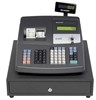 |
View all Sharp XE-A42S manuals
Add to My Manuals
Save this manual to your list of manuals |
Sharp XE-A42S manual content summary:
- Sharp XE-A42S | XE-A42S Operation Manual in English and Spanish - Page 1
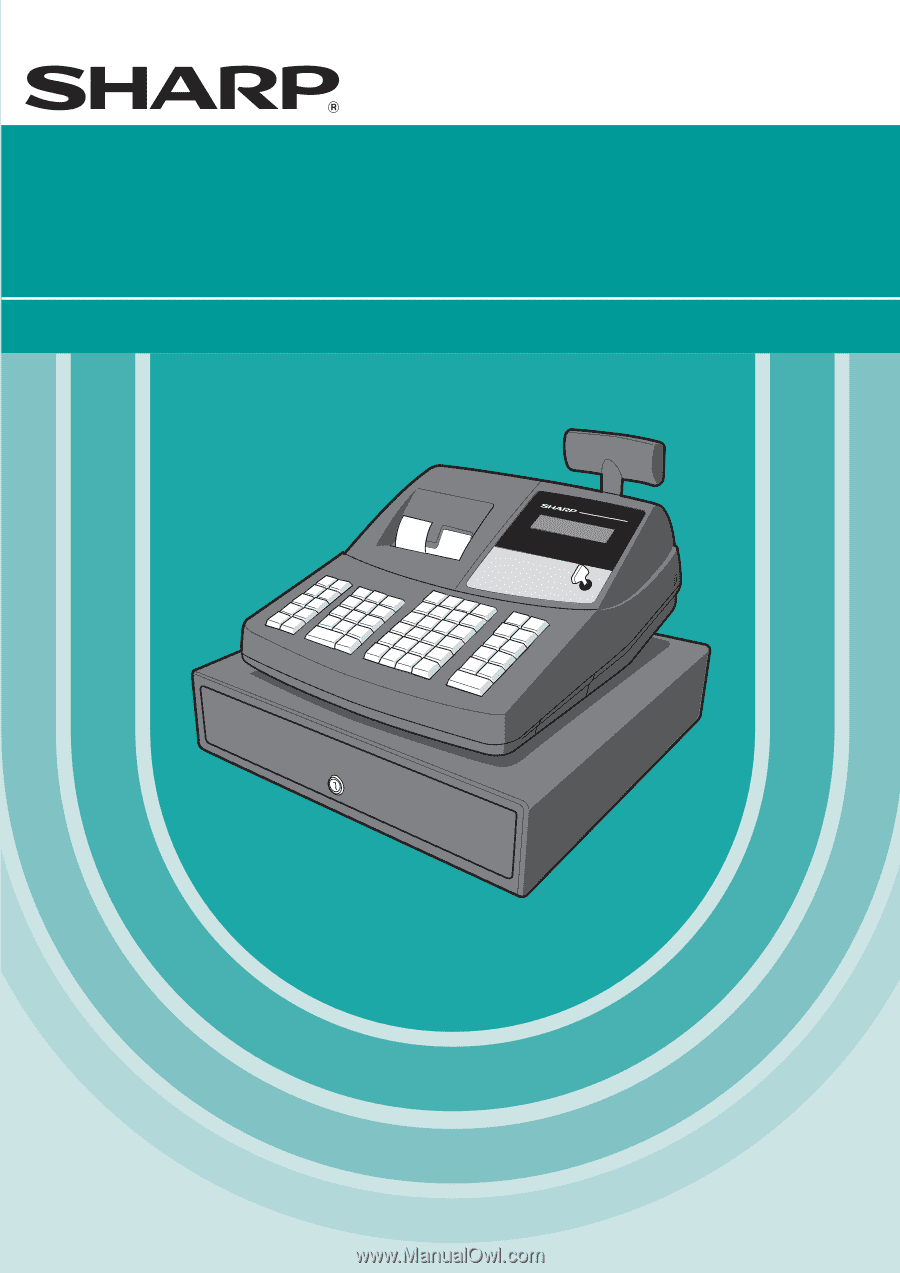
ELECTRONIC CASH REGISTER CAJA REGISTRADORA ELECTRONICA XE-A42S MODEL MODELO INSTRUCTION MANUAL MANUAL DE INSTRUCCIONES - Sharp XE-A42S | XE-A42S Operation Manual in English and Spanish - Page 2
comply with the limits for a Class A digital device, pursuant to Part 15 of the FCC Rules. These limits are designed to provide if not installed and used in accordance with the instruction manual, may cause harmful interference to radio communications. Operation Date of Purchase Place of Purchase - Sharp XE-A42S | XE-A42S Operation Manual in English and Spanish - Page 3
of the SHARP Electronic Cash Register, Model XE-A42S. Please read this manual carefully before operating your machine in order to gain full understanding of functions and features. Please keep this manual for future reference. It will help you if you encounter any operational problems. CAUTION! Be - Sharp XE-A42S | XE-A42S Operation Manual in English and Spanish - Page 4
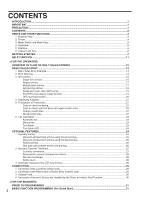
23 Automatic tax ...23 Manual tax ...23 Tax delete ...23 Tax status shift...24 OPTIONAL FEATURES...24 1 Auxiliary Entries ...24 Discount and premium entries using the percent key 24 Discount and premium entries using the discount key 25 Refund entries ...26 Non-add code number entries and printing - Sharp XE-A42S | XE-A42S Operation Manual in English and Spanish - Page 5
(HALO) for cash in drawer (CID) (sentinel 57 Online time out setting ...57 Thermal printer density ...58 Language selection...58 Training clerk specification for training mode 58 AUTO key programming ...59 4 Reading Stored Programs ...59 TRAINING MODE ...61 READING (X) AND RESETTING (Z) OF - Sharp XE-A42S | XE-A42S Operation Manual in English and Spanish - Page 6
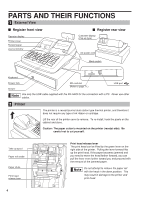
view Operator display Printer cover Receipt paper Journal window Register rear view Customer display (Pop-up type) AC power cord Mode switch Keyboard Drawer lock Drawer SD card slot (Refer to page 71.) USB port Use only the USB cable supplied with the XE-A42S for the connection with a PC - Sharp XE-A42S | XE-A42S Operation Manual in English and Spanish - Page 7
power turns off.) No change occurs to register data. OP X/Z: To take individual clerk X or Z reports, and to take flash reports. It can be used to toggle receipt state "ON" and "OFF" by pressing the R key. REG: For entering sales. PGM: To program various items. VOID: Enters into the void - Sharp XE-A42S | XE-A42S Operation Manual in English and Spanish - Page 8
or mode name Function message display area Numeric entry display area Receipt OFF indicator Repeat / Sentinel mark / Power save mark • Clerk code or Mode name The mode you are in is displayed. When a clerk is assigned, the clerk code is displayed in the REG or OP X/Z mode. For example, "?01?" is - Sharp XE-A42S | XE-A42S Operation Manual in English and Spanish - Page 9
for one or two days before using the cash register for the first time. To charge the batteries, set the mode switch to a position other than "OFF" with the power cord plugged into the AC outlet. Unless the batteries have been charged, all of the programmed data and sales data are not saved. If - Sharp XE-A42S | XE-A42S Operation Manual in English and Spanish - Page 10
use when transferring the cash register. 3. Move the print head release lever to the printing position as illustrated at the right. Retainer Print head release lever (printing position) 4 Installing paper rolls Precaution: The paper cutter is mounted on the printer (receipt side). Take caution - Sharp XE-A42S | XE-A42S Operation Manual in English and Spanish - Page 11
two or three turns around the spool shaft. } 9. Set the spool on the bearing, and press the key to take up excess Slit slack in the paper. 10.Replace the printer cover. 5 Programming date, time and tax The cash register provides text languages of English and Spanish. It is preset to English - Sharp XE-A42S | XE-A42S Operation Manual in English and Spanish - Page 12
, Manual tax amount The factory setting makes the maximum amount you can enter. You can program to limit the amount. • Sentinel - High amount lockout (HALO) for cash in drawer (CID) • Department group You can classify departments into a maximum of 9 groups (0 to 9 groups: 0: non-group is assigned - Sharp XE-A42S | XE-A42S Operation Manual in English and Spanish - Page 13
print guidance messages for setup and some operations of the cash register. This function is available in any mode switch position DATE/TIME SETUP 2 TAX RATE SETUP 3 DEPARTMENT PRICE&TEXT 4 SALES Z REPORT 5 LOGO SETTING 6 RECEIPT ISSUE 7 "NOT ASSIGNED" DISPLAY 8 SD CARD COMMAND 9 INSTALL PC SOFTWARE - Sharp XE-A42S | XE-A42S Operation Manual in English and Spanish - Page 14
. • Turn the mode switch to OP X/Z position and check if date and time are correctly set. • Replace the till, if removed for safety. • Check if there is enough paper on each roll. • Select receipt ON/OFF function. • Make any necessary programming for the day in PGM mode. For details, refer to BASIC - Sharp XE-A42S | XE-A42S Operation Manual in English and Spanish - Page 15
00 ?01? 23.00 ?01? 40.38 ?01? 5000 ?01? 9.62 (In this example, the tax rate is set to 6.25%.) Receipt print Graphic logo Date/Time/Clerk code Register number /Consecutive number/Clerk name Items Price Merchandise subtotal Tax amount Not printed when non-taxable items only are sold. Tax status - Sharp XE-A42S | XE-A42S Operation Manual in English and Spanish - Page 16
in the OFF mode, the receipt off indicator "_" illuminates. The register will print reports regardless of the receipt state, so the paper roll must be installed. To issue a receipt when receipt ON/OFF function is set to OFF: If your customer wants a receipt after you finalized a transaction with - Sharp XE-A42S | XE-A42S Operation Manual in English and Spanish - Page 17
classify merchandise into smaller groups under the departments. Every PLU and sub-department has a code from 1 to 7000, and should belong to a department to obtain attributes of that department. The cash register is pre-programmed to PLU mode and zero for unit price. To use PLU entries, their preset - Sharp XE-A42S | XE-A42S Operation Manual in English and Spanish - Page 18
codes (2 digits or 5 digits) added to EAN13 codes except ISBN and ISSN codes. UPC code p • When programmed not to allow price entry for ISBN and ISSN codes (job code #16), you cannot enter ISBN and ISSN codes preprogrammed, the cash register goes into UPC learning function status to guide you to - Sharp XE-A42S | XE-A42S Operation Manual in English and Spanish - Page 19
codes is allowed, job code #16, each code is printed as follows: Dept. code PLU code UPC code 2 p p 11 p 1200 p p * 323456789108 p p A Receipt print q q *Consecutive pressing of key is required when key is example on the following page. When programmed to allow fractional quantity entries, you - Sharp XE-A42S | XE-A42S Operation Manual in English and Spanish - Page 20
entry A Receipt print Split pricing entries This function is practical when the customer wants to purchase items normally sold in bulk. To utilize this function, you must change the pre-programmed or default programmed setting. Refer to "Various Function Selection Programming 1" (job code 70) for - Sharp XE-A42S | XE-A42S Operation Manual in English and Spanish - Page 21
or UPCs. d • The transaction is complete and the drawer opens as soon as you press the department key, key or p key. Key operation example For finishing the transaction 250 ª Receipt print If an entry to a department, PLU/sub-department or UPC set for SICS follows the ones to departments, PLUs - Sharp XE-A42S | XE-A42S Operation Manual in English and Spanish - Page 22
"PRICE -> DEPT" is displayed to guide you to enter unit price and associated department code. Undifined UPC code p When entering "0" Unit price Dept. code d "ENTER DEPT#" is displayed. Key operation example 5012345678900 p "NO RECORD" "PRICE -> DEPT" are displayed. 500 £ A Receipt print - Sharp XE-A42S | XE-A42S Operation Manual in English and Spanish - Page 23
will show the change due amount with the function message "CHANGE". Otherwise the register will show a deficit with the function message "DUE". You now must make a correct tender entry. Cash tendering Key operation example Receipt print s 1000 A Check tendering Key operation example s 1000 - Sharp XE-A42S | XE-A42S Operation Manual in English and Spanish - Page 24
that does not require entry A C Enter items and press the key if it is a cash sale or press the if it is a check sale. The register will display the total sale amount. Key operation example 300 § 10 p A Receipt print In the case of check sale Charge (credit) sale X Y Enter items and press - Sharp XE-A42S | XE-A42S Operation Manual in English and Spanish - Page 25
When the register is programmed with a tax rate (or tax table) and the tax status of an individual department is set for taxable, PLU 85, taxable 2) for cash Key operation example Receipt print 5 @ 670 ¡ 85 p A Manual tax The machine allows you to enter tax manually after it finalizes an item - Sharp XE-A42S | XE-A42S Operation Manual in English and Spanish - Page 26
programmed tax status of each key is resumed. Example: Selling the following items for cash with their programmed taxable 2 items Key operation example Receipt print 1345 T ¥ 25 T setting, you can manually enter a discount percent rate to both individual items and merchandise subtotal. For manual - Sharp XE-A42S | XE-A42S Operation Manual in English and Spanish - Page 27
15% are & programmed for the key) Receipt print Discount and premium entries using the discount key The discount key is used to apply a manually entered or preset discount or premium amount to individual items or to a merchandise subtotal. In the default setting, you can manually enter a discount - Sharp XE-A42S | XE-A42S Operation Manual in English and Spanish - Page 28
-add code number such as a customer's code number and credit card number, a maximum of 16 digits, at any point during the entry of a sale. The cash register will print it at once. s To enter a non-add code number, enter the number and press the key. Key operation example 1230 s 1500 § X Receipt - Sharp XE-A42S | XE-A42S Operation Manual in English and Spanish - Page 29
4650 ¶ K 10000 A (When a currency conversion rate 0.8063 is programmed for the K key.) Receipt print Domestic currency Conversion rate Foreign currency Domestic currency Foreign currency symbol (Printed if programmed) Applying manual conversion rate Key operation example Conversion rate 2300 - Sharp XE-A42S | XE-A42S Operation Manual in English and Spanish - Page 30
print No sale (exchange) A When you need to open the drawer with no sale, press the key. The drawer will open and printer will print "NO SALE" on the receipt or journal. If you let the machine print a non-add code number before pressing the A key, a no sale entry is achieved and a non-add - Sharp XE-A42S | XE-A42S Operation Manual in English and Spanish - Page 31
can void this entry by pressing the key immediately after the incorrect entry. Key operation example 1250 § v 2 p v 4901305920795 p v 600 • & v 328 ª 28 - v 250 f § v A Receipt print v The backlight of the display will turn red when the key is pressed. 2 Correction of the Next-to-last or Earlier - Sharp XE-A42S | XE-A42S Operation Manual in English and Spanish - Page 32
subtotal void is executed, the transaction is aborted and the register issues a receipt. This function does not work when more than 50 items have been entered. Key operation example 1310 ™ ™ 1755 § 10 p 35 p s Subtotal void v s Receipt print v The backlight of the display will turn red when - Sharp XE-A42S | XE-A42S Operation Manual in English and Spanish - Page 33
and receipt rolls are present in the machine. If there is not enough paper on a roll, replace it with a new one (refer to MAINTENANCE section for the replacement). 2. Put the manager key in the mode switch and turn it to the PGM position. 3. Program necessary items into the cash register. REG - Sharp XE-A42S | XE-A42S Operation Manual in English and Spanish - Page 34
Various Function Selection Programming 1" section (Job code 61). 2 Tax Programming for Automatic Tax Calculation Function Before you can proceed with ringing sales transactions, you must first program the tax that is levied in accordance with the laws of your state. The cash register comes with the - Sharp XE-A42S | XE-A42S Operation Manual in English and Spanish - Page 35
are in an area that uses a tax table for tax calculation, you can program the cash register accordingly. Tax table programming can be performed for Tax 1 through Tax 4. Sample tax table New Jersey tax table: 6% To program a tax table, first make a table like the right table shown above. Taxes .00 - Sharp XE-A42S | XE-A42S Operation Manual in English and Spanish - Page 36
can support a tax table consisting of no more than 72 breakpoints. (The maximum number of breakpoints is 36 when the breakpoint difference is $1.00 or more.) If the number of breakpoints exceeds the register's table capacity, then the manual entry approach should be used. Example: Programming the - Sharp XE-A42S | XE-A42S Operation Manual in English and Spanish - Page 37
• If the tax is not provided for every cent, modify the tax table by setting the tax for every cent in the following manner. When setting the tax, consider the minimum breakpoint corresponding to unprovided tax to be the same as the one corresponding to the tax provided on a large amount. - Sharp XE-A42S | XE-A42S Operation Manual in English and Spanish - Page 38
Departments can be assigned to articles whose prices were set using PLU/UPC function. When using a department key, you must set the parameters to shift key. For department 41-99: Dept. code d To set all zeros *2 ABCDEFGHIJK @ A A To program another department, start from the beginning without - Sharp XE-A42S | XE-A42S Operation Manual in English and Spanish - Page 39
• A commission group (0 to 2, 0: non commission) can be assigned to each department for commission for clerks. Each commission amount for each clerk is calculated based on a programmed commission rate and later printed on clerk reports. Tax status (taxable 1 through 4 / non-taxable) • When - Sharp XE-A42S | XE-A42S Operation Manual in English and Spanish - Page 40
rate and printed later on clerk reports. The cash register is preprogrammed so PLU1 through PLU1200 as PLUs (commission group: 0) associated with department 1 and preset unit price "0". Unit price and associated department assignment PLU/UPC code p To program zero *2 Unit price (max. six - Sharp XE-A42S | XE-A42S Operation Manual in English and Spanish - Page 41
10 s A Print PLU/sub-dept. selection Commission group number When you program all 7000 PLU/UPC codes, the programming sequence will be complete with a press of the s key. 3 Commission Rate Programming Based on each clerk's sales total of each commission group and the corresponding commission rate - Sharp XE-A42S | XE-A42S Operation Manual in English and Spanish - Page 42
key). While the cash register is pre-programmed so you can use these keys, you must set a currency K conversion rate to use key. You can also program these keys for more entry digit limit (8 digits), footer printing (not printed) t (Manual tax) Entry digit limit (7 digits) * Item %/Item _: - Sharp XE-A42S | XE-A42S Operation Manual in English and Spanish - Page 43
(max. six digits) - A Key operation example 200 A Print Discount amount Percent rate limitation for % and & s 29 @ To program zero Percentage limit (0.00 -100.00%) % or & A To program for another percent key • Percent entries that exceed the upper limit may be overridden in the MGR mode - Sharp XE-A42S | XE-A42S Operation Manual in English and Spanish - Page 44
the amount obtained after premium or discount calculation. +/- sign • Programming of the +/- sign assigns the premium or discount function for each key. Entry digit amount for discount key. If "0" is set, open price entry is prohibited. Example: Programming the discount key as taxable 1, discount ( - Sharp XE-A42S | XE-A42S Operation Manual in English and Spanish - Page 45
inhibited, for the and key. Entry digit limit X Y C A • For the , and keys, program upper limit entry amount for the tendered amount. For the key, program upper limit entry for total cash amount which can be handled on the register. The entry digit limit is in effect for REG mode operation but - Sharp XE-A42S | XE-A42S Operation Manual in English and Spanish - Page 46
Programming The register allows you to program text for clerk names, department item names, PLU/UPCs item names, if necessary. There are two ways for programming text: using character keys on the keyboard or entering character codes the key, the cash register goes to character codes N entry mode. - Sharp XE-A42S | XE-A42S Operation Manual in English and Spanish - Page 47
programmed To program the word "SHARP" in double-size characters : : : : : : 253 083 072 065 082 080 S H A R P P When you press an appropriate number key (job code number) and press the key for text entry just after you s start programming with the key, the cash register will - Sharp XE-A42S | XE-A42S Operation Manual in English and Spanish - Page 48
C D E F G H I J K L M N O P Q R S T U V W X Y Z Code 091 092 093 094 095 096 097 098 099 100 101 102 103 104 105 106 107 108 109 110 111 112 113 114 115 n o p q r s t u v w x y z 1 2 3 4 1/2 FT ← " ' Code 136 137 138 139 140 141 142 143 144 145 146 147 148 149 150 151 152 153 154 155 156 157 - Sharp XE-A42S | XE-A42S Operation Manual in English and Spanish - Page 49
21 through 40, press the department shift key. Key operation example Print s1P ¡ FRUIT s A Text programmed for dept. 1 (Programming FRUIT for dept.1) PLU/UPC text (item label) s To keep current setting 2P PLU/UPC code p Character keys (max.16 digits) sA When the next PLU/UPC - Sharp XE-A42S | XE-A42S Operation Manual in English and Spanish - Page 50
tax 4 total 24 Exempt tax 4 25 Gross manual tax total 26 Refund manual tax total 27 Net manual tax total Default setting (-) %1 %2 NET1 TAX1 ST GRS TAX1 RFD ) CONV 1 Currency conversion2 (Open) CONV 2 Cash in drawer CID Cash+check in drawer Check change CA+CH ID CHK/CG Commission sale - Sharp XE-A42S | XE-A42S Operation Manual in English and Spanish - Page 51
drawer Non add symbol Copy receipt title Group 1 Group 2 Group 3 Group 4 Group 5 Group 6 Group 7 Group 8 Group 9 Change due Taxable ST for all tax delete Default setting Clerk names To keep current setting s 5 P @ Clerk code (1-40) Character keys (max. 8 digits) s To program another clerk - Sharp XE-A42S | XE-A42S Operation Manual in English and Spanish - Page 52
Logo messages The register can print programmed messages on every receipt. On the standard model, the graphic logo is printed on the receipt. If you want to print logo messages, please change the logo message print format. (See page 57 for the programming details.) The options are listed below: s 4 - Sharp XE-A42S | XE-A42S Operation Manual in English and Spanish - Page 53
Foreign currency symbol K Foreign currency symbol for the key is printed with a foreign currency exchange amount. To keep the current setting s6P Character keys (max. 4 digits) sA Key operation example Entry using character code s 6 P S S S 207 : s A Print Foreign currency symbol 51 - Sharp XE-A42S | XE-A42S Operation Manual in English and Spanish - Page 54
Function Selection Programming 1 The cash register provides various detailed functions listed below. • Function selection for miscellaneous keys • Print format • Receipt print format • Function selection for tax • Function selection for UPC codes • Others For this programming, the job code entry - Sharp XE-A42S | XE-A42S Operation Manual in English and Spanish - Page 55
s *1Job code @ To set "00000000" *2ABCDEFGH s A *1 Enter job code using numeric keys specified in each section below. *2 Data entry details are listed on each table in each section below. Example: When programming for job code 5 as ABCDEFGH: 00000100. Key operation example Print s5@ - Sharp XE-A42S | XE-A42S Operation Manual in English and Spanish - Page 56
Tax delete in REG mode availability H Manual tax entry in REG mode availability codes Disallow C/D check* 0 Allow it 1 Price entry after ISBN or ISSN codes When you set to "compulsory price entry", the register requires a price entry when an ISBN or ISSN code is entered. When you set - Sharp XE-A42S | XE-A42S Operation Manual in English and Spanish - Page 57
program minus dept./PLU/UPC Allow it* Fractional treatment Round off (4 down, 5 up)* Raising to unit Disregarding fractional treatment Use of : key Use : key as 00 key* Use : key as 000 key Time format Use 12-hour format* Use 24-hour format Date code: 66 * Item: A Printing a receipt - Sharp XE-A42S | XE-A42S Operation Manual in English and Spanish - Page 58
. • Thermal printer density (standard density) • Online time out setting • Language selection (English) • Training clerk specification (none) - If you specify a clerk code who is trained for use on this cash register, the cash register will go into training mode when the clerk code is registered for - Sharp XE-A42S | XE-A42S Operation Manual in English and Spanish - Page 59
the position to print it on receipt. For details of the logo message type, please refer to "Logo messages" on page 50. To set "0" s 11 @ *A s message Key operation example s 11 @ 3sA Print High amount lockout (HALO) for cash in drawer (CID) (sentinel) s 20 Key operation example s 20 @ 999999 s A - Sharp XE-A42S | XE-A42S Operation Manual in English and Spanish - Page 60
the language, the text such as clerk name, logo message and function text will be reset to the default settings. Training clerk specification for training mode For the details of clerk training, please refer to "TRAINING MODE" on page 61. To cancel s 86 @ s Clerk code (1 to 40) A Key operation - Sharp XE-A42S | XE-A42S Operation Manual in English and Spanish - Page 61
Key sequence for reading stored program Report name Key sequence Programming report 1 A Programming report 2 2 A Auto key programming report 1 A Printer density programming report 3 A PLU/UPC programming report (Range) Start PLU/UPC code @ End PLU/UPC code p (All) p When reading one - Sharp XE-A42S | XE-A42S Operation Manual in English and Spanish - Page 62
1 Programming report 1 Mode Dept. code Dept. Receipt print format(A-H) Power save mode(A-D) Logo message print format Function selection for tax (A-H) Function selection for UPC codes HALO for CID (sentinel) Online time out Thermal printer density Tax table Tax rate Min. taxable amount Clerk code - Sharp XE-A42S | XE-A42S Operation Manual in English and Spanish - Page 63
, 87 and 95 are fixed settings, for which you cannot change the settings. Entered value Printer density Printing density example 5 PLU/UPC programming report Training clerk specification Language selection PLU code PLU text 3 Auto key programming report UPC code UPC text Range Associated dept - Sharp XE-A42S | XE-A42S Operation Manual in English and Spanish - Page 64
( to ) @ key: Amount of cash in drawer A key: Sales total Full sales report A -- X1, Z1 X2, Z2 Reading: P Resetting: A Department report -- X1 X2 d , Z2 Resetting: All PLU/UPCs Start PLU/UPC code @ End PLU/UPC code All PLU/UPCs p Start PLU/UPC code @ End PLU/UPC code Pp PLU - Sharp XE-A42S | XE-A42S Operation Manual in English and Spanish - Page 65
Item Total in drawer report Individual clerk report Full clerk report Mode switch position OPX/Z X1/Z1 X2/Z2 -- X1 X2 2 Reading: Key operation A X, Z -- -- K Reading: P Resetting: (The report of the current clerk) K -- X1, Z1 X2, Z2 Reading: P Resetting: Hourly report (full) Hourly - Sharp XE-A42S | XE-A42S Operation Manual in English and Spanish - Page 66
Reset counter Net grand total(GT2-GT3) Grand total of plus registration Grand total of minus registration Grand total of training mode registration Dept. code total Refund tax 1 total Net tax 1 total Manual tax total Tax total Net total without tax Net counter Sales total Cash counter and total - Sharp XE-A42S | XE-A42S Operation Manual in English and Spanish - Page 67
department • Sample report Mode title Report title PLU/UPC report by designated range • Sample report Mode title* Report title Range PLU code Item label Sales q'ty and total PLU range sum UPC code Item label Group 1 total UPC range sum *: When you take Z1 report, "Z1" is printed. The UPC - Sharp XE-A42S | XE-A42S Operation Manual in English and Spanish - Page 68
sorted by clerk code # (from #1 to #40). Transaction report • Sample report Mode title Report title This report shows the same transaction data as when a full sales report is run. Hourly report • Sample report Mode title* Report title Customer counter Sales total Total in drawer report • Sample - Sharp XE-A42S | XE-A42S Operation Manual in English and Spanish - Page 69
counter of daily total Reset counter of periodic consolidation Grand totals The subsequent printouts are the same in format as those in the X/Z report for daily totals. Daily net report • Sample report Mode title* Date Customer counter Sales total Customer total Net amount total *: When you - Sharp XE-A42S | XE-A42S Operation Manual in English and Spanish - Page 70
override entry. In this example, the register has been programmed not to allow REG OPX/Z OFF cash register will enter the void mode and the backlight display will turn red. 2. Repeat the entries that are recorded on the incorrect receipt. (All data on the incorrect receipt is removed from register - Sharp XE-A42S | XE-A42S Operation Manual in English and Spanish - Page 71
SHARP's PC software "Customer Support Tool." Customer Support Tool can be downloaded from the Sharp web site. Please visit the Sharp web site: http://www.sharpusa.com/registersoftware You can also save all necessary data in the cash register to an SD memory card for backup. This instruction manual - Sharp XE-A42S | XE-A42S Operation Manual in English and Spanish - Page 72
Error If an error occurs while data is transferred from your cash register to the inserted SD memory card and vice l versa, it PROTECT The write-protect switch on the SD memory card is in the "PROTECTED" position. Set the switch on the "NOT PROTECTED" position. CARD FULL The SD memory card is full - Sharp XE-A42S | XE-A42S Operation Manual in English and Spanish - Page 73
perfectly been inserted before closing the cover. If this instruction is not performed correctly, the card or SD card cash register before writing programming data etc. to it. Never format any SD memory card that contains some data, otherwise all of the data stored on the card will be erased. Set - Sharp XE-A42S | XE-A42S Operation Manual in English and Spanish - Page 74
replaced with newly saved data. If you need the existing data, use another SD memory card. 6 Writing and Reading of Programming Data Reading the graphic logo data Set the mode switch to the PGM position. s 145 @ The comfirmation message is printed. To execute * s 1A l To cancel * The message - Sharp XE-A42S | XE-A42S Operation Manual in English and Spanish - Page 75
with the newly written data at this time. You can also replace the programming data stored in the cash register with those stored in an SD memory card by loading the latter into the cash register(Reading). Writing Set the mode switch to the PGM position. s 141 @ The comfirmation message is - Sharp XE-A42S | XE-A42S Operation Manual in English and Spanish - Page 76
to use the register for an extended period of time, pull the print head release lever toward you so that the print head is set apart from the plate paper (thermal paper) • Use only paper specified by SHARP. • Do not unpack the thermal paper until you are ready to use it. • Avoid heat. The paper - Sharp XE-A42S | XE-A42S Operation Manual in English and Spanish - Page 77
by SHARP. The use of any other paper rolls other than those specified could cause paper jamming, resulting in register malfunction. Paper specification Paper width: 1.75 ± 0.02 in (44.5 ± 0.5 mm) Max. outside diameter: 3.18 in (81 mm) Quality: Thermal paper • Be sure to set paper roll(s) prior - Sharp XE-A42S | XE-A42S Operation Manual in English and Spanish - Page 78
Remove the printer cover. 3. Check that the print head release lever is in the printing position. 4. Set the paper correctly in the paper roll cradle of the receipt side. 5. Insert the end of the paper into the paper chute of the printer until it is caught by the printer auto-feed and comes out of - Sharp XE-A42S | XE-A42S Operation Manual in English and Spanish - Page 79
Reset the paper roll correctly by following the steps in "Installing the paper roll". 6. Replace the printer cover. 6 Cleaning the Print Head When the printed text is getting dark or faint, paper may damage the head. • The paper cutter is mounted on the printer (receipt side). Be careful not to cut - Sharp XE-A42S | XE-A42S Operation Manual in English and Spanish - Page 80
7 Removing the Till and the Drawer The till in the register is detachable. After closing your business for the day, remove the till from the drawer and keep the drawer open. To detach the drawer, pull it forward fully with the till removed, and remove it by lifting it up. The 6-denomination coin - Sharp XE-A42S | XE-A42S Operation Manual in English and Spanish - Page 81
and programmed settings stored in memory.) • Is power supplied to the electrical outlet? • Is the power cord plug out or loosely connected to the AC outlet? • Is a clerk code assigned to the register? • Is the mode switch set properly at the "REG" position? • Is the paper roll properly installed - Sharp XE-A42S | XE-A42S Operation Manual in English and Spanish - Page 82
Paper roll 2 Take-up spool 1 USB cable (0GS5422580///)*1 1 Quick Start Guide (English) 1 copy Quick Start Guide (Spanish) 1 copy Instruction manual 1 copy Specifications and appearance subject to change without notice for improvement. *1 Use only the USB cable supplied with the XE-A42S - Sharp XE-A42S | XE-A42S Operation Manual in English and Spanish - Page 83
code Unit price BR G CM T4 T3 T2 T1 SICS SIGN LMT ENT Text A B C D E F G H I J K Ex. 5 100 0 1 0 0 0 0 1 0 0 5 3 FRUIT For details of programming 4 - taxable 1) Taxable: 1, Non-taxable: 0 H SICS (single item cash sale) SICS: 1, Normal: 0 I SIGN Negative dept.: 1, Positive dept - Sharp XE-A42S | XE-A42S Operation Manual in English and Spanish - Page 84
of this sheet.) Function PLU/UPC code Unit price/ Limit amount Associated dept. CM TYPE Text A B Ex. 1 125 1 1 1 MELON For details of programming refer to pages 38, 39 and B TYPE (PLU/sub-department selection) 1: PLU, 0: Sub-department For UPCs always set 1. Text Max. 16 digits 82 - Sharp XE-A42S | XE-A42S Operation Manual in English and Spanish - Page 85
adquisición de la caja registradora electrónica SHARP modelo XE-A42S. Sírvase leer este manual detenidamente antes de hacer funcionar la caja registradora para familiarizarse y comprender por completo sus funciones y características. Guarde este manual para futura referencia dado que le servirá de - Sharp XE-A42S | XE-A42S Operation Manual in English and Spanish - Page 86
INDICE INTRODUCCION...1 IMPORTANTE ...1 PRECAUCION ...1 INDICE ...2 PARTES Y SUS FUNCIONES ...3 PARA EMPEZAR ...6 FUNCION DE AYUDA ...7 REGISTRO 12 6 Cálculo de los impuestos ...13 Impuestos automáticos...13 Impuestos manuales ...13 Borrado de los impuestos ...13 Cambio del estado de impuestos 13 - Sharp XE-A42S | XE-A42S Operation Manual in English and Spanish - Page 87
modo Teclado Cerradura del cajón Cajón Ranura de la tarjeta SD Puerto USB 2 Impresora Carrete de toma Soporte del rollo de papel Guía de papel Palanca de liberación del cabezal de impresión Levante la parte posterior de la cubierta de la impresora para extraerla. Para volver a - Sharp XE-A42S | XE-A42S Operation Manual in English and Spanish - Page 88
6 J 11 O 16 T CHK CH2 MDSE #/TM SBTL SBTL CA/AT/NS • En este manual, las teclas 0~ 9, :, @, P y l se representan con forma redonda en lugar de teclas Los caracteres pequeños de la parte inferior o de la esquina derecha de las teclas Tecla de suministro de RECEIPT papel de recibos @/FOR Tecla de - Sharp XE-A42S | XE-A42S Operation Manual in English and Spanish - Page 89
ón de mensajes de función Se visualizan las etiquetas de artículos de secciones y PLU/UPC y textos de función que usted usa, como por ejemplo, %1, (-), y CASH. Para los detalles de los textos de función, consulte la página 28. Cuando se debe introducir un importe, se visualiza ------ en el área de - Sharp XE-A42S | XE-A42S Operation Manual in English and Spanish - Page 90
el dispositivo de alimentación automática de la impresora y salga por la parte superior de la impresora. Si la impresora no engancha el papel, haga { excesiva del papel. 10.Vuelva a colocar la cubierta de la impresora. 4. Programe la fecha, la hora y los impuestos. La caja registradora le ofrece los - Sharp XE-A42S | XE-A42S Operation Manual in English and Spanish - Page 91
/ Precio y texto de sección / Informe de ventas Z / Membrete / Emisión de recibo / Error "Dependiente no asignado" / Comando de tarjeta SD / Instalar software de PC Impresión de mensajes de guía G Consultando el menú de ayuda impreso arriba, pulse la tecla numérica correspondiente y luego la tecla - Sharp XE-A42S | XE-A42S Operation Manual in English and Spanish - Page 92
PARA EL OPERADOR REGISTRO BASICO DE VENTAS 1 Ejemplo de registro básico de ventas A continuación se muestra un ejemplo de registro básico de ventas en metálico de artículos. Para los detalles de la operación, consulte cada sección respectiva. Ajuste del selector de modo 1. Gire el selector de - Sharp XE-A42S | XE-A42S Operation Manual in English and Spanish - Page 93
Función de activación/desactivación (ON/OFF) de recibo R Podrá inhabilitar la impresión de recibos en el modo REG. Pulse la tecla en la posición OP X/Z. Esta tecla cambia el estado de impresión de recibos de ON a OFF. Para emitir un recibo cuando la función de activación/desactivación (ON/OFF) - Sharp XE-A42S | XE-A42S Operation Manual in English and Spanish - Page 94
• Cuando se emplea la tecla de registro de código de sección Código de sección (1 a 99) Cuando utilice un precio unitario programado d Precio unitario *1 (máx. 7 dígitos) d (En caso de que sólo esté permitido el registro de precio preajustado.) *1 Menos que los importes de límite superior - Sharp XE-A42S | XE-A42S Operation Manual in English and Spanish - Page 95
@ Cant. de venta (hasta 4 dígitos) Cuando emplee un precio unitario programado @ Cant. básica (hasta 2 dígitos) Precio unitario por cant. básica D Tecla de sección Código de sección Código de PLU Código de PLU Código de UPC d Precio unitario por cant. básica d (Sólo se permite el registro - Sharp XE-A42S | XE-A42S Operation Manual in English and Spanish - Page 96
Función de aprendizaje de UPC Cuando registra un código que no está programado, se le solicitará que registre su precio unitario y la sección asociada. El código de UPC, sección asociada y precio unitario registrados se almacenan en el archivo de UPC/EAN y se utilizarán para registros futuros de - Sharp XE-A42S | XE-A42S Operation Manual in English and Spanish - Page 97
los impuestos automáticos para cualquier artículo que se introduzca directamente en la sección o indirectamente mediante una PLU relacionada. Impuestos manuales La máquina le permite introducir manualmente los impuestos después de haber terminado el registro de artículos. Ejemplo: Venta en met - Sharp XE-A42S | XE-A42S Operation Manual in English and Spanish - Page 98
ías. Con el ajuste inicial, podrá introducir manualmente un importe de descuento a artículos individuales y a un subtotal de mercancías. Para el registro manual de los importes de descuento o de recargo, introduzca el importe con las teclas numéricas, y pulse la tecla de descuento. Cuando emplee un - Sharp XE-A42S | XE-A42S Operation Manual in English and Spanish - Page 99
entonces el importe recibido en la divisa si no se trata de un pago con el importe A justo, y pulse la tecla . Cuando efectúe un registro manual de una tasa de conversión de divisas, después de los registros de todos los artículos, introduzca la tasa de conversión (0,0000 a 9999,9999; necesitar - Sharp XE-A42S | XE-A42S Operation Manual in English and Spanish - Page 100
Sin ventas (cambios) A Cuando deba abrir el cajón para algo que no sea una venta, pulse la tecla . El cajón se abrirá y la caja registradora imprimirá "NO SALE" en el recibo o en el registro diario. Devolución de botellas Esta función se usa para manipular el depósito y pago (pagado) para - Sharp XE-A42S | XE-A42S Operation Manual in English and Spanish - Page 101
caja registradora pueden programarse cuatro tasas de impuestos distintas. En la mayor parte de estados, sólo será necesario programar los impuestos 1. Sin caja registradora para que calcule estos impuestos por separado. Cuando programe el estado de impuestos para una sección, los impuestos se - Sharp XE-A42S | XE-A42S Operation Manual in English and Spanish - Page 102
Para borrar una tasa de impuestos, emplee la secuencia siguiente: s 9 @ *Número de impuestos (1 a 4) @ v A Ejemplo: Programación de la tasa de impuestos del 4% como tasa de impuestos 2 con exención de impuestos de 12¢ Ejemplo de operación de teclas s 9 @ 2 @ 4 @ 12 s A Tabla de impuestos ( - Sharp XE-A42S | XE-A42S Operation Manual in English and Spanish - Page 103
00 o más.) Si el número de puntos de división excede la capacidad de tablas de la caja registradora, deberá emplear entonces el registro manual. PROGRAMACION DE FUNCIONES AUXILIARES 1 Programación de secciones La mercancía se puede clasificar en un máximo de 99 secciones. Estado de sección Para - Sharp XE-A42S | XE-A42S Operation Manual in English and Spanish - Page 104
*2:Elemento: Selección: Registro: A Tipo Devolución de botellas 1 Normal* 0 B Número de grupo 0-9 (0: Sin grupo) (ajuste inicial: 0) C Número de grupo de comisión 0-2 (0: Sin comisión) (ajuste inicial: 0) D Estado de impuestos 4 Imponible 1 No imponible* 0 E Estado de impuestos - Sharp XE-A42S | XE-A42S Operation Manual in English and Spanish - Page 105
2 Programación de PLU/UPC La caja registradora puede manipular códigos de PLU y de UPC. Los códigos de PLU (codificación de precios) se emplean para las funciones de PLU y subsecciones: La función de PLU permite realizar el registro rápido con las teclas en el que el precio se busca automáticamente - Sharp XE-A42S | XE-A42S Operation Manual in English and Spanish - Page 106
Para borrar un código de PLU/UPC, emplee la secuencia siguiente: Código de PLU/ UPC p v A Para borrar la PLU/UPC siguiente Para borrar otra PLU/UPC Selección de función Código de PLU/ UPC Para programar "00" p s *AB A Para programar la PLU/UPC siguiente Para programar otra PLU/UPC *: - Sharp XE-A42S | XE-A42S Operation Manual in English and Spanish - Page 107
4 Programación de teclas misceláneas Tasa para %, & y K (cuando se usa como tecla conv) Para programar cero *Tasa %o& A K Para programar otra tasa *: Tasa 0,00 - 100,00 (Tasa de porcentaje) 0,0000 - 9999,9999 (Tasa de conversión de divisas) Deberá emplear un punto decimal para ajustar tasas - Sharp XE-A42S | XE-A42S Operation Manual in English and Spanish - Page 108
tecla RA), (cuando se t usa como tecla PO) y Límite de dígitos de entrada @ q, R o t A (sólo para entrada manual) q R t • Para , introduzca 0 a 9 (dígitos), y para (impuestos manuales), introduzca 0 a 7 (dígitos). El límite de dígitos de entrada es de hecho para operaciones en el modo REG - Sharp XE-A42S | XE-A42S Operation Manual in English and Spanish - Page 109
programación decide si la registradora debe imprimir un mensaje en la parte inferior del recibo cuando se usa una de estas teclas de finalizaci Para las teclas , y , programe un importe de entrada de límite superior para el importe recibido. A Para la tecla , programe un importe de entrada de lí - Sharp XE-A42S | XE-A42S Operation Manual in English and Spanish - Page 110
g W H h i j k N 0 1 =C 01 W =C 01 =C 01 a =Clerk 01 a =Clerk01 01 a1 PGM 02 PGM 02 PGM 02 PGM 06 PGM 08 Introducción de códigos H, N o W.) Aquí, se visualizan los caracteres introducidos. Para programar la palabra "SHARP" en caracteres de tamaño doble. : : : : : : 253 083 072 - Sharp XE-A42S | XE-A42S Operation Manual in English and Spanish - Page 111
Texto de sección (etiqueta de artículo) s 1 P *D Para mantener el ajuste vigente Tecla de sección s Teclas de caracteres (máx. 16 dígitos) d Código de sección (1 a 99) Para programar otra sección A *Para programar las secciones 21 a 40, pulse la tecla de cambio de sección. Ejemplo de - Sharp XE-A42S | XE-A42S Operation Manual in English and Spanish - Page 112
manuales GRS MTAX 26 Total de impuestos manuales de devoluciones RFD MTAX 27 Total neto de impuestos manuales 40 Total de ventas NET3 41 Metálico CASH 42 Cheque CHECK 43 Cargo bruto 1 TRANS. 70 Título de informe de dependientes CLERK 71 Título de informe horario HOURLY 72 Tí - Sharp XE-A42S | XE-A42S Operation Manual in English and Spanish - Page 113
Nombres de dependiente s 5 Para mantener el ajuste vigente P Código de dependiente (1-40) @ Teclas de caracteres (máx. 8 dígitos) s Para programar otro dependiente A Mensajes de membrete La caja registradora puede imprimir mensajes programados en cada recibo. En el modelo estándar, se - Sharp XE-A42S | XE-A42S Operation Manual in English and Spanish - Page 114
Ajuste de números consecutivos s2 @ Para empezar a contar desde 0001 Un número (de uno a cuatro dígitos) que sea inferior en uno al número inicial deseado sA 2 Programación 1 de selección de diversas funciones s *1Código de tarea Para ajustar "00000000" @ *2ABCDEFGH s A *1 Introduzca el - Sharp XE-A42S | XE-A42S Operation Manual in English and Spanish - Page 115
fija) 0 (Posición fija) 0 (Posición fija) 0 Habilitar el borrado de impuestos en el modo REG* 0 Inhabilitarlo 1 Habilitar la entrada de impuestos manuales en el 0 modo REG* Inhabilitarla 1 Selección de función para códigos de UPC Código de tarea: 16 * Elemento: Selección: Registro - Sharp XE-A42S | XE-A42S Operation Manual in English and Spanish - Page 116
Otras programaciones Código de tarea: 61 * Elemento: Selección: Registro: A Introduzca siempre 0. (Posición fija) 0 B Introduzca siempre 0. (Posición fija) 0 C Disponibilidad de sección/PLU/UPC negativas Inhabilitar la programación de sección/ 0 PLU/UPC negativas Habilitarla* 1 D - Sharp XE-A42S | XE-A42S Operation Manual in English and Spanish - Page 117
Código de tarea: 70 * Elemento: A Cómputo de precios divididos B Disponibilidad de entrada de precios con multiplicación/división C Introduzca siempre 0. D Introduzca siempre 0. E Introduzca siempre 0. F Introduzca siempre 0. G Introduzca siempre 0. H Introduzca siempre 0. Selecci - Sharp XE-A42S | XE-A42S Operation Manual in English and Spanish - Page 118
Bloqueo de importe alto (HALO) para metálico en el cajón (CID) (centinela) s 20 @ *HALO para CID (máx. 9 dígitos) s (Ajuste inicial: 9999999,99) A Ajuste de fin de intervalo en línea s 35 @ Tiempo vencido (1 a 255 seg.) (Ajuste inicial: 007) s A Densidad de la impresora térmica s 50 @ - Sharp XE-A42S | XE-A42S Operation Manual in English and Spanish - Page 119
Programación de la tecla AUTO - Tecla de secuencia automática a Si se programan transacciones que se realizan con frecuencia o secuencias de informes para la tecla , a puede llamar esas transacciones y/o informes pulsando simplemente la tecla en las operaciones de teclas. a Borrar Transacción máx. - Sharp XE-A42S | XE-A42S Operation Manual in English and Spanish - Page 120
LECTURA (X) Y REPOSICION (Z) DE LOS TOTALES DE VENTAS • Utilice la función de lectura (X) cuando necesite leer la información de ventas registrada desde la última reposición. Puede obtener esta lectura todas las veces que quiera dado que no afecta a la memoria de la registradora. • Utilice la funci - Sharp XE-A42S | XE-A42S Operation Manual in English and Spanish - Page 121
Elemento Posición del selector de modo OPX/Z X1/Z1 X2/Z2 Informe del total en -el cajón X1 2 X2 Lectura: Operación de teclas A Informe de dependiente individual X, Z -- -- K Lectura: P Reposición: (El informe del dependiente actual) Informe de todos los dependientes K -- X1, Z1 X2, Z2 - Sharp XE-A42S | XE-A42S Operation Manual in English and Spanish - Page 122
registradora empleando la "Herramienta de ayuda a clientes" (Customer Support Tool) de software de ordenador SHARP. La Herramienta de ayuda a clientes puede descargarse desde el sitio Web de Sharp. Visite el sitio Web de Sharp: http://www.sharpusa.com/registersoftware También podrá memorizar todos - Sharp XE-A42S | XE-A42S Operation Manual in English and Spanish - Page 123
• Cuando se inserte o extraiga la tarjeta de memoria SD, asegúrese de soltarla lentamente. De lo contrario, es posible que la tarjeta salga súbitamente y hiera el dedo. • No toque ni extraiga nunca la tarjeta de memoria SD mientras se esté accediendo. De lo contrario, podrían dañarse los datos - Sharp XE-A42S | XE-A42S Operation Manual in English and Spanish - Page 124
és de recuperarse la alimentación. 2 En el caso de error de impresora Si se termina el papel de la impresora, se parará la impresora, y aparecerá "PAPER EMPTY" en el visualizador. l No pueden aceptarse los registros de teclas. Instale un rollo de papel nuevo, y luego pulse la tecla . Si se levanta - Sharp XE-A42S | XE-A42S Operation Manual in English and Spanish - Page 125
enfriado. 4 Reemplazo del rollo de papel Utilice siempre rollos de papel especificados por SHARP. Si usa otros rollos de papel que no sean los especificados, pueden originarse atascos de registro diario hasta que la parte impresa salga del paso. 4. Corte el papel y extraiga el carrete de toma. 41 - Sharp XE-A42S | XE-A42S Operation Manual in English and Spanish - Page 126
el dispositivo de alimentación automática de la impresora y salga por la parte superior de la impresora. { Si la impresora no engancha el papel, haga el dispositivo de alimentación automática de la impresora y salga por la parte superior de la impresora. } Si la impresora no engancha el papel, haga - Sharp XE-A42S | XE-A42S Operation Manual in English and Spanish - Page 127
también es extraíble. Separador Caja de de dinero monedas 8 Abertura manual del cajón Palanca El cajón se abre automáticamente. Sin embargo, o la registradora quede fuera de servicio, deslice la palanca situada en la parte inferior de la registradora en la dirección de la flecha. (Vea la figura a - Sharp XE-A42S | XE-A42S Operation Manual in English and Spanish - Page 128
9 Antes de solicitar el servicio de un técnico Los casos de mal funcionamiento de la columna de la izquierda de la tabla siguiente, indicados bajo el título "Fallo", no son necesariamente averías de la registradora. Se recomienda pues consultar la sección "Comprobación" de la columna de la derecha - Sharp XE-A42S | XE-A42S Operation Manual in English and Spanish - Page 129
COMPUL. TEND COMPUL. NOT ASSIGNED OVER LIMIT. INH. OPEN PR INH. UNIT PR NOT NON-TEND BUFFER FULL HEAD UP PAPER EMPTY Error de registro Error . Haga el registro con las teclas correctas. Introduzca un código correcto. a Programe la tecla con 25 pasos. s Pulse la tecla y prosiga la operación. Efect - Sharp XE-A42S | XE-A42S Operation Manual in English and Spanish - Page 130
MEMO 46 - Sharp XE-A42S | XE-A42S Operation Manual in English and Spanish - Page 131
XE-A42S Cash Register (Be sure to have this information available when you need service for your product.) Warranty Period for this Product: One (1) year parts and 90 days labor from date of purchase Additional Item(s) Excluded from Warranty Coverage (if any): Any consumable items such as paper - Sharp XE-A42S | XE-A42S Operation Manual in English and Spanish - Page 132
SHARP ELECTRONICS CORPORATION Sharp Plaza, Mahwah, New Jersey 07495-1163 1-800-BE-SHARP For additional information and product registration, please visit www.sharpusa.com Printed in China / Impreso en China (TINSZ2603RCZZ) ➀
-
 1
1 -
 2
2 -
 3
3 -
 4
4 -
 5
5 -
 6
6 -
 7
7 -
8
-
9
-
10
-
11
-
12
-
13
-
14
-
15
-
16
-
17
-
18
-
19
-
20
-
21
-
22
-
23
-
24
-
25
-
26
-
27
-
28
-
29
-
30
-
31
-
32
-
33
-
34
-
35
-
36
-
37
-
38
-
39
-
40
-
41
-
42
-
43
-
44
-
45
-
46
-
47
-
48
-
49
-
50
-
51
-
52
-
53
-
54
-
55
-
56
-
57
-
58
-
59
-
60
-
61
-
62
-
63
-
64
-
65
-
66
-
67
-
68
-
69
-
70
-
71
-
72
-
73
-
74
-
75
-
76
-
77
-
78
-
79
-
80
-
81
-
82
-
83
-
84
-
85
-
86
-
87
-
88
-
89
-
90
-
91
-
92
-
93
-
94
-
95
-
96
-
97
-
98
-
99
-
100
-
101
-
102
-
103
-
104
-
105
-
106
-
107
-
108
-
109
-
110
-
111
-
112
-
113
-
114
-
115
-
116
-
117
-
118
-
119
-
120
-
121
-
122
-
123
-
124
-
125
-
126
-
127
-
128
-
129
-
130
-
131
-
132
 |
 |
ELECTRONIC CASH REGISTER
CAJA REGISTRADORA ELECTRONICA
INSTRUCTION MANUAL
MANUAL DE INSTRUCCIONES
XE-A42S
MODEL
MODELO