
Vizio E371VA E421VA User Manual
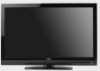
Vizio E371VA Manual
 |
UPC - 845226003592
View all Vizio E371VA manuals
Add to My Manuals
Save this manual to your list of manuals |
Vizio E371VA manual content summary:
- Vizio E371VA | E421VA User Manual - Page 1
LCD Television purchase. This User Manual covers E371VA, E421VA, E470VA and E550VA 120HZ series models, for any specific difference between the models please refer to the specification sheets in Chapter 6. Thank you for your support. For maximum benefit of your set, please read these instructions - Vizio E371VA | E421VA User Manual - Page 2
VIZIO 120HZ E SERIES User Manual Important Safety Instructions Your HDTV is designed and manufactured to operate within defined design limits, and misuse may result in electric shock or fire. To prevent your HDTV from being damaged, the following rules should be observed for the installation, use, - Vizio E371VA | E421VA User Manual - Page 3
with instructions. Incorrect polarities may cause the batteries to leak which can damage the remote control or injure the operator. • If any of the following occurs, contact the dealer: o The power cord fails or frays. o Liquid sprays or any object drops into your HDTV. o Your HDTV is exposed - Vizio E371VA | E421VA User Manual - Page 4
circuits, or where it could fall into such power lines or circuits. Remember, the screen of the coaxial cable is intended to be connected to earth in the building installation. FCC Bulletin for New TV Owners The nationwide switch to digital television broadcasting will be complete on June 12, 2009 - Vizio E371VA | E421VA User Manual - Page 5
VIZIO 120HZ E SERIES User Manual Table of Contents Important Safety Instructions...2 HDTV Accessories and Services ...6 Chapter 1 Setting Up Your HDTV ...7 Attaching the TV Stand ...7 Wall Mounting Your HDTV ...8 Chapter 2 Basic Controls and Connections ...10 Front Panel...10 Side Panel Controls... - Vizio E371VA | E421VA User Manual - Page 6
E470VA or E550VA Detachable Stand Base 4 Thumbscrews (to attach Stand) VIZIO Remote Control Power Cord Screen Cleaning Cloth This User Manual Quick Setup Guide Registration Card 2 AA Batteries for the Remote Control Caution: Do not apply pressure or throw objects at your HDTV. This may compromise - Vizio E371VA | E421VA User Manual - Page 7
on these services at 877MYVIZIO (877-698-4946) or www.VIZIO.com. Attaching the TV Stand Note: We strongly recommend that two people perform the setup and assembly due to the weight and size of the TV. To unpack the TV and stand base: 1. Remove the remote control, batteries, and power cord from - Vizio E371VA | E421VA User Manual - Page 8
the screen. c. Remove the TV stand base per above instructions. 3. Mount your HDTV on the wall: a. Attach your HDTV to a wall mount (sold separately) using the mounting holes in the back panel of your HDTV (see illustration at the right). b. Read the instructions that came with your specific wall - Vizio E371VA | E421VA User Manual - Page 9
VIZIO 120HZ E SERIES User Manual Preparing your LCD HDTV for Wall Mounting Your VIZIO HDTV can either be kept on the stand base or mounted on the wall for viewing. If you choose to mount the TV on the wall, please follow the instructions below for removing the stand. To remove the base stand: 5. - Vizio E371VA | E421VA User Manual - Page 10
VIZIO 120HZ E SERIES User Manual Chapter 2 Basic Controls and Connections Front Panel POWER 'VIZIO' LIGHT- The VIZIO name lights white when powered on and it will get dimmer when powered off. REMOTE CONTROL SENSOR and LIGHT SENSOR - This is the window through which all of the remote control signals - Vizio E371VA | E421VA User Manual - Page 11
Rear and Side Panel Connections VIZIO 120HZ E SERIES User Manual Version 3/8/2010 11 www.VIZIO.com - Vizio E371VA | E421VA User Manual - Page 12
VIZIO 120HZ E SERIES User Manual No. Connection Description 1 SPDIF Connect an SPDIF Optical cable from your HDTV to your home theater system to play digital audio through your home speakers. DTV/TV Connect to an antenna or digital cable for digital TV. For digital TV 2 (Cable/Antenna) - Vizio E371VA | E421VA User Manual - Page 13
VIZIO 120HZ E SERIES User Manual Remote Control Buttons SET - Use to program a different device (DVD, AUDIO SYSTEM, TV and CABLE/SATELLITE BOX) to be controlled by this control. POWER ( mode. ) - Press to turn the TV on from the Standby mode. Press it again to return to the Standby DVD, AUDIO, - Vizio E371VA | E421VA User Manual - Page 14
the Remote Control The included remote control can be programmed to control different devices: DVD players, Audio Players, TV and Set-Top Boxes. Please, refer to the tables at the end of this User's manual for the different codes to match the different manufacturers including the codes for VIZIO - Vizio E371VA | E421VA User Manual - Page 15
VIZIO remote uses codes 11758 and 10178 to work your LCD HDTV. To use a cable or satellite remote to work the LCD HDTV, refer to your cable or satellite remote user guide for more information on how to program the remote. If your cable or satellite remote uses a 5-digit code (like most Direct TV - Vizio E371VA | E421VA User Manual - Page 16
host (TV) unit. Note: You can use your HDTV Component input to accept A/V signal (Composite) from a source with A/V out, please plug your video signal (yellow connector) into the Component input (green connector) and match up the audio connectors (R and L) for the sound. Expect to see a black/white - Vizio E371VA | E421VA User Manual - Page 17
side of the LCD HDTV. 3. Turn on the power to the LCD HDTV and HDTV Set- Top Box. 4. Select HDMI using the INPUT button on the remote or side of the LCD HDTV, or directly by pressing the HDMI button on the Remote Control. Note: • • • The HDMI input on the LCD TV supports High-bandwidth - Vizio E371VA | E421VA User Manual - Page 18
VIZIO 120HZ E SERIES User Manual For Cable or Satellite Boxes with DVI: 1. Turn off the power to the LCD HDTV and HDTV Set-Top Box. 2. Using a HDMI-DVI cable, connect the DVI end to your HDTV Set-Top Box and the HDMI end to the HDMI2 Input at the side of the LCD HDTV. 3. Using an audio - Vizio E371VA | E421VA User Manual - Page 19
Turn on the power to the LCD HDTV and HDTV Set-Top Box. 7. Select Component using the INPUT button on the remote or side of the LCD HDTV, or directly by pressing the COMP button on the Remote Control. Note: • Refer to your HDTV Set-Top Box user manual for more information about the video output - Vizio E371VA | E421VA User Manual - Page 20
on the power to the LCD HDTV. 4. Select TV using the INPUT button on the remote or side of the LCD HDTV, or directly by pressing the TV button on the Remote Control. Using the Antenna or Cable through your VCR 1. Turn off the power to the LCD HDTV and VCR. 2. Connect the "Output to TV", "RF - Vizio E371VA | E421VA User Manual - Page 21
HDMI output of your DVD player and the other end to the HDMI Input at the side of the LCD HDTV. 3. Turn on the power to the LCD HDTV and your DVD player. 4. Select HDMI using the INPUT button on the remote or side of the LCD HDTV, or directly by pressing the HDMI button on the Remote Control - Vizio E371VA | E421VA User Manual - Page 22
: VIZIO 120HZ E SERIES User Manual 1. Turn off the power to the LCD HDTV and DVD player. 2. Using a HDMI-DVI cable, connect the DVI end to your DVD player and the HDMI end to the HDMI Input at the side of the LCD HDTV. 3. Using an audio cable (1/8' stereo connector on the going into the TV - Vizio E371VA | E421VA User Manual - Page 23
Select Component using the INPUT button on the remote or side of the LCD HDTV, or directly by pressing the COMP button on the Remote Control. Note: • Refer to your DVD player user manual for more information about the video output requirements of the product. Version 3/8/2010 23 www.VIZIO.com - Vizio E371VA | E421VA User Manual - Page 24
Select AV using the INPUT button on the remote or side of the LCD HDTV, or directly by pressing the AV button on the Remote Control. Notes: 1. Refer to your DVD player user manual for more information about the video output requirements of the product. 2. Expect to see a black/white video in the - Vizio E371VA | E421VA User Manual - Page 25
to the audio input connectors on the Receiver/Amp and connect the other end to the SPDIF OUT audio optical connector at the rear of the LCD HDTV. 3. Turn on the power to the HDTV and Receiver/Amp. 4. Then press the MENU button on the remote control to bring up the On-Screen Display (OSD - Vizio E371VA | E421VA User Manual - Page 26
) VIZIO 120HZ E SERIES User Manual 1. Turn off the power to the LCD HDTV and PC Computer. 2. Connect a 15-pin D-Sub RGB (VGA) cable to the RGB output of your pc computer and the other end to the RGB PC input at the rear of the LCD HDTV. 3. Using a 1/8" stereo cable, connect the Audio Out - Vizio E371VA | E421VA User Manual - Page 27
VIZIO 120HZ E SERIES User Manual Chapter 4 Setting Up to Watch Television Basic LCD HDTV Start Up 1. Connect Audio and Video Cables Connect audio and video cables from the desired components to your HDTV as described in "Connecting Devices." 2. Connecting the Power Cable Connect one end of the power - Vizio E371VA | E421VA User Manual - Page 28
VIZIO 120HZ E SERIES User Manual If your Time Zone observes the daylight savings, the next display will give the choice to select or no select it. Highlight your choice and press OK button to confirm your selection. 8. At this point if you have an outdoor antenna or use a cable service (No set-top - Vizio E371VA | E421VA User Manual - Page 29
: Your HDTV will display the television station or program selected by the cable box, VCR, external tuner, or satellite receiver. Use the remote control that came with that component to change programs or channels. If the service being used is the one which setup includes a box with two outputs for - Vizio E371VA | E421VA User Manual - Page 30
VIZIO 120HZ E SERIES User Manual Setting the Picture to User's Preferences 1. Press MENU on the remote control. The Main menu opens. 2. Press the Navigation arrow keys to select Picture, then press OK key. The Picture Settings menu opens. 3. Press ▲ or ▼ to see Picture Mode. 4. Press ◄or ► to select - Vizio E371VA | E421VA User Manual - Page 31
VIZIO 120HZ E SERIES User Manual Using the INFO Guide Press INFO three times on the remote to display program information for Description - It displays the name of the program being viewed as well as the Parental Control rating, if Closed Captioned and if it is a digital channel. Content - It shows - Vizio E371VA | E421VA User Manual - Page 32
VIZIO 120HZ E SERIES User Manual Watching a TV Program Before you start watching TV, please verify that all cables or antenna connections are secure, and the power cord is plugged into a correctly grounded electrical outlet or surge protector. 1. Press the power button on the remote or on the - Vizio E371VA | E421VA User Manual - Page 33
VIZIO 120HZ E SERIES User Manual Using the Navigation Wheel The Navigation Wheel on the remote control Audio Out, Bass & Treble and Reset Audio TV: The TV menu has the options to set up your TV if the original setting process was skipped. You can select Input, scan channels, change the Language, Set - Vizio E371VA | E421VA User Manual - Page 34
VIZIO 120HZ E SERIES User Manual Unique TV Features This HDTV comes with some extra features to make your TV experience more enjoyable. They are described as follows: 1. Photo: This feature allows using storage devices such as a portable hard drive or thumb drive or card - Vizio E371VA | E421VA User Manual - Page 35
VIZIO 120HZ E SERIES User Manual Adjusting Settings When viewing DTV / TV or an HDMI, Component, or AV, or Storage Device source, the following picture adjustment OSD screens are available when you press MENU on the remote control. Press to highlight and select the choice, then press OK key to - Vizio E371VA | E421VA User Manual - Page 36
VIZIO 120HZ E SERIES User Manual Adjusting Wide settings The following table shows the different screen modes and display sizes according to the content being sent to the HDTV. Note: The red lines show the video signal being over scanned. Version 3/8/2010 36 www.VIZIO.com - Vizio E371VA | E421VA User Manual - Page 37
VIZIO 120HZ E SERIES User Manual The following paragraphs describe in detail the differences of the Aspect Ratio being processed by the TV: Normal Mode The original 4:3 aspect ratio (1.33:1 source) is preserved, so black bars are added to the left and right of the display image. Standard TV - Vizio E371VA | E421VA User Manual - Page 38
VIZIO 120HZ E SERIES User Manual Adjusting the Audio Settings When viewing a DTV / TV or an HDMI, Component, AV, or PC source, the following audio adjustment OSD screens are available when you press MENU on the remote control. Press to highlight and select the choice, then press OK key to select - Vizio E371VA | E421VA User Manual - Page 39
VIZIO 120HZ E SERIES User Manual Adjusting the TV Settings If you did not set up your HDTV for DTV / TV channels using the Initial Setup screens or if your setup has changed, you can do so from the TV menu. Press MENU key to bring up the OSD menu, the default option is TV. Select it by pressing - Vizio E371VA | E421VA User Manual - Page 40
will not be able to see any detail in the bright parts of a picture. 6. Color - This option will help the overall color saturation of the image being displayed on the screen. 7. Tint - This option adjusts the hue of the picture. The easiest way to set hue is to look at flesh tones and adjust for - Vizio E371VA | E421VA User Manual - Page 41
option allows the user to reset any changed value in the Picture menu to the factory value without altering other menu settings. Adjusting the Parental Control settings When viewing a DTV / TV or a component, or AV source, the following parental control OSD screens are available within the Parental - Vizio E371VA | E421VA User Manual - Page 42
VIZIO 120HZ E SERIES User Manual The following options are available in the Parental menu: 1. Ratings Enable - This option allows blocking channels based on the ratings established by regulations. 2. Channel Locks - This option allows blocking channels no matter what content. 3. USA - TV - This - Vizio E371VA | E421VA User Manual - Page 43
VIZIO 120HZ E SERIES User Manual 4. USA - Movie - This option allows blocking of selected TV or Cable channels based on ratings established for US broadcasts. Select the desired rating and press OK to block (lock) or 17 years of age X - No one under 17 years of age Version 3/8/2010 43 www.VIZIO.com - Vizio E371VA | E421VA User Manual - Page 44
VIZIO 120HZ E SERIES User Manual 5. CAN - English - This option allows blocking of selected Canadian English TV or Cable channels based on age Movie Rating Definitions: C - Children C8+ - Children 8 years or older G - General programming, suitable for all audiences PG - Parental guidance 14+ - - Vizio E371VA | E421VA User Manual - Page 45
VIZIO 120HZ E SERIES User Manual 6. CAN - French - This option allows blocking of selected Canadian French TV or Cable channels based on age. Movie Rating Definitions: G - General audience 8 ans+ - General - not recommended for young children 13 ans+ - Not suitable for children under 13 years of - Vizio E371VA | E421VA User Manual - Page 46
VIZIO 120HZ E SERIES User Manual 7. Alternative Rating Region - This is reserved for future use in the event that the parental control system is ever updated. Your HDTV will be able to receive and update the rating system to it. 8. Block Unrated Shows - This option allows blocking of unrated - Vizio E371VA | E421VA User Manual - Page 47
VIZIO 120HZ E SERIES User Manual Adjustments on the Help Menu The Help settings menu allows seeing the up to date information regarding your HDTV as well as the option to reset all values of the TV parameters and features to defaults (factory) settings. The following options are available in the - Vizio E371VA | E421VA User Manual - Page 48
VIZIO 120HZ E SERIES User Manual Adjusting the CC (Closed Caption) settings When viewing a DTV / TV or an HDMI, Component, AV, or PC source, the following setup adjustment OSD screens are available when you press MENU on the remote control. Press to highlight and select the choice, then press OK - Vizio E371VA | E421VA User Manual - Page 49
Maintenance and Troubleshooting Maintenance Important 1. Make sure that the power cable is removed from the socket before cleaning the TV. 2. Do not use volatile solvent (such as toluene, rosin and alcohol) to clean the TV. Such chemicals may damage the housing, screen and remote control, and - Vizio E371VA | E421VA User Manual - Page 50
your audio settings. If TV input is selected, audio may be set to SAP, or speakers are set to off. If external devices are selected input, check the audio connections. If the screen is black. Make sure the power button is ON (VIZIO Logo glows white). Press the INPUT button on the TV or the Remote - Vizio E371VA | E421VA User Manual - Page 51
screen modes. You can see a picture but you cannot hear sound. Make sure that the volume is not turned down. Make sure that the sound is not muted. Make sure that your audio input source cables are connected securely and correctly. The TV has pixels that are always dark or colored. Your LCD HDTV - Vizio E371VA | E421VA User Manual - Page 52
can often resolve the problem over the phone. For more information on warranty service or repair, after the warranty period, please contact our Support Department at the number below. Customer support and quality service are integral parts of VIZIO's commitment to service excellence. For technical - Vizio E371VA | E421VA User Manual - Page 53
VIZIO 120HZ E SERIES User Manual FCC Class B Radio Interference Statement NOTE: This equipment has been tested and found to comply with the limits for a Class B digital device, pursuant to Part 15 of the FCC Rules. These limits are designed to provide reasonable protection against harmful - Vizio E371VA | E421VA User Manual - Page 54
VIZIO 120HZ E SERIES User Manual Chapter 6 Specifications Product specifications may change without notice or obligation. E371VA Specifications Panel 37" Diagonal (37" Diagonal viewing), 16:9 Aspect Ratio Resolution 1920 x 1080 pixels Pixel (Dot) Pitch 0.42675mm x 0.42675mm Display - Vizio E371VA | E421VA User Manual - Page 55
VIZIO 120HZ E SERIES User Manual E421VA Specifications Panel 42" Diagonal (42.02" Diagonal viewing), 16:9 Aspect Ratio Resolution 1920 x 1080 pixels Pixel (Dot) Pitch 0.4845mm x 0.4845mm Display Compatibility 1080p (FHDTV) Colors Brightness 1.06 Billion 500 cd/m2 (typical) Contrast with - Vizio E371VA | E421VA User Manual - Page 56
VIZIO 120HZ E SERIES User Manual E470VA Specifications Panel 47" Diagonal (46.96" Diagonal viewing),, 16:9 Aspect Ratio Resolution 1920 x 1080 pixels Pixel (Dot) Pitch 0.5415mm x 0.5415mm Display Compatibility 1080p (Full HDTV) Colors Brightness 1.06 Billion 500 cd/m2 (typical) Contrast - Vizio E371VA | E421VA User Manual - Page 57
VIZIO 120HZ E SERIES User Manual E550VA Specifications Panel 55" Diagonal (54.64" Diagonal viewing),, 16:9 Aspect Ratio Resolution 1920 x 1080 pixels Pixel (Dot) Pitch 0.630mm x 0.630mm Display Compatibility 1080p (FHDTV) Colors Brightness 1.06 Billion 500 cd/m2 (typical) Contrast with - Vizio E371VA | E421VA User Manual - Page 58
VIZIO 120HZ E SERIES User Manual Preset PC Resolutions E371VA, E421VA, E470VA & E550VA Preset PC Resolutions If connecting to a PC through the RGB PC input, set the TV timing mode to VESA 1920x1080 at 60HZ for better picture quality (refer to the graphic card's user guide for questions on how to - Vizio E371VA | E421VA User Manual - Page 59
outputting HDTV signals for display. It may be stand-alone or integrated in the set. High-Definition Television (HDTV): The best quality picture, wide screen (16x9) display with at least 720 progressively scanned lines (720P) or 1080 interlaced lines (1080i) and Dolby digital surround sound. HDTV - Vizio E371VA | E421VA User Manual - Page 60
IS REQUIRED BEFORE SENDING ANY UNIT IN FOR SERVICE. Any returns to VIZIO's service centers must utilize either the original carton box and shipping material or a replacement box and material provided by VIZIO. VIZIO technical support will provide instructions for packing and shipping the unit to the - Vizio E371VA | E421VA User Manual - Page 61
VIZIO 120HZ E SERIES User Manual THERE ARE NO EXPRESS WARRANTIES OTHER THAN THOSE LISTED OR DESCRIBED ABOVE. ANY IMPLIED WARRANTIES, INCLUDING ANY IMPLIED WARRANTY OF MERCHANTABILITY AND FITNESS FOR A PARTICULAR PURPOSE, SHALL BE LIMITED IN DURATION TO THE PERIOD OF TIME SET FORTH ABOVE. VIZIO'S - Vizio E371VA | E421VA User Manual - Page 62
24 contrast adjusting, 40 Controls Front Panel, 10 Side Panel, 10 D DTV jack, 12 DVI Connecting your Cable Box, 18 Connecting your DVD Player, 22 Connecting your Satellite Box, 18 Version 3/8/2010 VIZIO 120HZ E SERIES User Manual F FCC Bulletin for New TV Owners, 4 G Glossary, 57 H HDMI Connecting - Vizio E371VA | E421VA User Manual - Page 63
safety instructions, 2 Setting up, 7 sharpness adjusting, 40 speakers turning off and on, 38 S-Video Connecting your DVD Player, 24 T Technical Specifications, 54, 55 tint adjusting, 40 VIZIO 120HZ E SERIES User Manual Troubleshooting Guide, 50 tuner mode selecting, 39 TV settings adjusting, 39 TV - Vizio E371VA | E421VA User Manual - Page 64
VIZIO 120HZ E SERIES User Manual Code for Programming the Remote Control Use the following tables to find the codes for the device which you would control with the remote. Setup Codes For Audio Amplifier (A) Adcom 31100 Anthem 32220 Cary Design Audio 31879 Denon 32134 Flextronics 31879 - Vizio E371VA | E421VA User Manual - Page 65
VIZIO 120HZ E SERIES User Manual Panasonic Pioneer Rogers Scientific Atlanta Sejin 01982 01877, 00877 01877 01877, 00877 01376, 01877 Time Warner 01376, 01877, 02187 Tivo 02576 WideOpenWest 01877 Setup Codes For Audio Accessory (M) Accurian Acoustic Research 65 www.VIZIO.com 31106 32226 - Vizio E371VA | E421VA User Manual - Page 66
VIZIO 120HZ E SERIES User Manual Altec Lansing 30607, 31056, 32251 Apple 31115 Creative 32288 D-Link 31522 Denon DLO GPX 32502, 32815 31155 32113 Griffin iDeck iHome iLive Logitech 31891 31106 32152 32113 32182 Memorex 32119 Monitor Audio 31106 Netgear 31785 Nyko 32231 Philips - Vizio E371VA | E421VA User Manual - Page 67
VIZIO 120HZ E SERIES User Manual Epson Gateway GE 01563 01272 02360, 02450 Goodmind 02450 Gridlink 02348 Hewlett Packard 01272 Howard Computers Seagate Sensory Science Sling Media Sony 02698 01126 02612 01272 Stack 9 01272 Sunkey SureWest Sylvania 67 www.VIZIO.com 02695 01481 01563 - Vizio E371VA | E421VA User Manual - Page 68
02558 02454 02049 Zenith Zentech Zinwell ZT Group 01415 02491 02488 01272 Setup Codes For Audio Receiver (R) Aiwa 31405, 31388, 31641 Akai 31512 Alco 31390 AMC 31077 VIZIO 120HZ E SERIES User Manual Amphion Media Works AMW 31563, 31615 31563, 31615 Anam 31609, 31074 Apex Digital - Vizio E371VA | E421VA User Manual - Page 69
31497 31798 31437 31293, 32197, 32284 31497 31189, 31269, 31514 VIZIO 120HZ E SERIES User Manual Marantz McIntosh Micromega Mitsubishi Myryad Nakamichi Norcent Nova Onkyo Optimus Oritron Panasonic Philips Pioneer Polaroid Polk Audio Proscan 31189, 31269, 31289, 32114 31289 31189 31393 31189 31313 - Vizio E371VA | E421VA User Manual - Page 70
VIZIO 120HZ E SERIES User Manual RCA 31023, 31609, 31254, 31074, 31390, 31511, 32041 Regent Rio Vizio XM Yamaha Zenith 31189 31788 31390 31517 31406, 31414, 31846 32061, 30176, 30376, 31176, 31276, 31331, 31375, 31376, 31476, 31815, 32455, 32467, 32471 31293 Setup Codes For Satellite Set Top - Vizio E371VA | E421VA User Manual - Page 71
00775, 01775 01142, 00749, 01749, 01442, 01443, 01444 00869 00775, 01170, 01775 01414 00749 Motorola 00869 Next Level 00869 VIZIO 120HZ E SERIES User Manual Panasonic Pansat Philips Proscan RadioShack RCA Samsung Sonicview Sony Star Choice Tivo Toshiba ViewSat Voom Zenith 00247, 00701 01807 - Vizio E371VA | E421VA User Manual - Page 72
Tivo 01142, 01442, 01443, 01444 ViewSat 01994 Setup Codes For Television (T) Admiral 10093, 10463 Advent 10761, 10783, 10815, 10842 10812, 11675, Akai 10702, 10672, 11207, 11935, Version 3/8/2010 VIZIO 120HZ E SERIES User Manual 12232 Albatron Ampro 10700, 10843 10751 AOC 11365 - Vizio E371VA | E421VA User Manual - Page 73
VIZIO 120HZ E SERIES User Manual Coby Commercial Solutions Crosley 11634, 12306, 12315, 12340, 12343, 12344, 11670, 11672 Element Emerson Emprex Envision Epson ESA Fujitsu Funai Gateway GE GFM Gibralter 73 www.VIZIO.com 11687, 12183 11864, 11394, 10017, 10451, 10463, 10178, 10171, 11661,10623, - Vizio E371VA | E421VA User Manual - Page 74
VIZIO 120HZ E SERIES User Manual Go Video GoldStar Grundig Haier Hallmark Hanns.G 10886 10178 10683 iLo 11494, 11502 11501 10849 11603, 11684, 11990 Version 3/8/2010 KDS KLH LG LXI MAG 74 www.VIZIO.com 10054 12199 11603, 11990 12049, 11423, 11564, 10171, 11204, 11517, 11641, 11660,11710, 11892 - Vizio E371VA | E421VA User Manual - Page 75
10017, 10051 11603, 11990 11250, 10093, 10150, 10178, 10836, 10868, 12010 10700, 10843 10093 10060 10156, 10178, 10866, 11156 VIZIO 120HZ E SERIES User Manual NEC NetTV 10497, 10704, 10882, 11704, 11797 11755 Nexus Electronics Nikko Norcent NuVision 12183 10178 10748, 10824, 11365, 11589, 11590 - Vizio E371VA | E421VA User Manual - Page 76
VIZIO 120HZ E SERIES User Manual Philco Philips Pioneer Polaroid Portland Prima Princeton 11394, 10054, 10171, 11271, 11963 11454, 11866, 10054, 10690, 11154, 11744, 11867 10178 10178, 11711 10047, 10054, 10156, 10178, 10171 10818, 10093, 10491, 10688, 10851, 12360 10093 11399 76 www.VIZIO.com - Vizio E371VA | E421VA User Manual - Page 77
, 11240, 11331 10093 11756 10250, 10051 10847 10051 10054, 10150, 10060 10702 10178 10017 VIZIO 120HZ E SERIES User Manual Toshiba TruTech TVS Venturer Victor Vidikron Vidtech Viewsonic Viore Vizio Wards Waycon Westinghouse White Westinghouse Wyse Yamaha 11524, 10156, 11256, 11265, 10060, 10650 - Vizio E371VA | E421VA User Manual - Page 78
Zenith 11423, 10000, 10047, 10017, 10463, 11265, 10178, 11145,10145, 11661 TV/DVD Combination (T) Akai 11675, 11935, 12232 Audiovox 11937, 11951, 11952 Axion 11937 Broksonic 11935 VIZIO 120HZ E SERIES User Manual Electrohome 11670 Emerson ESA Funai 11864, 11963 11963 11394, 11963 GFM - Vizio E371VA | E421VA User Manual - Page 79
Panasonic 11941 VIZIO 120HZ E SERIES User Manual RCA Sylvania Symphonic Toshiba 11953 11944 11944 11945 Philips 11961 Westinghouse 11300 12104, TV/VCR/DVD Combination (T) Emerson ESA Insignia Magnavox Panasonic 11944 11944 11963, 12088 11944 11946 Version 3/8/2010 Setup Codes For Video - - Vizio E371VA | E421VA User Manual - Page 80
VIZIO 120HZ E SERIES User Manual Electrohome Electrophonic Emerex Emerson 20037, 20043 20037 20032 20037, 20000, 20043, 20278, 20593, 21593 Fuji 20035, 20033 Microsoft 21972 Mind Minolta Mitsubishi Motorola MTC Multitech 21972 20042 20067, 20043 20035, 20048 20000 20000 80 www.VIZIO.com - Vizio E371VA | E421VA User Manual - Page 81
120HZ E SERIES User Manual NEC 20067, 20038 Nikko Niveus Media Northgate Olympus 20037 21972 21972 20035 Optimus Panasonic 21062, 20162, 20037, 20048, 20593 21062, 20035, 20162, 20614, 20616 Penney 20035, 20037, 20042, 20038 Pentax 20042 Philco 20035 Philips Pilot Pioneer Polk Audio - Vizio E371VA | E421VA User Manual - Page 82
VIZIO 120HZ E SERIES User Manual Tagar Systems 21972 Tashiko 20037 Teac Technics Teknika 20000 20035, 20162 20035, 20037, 20000 Thomas 20000 Tivo 20739, 20618, Linksys 21972 Media Center PC 21972 Microsoft 21972 Mind 21972 Niveus Media 21972 Version 3/8/2010 82 www.VIZIO.com - Vizio E371VA | E421VA User Manual - Page 83
, 20636, 20740 21972 21972 21972 21972 21972 TV/VCR Combination (V) Version 3/8/2010 VIZIO 120HZ E SERIES User Manual America Action Audiovox Emerson Funai Harley Davidson Hitachi Lloyd 20000, 20593 Thomas Zenith 20000 20000 Setup Codes For Video - DVD (Y) Accurian 20675 Aiwa 20641 83 www - Vizio E371VA | E421VA User Manual - Page 84
California Audio Labs Cinea 20695 20490 20831 CineVision 20869 Citizen Coby 20695, 22116 20778, 20852, 21086, 21107, 21165, 21177, 21351, 21628,22538 Craig 20831 Curtis 22660 Curtis Mathes 21087 CyberHome 20816, 21023, 21024, 21129, Version 3/8/2010 VIZIO 120HZ E SERIES User Manual - Vizio E371VA | E421VA User Manual - Page 85
VIZIO 120HZ E SERIES User Manual Humax iLo Initial Insignia Integra JBL JVC Kawasaki Kenwood KLH Konka Lenoxx LG 21340, 21354, 21506, 22434 21024 20525, 20571, 20142, 20631, 20632, 21460, 21512, 21571, 22442 Polaroid Polk Audio 85 www.VIZIO.com 21013, 21020, 21061, 21086, 22110, 22140 20539 - Vizio E371VA | E421VA User Manual - Page 86
VIZIO 120HZ E SERIES User Manual Portland Presidian Proceed Proscan ProVision RCA Rio 21606, 21608, 22006, 22277 Urban Concepts 20503 Venturer 20790, 22195 Viore 22300, 22553, 22580 Vizio 21064, 21226, 22563 Westinghouse 22513 Xbox 20522, 22083 Yamaha Zenith 20490, 20539, 20646, 20545 - Vizio E371VA | E421VA User Manual - Page 87
VIZIO 120HZ E SERIES User Manual Insignia Integra JVC LG Magnavox Marantz Microsoft NAD Olevia Onkyo Oppo Panasonic Philips Pioneer RCA Samsung Sharp Sony Sylvania Toshiba Viore Vizio , 21070, 21536 20675 21512 21503, 21510, 21588 TV/DVD Combination (Y) Akai Audiovox Axion Broksonic Citizen Coby - Vizio E371VA | E421VA User Manual - Page 88
Mintek Panasonic Polaroid Proscan 21013, 22255, 22620 22472 22485 21472, 22229, 22632 21472 21490 21013, 22110, 22140 22450 VIZIO 120HZ E SERIES User Manual RCA Sansui Sharp Sylvania Toshiba Venturer Viore Westinghouse 21013, 22392 20695 22561 20675, 22194, 22212 20695, 21606 22195 22300
-
 1
1 -
 2
2 -
 3
3 -
 4
4 -
 5
5 -
 6
6 -
 7
7 -
8
-
9
-
10
-
11
-
12
-
13
-
14
-
15
-
16
-
17
-
18
-
19
-
20
-
21
-
22
-
23
-
24
-
25
-
26
-
27
-
28
-
29
-
30
-
31
-
32
-
33
-
34
-
35
-
36
-
37
-
38
-
39
-
40
-
41
-
42
-
43
-
44
-
45
-
46
-
47
-
48
-
49
-
50
-
51
-
52
-
53
-
54
-
55
-
56
-
57
-
58
-
59
-
60
-
61
-
62
-
63
-
64
-
65
-
66
-
67
-
68
-
69
-
70
-
71
-
72
-
73
-
74
-
75
-
76
-
77
-
78
-
79
-
80
-
81
-
82
-
83
-
84
-
85
-
86
-
87
-
88
 |
 |
VIZIO 120HZ E SERIES User Manual
Version 3/8/2010
1
www.VIZIO.com
Dear VIZIO Customer,
Congratulations on your new VIZIO High Definition LCD Television purchase. This User
Manual covers E371VA, E421VA, E470VA and E550VA 120HZ series models, for any
specific difference between the models please refer to the specification sheets in Chapter
6. Thank you for your support.
For maximum benefit of your set, please read these
instructions before making any adjustments, and retain them for future reference.
We
hope you will experience many years of enjoyment from your new VIZIO HDTV.
For assistance
, please call (877) 698-8462 or visit us at
www.vizio.com
To purchase or inquire about accessories and installation services for your VIZIO LCD
HDTV, please visit our website at
www.vizio.com
or call toll free at
(888) 849-4623.
We recommend you register your VIZIO HDTV either at our website
www.VIZIO.com
or
fill in your registration card and mail it in.
For peace of mind and to protect your
investment beyond the standard warranty, VIZIO offers on-site extended warranty service
plans.
These plans give additional coverage during the standard warranty period.
Visit
our website or call us to purchase a plan.
Write down the serial number located on the back of your HDTV.
__ __ __ __ __ __ __ __ __ __ __ __ __
Purchase Date _____________________
VIZIO is a registered trademark of VIZIO, Inc. dba V, Inc.
HDMI logo and “High Definition Multimedia Interface” are registered trademarks of HDMI Licensing LLC.
Manufactured under license from Dolby Laboratories.
Dolby and the double-D symbol are trademarks of Dolby Laboratories.
and
are trademarks of SRS Labs, Inc.
TruSurround HD and TruVolume technologies are incorporated under license from SRS Labs, Inc.
This product qualifies for ENERGY STAR in the “factory default (Home Use)” setting and this is the
setting in which power savings will be achieved. Changing the factory default picture setting or enabling
other features will increase power consumption that could exceed the limits necessary to qualify for
Energy Star rating.
THE TRADEMARKS SHOWN HEREIN ARE THE PROPERTY OF THEIR RESPECTIVE OWNERS;
IMAGES USED ARE FOR ILLUSTRATION PURPOSES ONLY. VIZIO, THE V LOGO, WHERE VISION
MEETS VALUE AND OTHER VIZIO TRADEMARKS ARE THE INTELLECTUAL PROPERTY OF VIZIO
INC.
PRODUCT SPECIFICATIONS ARE SUBJECT TO CHANGE WITHOUT NOTICE. © 2010 VIZIO
INC. ALL RIGHTS RESERVED.