
Epson XP-600 Epson Connect Guide
Epson XP-600 Manual
 |
View all Epson XP-600 manuals
Add to My Manuals
Save this manual to your list of manuals |
Epson XP-600 manual content summary:
- Epson XP-600 | Epson Connect Guide - Page 1
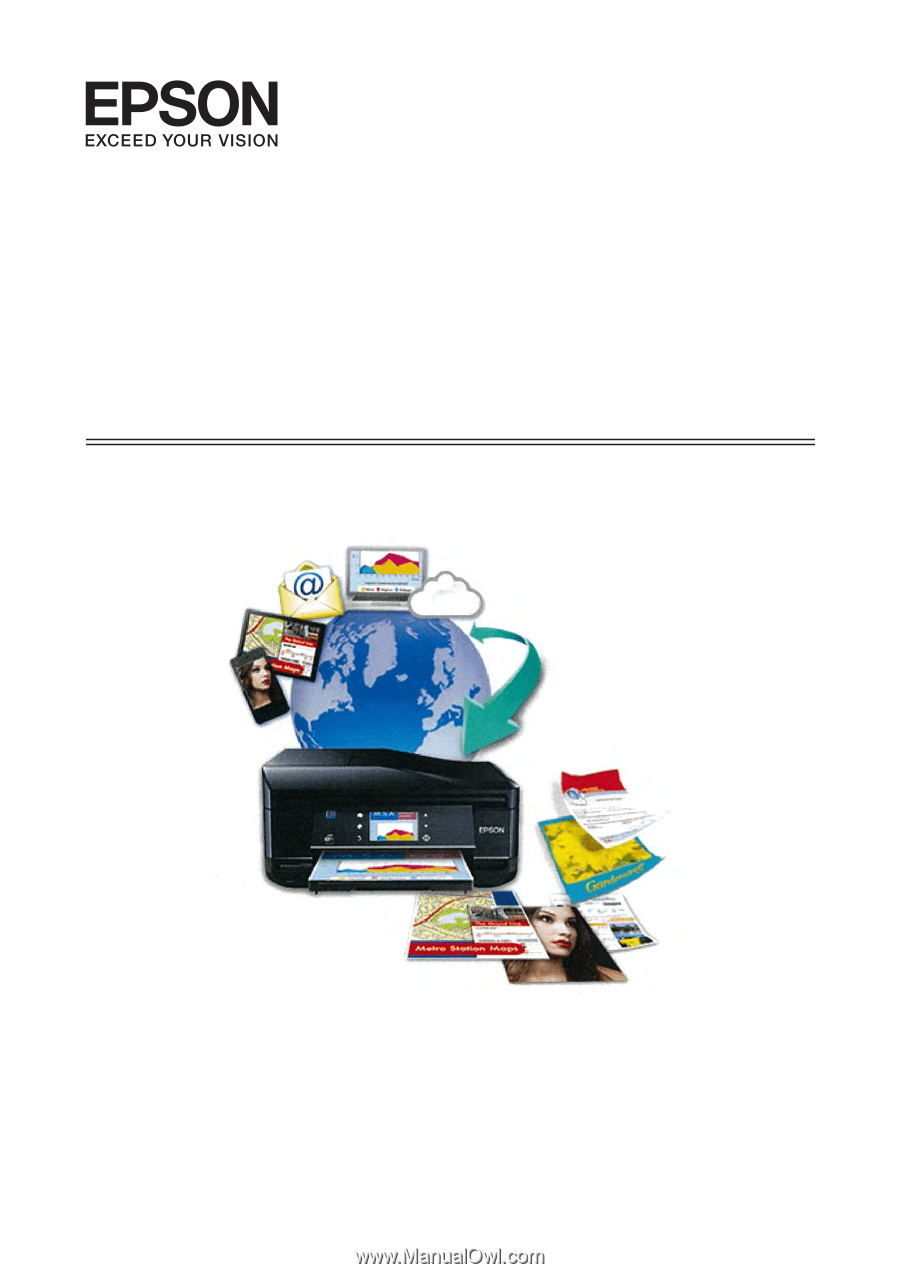
Epson Connect Guide NPD4706-00 EN - Epson XP-600 | Epson Connect Guide - Page 2
Page 4 Email Print 5 Scan to Cloud 6 Epson iPrint (3.x 7 Epson Remote Driver (Windows only 9 Other Company Network Solutions 10 Google Cloud Print 10 AirPrint 12 Setting up the Services Setting Up from Your Computer 13 Setup workflow 13 Setting up with the printer software disc 13 Setting - Epson XP-600 | Epson Connect Guide - Page 3
fax. You can also use your Epson printer to scan a file and upload it to a specific destination, such as an online storage or "Cloud" account. Access the Epson Connect portal website from the following URL: https://www.epsonconnect.com/ The following services are available. ❏ Email Print (Print - Epson XP-600 | Epson Connect Guide - Page 4
and setting an Access Key for the Remote Print service ❏ Creating and editing the Destination List for the Scan to Cloud service Note: ❏ If you want to use Remote Print services (Epson iPrint or Epson Remote Driver), you have to check that Remote Print is enabled on the User Page. ❏ If you want - Epson XP-600 | Epson Connect Guide - Page 5
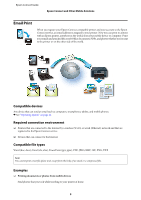
Epson Connect Guide Epson Connect and Other Mobile Solutions Email Print When you register your Epson Connect compatible printer and your account to the Epson Connect service, an email address is assigned to your printer. Now you can print to anyone with an Epson printer, anywhere in the world, - Epson XP-600 | Epson Connect Guide - Page 6
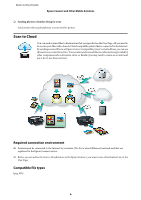
that is connected to the Internet. By sending scanned files to an Epson Connect compatible printer's email address, you can use this service as a color fax service. You can also send scanned files to online services provided by other companies such as Evernote, eFax, or Kindle (you may need to - Epson XP-600 | Epson Connect Guide - Page 7
Epson Connect Guide Epson Connect and Other Mobile Solutions Examples ❏ Using as a color fax service You can use the Email Print and Scan to Cloud services to turn your Epson printer into a color fax service. ❏ Uploading handouts to your online storage Scan and upload handouts as PDFs to the - Epson XP-600 | Epson Connect Guide - Page 8
types can be printed by using remote printing over the Internet. Note: The list of supported file types may have been updated. See your regional Epson website for the latest information. Item PDF (pdf) PowerPoint (ppt, pptx) Word (doc, docx) Excel (xls, xlsx) Device and Printer are Connected to - Epson XP-600 | Epson Connect Guide - Page 9
handouts to an online storage service, you can print from anywhere. You can make print settings such as paper size, paper type, and print quality, as well as display a print preview. Epson Remote Driver (Windows only) You can use an Epson Connect compatible printer over the Internet from a remote - Epson XP-600 | Epson Connect Guide - Page 10
in a video conference Print additional handouts on a printer at a remote office over the Internet during a video conference. To print using Remote Print, simply select the printer over the Internet. Other Company Network Solutions Epson printers support other mobile solutions. Available services may - Epson XP-600 | Epson Connect Guide - Page 11
supported by Google Docs For more details about compatible file types, see the Google website. Examples ❏ Printing files on Google websites Print emails received in Gmail and data in Google Docs from anywhere. If Google Chrome is installed on your computer, you can print displaying web pages, PDFs - Epson XP-600 | Epson Connect Guide - Page 12
Epson Connect Guide Epson Connect and Other Mobile Solutions AirPrint AirPrint makes it simple to print your emails, photos, web pages, and documents straight from your iPad, iPhone, or iPod touch. You do not need to download any software, install any drivers, or connect any cables. With just a - Epson XP-600 | Epson Connect Guide - Page 13
Computer You can start up the Epson Connect services from your computer by using the installer provided on the printer software disc. Setup workflow 1. Basic printer setup Install the ink cartridges Setup on the printer's control panel Insert the printer software disc Connect to the network Setting - Epson XP-600 | Epson Connect Guide - Page 14
the Epson Connect service. For Mac OS X A Launch Download Navigator. Double-click Macintosh HD > Applications > Epson Software > Download Navigator then double-click on the Download Navigator icon. Note: If you cannot find the Download Navigator, install it from your printer's software disc. B When - Epson XP-600 | Epson Connect Guide - Page 15
7 in "For Mac OS X" on page 14. C When you have finished entering your account information, click Register. If your printer supports the Scan to Cloud service, go to "3. Creating a Destination List for the Scan to Cloud service" on page 16. Information necessary to register to Epson Connect The - Epson XP-600 | Epson Connect Guide - Page 16
Print service To allow users to use the printer over the Internet, Remote Print must be enabled. For more information on using Remote Print: & Epson iPrint: See "Using Epson iPrint over the Internet (Remote Print)" on page 30. & Epson Connect Remote Driver (Windows only): See "Epson Remote Driver - Epson XP-600 | Epson Connect Guide - Page 17
Epson Connect Guide Setting up the Services B Follow the on-screen instructions to launch the installer, and then connect your printer to the network. Continuously refer to the next section "Registering an additional printer", and create your Epson Connect account and register your printer. - Epson XP-600 | Epson Connect Guide - Page 18
is complete, you cannot use the Epson Connect service. C Click Firmware Update, and then follow the instructions to update the printer's firmware. D Click Epson Connect Services. After registration is complete, if you want to setup Scan to Cloud or Remote Print, click the URL to open the - Epson XP-600 | Epson Connect Guide - Page 19
Epson Connect Guide Setting up the Services Install the ink cartridges Setup on the printer's control panel Connect to the network Download and install Epson iPrint A Turn on the printer. B Open Web Config for the printer. To display Web Config, see "To open Web Config" on page 17 2. Connecting - Epson XP-600 | Epson Connect Guide - Page 20
Epson Connect Guide Setting up the Services F The License Agreement is displayed. Tap Epson Connect Member Service Terms and Conditions, and read the information displayed. Select Accept, and then tap Next. H Load paper into your printer, and then tap OK when the following screen is displayed. G - Epson XP-600 | Epson Connect Guide - Page 21
make your settings. Setting Up Google Cloud Print Google Cloud Print allows you to print from anywhere over the Internet. To use this service, you need to register your printer to Google Cloud Print. Epson printers support Google Cloud Print, which allows you to use your printer without drivers - Epson XP-600 | Epson Connect Guide - Page 22
then click or tap Sign in. C Open Web Config on your printer. & See "To open Web Config" on page 17. D Tap Firmware Update, and then follow the instructions to update the printer's firmware. E Click or tap Google Cloud Print Services. F Click or tap Register. G Click or tap Usage Advisory and read - Epson XP-600 | Epson Connect Guide - Page 23
can suspend or resume the Email Print and the Remote Print service. ❏ Settings for email notifications You can make email notification settings. When the Epson Connect server receives an email or an error occurs, an email notification is sent to the owner of the printer and the sender of the email - Epson XP-600 | Epson Connect Guide - Page 24
Epson Connect Guide Using the Services A Create an email and attach the photos or documents you want to print. ❏ Short Message Services (SMS) unique to mobile phone providers are not supported. Note: ❏ Text in the body of the email will print separately from the attachment. ❏ You can set whether - Epson XP-600 | Epson Connect Guide - Page 25
Epson Connect Guide Using the Services B Select Print Log in Email Print from the menu on the left. C The print job is displayed. Click or tap Cancel in the Status column. D When the Status changes to Cancel, the print job has been canceled. Enabling and editing the Approved Senders List By - Epson XP-600 | Epson Connect Guide - Page 26
Guide Using the Services Change Print Settings When you select print settings, all emails are printed according to your settings. When multiple printers have been registered, you can select print settings for each printer. Depending on the model, the Scan to Cloud service may not supported - Epson XP-600 | Epson Connect Guide - Page 27
your documents and photos on an Epson printer connected to a wireless (Wi-Fi) network from your smartphone or tablet (iOS/Android). You can even scan and save the file on your device to send it as an email or upload to an online storage service. If your printer supports Email Print, you can use the - Epson XP-600 | Epson Connect Guide - Page 28
Guide Using the Services Installing Epson iPrint Download and install Epson iPrint from the App Store or from Google Play. This app is free and you can find it by searching for "Epson iPrint". Using Epson iPrint in a local Wi-Fi network Print and scan your documents and photos to an Epson printer - Epson XP-600 | Epson Connect Guide - Page 29
Epson Connect Guide Using the Services Tap to delete a displayed photo. Tap or orientation. to rotate the paper D Tap (iOS), or press the Menu button and tap Print Settings (Android). Select the print settings you want, and then tap Done. E Tap Print. Saved Documents Print documents - Epson XP-600 | Epson Connect Guide - Page 30
Connect Guide Using the Services Scan Scan files to your device from a printer that supports Epson iPrint. You can even send scanned files by email or upload to an online storage service. A Place the original in the printer. B Tap Scan. C Tap (iOS), or press the Menu button and tap Print - Epson XP-600 | Epson Connect Guide - Page 31
Print service" on page 16. Installing the Epson Remote Driver and registering a printer Download and setup the Epson Remote Driver. A Download Epson Remote Driver from the following URL: http://support.epson.net/ wrdriver/ B Double-click "Setup.exe" of Epson Remote Driver. C Select EPSON Remote - Epson XP-600 | Epson Connect Guide - Page 32
start printing. Note: For more information about Epson Remote Driver, see the printer driver's Help. A Sign in to the User Page. Note: If multiple printers have been registered, select the printer you want to configure from the printer list. B Select Email Notification Settings in Services Settings - Epson XP-600 | Epson Connect Guide - Page 33
Enter your Google Account credentials, and then click Sign in. D Open the web page you want to print. Other Company Network Services Google Cloud Print You can print data over the Internet on a printer that supports Google Cloud Print. You can use this service from a computer or a smart device. 33 - Epson XP-600 | Epson Connect Guide - Page 34
Epson Connect Guide Using the Services E Click at the top right, and then select Print. The print screen is displayed. C Enter the email address and password, and then tap Sign in. Your ID (email address) is displayed in the same location as - Epson XP-600 | Epson Connect Guide - Page 35
. ❏ Use iOS 5.x or later to use AirPrint with Epson printers. If your device is iOS 4.x, update to iOS 5.x or later. Printing with iOS 4.x may adversely affect the printing results. AirPrint settings You can use Web Config to make settings for AirPrint (Bonjour settings). A Open Web Config on your - Epson XP-600 | Epson Connect Guide - Page 36
Epson Connect Guide Using the Services D Tap OK. Suspending Services A Sign in to the User Page. Note: If multiple printers have been registered, select the printer you want to configure from the printer list. You can suspend services when you want (for example, when you want to prevent print - Epson XP-600 | Epson Connect Guide - Page 37
Suspend/Resume. Note: To resume the services, select Suspend/Resume from the Epson Connect Services or Google Cloud Services again. From Web Config Suspend the Epson Connect services or the Google Cloud Print service from Web Config. A Open Web Config on the printer. & See "To open Web Config" on - Epson XP-600 | Epson Connect Guide - Page 38
by initializing the services from the printer's control panel. From a computer A Launch the Epson Connect Printer Setup, and then follow the on-screen instructions. Windows: Click Start > All Programs > Epson > Epson Connect Printer Setup and then Epson Connect Printer Setup. Mac OS X: Double-click - Epson XP-600 | Epson Connect Guide - Page 39
Delete. D Click or tap OK when the confirmation message is displayed. E The complete screen is displayed. Your printer is deleted from the Epson Connect or Google Cloud Print service. Close the browser. The printer begins communicating with the server. F Select OK and return to the Setup mode. Your - Epson XP-600 | Epson Connect Guide - Page 40
and telephone numbers (for fax capable models) are registered to the printer itself. We suggest that you delete the setup information by following the printer's documentation. Private information in the Epson Connect service If you have used the Epson Connect service, make sure you delete registered - Epson XP-600 | Epson Connect Guide - Page 41
Connect Guide Troubleshooting Troubleshooting Restrictions The following restrictions apply to the Epson Connect and Google Cloud Print services. ❏ Epson Connect does not support IPv6. ❏ The connection cannot pass through more than one proxy server. ❏ Because Epson Connect uses XMPP communication - Epson XP-600 | Epson Connect Guide - Page 42
Epson Connect Guide Troubleshooting ❏ The printer owner has suspended the Email Print service: The printer owner has suspended the Email Print service for the printer. When you enable Email Notifications on the User Page, the server notifies the sender of the email when this error occurs. ❏ The - Epson XP-600 | Epson Connect Guide - Page 43
. You can check supported printers for each service from Epson's website. If the menu is not displayed even though the printer supports with this function, the printer firmware may need to be updated. Click or tap Firmware Update in Web Config, and then follow the on-screen instructions to check and - Epson XP-600 | Epson Connect Guide - Page 44
. Try converting the file to PDF format, or printing over the Internet. For more information on supported formats, see "Epson iPrint (3.x)" on page 7. Cannot install the driver ❏ Your computer's operation system does not support this driver. Epson Remote Driver is for Windows only. The following - Epson XP-600 | Epson Connect Guide - Page 45
to use the remote printing service. For more information, contact your network administrator. AirPrint The printer is not found ❏ The printer is not available with this function: Check that the printer supports AirPrint on Epson's website. ❏ The network does not work: Check that the printer and the - Epson XP-600 | Epson Connect Guide - Page 46
Epson Connect Guide Appendix Appendix System Requirements The Epson Connect service is available under the following conditions. Operating system Computer ❏ Windows 7, Windows Vista, Windows XP, Windows XP x64 ❏ Mac OS X 10.5.x or later Smartphone, tablet ❏ iOS: iPhone or iPod Touch with iOS v 4.1
-
 1
1 -
 2
2 -
 3
3 -
 4
4 -
 5
5 -
 6
6 -
 7
7 -
8
-
9
-
10
-
11
-
12
-
13
-
14
-
15
-
16
-
17
-
18
-
19
-
20
-
21
-
22
-
23
-
24
-
25
-
26
-
27
-
28
-
29
-
30
-
31
-
32
-
33
-
34
-
35
-
36
-
37
-
38
-
39
-
40
-
41
-
42
-
43
-
44
-
45
-
46
 |
 |
Epson Connect Guide
NPD4706-00 EN