
Samsung SGH-T959 This Document Is For The T-mobile Sgh-t959 (vibrant) Only. (
Samsung SGH-T959 Manual
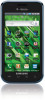 |
UPC - 610214622631
View all Samsung SGH-T959 manuals
Add to My Manuals
Save this manual to your list of manuals |
Samsung SGH-T959 manual content summary:
- Samsung SGH-T959 | This Document Is For The T-mobile Sgh-t959 (vibrant) Only. (
- Page 1
PORTABLE QUAD-BAND MOBILE PHONE User Manual Please read this manual before operating your phone, and keep it for future reference. - Samsung SGH-T959 | This Document Is For The T-mobile Sgh-t959 (vibrant) Only. (
- Page 2
reverse engineer, decompile, disassemble, or otherwise attempt to create source code from the software. No title to or ownership in the Intellectual 4357) Internet Address: http://www.samsung.com © 2011 Samsung Telecommunications America, LLC is a registered trademark of Samsung Electronics - Samsung SGH-T959 | This Document Is For The T-mobile Sgh-t959 (vibrant) Only. (
- Page 3
(Automated Response System) at: http://www.samsung.com/us/support T9 Text Input is licensed by Tegic Communications and is covered by U.S. Pat. 5,818,437; U.S. Software Some software components of this product incorporate source code covered under GNU General Public License (GPL), GNU Lesser - Samsung SGH-T959 | This Document Is For The T-mobile Sgh-t959 (vibrant) Only. (
- Page 4
ANY LAW, RULE, SPECIFICATION OR CONTRACT PERTAINING THERETO. NOTHING CONTAINED IN THE INSTRUCTION MANUAL SHALL BE CONSTRUED TO CREATE AN EXPRESS OR IMPLIED WARRANTY OF ANY KIND WHATSOEVER WITH RESPECT TO THE PRODUCT. IN ADDITION, SAMSUNG SHALL NOT BE LIABLE FOR ANY DAMAGES OF ANY KIND RESULTING FROM - Samsung SGH-T959 | This Document Is For The T-mobile Sgh-t959 (vibrant) Only. (
- Page 5
Battery Cover 5 Battery 7 Power Control 9 Switching the Phone On or Off 10 Locking and Unlocking Back View of Your Phone 18 Phone Display 19 Status Bar 19 Home Screen 22 Applications 25 Add to Home screen 60 Text Input Methods 60 Using the Samsung QWERTY Keypad 60 Using XT9 Predictive Text - Samsung SGH-T959 | This Document Is For The T-mobile Sgh-t959 (vibrant) Only. (
- Page 6
76 My Profile 78 Additional Contact Options 78 Groups 79 The Updates Tab 81 The History Tab 81 Section 7: Messages 82 Types Viewing Newly Received Messages 84 Deleting Messages 85 Message Search 86 Messaging Settings 86 Folder View 87 Sending an Audio Postcard 87 Using Email 88 - Samsung SGH-T959 | This Document Is For The T-mobile Sgh-t959 (vibrant) Only. (
- Page 7
112 Daily Briefing 112 Email 113 Feeds and Updates 113 Files 113 Gallery 114 GoGo 114 Google MobiTV 120 Music Player 120 My Account 120 My Device 121 Settings 124 Slacker 124 Swype tips 124 T-Mobile TV 124 Talk 127 YouTube 128 Downloading a New Application 128 Android Development 129 Section - Samsung SGH-T959 | This Document Is For The T-mobile Sgh-t959 (vibrant) Only. (
- Page 8
and Security 162 Screen Unlock Pattern Settings 162 Applications 165 Android Development 168 USB Settings 168 Accounts & synchronization 169 Privacy Settings 170 SD Card & Phone Storage 171 Search Settings 172 Language & Keyboard Settings 172 Date and Time 176 Software Update 178 LogMeIn - Samsung SGH-T959 | This Document Is For The T-mobile Sgh-t959 (vibrant) Only. (
- Page 9
PIN, available optional services, and many other features. If desired, you can also install an SD card to store media for use with your phone. Battery Cover The battery, SIM card and SD card are installed under the battery cover. Important!: Before removing or replacing the battery cover, make sure - Samsung SGH-T959 | This Document Is For The T-mobile Sgh-t959 (vibrant) Only. (
- Page 10
contacts face into the phone and that the upper-left angled corner of the card is positioned as shown. Installing the SD Card Your phone supports an optional (external) microSD™ or microSDHC™ memory card for storage of media such as music, pictures, video and other files. The SD card is designed - Samsung SGH-T959 | This Document Is For The T-mobile Sgh-t959 (vibrant) Only. (
- Page 11
Removing the Memory Card Correct 1. Remove the phone's back cover. 2. Gently press the edge of the memory card with your thumbnail until you hear a click sound (releasing the card from the slot), then pull the memory card out of the slot. Battery Before using your phone for the first time - Samsung SGH-T959 | This Document Is For The T-mobile Sgh-t959 (vibrant) Only. (
- Page 12
battery installed, plug the USB wall charger into the jack (as shown). Charging the Battery Your phone is powered by a rechargeable Li-ion battery. A wall charger, which is used for charging the battery, is included with your phone. Use only approved batteries and chargers. Ask your local Samsung - Samsung SGH-T959 | This Document Is For The T-mobile Sgh-t959 (vibrant) Only. (
- Page 13
from the phone. Important!: If your handset has a touch screen display, please note that a touch screen responds best to a light touch from the pad of your consent, or the LCD Brightness functionality all act to drain your battery. The Power Control shortcut bar was designed to quickly activate ( - Samsung SGH-T959 | This Document Is For The T-mobile Sgh-t959 (vibrant) Only. (
- Page 14
Control shortcut bar: 1. From the Home screen, touch and hold an empty area until the Add to Home screen menu displays. 2. Touch Widgets ➔ Power Control , use the Language menu. For more information, refer to "Language & Keyboard Settings" on page 172. 2. Press and hold the key until the Power-off - Samsung SGH-T959 | This Document Is For The T-mobile Sgh-t959 (vibrant) Only. (
- Page 15
Touch Skip to ignore the tutorial and perform On-screen keyboard settings. 3. Touch Next and select an Internet connection type. 4. Touch Next then Agree or Disagree with the Location consent. Google's location service provides applications with you approximate location without using GPS. Collection - Samsung SGH-T959 | This Document Is For The T-mobile Sgh-t959 (vibrant) Only. (
- Page 16
device and your online Google account. To create a new Google Account from your phone: 1. From the Home screen, tap Market. 2. Read the introduction and touch Next ➔ Create. 3. Follow the on-screen instructions to create a Google Account. - or - If this is not the first time you are starting the - Samsung SGH-T959 | This Document Is For The T-mobile Sgh-t959 (vibrant) Only. (
- Page 17
!: Always use a password to protect against unauthorized access. For new users, follow the instructions below to set up voice mail: Note: Voicemail setup may be different depending on your network. 1. From the Home screen, touch and touch and hold the 1 key until the phone dials voice mail. You - Samsung SGH-T959 | This Document Is For The T-mobile Sgh-t959 (vibrant) Only. (
- Page 18
order. 1. From the Home screen, touch ➔ Visual Voicemail. 2. back. Task Manager Your phone can run applications simultaneously, with some applications running in the background. Use Task Manager to see which applications are running on your phone, and to end running applications to extend battery - Samsung SGH-T959 | This Document Is For The T-mobile Sgh-t959 (vibrant) Only. (
- Page 19
: • Active applications: View and end running applications. • Package: View and uninstall application packages. • Summary: View memory usage. • Help: Useful tips for extending battery life. ᮣ From the Home screen, touch Applications ➔ Task Manager. - or - Press and hold then touch Task Manager. This - Samsung SGH-T959 | This Document Is For The T-mobile Sgh-t959 (vibrant) Only. (
- Page 20
screen with virtual QWERTY keyboard • Android platform • Adobe Flash support (10.1or higher supported by Android 2.2) • Android 2.2 compatible • Wi-Fi Capability • Bluetooth enabled • Support • Webkit-based browser (3G speed) • Downloadable applications from the Android Market • Up to 32GB expandable memory - Samsung SGH-T959 | This Document Is For The T-mobile Sgh-t959 (vibrant) Only. (
- Page 21
a USB/data cable. 2. Strap holder is used to connect a carrying strap to the phone. 3. Volume key allows you to adjust the ringer volume in standby mode ( screen. From the Home screen it displays Add, Wallpaper, Search, Notifications, Edit, and Settings options. 5. Home key displays the Home screen - Samsung SGH-T959 | This Document Is For The T-mobile Sgh-t959 (vibrant) Only. (
- Page 22
battery level, and time. 10. Power/End key ends a call or switches the phone off and on. Press and hold for two seconds to access the Phone options screen where you can access Silent mode, Data network mode, Flight mode the device increases the screen brightness to compensate. Back View of Your Phone - Samsung SGH-T959 | This Document Is For The T-mobile Sgh-t959 (vibrant) Only. (
- Page 23
strength Connection status Notifications Battery status Time Home Screen Primary Shortcuts Display settings In this menu, you can change various settings for the for the wallpaper, cube, brightness or backlight. ᮣ From Idle mode, touch Applications ➔ Settings ➔ Display. For more information - Samsung SGH-T959 | This Document Is For The T-mobile Sgh-t959 (vibrant) Only. (
- Page 24
Call forwarding is set to Always forward. For more information, refer to "Configuring Voice Calls" on page 156. Displays your battery charge level. Icon network. Displays when the phone is connected to a computer using a supported USB cable connection. Displays when there is a new voice mail message. - Samsung SGH-T959 | This Document Is For The T-mobile Sgh-t959 (vibrant) Only. (
- Page 25
set to Silent mode and Vibrate is set to Never or Only when not in silent mode. Displays when the Sound profile is set to Silent mode and Vibrate is set to Always or Only in silent mode and then drag the tab to the bottom of the screen to open the Notifications panel (1). 2. Tap a notification entry - Samsung SGH-T959 | This Document Is For The T-mobile Sgh-t959 (vibrant) Only. (
- Page 26
applications. You can customize each of these panels. As you transition from panel to panel, the panel counter (located at the top of the screen) displays the current panel number in a white circle. Panel counter displays the currently active panel ᮣ Slide your finger horizontally to the left and - Samsung SGH-T959 | This Document Is For The T-mobile Sgh-t959 (vibrant) Only. (
- Page 27
Your phone comes with seven screens. You can delete these screens and then add them back later. Note: These screens can be deleted and re-arranged. Important!: Your phone can only contain at most seven screens and at least one screen. To delete a screen: 1. Press ➔ and then tap Edit. 2. Touch - Samsung SGH-T959 | This Document Is For The T-mobile Sgh-t959 (vibrant) Only. (
- Page 28
. While viewing the Applications Menu, the Application shortcut changes to Home , which returns you to the Main screen. Returns to the Home Screen Primary contacts You can replace the Phone, Contacts, and Messaging application shortcuts with any application displayed in the Applications menu. 24 - Samsung SGH-T959 | This Document Is For The T-mobile Sgh-t959 (vibrant) Only. (
- Page 29
manual, then a cross reference to that particular section is provided. For information on navigating through the Applications icons, see "Navigating Through the Application Menus" on page 38. 1. In the Home screen, touch , then touch one of the application icons. 2. Follow the on-screen instructions - Samsung SGH-T959 | This Document Is For The T-mobile Sgh-t959 (vibrant) Only. (
- Page 30
a Timer on page 147 of this user guide. 26 AllShare This application wirelessly synchronizes your Samsung mobile phone with your TV, streams content and even keeps tabs on who calls or sends text messages with realtime, on-screen monitoring. Samsung's AllShare makes staying connected easy. For more - Samsung SGH-T959 | This Document Is For The T-mobile Sgh-t959 (vibrant) Only. (
- Page 31
111. Calendar With the Calendar feature, you can: • Consult the calendar by month, week, or day. • Set schedules and note anniversaries. • Create an event list. • Write memos to keep track of your schedule. • Set an alarm to act as a reminder, if necessary. • Check your event memory status. For more - Samsung SGH-T959 | This Document Is For The T-mobile Sgh-t959 (vibrant) Only. (
- Page 32
to "The Gallery" on page 102. 28 Google Mail Google Mail (Gmail) is a web-based email service. Gmail is configured when you first set up your phone. Depending on your synchronization settings, Gmail can automatically synchronize with your Gmail account on the web. For more information, refer to - Samsung SGH-T959 | This Document Is For The T-mobile Sgh-t959 (vibrant) Only. (
- Page 33
, and send high definition videos. For more information, refer to "Using the HD Camcorder" on page 99. Kindle Using your 3G connection you can download books through the Kindle application with no annual contracts, monthly fees, and no hunting for hotspots. For more information, refer to "Kindle" on - Samsung SGH-T959 | This Document Is For The T-mobile Sgh-t959 (vibrant) Only. (
- Page 34
with your phone. For more information, refer to "Downloading a New Application" on page 128. Media Hub Samsung Media Hub is your one stop for the hottest Messaging This application allows you to use the Short Message Service (SMS) to send and receive short text messages to and from other mobile phones - Samsung SGH-T959 | This Document Is For The T-mobile Sgh-t959 (vibrant) Only. (
- Page 35
Bill Summary, Plan Services, Voicemail Settings, Find a Retail settings, view Tips Tricks, personalize your CallerTunes, Ringtones, or Wallpapers, or view battery storage information. For more information, refer to "My Device" on page 121. Navigation Google Maps Navigation (Beta) is an internet - Samsung SGH-T959 | This Document Is For The T-mobile Sgh-t959 (vibrant) Only. (
- Page 36
Talk" on page 91. Task Manager Use Task Manager to see which applications are running on your phone, and to end running applications to extend battery life. For more information, refer to "Task Manager" on page 14. 32 TeleNav GPS TeleNav GPS Navigator is a driving aid that uses both audible and - Samsung SGH-T959 | This Document Is For The T-mobile Sgh-t959 (vibrant) Only. (
- Page 37
" on page 127. Web Open the browser to start surfing the web. The browser is fully optimized and comes with advanced functionality to enhance the Internet browsing feature on your phone. For more information, refer to "Web" on page 131. Understanding Your Phone 33 - Samsung SGH-T959 | This Document Is For The T-mobile Sgh-t959 (vibrant) Only. (
- Page 38
of the available onscreen Widgets: Buddies now, Calendar, Calendar Clock, Daily Briefing, Days Widget, Dual Clock, Feeds and Updates, Google Search, Home screen tips, Latitude, Market, Picture frame, Power control, Program Monitor, Slacker Radio, Y! Finance Clock, and YouTube. The widget displays - Samsung SGH-T959 | This Document Is For The T-mobile Sgh-t959 (vibrant) Only. (
- Page 39
, a direct dial number, a direct message contact, the directions navigation application, a google Mail label, or settings shortcut. 1. From the Home screen, touch and hold an empty area until the Add to Home Screen pop-up menu displays. 2. Touch Shortcuts. 3. Select a shortcut to add to the Home - Samsung SGH-T959 | This Document Is For The T-mobile Sgh-t959 (vibrant) Only. (
- Page 40
image, then when the wallpaper displays, touch Set wallpaper. Google Search Bar The Google Search Bar provides you an on-screen Internet search engine powered by Google™. 1. From the main home screen, touch the Google Search bar . 2. Use the on-screen keypad to enter the item in which to - Samsung SGH-T959 | This Document Is For The T-mobile Sgh-t959 (vibrant) Only. (
- Page 41
from: Facebook, MySpace, or Twitter. Note: You must log-in to the social network you want to add. The Feeds and Updates screen updates with the latest feeds and updates from your social network. Menu Navigation You can tailor the phone's range of functions to fit your needs using both menus and - Samsung SGH-T959 | This Document Is For The T-mobile Sgh-t959 (vibrant) Only. (
- Page 42
can customize and place different applications on each of the home screens. ᮣ From the main Home screen, sweep the screen left or right with your finger. The main Home Screen is located in the middle with three Home screens on either side. Navigating Through the Application Menus There are three - Samsung SGH-T959 | This Document Is For The T-mobile Sgh-t959 (vibrant) Only. (
- Page 43
3. Touch the application to open. Navigation Using the touch screen display and the keys, you can navigate the features of enter characters. The following conventions are used in this manual to describe the navigation action in the procedures. Press or unlock the phone. Understanding Your Phone 39 - Samsung SGH-T959 | This Document Is For The T-mobile Sgh-t959 (vibrant) Only. (
- Page 44
and hold an icon or key to open the available options, or to access a pop-up menu. For example: press and hold from the Home screen to access a menu of customization options. Scrolling Scroll refers to navigating through lists or menus. You can scroll by pressing the Navigation key up, down - Samsung SGH-T959 | This Document Is For The T-mobile Sgh-t959 (vibrant) Only. (
- Page 45
Pinching the screen When viewing a picture or web page, pinch the screen using your thumb and forefinger to zoom out, and expand your fingers to zoom in. Pinch to zoom out Expand to zoom in Understanding Your Phone 41 - Samsung SGH-T959 | This Document Is For The T-mobile Sgh-t959 (vibrant) Only. (
- Page 46
device has a USB SD card mode. Using the support SDHC cards up to 32GB capacity. SD card Overview After mounting an SD card in the device you can use your computer to access and manage the SD card. Important!: If access to the external SD card is not available, download and install the USB drivers - Samsung SGH-T959 | This Document Is For The T-mobile Sgh-t959 (vibrant) Only. (
- Page 47
6. Later, tap Turn Off to close the USB connection between the phone and your computer. Unmounting the SD card Unmounting the SD card prevents corruption and damage to the SD card while removing it from the slot. 1. From the Home screen, touch ➔ Settings ➔ SD card phone storage. 2. Touch Unmount SD - Samsung SGH-T959 | This Document Is For The T-mobile Sgh-t959 (vibrant) Only. (
- Page 48
From this menu you can reset your phone and sound settings to the factory default settings. 1. From Idle mode, touch ➔ Settings ➔ Privacy. 2. Touch Factory data reset. This action erases all data from your phone except current system software and bundled applications, or SD card files such as music - Samsung SGH-T959 | This Document Is For The T-mobile Sgh-t959 (vibrant) Only. (
- Page 49
picture, or name if stored in Contacts List, displays. 1. At the incoming call screen: • Touch and slide to the right to answer the call. • Touch and message. Note: When you activate the Auto redial option in the Call settings menu, the phone automatically redials up to 10 times when the person - Samsung SGH-T959 | This Document Is For The T-mobile Sgh-t959 (vibrant) Only. (
- Page 50
number. This feature is useful for international dialing, or dialing within an area code where all the calls you make for a period of time use one prefix. 1. From the Home screen, touch ➔ Settings ➔ Call settings ➔ All calls ➔ Prefix dialing. 2. Touch the Enable prefix dialling field. A check mark - Samsung SGH-T959 | This Document Is For The T-mobile Sgh-t959 (vibrant) Only. (
- Page 51
then touch and hold . The + symbol displays. 2. Use the on-screen keypad to enter the country code, area code, and phone number. • If you make a mistake, touch 3. Touch Call . Pause Dialing until the numbers are deleted. To manually call a number with pause(s) without storing it in your Contacts - Samsung SGH-T959 | This Document Is For The T-mobile Sgh-t959 (vibrant) Only. (
- Page 52
dial them easily whenever you want, simply by touching the associated numeric key. Setting Up Speed Dial Entries 1. From the Home screen, touch . 2. Press ➔ Speed dial setting. 3. The Speed dial screen (a virtual keypad with the numbers 1 through 9) displays. Important!: The number 1 is reserved for - Samsung SGH-T959 | This Document Is For The T-mobile Sgh-t959 (vibrant) Only. (
- Page 53
then drag and drop it on another location (number). 5. Touch . Removing a Speed Dial Entry 1. From the Home screen, touch . 2. Press ➔ Speed dial setting. 3. The Speed dial screen (a virtual keypad with the numbers 1 through 9) displays. Important!: The number 1 is reserved for Voicemail and another - Samsung SGH-T959 | This Document Is For The T-mobile Sgh-t959 (vibrant) Only. (
- Page 54
Minutes used while connected to the Wi-Fi network count against available rate plan minutes. Contact a Customer Service representative for details. 1. From the Home screen, touch ➔ Wi-Fi Calling. 2. Touch Wi-Fi Settings to turn on Wi-Fi and connect. 3. Touch Wi-Fi to turn it on. A checkmark displays - Samsung SGH-T959 | This Document Is For The T-mobile Sgh-t959 (vibrant) Only. (
- Page 55
status T-Mobile network and can bar. make Wi-Fi calls. Does not display You are charged normal calling on the screen rate minutes. status bar. Repeat steps 1-7 to establish a Wi-Fi connection. Or, see "Connecting to a Wi-Fi Network" on page 142. 8. Confirm that your Wi- - Samsung SGH-T959 | This Document Is For The T-mobile Sgh-t959 (vibrant) Only. (
- Page 56
during a call, press the Up Volume key. From the Home screen, you can also adjust the ring volume using these keys. Placing a Call on Hold You can place the current call on hold whenever you want. If your network supports this service, you can also make another call while a call is in progress - Samsung SGH-T959 | This Document Is For The T-mobile Sgh-t959 (vibrant) Only. (
- Page 57
screen locks to prevent accidental screen presses. To temporarily unlock the screen press the lock key (on the right side of the phone). Multi-Party calls Making a Multi-Party Call A multi-party call is a network service to this service, contact T-Mobile customer service. Setting up a Multi - Samsung SGH-T959 | This Document Is For The T-mobile Sgh-t959 (vibrant) Only. (
- Page 58
Important!: A maximum of two callers can be joined to a single multi-party line. Additional callers participate in a new Multiparty session and held in conjunction with the previous multiparty call. You can swap or place each multi-party call on hold. Having a Private Conversation With One - Samsung SGH-T959 | This Document Is For The T-mobile Sgh-t959 (vibrant) Only. (
- Page 59
have a call in progress, if this service is supported by the network and you must have previously set the Call waiting option to Activate. You are you, if this service is available, so that you can call the person back. The number of calls you missed displays on the home screen immediately after a - Samsung SGH-T959 | This Document Is For The T-mobile Sgh-t959 (vibrant) Only. (
- Page 60
logs tab make redialing a number fast and easy. It is continually updated as your device automatically adds new numbers to the beginning of the list from the bottom of the list. The Notification area of the Home screen (upper-left) displays phone notifications, status, or alerts such as: Displays - Samsung SGH-T959 | This Document Is For The T-mobile Sgh-t959 (vibrant) Only. (
- Page 61
3. Tap the Missed call entry to open the Logs screen (2). Call options (tap) Call Log screen Tip: Press and tap Notifications to open the panel. This list provides easy access to redial an entry, or you can also choose to access - Samsung SGH-T959 | This Document Is For The T-mobile Sgh-t959 (vibrant) Only. (
- Page 62
Add to Contact to save the number if it is not already in your Contacts. • Update existing to save the number to a pre-existing Contacts entry. • Touch and hold an from the Call Log If you need to make a call from the Call logs screen and you need to alter the number prior to dialing, you can add the - Samsung SGH-T959 | This Document Is For The T-mobile Sgh-t959 (vibrant) Only. (
- Page 63
Erasing the Call Log You can delete either an individual call log entry or all current entries from the Call logs list. To clear a single entry from the list: 1. Touch and touch Call logs. 2. Touch and hold an entry and tap Delete. To clear all entries from the list: 1. Touch and touch Call logs. 2. - Samsung SGH-T959 | This Document Is For The T-mobile Sgh-t959 (vibrant) Only. (
- Page 64
Instead of tapping each key, use your finger to trace over each letter of a word. The on-screen QWERTY keypad works the same in both portrait and landscape mode. Using the Samsung QWERTY Keypad From a screen where you enter text, rotate your phone counterclockwise to a landscape orientation. The on - Samsung SGH-T959 | This Document Is For The T-mobile Sgh-t959 (vibrant) Only. (
- Page 65
1. Rotate the phone counterclockwise to a landscape orientation, if desired. The following screen displays: 2. The keyboard is configured to default to Samsung keypad and you can being typing. Changing the Text Input Mode There are two main keypad layout keys that change the onscreen keys viewed on - Samsung SGH-T959 | This Document Is For The T-mobile Sgh-t959 (vibrant) Only. (
- Page 66
field to modify XT9 associated settings. For more information, refer to "The Samsung Keypad" on page 60. Note: XT9 is only available when Abc mode is selected. 4. Begin typing a word. A list of word options displays as you type. Touch one of the words to replace the typed word or tap for more - Samsung SGH-T959 | This Document Is For The T-mobile Sgh-t959 (vibrant) Only. (
- Page 67
Locale 2. Touch Select input method, then touch Swype. SWYPE Settings To configure Swype settings: 1. From the Home screen, touch and text ➔ Swype. ➔ Settings ➔ Locale 2. Touch one of the following Swype settings to activate the setting: • Language: allows you to select the current text input - Samsung SGH-T959 | This Document Is For The T-mobile Sgh-t959 (vibrant) Only. (
- Page 68
or Always and touch OK. • Speed vs. accuracy: sets how quickly Swype responds to on-screen input. Move the slider between Fast Response (speed) or Error Tolerant (accuracy) and touch OK. Help • Swype help: allows you to view the on-line user manual for Swype. • Tutorial: a short tutorial that helps - Samsung SGH-T959 | This Document Is For The T-mobile Sgh-t959 (vibrant) Only. (
- Page 69
the Home screen, touch Accounts and sync. - or - ➔ Settings ➔ From the Home screen, press and sync. ➔ Settings ➔ Accounts 3. From the General sync settings section, type to add. 6. Follow the on-screen instructions. The selected account type synchronizes with your Contacts list. Contacts 65 - Samsung SGH-T959 | This Document Is For The T-mobile Sgh-t959 (vibrant) Only. (
- Page 70
be set to Save new contacts to Phone. • Phone contacts are stored locally on the device. 66 Note: If the phone is ever reset to its it is important to save that Contact into your phone's onboard memory. 1. From the Home screen, touch . 2. Touch to create a contact. Note: You can also add a new - Samsung SGH-T959 | This Document Is For The T-mobile Sgh-t959 (vibrant) Only. (
- Page 71
Your Keypad: 1. From the Home screen, touch . 2. Enter a phone number using the onscreen dialpad. 3. Tap Add to Contacts ➔ existing. - or - (Create contact) or Update Press and tap Add to Contacts ➔ contact) or Update existing. (Create • If you're updating an existing contact, proceed to step - Samsung SGH-T959 | This Document Is For The T-mobile Sgh-t959 (vibrant) Only. (
- Page 72
. Depending on the storage size of the particular SIM card, the maximum number of phone numbers the card can store may differ. 1. From the Home screen, touch . 2. Swipe up or down until you see the contact displayed. - or - 68 Tap the Search contacts field and begin entering the entry's name - Samsung SGH-T959 | This Document Is For The T-mobile Sgh-t959 (vibrant) Only. (
- Page 73
the contact information then touch Save. Context Menu Adding a Number to an Existing Contact 1. From the Home screen, touch . 2. Touch and hold an entry to reveal the Contact entry's overview screen (page 71). 3. Touch Edit. 4. Touch a phone number field and enter a phone number. • Tap on the - Samsung SGH-T959 | This Document Is For The T-mobile Sgh-t959 (vibrant) Only. (
- Page 74
1. From the Home screen, touch . 2. Touch and hold Contact List Options 1. From the Home screen, touch . 2. Press . The following - Speed dial: allows you to set up speed-dialing. - Send email set up a profile for yourself. The information will be the same that you can add for a new contact. - Settings - Samsung SGH-T959 | This Document Is For The T-mobile Sgh-t959 (vibrant) Only. (
- Page 75
to an external recipient via either Bluetooth, Email (Exchange or Internet), Gmail, or Messaging. Contact Entry Options 1. From the Home screen, touch . 2. Touch an entry to reveal the Contact entry's overview screen. This screen contains Name, contact numbers, email, and linked contact information - Samsung SGH-T959 | This Document Is For The T-mobile Sgh-t959 (vibrant) Only. (
- Page 76
make to email account names, email addresses, etc. automatically update in your contacts list. For more information about synchronizing accounts, see "Get Friends" on page 76. 1. From the Home screen, touch . 2. Touch a contact name (the name you want to link to another entry). Note: Typically - Samsung SGH-T959 | This Document Is For The T-mobile Sgh-t959 (vibrant) Only. (
- Page 77
area. 4. Touch next to the entry you want to unjoin. The contacts are "unjoined" and no longer display in the merged record screen. Both contacts now go back to being separately displayed. Marking a Contact as Default When you use applications such as the Voice Dialer or other messaging type - Samsung SGH-T959 | This Document Is For The T-mobile Sgh-t959 (vibrant) Only. (
- Page 78
Internet-based email. • Messaging to attach the contact card to a new outgoing text message. Sending a namecard using Bluetooth You must create a Contact prior to sending a namecard to a recipient. For more information, refer to "Creating a Contact" on page 66. 1. From the Home screen, touch - Samsung SGH-T959 | This Document Is For The T-mobile Sgh-t959 (vibrant) Only. (
- Page 79
not be transferred in this manner. 1. From the Home screen, touch . 2. From the Contacts List, press Export to updated and synced with your phone. For more information about syncing existing managed accounts, see "Accounts & synchronization" on page 169. 1. From the Home screen, touch ➔ Settings - Samsung SGH-T959 | This Document Is For The T-mobile Sgh-t959 (vibrant) Only. (
- Page 80
3. Tap within the adjacent account field to reveal the account's synchronization settings screen. 4. To synchronize Contacts, tap Sync Contacts. A green checkmark indicates the feature is enabled. Note: The process of updating your Contacts tab can take several minutes. If after 10-20 minutes, your - Samsung SGH-T959 | This Document Is For The T-mobile Sgh-t959 (vibrant) Only. (
- Page 81
indicates the feature is enabled. • Choose from: Select Contacts to Sync, Sync all contacts, or Sync Calendar. 9. Tap Done to save these settings and return to Accounts and sync screen. 10. Touch to confirm your Facebook contacts are now synchronized and appear in your Contacts list. Contacts 77 - Samsung SGH-T959 | This Document Is For The T-mobile Sgh-t959 (vibrant) Only. (
- Page 82
the Contacts list. Note: As with any profile, your profile can be associated with a group. To create My Profile: 1. From the Home screen, touch . 2. Press ➔ Settings ➔ My profile. 3. Enter information into the various fields. 4. Touch Save to store the new entry. To edit My Profile: 1. With My - Samsung SGH-T959 | This Document Is For The T-mobile Sgh-t959 (vibrant) Only. (
- Page 83
can determine the default storage location for Contacts, display you phone's primary number, and view service numbers listed in your Contact list. 1. From the Home screen, touch . 2. Press ➔ More ➔ Settings. 3. Select one of the following options: • Save new contacts to: defines the default storage - Samsung SGH-T959 | This Document Is For The T-mobile Sgh-t959 (vibrant) Only. (
- Page 84
group. Editing a Caller Group To edit a Group entry, there must be at least one member as part of the selected group. 1. From the Home screen, touch ➔ Groups tab. 2. Touch a group entry. 3. Press ➔ Edit group. 4. Make modifications to the Group name or Ringtone fields. For more information, refer to - Samsung SGH-T959 | This Document Is For The T-mobile Sgh-t959 (vibrant) Only. (
- Page 85
that were synchronized with Facebook, Myspace, or Twitter. 1. From the Home screen, touch . Note: You must log in to an SNS account (Facebook, Myspace or Twitter) before you can view the Updates. 2. Touch the Updates tab. The updates display. The History Tab The History tab is a list of the phone - Samsung SGH-T959 | This Document Is For The T-mobile Sgh-t959 (vibrant) Only. (
- Page 86
"Status Bar" on page 19. Creating and Sending Messages The Short Message Service (SMS) lets you send and receive text messages to and from other mobile " on page 19. 1. From the Home screen, touch ➔ New message. 2. Tap on the To field to manually enter a recipient or select one of the following - Samsung SGH-T959 | This Document Is For The T-mobile Sgh-t959 (vibrant) Only. (
- Page 87
Type to compose field and use the on-screen keypad to enter a message. For more information more recipients by touching the Recipient field. 6. Review your message and touch Send. Note: If you to copy or blind copy other numbers. You may manually enter a number or choose from Recent, Contacts, or - Samsung SGH-T959 | This Document Is For The T-mobile Sgh-t959 (vibrant) Only. (
- Page 88
grouped into message threads. Threaded messages allow you to see all the messages exchanged (similar to a chat program) and displays a contact on the screen. Current Recipient My Text Message threads are listed in the order in which they were received, with the latest message displayed at the top - Samsung SGH-T959 | This Document Is For The T-mobile Sgh-t959 (vibrant) Only. (
- Page 89
your reply message. 3. Compose your reply. 4. Tap Send to review your reply. - or - Press , and tap Send to select the thread. • Lock/Unlock message: locks or unlocks the currently selected message Messages Deleting a single message 1. From the Home screen, touch . 2. Touch and hold a message, then - Samsung SGH-T959 | This Document Is For The T-mobile Sgh-t959 (vibrant) Only. (
- Page 90
: allows you to set the input mode for your text messages. Choose GSM Alphabet, Unicode, or Automatic. • Reply path: allows the recipient of your message to send you a reply message using your message center, if your network supports this service. Multimedia message (MMS) settings • Delivery reports - Samsung SGH-T959 | This Document Is For The T-mobile Sgh-t959 (vibrant) Only. (
- Page 91
: allows you to select the creation mode, Free, Restricted, or Warning. - Restricted: you can only create and on your status bar. • Select ringtone: allows you to set the ringtone for your message notifications. Folder View This screen displays your messages in a tabular format. Inbox, Outbox, and - Samsung SGH-T959 | This Document Is For The T-mobile Sgh-t959 (vibrant) Only. (
- Page 92
your new Corporate email account. Note: Any changes or updates to your Corporate/Outlook account are then automatically updated to your device. To configure the Corporate Email management settings: 1. From the Home screen, touch ➔ Settings ➔ Accounts and sync. 2. Tap within the Corporate account - Samsung SGH-T959 | This Document Is For The T-mobile Sgh-t959 (vibrant) Only. (
- Page 93
new or upcoming event is pending. • Server settings allows you to configure: - Incoming settings provides access to the Domain, password, and to sync this accounts' calendar entries. 4. Press to return to the previous screen. Using Google Mail Google Mail (Gmail) is Google's web-based email. - Samsung SGH-T959 | This Document Is For The T-mobile Sgh-t959 (vibrant) Only. (
- Page 94
Signing into Google Mail 1. From the Home screen, touch Applications ➔ Gmail. Note: You must sign in to your Gmail account in order to access Google Mail. 2. Touch Next to add a Google account. 3. Touch - Samsung SGH-T959 | This Document Is For The T-mobile Sgh-t959 (vibrant) Only. (
- Page 95
text to copy and paste. - Settings: allows you to configure the General, or Notification settings. - Help: launches the browser and to search a chat log and store them in your Gmail accounts. 1. From the Home screen, touch Applications ➔ Talk. 2. Touch Next to add a Google account. 3. Touch Create - Samsung SGH-T959 | This Document Is For The T-mobile Sgh-t959 (vibrant) Only. (
- Page 96
up to x4 (400 percent). 4. If desired, before taking the photo, touch the left tab to display the on-screen icons to access various camera options and settings. 5. You can also touch the screen to move the focus to the area you touch. Important!: Do not take photos of people without their permission - Samsung SGH-T959 | This Document Is For The T-mobile Sgh-t959 (vibrant) Only. (
- Page 97
Shooting mode: allows you to set the following options: • Single shot: takes a single photo and view it before returning to the shooting mode. • • Add me: combines people with existing background. Touch the screen to pick which side of the screen to focus on. Press the camera key. Focus on a - Samsung SGH-T959 | This Document Is For The T-mobile Sgh-t959 (vibrant) Only. (
- Page 98
button: takes a photo when pressed in Camera mode. 8. Settings: displays two types of settings, Camera (first tab) and General settings (second tab). Camera settings: • Outdoor visibility: enhances LCD visibility outdoors. • Focus mode: sets the focus mode to: Auto focus, Macro (close up photos - Samsung SGH-T959 | This Document Is For The T-mobile Sgh-t959 (vibrant) Only. (
- Page 99
to perfectly set up each shot. • Review: displays the photo for review. Selections are Reset: resets the camera settings to the default settings. • Firmware update: allows you to Check version by network, or Firmware update. Camcorder Options You can change options using your keypad in capture mode - Samsung SGH-T959 | This Document Is For The T-mobile Sgh-t959 (vibrant) Only. (
- Page 100
Camcorder mode. 8. Settings: displays two types of settings, Camcorder (first tab) and General settings (second tab). Camcorder settings: Review: set to On to review the recorded video. • Storage: determines whether videos are saved to the Phone or Memory card. • Reset: resets the camcorder settings - Samsung SGH-T959 | This Document Is For The T-mobile Sgh-t959 (vibrant) Only. (
- Page 101
AllShare, Audio Postcard, Bluetooth, Email, Gmail, Messaging, or Picasa. • Set as: sets the photo as a Contact icon, or Wallpaper. • More: - Send your pictures immediately or view them anytime in the Photo folder. 1. From the Home screen, touch ➔ Files ➔ DCIM ➔ Camera. 2. Touch a photo file to open - Samsung SGH-T959 | This Document Is For The T-mobile Sgh-t959 (vibrant) Only. (
- Page 102
" on page 97. Editing a Photo 1. From the Home screen, touch Camera ➔ . ➔ Files ➔ DCIM ➔ 2. Touch Menu ➔ More to access the following editing options: • Send to My Album Online: sends this photo to My Album Online. • Set Default Destination: sets the default photo location to: Recent log - Samsung SGH-T959 | This Document Is For The T-mobile Sgh-t959 (vibrant) Only. (
- Page 103
provide your subject with sufficient light by having the light source behind you. 1. From the Home screen, touch activate the camcorder mode. ➔ HD Camcorder to 2. Using the phone's main display screen as a viewfinder, adjust the image by aiming the camcorder at the subject. 3. Press the Video - Samsung SGH-T959 | This Document Is For The T-mobile Sgh-t959 (vibrant) Only. (
- Page 104
review. 6. Press to return to the viewer. Camcorder Options Camcorder options are represented by icons across both sides of the screen. provides you with the additional options: Move, Copy, Rename, Bluetooth visibility, and Settings. - Move: allows you to move one or more pictures to a different - Samsung SGH-T959 | This Document Is For The T-mobile Sgh-t959 (vibrant) Only. (
- Page 105
one of the categories to begin browsing the music files. 3. Follow the on-screen instructions to download music. Note: A data plan is required to use this feature. Charges may apply. Please contact your service provider for further details. Avatar The movie Avatar comes preloaded on the memory card - Samsung SGH-T959 | This Document Is For The T-mobile Sgh-t959 (vibrant) Only. (
- Page 106
where you view photos and play back videos. For photos, you can also perform basic editing tasks, view a slideshow, set photos as wallpaper or caller image, the storage card. Viewing a Photo from the Gallery 1. From the Home screen, touch ➔ Gallery. 2. Touch a photo displayed in the Gallery to view - Samsung SGH-T959 | This Document Is For The T-mobile Sgh-t959 (vibrant) Only. (
- Page 107
. 1. From the Home screen, touch ➔ Video Player. Samsung is known for, Samsung Media Hub is your gateway to mobile video like you've never experienced it before. Note: Media Hub usage is based on service availability. Important!: You must be using an active Wi-Fi/4G connection to preview and download - Samsung SGH-T959 | This Document Is For The T-mobile Sgh-t959 (vibrant) Only. (
- Page 108
Reset Media Hub. Using Media Hub 1. Touch ➔ Media Hub. 2. Read the End-User License Agreement (EULA) and touch Accept to continue or Decline to exit. 3. At the Media Hub screen 6. Choose a payment method and then follow the on-screen instructions. The media stores to the My Media folder. Music - Samsung SGH-T959 | This Document Is For The T-mobile Sgh-t959 (vibrant) Only. (
- Page 109
shuffles the current list of songs randomly. songs play in their list order and are not shuffled. Music Player Options The Music Player Settings menu allows you to set preferences for the music player such as whether you want the music to play in the background, sound effects, and how the music - Samsung SGH-T959 | This Document Is For The T-mobile Sgh-t959 (vibrant) Only. (
- Page 110
on this device, or using a third-party application (such as Windows Media Player) and downloading those files to an SD card inserted into the device. Creating a Playlist 1. From the Home screen, touch ➔ Music player. 2. Touch the Playlists tab. 3. Press ➔ Create. 4. Backspace over the default - Samsung SGH-T959 | This Document Is For The T-mobile Sgh-t959 (vibrant) Only. (
- Page 111
Downloaded to the phone via a direct USB connection. Music files are stored into a Music folder on the SD card. For more information, refer to "USB Settings" on page 168. Removing Music Files 1. From the Home screen Charges may apply. Please contact your service provider for further details. 2. Touch - Samsung SGH-T959 | This Document Is For The T-mobile Sgh-t959 (vibrant) Only. (
- Page 112
and view them in MPEG-4 format. 1. From the Home screen, touch ➔ YouTube. 2. Read the onscreen legal disclaimer and touch Accept to agree to its terms. 3. When the screen loads you can begin searching and viewing posted videos. 4. Press ➔ Settings ➔ High quality on mobile if you prefer high quality - Samsung SGH-T959 | This Document Is For The T-mobile Sgh-t959 (vibrant) Only. (
- Page 113
application is already described in another section of this user manual, then a cross reference to that particular section is provided the Home screen. For more information, refer to "Add to Home screen" on page 34. ᮣ From the Home screen, touch ➔ Add to Home. Alarm & Clocks Here you can set an - Samsung SGH-T959 | This Document Is For The T-mobile Sgh-t959 (vibrant) Only. (
- Page 114
calls or sends text messages with real-time, on-screen monitoring. Samsung's AllShare makes staying connected easy. Important!: You must screen, touch ➔ AllShare. 2. Follow the on-screen prompts. Amazon MP3 Amazon MP3 is a digital music store owned and operated by Amazon.com. Using you can download - Samsung SGH-T959 | This Document Is For The T-mobile Sgh-t959 (vibrant) Only. (
- Page 115
the contact. 5. Touch the contact photo or image to display contact information, History, Updates, and Media related to this contact. To remove a contact from the Buddies now list: 1. Touch Edit from the Buddies Now screen. 2. Touch the minus symbol on the upper right corner of the image to delete - Samsung SGH-T959 | This Document Is For The T-mobile Sgh-t959 (vibrant) Only. (
- Page 116
Calendar With the Calendar feature, you can consult the calendar by day, week, or month, create events, and set an alarm to act as a reminder. 1. From the Home screen, touch ➔ Calendar application. The Calendar displays four tabs: • Month: displays the Month view. • Week: displays the Week view. • - Samsung SGH-T959 | This Document Is For The T-mobile Sgh-t959 (vibrant) Only. (
- Page 117
. Sweep the screen left or right to scroll through the Daily Briefing pages. Email Email enables you to review and create email using most email services. The device them on your phone. For more information, refer to "Feeds and Updates" on page 37. Files Organize and store data, images, and - Samsung SGH-T959 | This Document Is For The T-mobile Sgh-t959 (vibrant) Only. (
- Page 118
screen, touch ➔ GoGo application. 2. Follow the on-screen prompts. Google Mail Google Mail (Gmail) is a web-based email service. Gmail is configured when you first set up your phone. Depending on your synchronization settings Using your 3G connection you can download books through the Amazon Kindle™ - Samsung SGH-T959 | This Document Is For The T-mobile Sgh-t959 (vibrant) Only. (
- Page 119
one now and follow the prompts. 3. Follow the on-screen instructions. Latitude Google Latitude allows you and your friends share locations updates. The displayed tabs provide the following information: • Nearby: displays a list of the most popular spots near your location. Press ➔ Filter settings - Samsung SGH-T959 | This Document Is For The T-mobile Sgh-t959 (vibrant) Only. (
- Page 120
or connection. The Maps application does not cover every country or city. ᮣ From the Home screen, touch ➔ Maps application. Enabling a network, or enable the GPS satellites. 1. From the Home screen, touch ➔ Settings ➔ Location and security. 2. Tap Use wireless networks to battery power. 116 - Samsung SGH-T959 | This Document Is For The T-mobile Sgh-t959 (vibrant) Only. (
- Page 121
traffic conditions are displayed over roads as color-coded lines. Each color represents how fast the after viewing or following directions, this option resets the map. • Join Latitude: lets the browser to display a searchable Google Mobile Help screen. - Terms, Privacy & Notices: displays the Terms - Samsung SGH-T959 | This Document Is For The T-mobile Sgh-t959 (vibrant) Only. (
- Page 122
application, or flag an application that might be incompatible with your phone. ᮣ From the Home screen, touch the Market application. For more information, refer to "Downloading a New Application" on page 128. Media Hub Samsung Media Hub is your one stop for the hottest movie and TV content. You can - Samsung SGH-T959 | This Document Is For The T-mobile Sgh-t959 (vibrant) Only. (
- Page 123
and from other mobile phones. You can also use the Multi Media Service (MMS) to create multimedia messages to send and receive from other entry. 4. Touch Auto update if you want the settings to automatically update. Deleting a Mini Diary entry 1. From the Home screen, touch application. ➔ Mini - Samsung SGH-T959 | This Document Is For The T-mobile Sgh-t959 (vibrant) Only. (
- Page 124
multimedia message. • Change photo: replaces the photo in this entry by confirm. MobiTV MobiTV is a subscription service that allows you to watch your , Plan Services information. You can also set alerts for bill. • My Device: Personalize settings, Quick Tools, Support, Tips Tricks, and more. Tip - Samsung SGH-T959 | This Document Is For The T-mobile Sgh-t959 (vibrant) Only. (
- Page 125
your T-Mobile bill. • My Device: Personalize settings, Quick Tools, Support, Tips Tricks, and more. The initial screen displays four tabs: Personalize, Quick Tools, Tips Tricks, and Storage Battery. Navigation Google Maps Navigation (Beta) is an internet-connected turn-by-turn, GPS navigation system - Samsung SGH-T959 | This Document Is For The T-mobile Sgh-t959 (vibrant) Only. (
- Page 126
screen. 2. Read the onscreen disclaimer and touch Accept. 3. Choose from the following onscreen options: • Driving/Walking: configures the method of travel. Selection of Walking would negate the need to track traffic jams and obstructions. - Driving mode enables the Settings you to manually enter - Samsung SGH-T959 | This Document Is For The T-mobile Sgh-t959 (vibrant) Only. (
- Page 127
manually search for a destination address, place, name of business, or even a type of business. • Set Destination: returns you to the navigation options screen of the Navigation application, but work along with the Latitude service where you can share your location with your chosen Google friends - Samsung SGH-T959 | This Document Is For The T-mobile Sgh-t959 (vibrant) Only. (
- Page 128
more information, refer to "Changing Your Settings" on page 148. Slacker Slacker offers free, internet radio for mobile phones. 1. From the Home screen, touch ➔ Slacker application. Important!: You must register and create a free account prior to using this service. 124 2. Enter your Email address - Samsung SGH-T959 | This Document Is For The T-mobile Sgh-t959 (vibrant) Only. (
- Page 129
are running on your phone, and to end running applications to extend battery life. For more information, refer to "Task Manager" on page 14 both audible and visual directions for GPS navigation. 1. From the Home screen, touch ➔ TeleNav GPS application. 2. A Warning message displays. Read - Samsung SGH-T959 | This Document Is For The T-mobile Sgh-t959 (vibrant) Only. (
- Page 130
on page 14. Voice Dialer Voice dialer is a voice recognition software used to activate a wide variety of functions on your phone. ᮣ From the Home screen, touch ➔ Voice Dialer application. For more information, refer to "Using the Voice Dialer" on page 47. Voice Recorder The Voice Recorder allows you - Samsung SGH-T959 | This Document Is For The T-mobile Sgh-t959 (vibrant) Only. (
- Page 131
for improved search results and other services, or Disagree to decline. 3. At the Speak now screen speak your search command slowly and as a message, send to your Gmail account, Update to Facebook, save it in the Calendar or as a memo. 1. From the Home screen, touch ➔ Write and Go. 2. Compose the - Samsung SGH-T959 | This Document Is For The T-mobile Sgh-t959 (vibrant) Only. (
- Page 132
. 1. From the Home screen, touch ➔ YouTube application. 2. When the screen loads you can begin searching and viewing posted videos. To watch a high quality video: ᮣ While playing a video, press High quality on mobile. ➔ Settings ➔ Downloading a New Application To download a new application, you - Samsung SGH-T959 | This Document Is For The T-mobile Sgh-t959 (vibrant) Only. (
- Page 133
downloaded application displays on the Home screen or other selected panel. Note: A data plan is required to use this feature. Charges may apply. Please contact your service system software not provided by or supported by Google or any other company, the Home screen, touch ➔ Settings ➔ Applications - Samsung SGH-T959 | This Document Is For The T-mobile Sgh-t959 (vibrant) Only. (
- Page 134
or Show all. Uninstalling third-party applications You can uninstall any application you downloaded and installed from Android Market. 1. From the Home screen, touch ➔ Settings ➔ Applications ➔ Manage applications. 2. Touch the application to uninstall. 3. Select a reason for uninstalling the - Samsung SGH-T959 | This Document Is For The T-mobile Sgh-t959 (vibrant) Only. (
- Page 135
. Accessing the Internet To access the Browser: ᮣ From the Home screen, touch the AccuWeather: based on your location settings, AccuWeather displays the current weather turn directions. • Yelp: downloads the new Yelp application. Yelp is the fun and easy way to find, review and talk about what's - Samsung SGH-T959 | This Document Is For The T-mobile Sgh-t959 (vibrant) Only. (
- Page 136
setting: allows you to manually adjust the screen brightness. Note: If the Automatic brightness feature is enabled (Settings a message. - Downloads: displays the download history. - Settings: allows you to the screen, enter the URL and touch Go. Search the Internet To perform an internet search - Samsung SGH-T959 | This Document Is For The T-mobile Sgh-t959 (vibrant) Only. (
- Page 137
windows, 4. Tap a listing to open up the Internet window. 5. Tap next to the listing to delete the : Adds a shortcut to the bookmarked webpage to your phone's Home screen. • Share link: Allows you to share a URL address via Set as homepage: Sets the bookmark to your new homepage. Connections 133 - Samsung SGH-T959 | This Document Is For The T-mobile Sgh-t959 (vibrant) Only. (
- Page 138
the bookmark you want to edit. 2. Tap Edit bookmark. 3. Use the on-screen keypad to edit the name of the bookmark or the URL. 4. Tap OK. Deleting at any time. 1. From the Home webpage, press and then tap More ➔ Settings ➔ Clear all cookie data. 2. At the All cookies will be deleted prompt, - Samsung SGH-T959 | This Document Is For The T-mobile Sgh-t959 (vibrant) Only. (
- Page 139
. Browser Settings To make configure browser settings, follow these steps: 1. From the Home screen, tap ➔ Web. 2. Press and then tap More ➔ Settings. 3. Remove the checkmark to disable this function. • Enable plug-ins: Allows the download of plug-ins such as Adobe Flash. • Open in background: New - Samsung SGH-T959 | This Document Is For The T-mobile Sgh-t959 (vibrant) Only. (
- Page 140
with the current website. Remove the checkmark to disable this function. • Website settings: View advanced settings for individual websites. • Reset to default: Clears all browser data and resets all settings to default. Bluetooth About Bluetooth Bluetooth is a short-range communications technology - Samsung SGH-T959 | This Document Is For The T-mobile Sgh-t959 (vibrant) Only. (
- Page 141
is active. Displays when Bluetooth is connected (paired) and communicating. Bluetooth Settings The Bluetooth settings menu allows you to set up many of the characteristics of your device's Bluetooth service, including: • Entering or changing the name your device uses for Bluetooth communication - Samsung SGH-T959 | This Document Is For The T-mobile Sgh-t959 (vibrant) Only. (
- Page 142
device must accept the connection and enter your device's PIN code. Once successfully paired to an external device, displays in the connection information again. 1. Verify your Bluetooth is active. 2. From the Bluetooth settings page, touch the previously paired device (from the bottom of the page). - Samsung SGH-T959 | This Document Is For The T-mobile Sgh-t959 (vibrant) Only. (
- Page 143
Note: Disconnections are manually done but often occur automatically if the paired device goes out re-enter all the previous pairing information. 1. Verify Bluetooth is active. 2. From the Bluetooth settings page, touch and hold the name of the previously paired device (from the bottom of the page - Samsung SGH-T959 | This Document Is For The T-mobile Sgh-t959 (vibrant) Only. (
- Page 144
about Samsung Kies Mini and Samsung applications, browse featured applications and download Kies Mini at: www.samsungapps.com. Connecting with Kies Mini 1. Install Samsung Kies Mini software on your PC. 2. From the Home screen, tap ➔ Settings ➔ Applications ➔ USB settings ➔ Kies (Firmware update - Samsung SGH-T959 | This Document Is For The T-mobile Sgh-t959 (vibrant) Only. (
- Page 145
. Note: To use any downloaded market application that requires a USB connection between your phone and your PC, you should first set the USB setting to Mass storage. 2. From the Home screen, tap ➔ Settings ➔ Applications ➔ USB settings ➔ Mass storage. 3. Press to return to Idle mode. 4. Connect the - Samsung SGH-T959 | This Document Is For The T-mobile Sgh-t959 (vibrant) Only. (
- Page 146
in-range wireless networks and displays them under Wi-Fi networks on the same screen. Connecting to a Wi-Fi Network 1. Tap ➔ Settings ➔ Wireless and network ➔ Wi-Fi settings. The network names and security settings (Open network or Secured with WEP) of detected Wi-Fi networks display in the - Samsung SGH-T959 | This Document Is For The T-mobile Sgh-t959 (vibrant) Only. (
- Page 147
Bluetooth can reduce battery life and use times. Manually Scan for a Wi-Fi Network 1. Tap ➔ Settings ➔ Wireless and network ➔ Wi-Fi settings. 2. Press and Wi-Fi Advanced Settings The Wi-Fi settings - Advanced menu allows you to set up many of the device's Wi-Fi services, including: • Setting the Wi- - Samsung SGH-T959 | This Document Is For The T-mobile Sgh-t959 (vibrant) Only. (
- Page 148
clock. Calendar With the Calendar feature, you can consult the calendar by day, week, or month, create events, and set an alarm to act as a reminder. 1. From the Home screen, touch ➔ Calendar application. When you first open the application you must integrate an account for the calendar. Available - Samsung SGH-T959 | This Document Is For The T-mobile Sgh-t959 (vibrant) Only. (
- Page 149
activate this notification option. Selections are: Always, Only in Silent mode, or Never. 10. Touch Ringtones to assign a ringtone to , use a stopwatch, or set a timer. ᮣ From the Home screen, touch ➔ Alarm & Clocks application. Setting an Alarm 1. From the Home screen, touch application. ➔ Alarm - Samsung SGH-T959 | This Document Is For The T-mobile Sgh-t959 (vibrant) Only. (
- Page 150
city and select DST settings. 3. Select a DST setting (Automatic, Off, 1 hour or 2 hours). Stopwatch This feature allows you to use a stopwatch to time multiple laps. 1. From the Home screen, touch ➔ Alarm & the lap counter. You can have multiple lap times. 6. Touch Reset to reset the counter. 146 - Samsung SGH-T959 | This Document Is For The T-mobile Sgh-t959 (vibrant) Only. (
- Page 151
the Timer tab. 2. Touch the hr, min, or sec field and use the on-screen keypad to enter the hour, minute, or seconds. 3. Touch Start to start the timer. 4. Touch Stop to stop the timer or Reset to reset the timer and start over. 5. Press Restart to resume the timer counter. Time Management - Samsung SGH-T959 | This Document Is For The T-mobile Sgh-t959 (vibrant) Only. (
- Page 152
displayed next to the feature indicates Flight mode is active. Activating Wi-Fi 1. From the Home screen, touch and networks ➔ Wi-Fi settings. ➔ Settings ➔ Wireless 2. Touch Wi-Fi. A check mark displayed indicates Wi-Fi is active. Wi-Fi settings Once set up for Wi-Fi connectivity, your phone - Samsung SGH-T959 | This Document Is For The T-mobile Sgh-t959 (vibrant) Only. (
- Page 153
secure wireless network set up and connections. To use WPS, the connecting device must support WPS and be screen, touch and networks ➔ Wi-Fi settings. ➔ Settings ➔ Wireless 2. Touch Wi-Fi to turn it on. 3. Touch Add Wi-Fi network. 4. Enter the SSID (Service Set Identifier) and Security settings - Samsung SGH-T959 | This Document Is For The T-mobile Sgh-t959 (vibrant) Only. (
- Page 154
allows others to use your device as an Internet Access Point (AP) to connect to the Internet using your 3G network. You can share your which to pair. Activating Bluetooth ᮣ From the Home screen, touch ➔ Settings ➔ Wireless and networks ➔ Bluetooth settings and touch Bluetooth to turn it on. Note: - Samsung SGH-T959 | This Document Is For The T-mobile Sgh-t959 (vibrant) Only. (
- Page 155
feature. For more information, refer to "Unmounting the SD card" on page 43. 2. From the Home screen, touch and network ➔ Tethering. ➔ Settings ➔ Wireless 3. Touch USB tethering. The phone starts sharing its mobile network data connection with the computer, using this connection. Changing Your - Samsung SGH-T959 | This Document Is For The T-mobile Sgh-t959 (vibrant) Only. (
- Page 156
PSK (Pre-shared key based L2TP/IPSec), or L2TP/IPSec CRT (Certificate based L2TP/IPSec). 1. From the Home screen, touch ➔ Settings ➔ Wireless and networks ➔ VPN settings. 2. Touch Add VPN. To establish a PPTP (Point-to-Point Tunneling Protocol): 1. Establish a VPN name (a name for this connection - Samsung SGH-T959 | This Document Is For The T-mobile Sgh-t959 (vibrant) Only. (
- Page 157
point displays a bright green, filled circle to the right of the name. Network mode You can configure your phone to either manually detect and use either a 2G (GSM) or 3G (WCDMA) data network connection. ᮣ From the Home screen, touch ➔ Settings ➔ Wireless and network ➔ Mobile networks ➔ Network - Samsung SGH-T959 | This Document Is For The T-mobile Sgh-t959 (vibrant) Only. (
- Page 158
If you are using applications that require the 3G network speed, follow these instructions to connect to the 3G network. 1. From the Home screen, touch ➔ Settings ➔ Wireless and network ➔ Mobile networks ➔ Network mode. 2. Touch WCDMA only. A check mark displays next to this option to indicate that - Samsung SGH-T959 | This Document Is For The T-mobile Sgh-t959 (vibrant) Only. (
- Page 159
to a network manually, or touch Automatic to allow the device to automatically select a network. Call Settings To access the Call settings menu: ᮣ From the Home screen, touch settings. ➔ Settings ➔ Call Configuring General Call Settings Configure the general call settings using this option - Samsung SGH-T959 | This Document Is For The T-mobile Sgh-t959 (vibrant) Only. (
- Page 160
code) to any dialed number. This feature is useful for international dialing, or dialing within an area code calls: 1. From the Home screen, touch settings ➔ Voice call. ➔ Settings ➔ Call 2. Touch Call your voicemail number when the phone is not in service, or is turned off. 3. Touch Call barring - Samsung SGH-T959 | This Document Is For The T-mobile Sgh-t959 (vibrant) Only. (
- Page 161
is provided by your carrier. Entering an incorrect PIN2 code could cause the phone to lock. Contact customer service for assistance. Changing the PIN2 Code 1. From the Home screen, touch ➔ Settings ➔ Call settings ➔ Fixed Dialing Numbers. 2. Touch Change PIN2. 3. At the prompt, enter your old PIN2 - Samsung SGH-T959 | This Document Is For The T-mobile Sgh-t959 (vibrant) Only. (
- Page 162
you can view the voicemail number. 1. From the Home screen, touch settings ➔ Voicemail. ➔ Settings ➔ Call 2. Touch Voicemail service and select My carrier. 3. Touch Voicemail number to now view your number within the Voicemail number field. HAC Mode This menu is used to activate or deactivate - Samsung SGH-T959 | This Document Is For The T-mobile Sgh-t959 (vibrant) Only. (
- Page 163
Setup Phone Vibration 1. From the Home screen, touch ➔ Settings ➔ Sound. 2. Touch Vibrate and select a vibration mode. Choose from: Always, Never, Only in silent mode, or Only when not in silent mode. Volume Settings 1. From the Home screen, touch ➔ Settings ➔ Sound. 2. Touch Volume and drag - Samsung SGH-T959 | This Document Is For The T-mobile Sgh-t959 (vibrant) Only. (
- Page 164
, power saving mode, and tv out settings. ᮣ From the Home screen, touch ➔ Settings ➔ Display. The following options display: • Font style: sets the fonts used on the LCD display. Selections are: Default font, Choco cooky, Cool jazz, and Rosemary. Touch Get fonts online to download additional fonts - Samsung SGH-T959 | This Document Is For The T-mobile Sgh-t959 (vibrant) Only. (
- Page 165
image and adjusts the LCD brightness. 1. From the Home screen, touch ➔ Settings ➔ Display. 2. Touch Power Saving mode to activate the feature. A check mark displayed next to the feature indicates Power Saving mode is active. Connecting your Phone to the TV TV out This feature allows you to connect - Samsung SGH-T959 | This Document Is For The T-mobile Sgh-t959 (vibrant) Only. (
- Page 166
. Screen Unlock Pattern Settings To secure data and limit phone access, set the phone to require a screen unlock pattern each time you turn on the device, or every time the phone wakes up from sleep mode (when the screen automatically turns off). Setting an Unlock Pattern Creating a screen unlock - Samsung SGH-T959 | This Document Is For The T-mobile Sgh-t959 (vibrant) Only. (
- Page 167
Touch Set screen lock. 3. Touch Pattern. 4. Read the instructions and tap Next when you are ready to draw a pattern. 5. Draw a pattern (connecting at least four dots) then tap Continue. 6. Draw the pattern again to confirm and tap Confirm. The Unlock pattern is set. PIN Lock and Unlock 1. From - Samsung SGH-T959 | This Document Is For The T-mobile Sgh-t959 (vibrant) Only. (
- Page 168
a SIM Card PIN: 1. From the Home screen, touch and security. ➔ Settings ➔ Location 2. Touch Set up SIM card lock. 3. Touch Lock SIM card, enter your SIM PIN code, then touch OK. Note: You must activate Lock SIM card before you can change your SIM PIN code. To change an existing SIM Card PIN - Samsung SGH-T959 | This Document Is For The T-mobile Sgh-t959 (vibrant) Only. (
- Page 169
by or supported by Google or any other company, end-users operate these devices at their own risk. Unknown Sources Before you can download a web feature (enables downloading). Developers can use this option to install non-Market applications. 1. From the Home screen, touch ➔ Settings ➔ Applications - Samsung SGH-T959 | This Document Is For The T-mobile Sgh-t959 (vibrant) Only. (
- Page 170
installed applications. You can view and control currently running services, or use the device for application development. You Applications Important!: You must have downloaded applications installed to use this feature. 1. From the Home screen, touch ➔ Settings ➔ Applications ➔ Manage applications - Samsung SGH-T959 | This Document Is For The T-mobile Sgh-t959 (vibrant) Only. (
- Page 171
!: Only certain downloaded applications are capable of being moved from phone to card. 1. From the Home screen, touch ➔ Settings ➔ Applications ➔ ), Swype, and more. 1. From the Home screen, touch ➔ Settings ➔ Applications ➔ Running services The screen displays all the processes that are running. 2. - Samsung SGH-T959 | This Document Is For The T-mobile Sgh-t959 (vibrant) Only. (
- Page 172
disable the Bluetooth feature, and/or USB debugging feature. 1. From the Home screen, touch Applications ➔ USB settings. ➔ Settings ➔ 2. Select one of the following USB modes: • Kies (Firmware update): a software that enables you to update your phone firmware by connecting to the PC. • Media - Samsung SGH-T959 | This Document Is For The T-mobile Sgh-t959 (vibrant) Only. (
- Page 173
managed by the device. These must be manually added. To manage an existing Google account: 1. From the Home screen, touch ➔ Settings ➔ Accounts and sync. 2. Touch Add screen. • Any changes or updates to your Gmail account are then automatically updated to your device. Changing Your Settings 169 - Samsung SGH-T959 | This Document Is For The T-mobile Sgh-t959 (vibrant) Only. (
- Page 174
by the device. These must be manually added. Note: Once a corporate Settings Location settings, backup configurations, or reset the phone to erase all personal data. 1. From the Home screen, touch ➔ Settings ➔ Privacy. 2. Select from the following options: • Back up my data: backs up current settings - Samsung SGH-T959 | This Document Is For The T-mobile Sgh-t959 (vibrant) Only. (
- Page 175
the factory default settings. 1. From Idle mode, touch ➔ Settings ➔ Privacy. 2. Touch Factory data reset ➔ Reset phone. 3. If necessary, enter your password and touch Reset everything,. The phone resets to the factory default settings automatically and when finished displays the Home screen. SD Card - Samsung SGH-T959 | This Document Is For The T-mobile Sgh-t959 (vibrant) Only. (
- Page 176
to display the menus. You can also set on-screen keyboard options. ᮣ From the Home screen, touch ➔ Settings ➔ Locale and text. Language Settings To set the language that the menus display on the phone: 1. From the Home screen, touch ➔ Settings ➔ Locale and text ➔ Select locale. 2. Select a language - Samsung SGH-T959 | This Document Is For The T-mobile Sgh-t959 (vibrant) Only. (
- Page 177
. Swype is the default text input method, however, you can configure the phone to use the Samsung keypad for predictive text, ABC mode, Symbols, or numbers. 1. From the Home screen, touch ➔ Settings ➔ Locale and text ➔ Select input method. 2. Select your keyboard (input method) by touching Swype or - Samsung SGH-T959 | This Document Is For The T-mobile Sgh-t959 (vibrant) Only. (
- Page 178
user manual for Swype. • Tutorial: a short tutorial that helps you to get started using Swype. About • Version: lists the Swype version number. Samsung Keypad Settings From this menu you can set on-screen keyboard options. 1. From the Home screen, touch ➔ Settings ➔ Locale and text ➔ Samsung keypad - Samsung SGH-T959 | This Document Is For The T-mobile Sgh-t959 (vibrant) Only. (
- Page 179
add predictions. 7. Touch the Auto-substitution field to automatically replace words that you are typing. This option assists with correcting normal spelling for your region. 9. Touch the Recapture field. This option sets the device to re-display the word suggestion list when you select the - Samsung SGH-T959 | This Document Is For The T-mobile Sgh-t959 (vibrant) Only. (
- Page 180
interactions. It comes from the applications such as KickBack, SoundBack, and TalkBack. 1. From the Home screen, touch ➔ Settings ➔ Accessibility. 2. Touch Accessibility to activate the feature, then select the services for which you want data to log. 3. Touch The power key ends call if you want to - Samsung SGH-T959 | This Document Is For The T-mobile Sgh-t959 (vibrant) Only. (
- Page 181
version loaded on this handset. • Build number: displays the software, build number. Note: Firmware, baseband, kernal and build numbers are usually used for updates to the handset or support. For additional information please contact your T-Mobile service representative. Changing Your Settings 177 - Samsung SGH-T959 | This Document Is For The T-mobile Sgh-t959 (vibrant) Only. (
- Page 182
when you access this option. ᮣ From Idle mode, touch ➔ Settings ➔ Software update. The phone automatically updates the software (if available). LogMeIn Diagnostic Tool LogMeIn provides fast, secure, on-demand access to your smartphone for end-user support anytime from any location. ᮣ Dial 611 to - Samsung SGH-T959 | This Document Is For The T-mobile Sgh-t959 (vibrant) Only. (
- Page 183
exposure to radio frequency from a cell phone and health problems. The low levels of RF cell phones emit while in use are in the microwave frequency range. They also emit RF at substantially reduced time intervals when in the stand-by mode. Whereas high levels of RF can produce health effects - Samsung SGH-T959 | This Document Is For The T-mobile Sgh-t959 (vibrant) Only. (
- Page 184
Research Results to Date: Is there a connection between RF and certain health problems? The results of most studies conducted to date say no. In addition, and adverse health outcomes. Still the scientific community has supported additional research to address gaps in knowledge. Some of these - Samsung SGH-T959 | This Document Is For The T-mobile Sgh-t959 (vibrant) Only. (
- Page 185
cell phone industry to take a number of steps, including the following: • Support-needed research on possible biological effects of RF for the type of signal emitted concerns. The FDA also is working with voluntary standard-setting bodies such as the Institute of Electrical and Electronics Engineers - Samsung SGH-T959 | This Document Is For The T-mobile Sgh-t959 (vibrant) Only. (
- Page 186
risks, you can take a few simple steps to minimize your RF exposure. • Reduce the amount of time spent using your cell phone; • Use speaker mode or a headset to place more distance between your head and the cell phone. Hands-Free Kits Hands-free kits may include audio or Bluetooth® headsets - Samsung SGH-T959 | This Document Is For The T-mobile Sgh-t959 (vibrant) Only. (
- Page 187
mode sources can be obtained from the following organizations (updated 10/1/2010): • FCC RF Safety Program: exposure limits for Radio Frequency (RF) energy set by the Federal Communications Commission (FCC) of government, and academia after extensive reviews of the scientific literature related to - Samsung SGH-T959 | This Document Is For The T-mobile Sgh-t959 (vibrant) Only. (
- Page 188
The exposure limit set by the FCC for wireless mobile phones employs a unit of measurement known as the Specific Absorption Rate (SAR). The SAR is a measure of the rate - Samsung SGH-T959 | This Document Is For The T-mobile Sgh-t959 (vibrant) Only. (
- Page 189
to remove the battery pack to find the number. Once you have the FCC ID number for a particular phone, follow the instructions on the website and the act of driving becomes impaired. Samsung is committed to promoting responsible driving and giving drivers the tools they need to understand and - Samsung SGH-T959 | This Document Is For The T-mobile Sgh-t959 (vibrant) Only. (
- Page 190
a manner that will obstruct the driver's clear view of the street and traffic. Never use wireless data services such as text messaging, Web browsing battery get wet, have them checked by your service provider or contact Samsung, even if they appear to be working properly. • Do not place your battery - Samsung SGH-T959 | This Document Is For The T-mobile Sgh-t959 (vibrant) Only. (
- Page 191
eyes, skin or clothing. For safe disposal options, contact your nearest Samsung-authorized service center. • Avoid dropping the cell phone. Dropping the phone or the battery, especially on a hard surface, can potentially cause damage to the phone and battery. If you suspect damage to the phone or - Samsung SGH-T959 | This Document Is For The T-mobile Sgh-t959 (vibrant) Only. (
- Page 192
Samsung Mobile Take-Back Program will provide Samsung customers with a free recycling mailing label. Just go to http://www.samsung.com/us/aboutsamsung/citizenship/ usactivities_environment_samsungrecyclingdirect.html?INT=STA_rec yle_your_phone_page and follow the instructions dispose of batteries in - Samsung SGH-T959 | This Document Is For The T-mobile Sgh-t959 (vibrant) Only. (
- Page 193
SHOCK, CAREFULLY FOLLOW THESE INSTRUCTIONS. FOR CONNECTION TO A excessive force or a metallic object when pressing on the touch-screen may damage the tempered glass surface and void the warranty. Warranty" on page 199. GPS & AGPS Certain Samsung mobile devices can use a Global Positioning System - Samsung SGH-T959 | This Document Is For The T-mobile Sgh-t959 (vibrant) Only. (
- Page 194
, including your wireless service provider, applications providers, Samsung, and other third-parties providing services. Use of AGPS in Remain on the mobile device for as long as the emergency responder instructs you. Navigation Maps, directions, and other navigation data may contain inaccurate - Samsung SGH-T959 | This Document Is For The T-mobile Sgh-t959 (vibrant) Only. (
- Page 195
service providers. To make an emergency call: 1. If the phone is not on, switch it on. 2. From the Home screen, emergency call. Consult your User Manual and your local cellular service provider. When making an this product for many years: Keep your Samsung Mobile Device away from: Liquids of any - Samsung SGH-T959 | This Document Is For The T-mobile Sgh-t959 (vibrant) Only. (
- Page 196
such as portable music players and cell phones, at high volume settings for long durations may lead to permanent noise-induced hearing loss. hearing. Individual susceptibility to noise-induced hearing loss and potential hearing problem varies. Additionally, the amount of sound produced by a portable - Samsung SGH-T959 | This Document Is For The T-mobile Sgh-t959 (vibrant) Only. (
- Page 197
you can hear adequately. • Be aware that you can adapt to higher volume settings over time, not realizing that the higher volume may be harmful to your hearing. 20190 Voice: (800) 222-2336 Email: [email protected] Internet: http://www.audiology.org/Pages/default.aspx National Institute on Deafness - Samsung SGH-T959 | This Document Is For The T-mobile Sgh-t959 (vibrant) Only. (
- Page 198
may cause interference or danger. When connecting the mobile device or any accessory to another device, read its user's guide for detailed safety instructions. Do not connect incompatible products. Using Your Mobile Device Near Other Electronic Devices Most modern electronic equipment is shielded - Samsung SGH-T959 | This Document Is For The T-mobile Sgh-t959 (vibrant) Only. (
- Page 199
device off in health care facilities when any regulations posted in these areas instruct you to do so. Hospitals or health care facilities may be using advised to switch the mobile device off while at a refueling point (service station). Users are reminded of the need to observe restrictions on the - Samsung SGH-T959 | This Document Is For The T-mobile Sgh-t959 (vibrant) Only. (
- Page 200
digital wireless mobile devices be compatible with hearing aids. The intent of the HAC Act is to ensure reasonable access to telecommunications services for persons with hearing disabilities. While some wireless mobile devices are used near some hearing devices (hearing aids and cochlear implants - Samsung SGH-T959 | This Document Is For The T-mobile Sgh-t959 (vibrant) Only. (
- Page 201
thoroughly and in different locations, using your hearing aid or cochlear implant, to determine if you hear any interfering noise. Consult your service provider about its return and exchange policies and for information on hearing aid compatibility. If you have questions about return or exchange - Samsung SGH-T959 | This Document Is For The T-mobile Sgh-t959 (vibrant) Only. (
- Page 202
and void your authority to operate this equipment. Only use approved batteries, antennas, and chargers. The use of any unauthorized accessories aircraft. • Failure to observe these instructions may lead to the suspension or denial of cell phone services to the offender, or legal action, or both - Samsung SGH-T959 | This Document Is For The T-mobile Sgh-t959 (vibrant) Only. (
- Page 203
or transmission, or viruses or other software problems introduced into the Product; (i) any other acts which are not the fault of SAMSUNG; or (j) Product used or purchased outside the United States. This Limited Warranty covers batteries only if battery capacity falls below 80% of rated capacity - Samsung SGH-T959 | This Document Is For The T-mobile Sgh-t959 (vibrant) Only. (
- Page 204
All replaced parts, components, boards and equipment shall become the property of SAMSUNG. If SAMSUNG determines that any Product is not covered by this , SPECIFICATION OR CONTRACT PERTAINING THERETO. NOTHING CONTAINED IN THE INSTRUCTION MANUAL SHALL BE CONSTRUED TO CREATE AN EXPRESS WARRANTY OF ANY - Samsung SGH-T959 | This Document Is For The T-mobile Sgh-t959 (vibrant) Only. (
- Page 205
SOFTWARE OR EQUIPMENT, AS THE CASE MAY BE. This Limited Warranty allocates risk of Product failure between Purchaser and SAMSUNG, and SAMSUNG's Product pricing reflects this allocation of risk and the limitations of liability contained in this Limited Warranty. The agents, employees, distributors - Samsung SGH-T959 | This Document Is For The T-mobile Sgh-t959 (vibrant) Only. (
- Page 206
ACCEPT", AND STILL INSTALL, COPY, DOWNLOAD, ACCESS OR OTHERWISE USE THE SOFTWARE), THE SOFTWARE. 1. GRANT OF LICENSE. Samsung grants you the following rights provided that copy of the Software on the local hard disk(s) or other permanent storage media source code or algorithms of, the - Samsung SGH-T959 | This Document Is For The T-mobile Sgh-t959 (vibrant) Only. (
- Page 207
improve its products or to provide customized services or technologies to you and will not disclose this information in a form that personally identifies you. 5. UPGRADES. This EULA applies to updates, supplements and add-on components (if any) of the Software that Samsung may provide to you or make - Samsung SGH-T959 | This Document Is For The T-mobile Sgh-t959 (vibrant) Only. (
- Page 208
. TO THE EXTENT NOT PROHIBITED BY LAW, IN NO EVENT SHALL SAMSUNG BE LIABLE FOR PERSONAL INJURY, OR ANY INCIDENTAL, SPECIAL, INDIRECT OR TO USE THE SOFTWARE, THE PROVISION OF OR FAILURE TO PROVIDE SUPPORT OR OTHER SERVICES, INFORMATION, SOFTWARE, AND RELATED CONTENT THROUGH THE SOFTWARE OR OTHERWISE - Samsung SGH-T959 | This Document Is For The T-mobile Sgh-t959 (vibrant) Only. (
- Page 209
representations with respect to the Software or any other subject matter covered by this EULA. If any provision of this EULA is held To avoid unintended information leaks and other problems of this sort, it is recommended that the device be returned to Samsung's Customer Care Center for an Extended - Samsung SGH-T959 | This Document Is For The T-mobile Sgh-t959 (vibrant) Only. (
- Page 210
you are using a handset other than a standard numeric keypad, dial the numbers listed in brackets. Phone: 1-888-987-HELP (4357) ©2011 Samsung Telecommunications America. All rights reserved. No reproduction in whole or in part allowed without prior written approval. Specifications and availability - Samsung SGH-T959 | This Document Is For The T-mobile Sgh-t959 (vibrant) Only. (
- Page 211
shortcuts 109 Adding Shortcut to the Home screen 35 Adjusting Call volume 52 Adobe PDF 125 Alarm setting an 145 Amount to Synchronize 89 Answering -sync Enabling 169 B Battery charging 8 installing 7 low battery indicator 9 removing 8 saving power 9 wall charger 8 Battery Use & Safety 186 Bluetooth - Samsung SGH-T959 | This Document Is For The T-mobile Sgh-t959 (vibrant) Only. (
- Page 212
Options 85 C Calendar 144 creating an event 144 settings 144 Call Answering a 45 Ending a 45 Call Functions 92 Care and Maintenance 191 Charging battery 8 Children and Cell Phones 182 Clearing application cache and data 130 Connections accessing the Internet 131 Contact Copying to microSD Card - Samsung SGH-T959 | This Document Is For The T-mobile Sgh-t959 (vibrant) Only. (
- Page 213
data reset 44 FCC Hearing Aid Compatibility (HAC) Regulations for Wireless Devices 196 FCC Notice and Cautions 198 Feeds and Updates 37 Feeds and updates 37 Folder view 87 G Gallery opening 102 viewing a photo from 102 Get Friends 76 Getting Started 5 Battery 7 Battery Cover 5 Locking/Unlocking the - Samsung SGH-T959 | This Document Is For The T-mobile Sgh-t959 (vibrant) Only. (
- Page 214
Editing 80 Removing an Entry 80 Group settings editing a caller group 80 210 GSM 153 22 Home screen Customizing 23 Navigation 38 overview 37 Home screens Customizing 23 Internet 131 search 132 Internet Access Point (AP) establish a connection to 150 J Joining contact information 72 L Low battery - Samsung SGH-T959 | This Document Is For The T-mobile Sgh-t959 (vibrant) Only. (
- Page 215
Multi-Party Call 53 Dropping One Participant 54 private conversation 54 Multi-party call Setting up 53 Multi-party calls 53 Music Player 104 adding music 106 creating a Through Home screens 38 Network connection adding a new 142 New applications downloading 128 Notification bar 21 using the 21 211 - Samsung SGH-T959 | This Document Is For The T-mobile Sgh-t959 (vibrant) Only. (
- Page 216
switch 10 Operating Environment 194 Organizer Calculator 111 World Clock 146 Other Important Safety Information 198 Outlook Account Management Settings 88 Synchronizing 170 Overview Home screen 37 P Pause dialing 47 Phone icons 19 switching on/off 10 Phone number Finding 45 Photos editing 98 Power - Samsung SGH-T959 | This Document Is For The T-mobile Sgh-t959 (vibrant) Only. (
- Page 217
16 Features 16 Front View 17 Understanding your Phone Back View 18 Display 19 Home 22 Uninstalling third-party applications 130 Unmounting microSD card 43 Updates tab 81 USB Connection Turn Off 43 USB connections as a mass storage device 141 USB settings as a mass storage device 141 mass storage - Samsung SGH-T959 | This Document Is For The T-mobile Sgh-t959 (vibrant) Only. (
- Page 218
history 134 Web applications enable downloading 140 Widgets Adding 34 Composer 30 , Google Talk 32 124 My Account 31 214 , Settings 31 124 Stopwatch 146 Timer 147 Wi-Fi about 141 activating 142 advanced settings 143 calling 50 connecting to 142 deactivating 143 manually scan for network 143 status
-
 1
1 -
 2
2 -
 3
3 -
 4
4 -
 5
5 -
 6
6 -
 7
7 -
8
-
9
-
10
-
11
-
12
-
13
-
14
-
15
-
16
-
17
-
18
-
19
-
20
-
21
-
22
-
23
-
24
-
25
-
26
-
27
-
28
-
29
-
30
-
31
-
32
-
33
-
34
-
35
-
36
-
37
-
38
-
39
-
40
-
41
-
42
-
43
-
44
-
45
-
46
-
47
-
48
-
49
-
50
-
51
-
52
-
53
-
54
-
55
-
56
-
57
-
58
-
59
-
60
-
61
-
62
-
63
-
64
-
65
-
66
-
67
-
68
-
69
-
70
-
71
-
72
-
73
-
74
-
75
-
76
-
77
-
78
-
79
-
80
-
81
-
82
-
83
-
84
-
85
-
86
-
87
-
88
-
89
-
90
-
91
-
92
-
93
-
94
-
95
-
96
-
97
-
98
-
99
-
100
-
101
-
102
-
103
-
104
-
105
-
106
-
107
-
108
-
109
-
110
-
111
-
112
-
113
-
114
-
115
-
116
-
117
-
118
-
119
-
120
-
121
-
122
-
123
-
124
-
125
-
126
-
127
-
128
-
129
-
130
-
131
-
132
-
133
-
134
-
135
-
136
-
137
-
138
-
139
-
140
-
141
-
142
-
143
-
144
-
145
-
146
-
147
-
148
-
149
-
150
-
151
-
152
-
153
-
154
-
155
-
156
-
157
-
158
-
159
-
160
-
161
-
162
-
163
-
164
-
165
-
166
-
167
-
168
-
169
-
170
-
171
-
172
-
173
-
174
-
175
-
176
-
177
-
178
-
179
-
180
-
181
-
182
-
183
-
184
-
185
-
186
-
187
-
188
-
189
-
190
-
191
-
192
-
193
-
194
-
195
-
196
-
197
-
198
-
199
-
200
-
201
-
202
-
203
-
204
-
205
-
206
-
207
-
208
-
209
-
210
-
211
-
212
-
213
-
214
-
215
-
216
-
217
-
218
 |
 |
P
O
RTA
B
L
E
QUA
D
-
BA
N
D
M
O
B
I
LE
P
H
O
N
E
User Manual
Please read this manual before operating your
phone, and keep it for future reference.